Why Only Users Can Apply Sensitivity Labels in Microsoft 365

Why Only Users Can Apply Sensitivity Labels in Microsoft 365

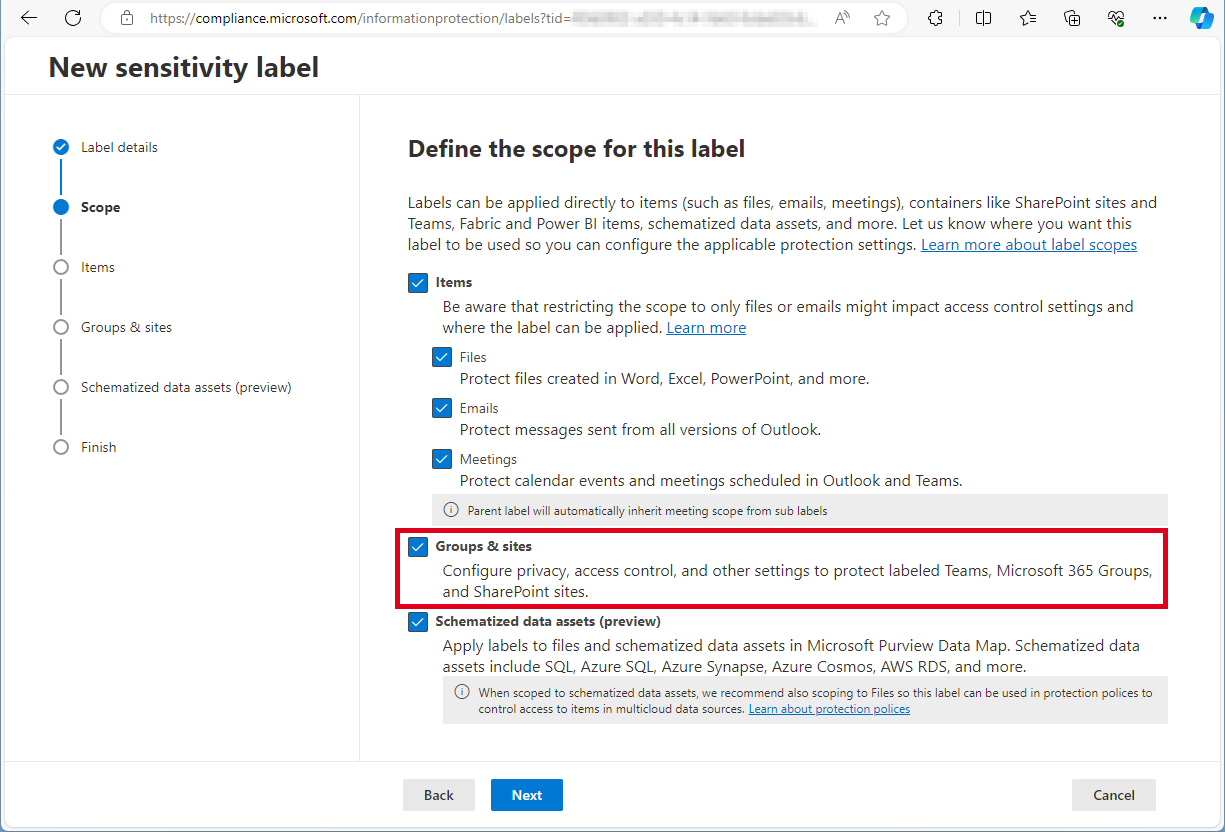
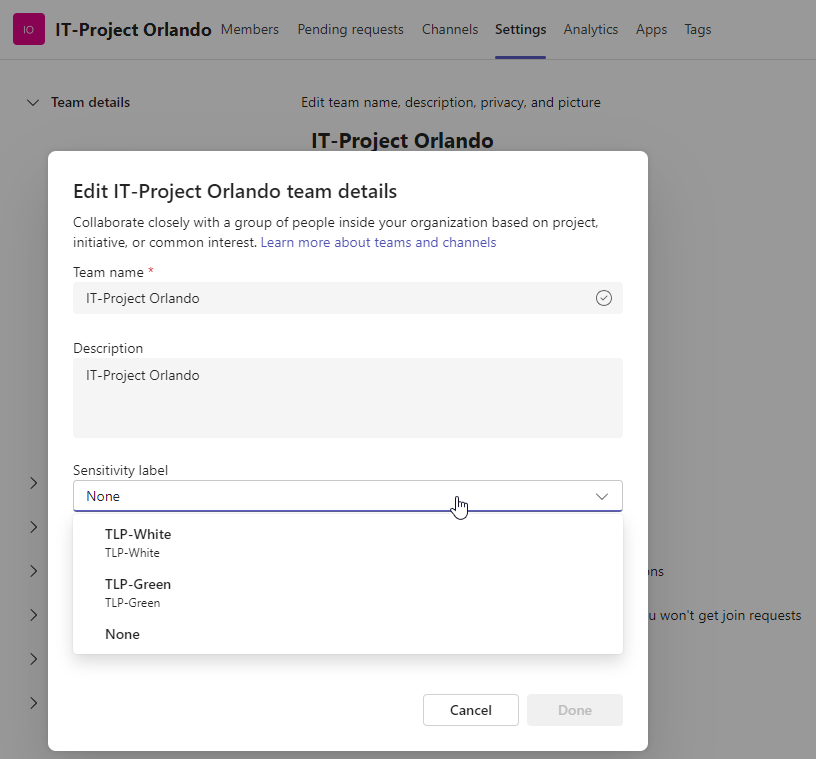
Sensitivity labels in Microsoft 365 are a crucial feature for organizations to protect and manage their data. These labels allow organizations to classify and safeguard sensitive information based on its level of confidentiality. By applying sensitivity labels, organizations can control access, encrypt data, apply policies, and track and monitor on sensitive information. Users can apply sensitivity labels to classify and protect their data. However, applications unfortunately cannot currently assign sensitivity labels. ...

August 15, 2024 · 4 min · Toni Pohl
Retrieve User PIM Role Assignments and History with Microsoft Graph REST API

Retrieve User PIM Role Assignments and History with Microsoft Graph REST API

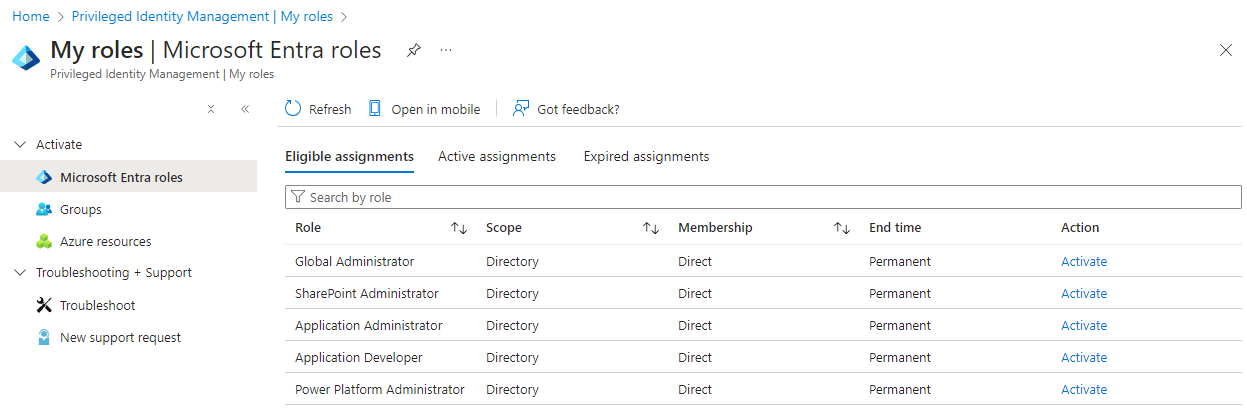
Microsoft Entra Privileged Identity Management (PIM) allows administrators to manage role assignments efficiently, ensuring that users have the necessary permissions only when needed. By following a few simple steps, administrators can make users eligible for specific roles, activate roles as required, and manage both built-in and custom roles. This process enhances security by minimizing the duration and scope of privileged access, making it a crucial tool for maintaining a secure and compliant environment. In this article, we explore how to read a user’s Microsoft Entra roles and history using PIM and the Microsoft Graph REST API. ...

August 3, 2024 · 5 min · Toni Pohl
List Flows as Admin V2 API endpoint

List Flows as Admin V2 API endpoint

A year ago, Microsoft announced the “Transition to List Flows as Admin V2 action from deprecated List Flows as Admin action” for Power Automate. Well, we were using the old API endpoint for working with flows in our own software until it stopped working recently. It took some time until we found workarounds or a successor. Also the PnP modules still are using the old API, and the endpoint address is currently not documented on any Microsoft website. Find it here! ...

July 14, 2024 · 2 min · Toni Pohl
Enhance your Copilot with Graph Connector relevance tuning

Enhance your Copilot with Graph Connector relevance tuning

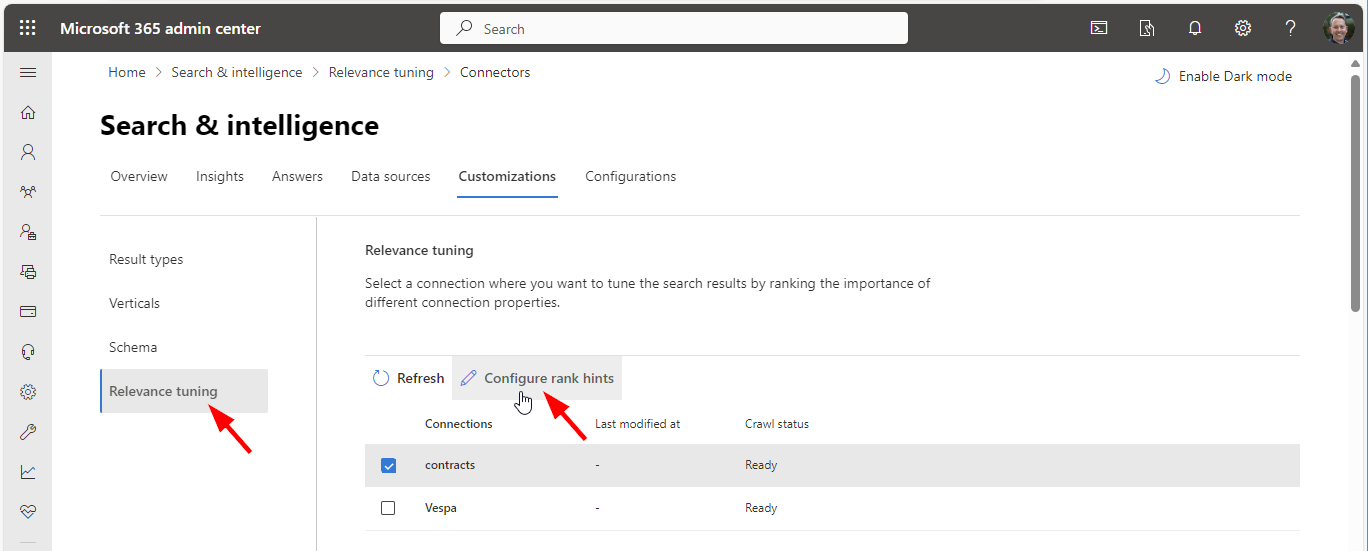
Utilizing Graph connectors simplifies the process of incorporating your data into Microsoft 365 search and Microsoft 365 Copilot, enhancing your experience with seamless integration. A fresh addition to Copilot’s capabilities is the Relevance Tuning feature, that significantly enhances Copilot’s functionality.. The Relevance Tuning feature allows for fine-tuning the relevance of search results, ensuring that Copilot delivers even more accurate and tailored responses. By leveraging this innovation, users can expect a marked improvement in the quality and precision of Copilot’s outputs. Administrators now have the power to assign importance weights to different properties within Graph connections. This customization means that search results can be fine-tuned to align closely with an organization’s unique requirements, making the discovery of relevant content more intuitive and efficient. Administrators can find out more about that topic at Microsoft Graph connectors overview for Microsoft Search. ...

June 5, 2024 · 2 min · Martina Grom
Azure Logic Apps Toolbox 10-Dynamic access to keys and values in a JSON object

Azure Logic Apps Toolbox 10-Dynamic access to keys and values in a JSON object

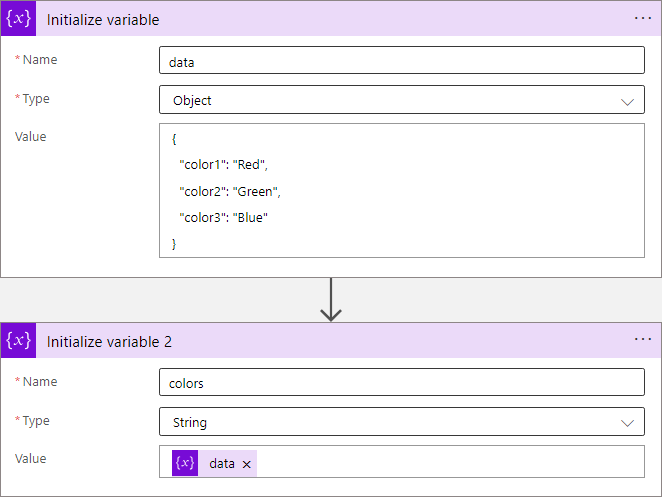
In Azure Logic Apps, looping through objects is a common requirement. When we have prior knowledge of an object’s properties, the process is straightforward. However, things get more challenging when attempting to access properties dynamically. See a method to access data in a JSON object dynamically here. JSON (JavaScript Object Notation) is a format for storing and transferring data. Here we want to dynamically access data from a JSON object in an Azure Logic App. To demonstrate this, consider this example. ...

June 1, 2024 · 8 min · Toni Pohl
Working with Microsoft Entra ID Applications - Part 2

Working with Microsoft Entra ID Applications - Part 2

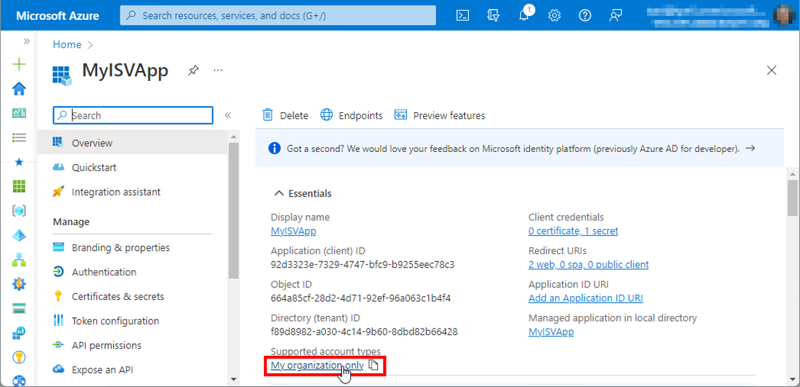
In Part 2 of this series we look into setting up and managing applications in a Microsoft 365 tenant. In Part 1, I focused on how Azure AD applications can be used to provide secure access control to data and services. I demonstrated how to create an Azure AD application in the home tenant and the importance of integrating with Azure AD for centralized app registration, management, and security measures. In this article, I will dive deeper into the topic and exploring how to use and manage a multitenant app in foreign M365 tenants. So, let’s get started! ...

May 14, 2024 · 11 min · Toni Pohl
Working with Microsoft Entra ID Applications - Part 1

Working with Microsoft Entra ID Applications - Part 1

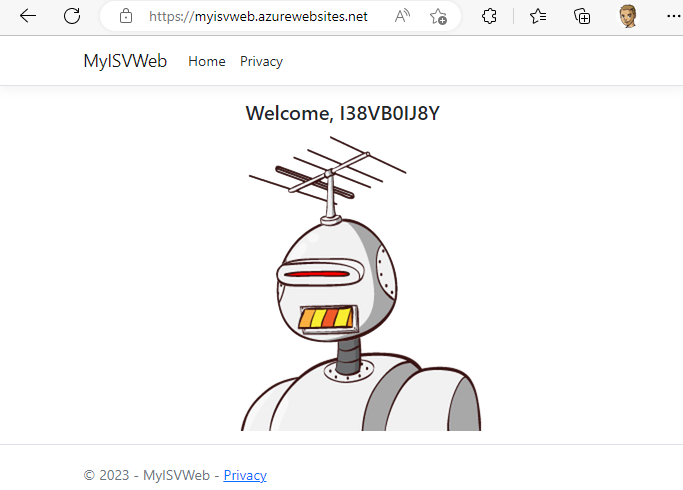
Microsoft Entra ID (or Azure AD) applications are cloud-based applications that can be integrated with Azure AD for authentication and authorization purposes. Using such applications provides a way to centrally manage and secure access to your cloud-based applications and services using Azure AD identities and credentials. This article is presented in two parts, exploring the practical implementation and functionality of apps across tenant boundaries. It provides an overview of how these apps operate and the details of permissions when used in a real-world setting. ...

May 6, 2024 · 13 min · Toni Pohl
Activate the sensitivity label for Groups and Sites with Graph PowerShell

Activate the sensitivity label for Groups and Sites with Graph PowerShell

Need to activate the Microsoft 365 sensitivity labels for Groups and Sites? This must be done with PowerShell. Find the current working script here. The article Assign sensitivity labels to Microsoft 365 groups in Microsoft Entra ID describes basically how to activate the Groups and Sites settings with Microsoft Beta Graph PowerShell: “…To apply published labels to groups, you must first enable the feature. These steps enable the feature in Microsoft Entra ID….”. My colleague Christoph Wilfing corrected and completed the script so that it optimizes module loading times and works in all cases. Thx Christoph! ...

April 22, 2024 · 1 min · Toni Pohl
Create a new Viva Engage Community with Graph

Create a new Viva Engage Community with Graph

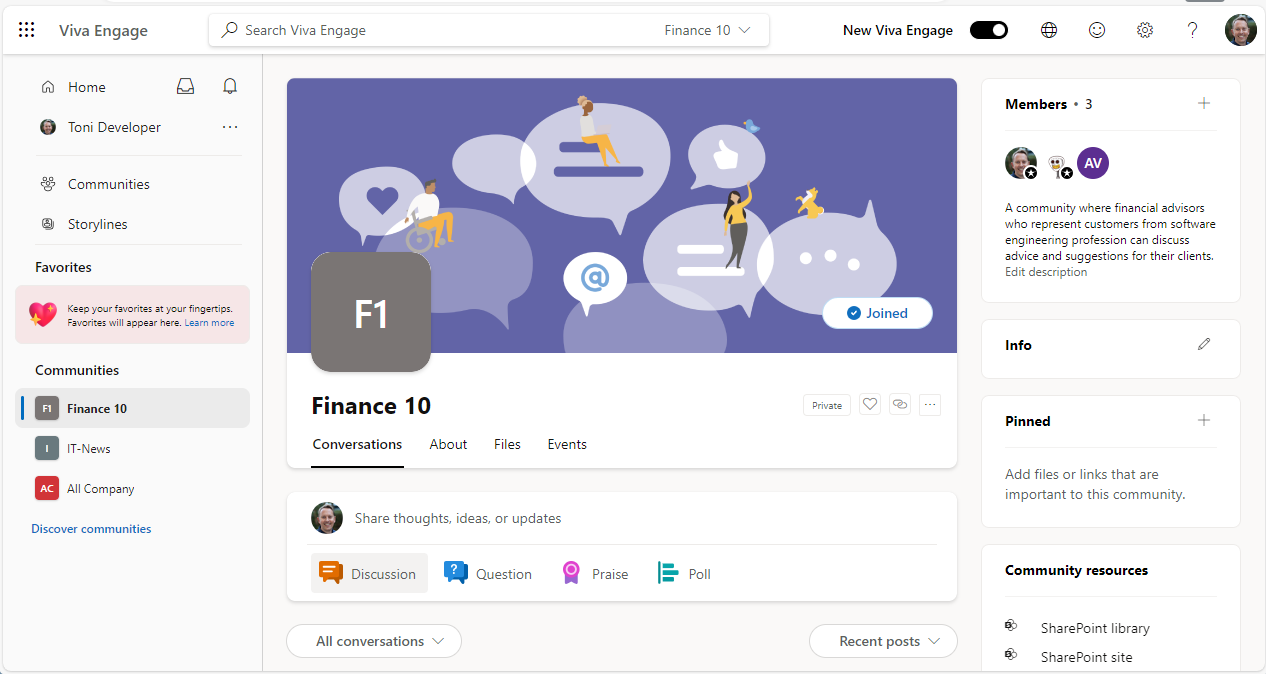
In early 2023, Microsoft renamed Yammer to Viva Engage. This year we see the first small integration of Viva Engage with Microsoft Graph in beta. This article shows how to provision a new Viva Engage community, add owners and members using Graph in an Azure Logic app. The goal is to automatically create a new Viva Engage Community which means technically, to create a Microsoft 365 group that is enabled as – sorry, I’m still using the old name - Yammer Community. Currently, Microsoft Graph beta provides a preview feature. See the details at Use the Microsoft Graph API to work with Viva Engage (preview). When using this method, remember that APIs under the /beta version in Microsoft Graph are subject to change. ...

April 2, 2024 · 3 min · Toni Pohl

M365 Copilot for everyone

As announced yesterday, Microsoft is removing the 300 seat purchase minimum for commercial plans and making Copilot available to Office 365 E3 and E5 customers upon purchasing the Copilot license. This change will make it easier for more people and businesses to access the benefits of the M365 Copilot. Microsoft Copilot is an AI-powered tool that assists users in their daily tasks. The goal is to give every user the opportunity to use Copilot as an everyday AI companion to support their daily tasks on their computers with familiar software. Microsoft also has introduced Copilot Pro, a new premium subscription for individuals that provides a higher tier of service for AI capabilities. ...

January 16, 2024 · 1 min · Martina Grom