How to setup Multi Factor Authentication for your personal Microsoft Account

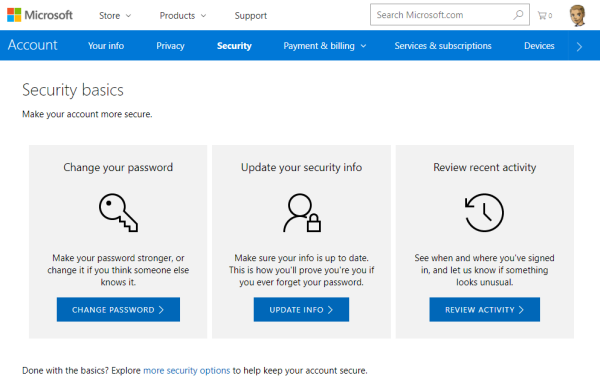
To secure a personal Microsoft Account (“MSA”, formerly known as “LiveID”), you can enable two-step verification (“MFA” for Multi Factor Authentication) easily. This article shows the How-To. The Microsoft support article About two-step verification informs about the necessary steps. ## Secure your MSA I wanted to add MFA to an existing MSA *@outlook.com. To make it short: Open the Security basics page (https://account.microsoft.com/security). Click update info, enter (or confirm) your mobile phone number. You get a SMS with a security code. ...

August 16, 2017 · 2 min · Toni Pohl
Why we moved away from Exchange distribution groups to Office 365 groups

Why we moved away from Exchange distribution groups to Office 365 groups

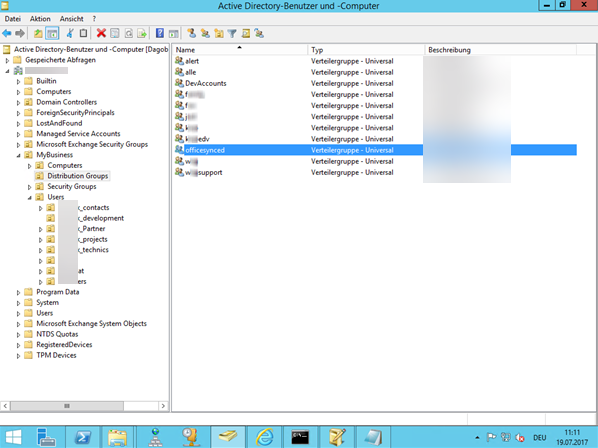
A very simple use case let us give up our Distribution lists. This article discusses why and how we did it and delivers tips how to improve your experience with Office 365 groups. How can you replace “old” distribution groups from a synced environment with “new” Office 365 groups? And how to add, delete or modify email addresses to an Office 365 group? This article shows the steps. After we replaced all distribution lists with Office 365 groups, we got some questions, like ...

July 23, 2017 · 8 min · Martina Grom
BUILD 2017 Redelivery Event bei Microsoft Wien

BUILD 2017 Redelivery Event bei Microsoft Wien

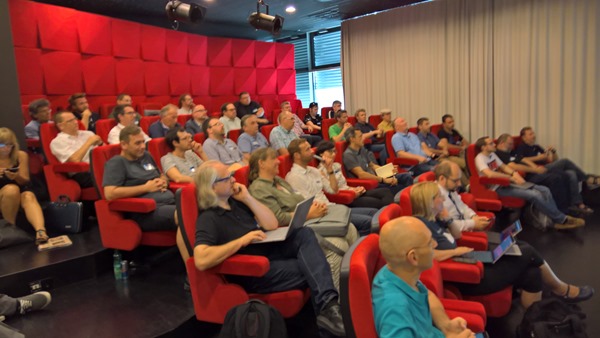
Am 21. Juni fand bei Microsoft Wien das Community Event BUILD 2017 Redelivery statt. Spät aber doch, hier ein paar Eindrücke vom Event mit einigen Schnappschüssen! Unter dem Motto //BUILD on Tour Neuigkeiten für Devs und IT-Pros organisierten Gerhard Göschl (MSFT), Gerwald Oberleitner (MSFT), Martina Grom (MVP, RD) und Rainer Stropek (MVP, RD) das Event im Office von Microsoft Wien. Es gab drei Tracks, mit den Zielgruppen für Entwickler, IT-Pros und Open Source Software sowie zusätzlich einen Hands-On Workshop über Azure Stack. Die Veranstaltung wurde von der community für die community veranstaltet und war kostenfrei. Vielen Dank an alle Sprecher (aus der MVP community), an den Sponsor Microsoft und an alle Teilnehmer! ...

July 2, 2017 · 2 min · Toni Pohl

Honored for receiving my 5th MVP Award

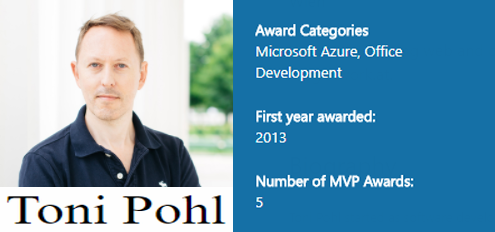
Well, it’s 1st of July and guess what? I got reawarded as a Microsoft MVP for the 5th time. And, I was accepted by two Product Groups for my contributions of the last year: I got the MVP award for Microsoft Azure and for Office Development. Wow! See my MVP-Profile here. For me, being awarded as a Microsoft MVP is a great honor. This award is a marvelous acknowledgment for all my activities as conferences, meetups, blog articles and all my other contributions to the various national and international IT-communities. I started as a MVP for “Client Development” in 2013 which then was re-organized in “Windows Development”. It was a very exiting time to be part of that group among great personalities! Today, I’m doing mostly projects around Microsoft Azure and Office Development, so I’m really proud and happy that my community contributions ended up in these two new competencies. ...

July 1, 2017 · 1 min · Toni Pohl

Wir suchen Software DeveloperInnen

Wir suchen engagierte Persönlichkeiten zur Verstärkung unseres Development-Teams für die Entwicklung von Individualsoftware und von Standardprodukten und Services mit Microsoft .NET und aktuellen Webtechnologien. Abhängig von Ihrer Projekterfahrung, bzw. nach Einarbeitung in unsere Projekte tragen Sie auch Verantwortung für Projekte und übernehmen Aufgaben in der Spezifikation und im Design und arbeiten aktiv gemeinsam mit Kunden an der Weiterentwicklung der Lösungen. Technical Skills Ausbildung zum Software-Developer Solides KnowHow von Microsoft.NET (C#, VB, ASP.NET) Kenntnis von Typescript, NET Standard, .NET Core von Vorteil Sehr gute Kenntnis von HTML5, CSS, Javascript (Kenntnis von Angular oder ähnlichen Plattformen und Libraries von Vorteil) Gute Kenntnis von Microsoft Cloud-Technologien: Office 365, Microsoft Azure Services (App Services, Storage, Datenbanken, Netzwerken, etc.) Kenntnis von Microsoft Visual Studio oder Visual Studio Code Grundlegendes Verständnis von Authentication Protocols Wissen von agilem Development, SCRUM und Application Lifecycle Management (ALM) Non-Technical Skills Teamfähigkeit Lösungsorientiertheit Deutsch und Englisch in Wort und Schrift Presentation skills für kleine und große Audiences Projektleitung Kontinuierliche Lernbereitschaft Certifications Ausbildung zum Software-Developer (HTL, Studium) Microsoft MCPs Microsoft Certified Solutions Developer (MCSD) Certification (etwa MCSD Azure Solutions Architect) oder ähnliches Project Experience Types/Qualities Erfahrung in Architektur und Design von Distributed Applications Fähigkeiten, selbstständig Applications und Services zu entwickeln, zu testen und zu dokumentieren Technologies Microsoft .NET Webtechnologien Office 365 Services Azure Services Authentication Das Mindestentgelt lt. IT-Kollektivvertrag für die Stelle entspricht 32.648,- pro Jahr auf Basis Vollzeitbeschäftigung. Unsere aktuellen Gehälter sind marktkonform und berücksichtigen Qualifikationen und Erfahrungen. Bereitschaft zur Überzahlung, je nach Berufserfahrung und Qualifikation (siehe Fachverband Unternehmensberatung und Informationstechnologie der Wirtschaftskammer Österreich). ...
June 20, 2017 · 2 min · Doris Schlaffer

Grenzenloses Arbeiten mit Office 365 und Android oder iOS

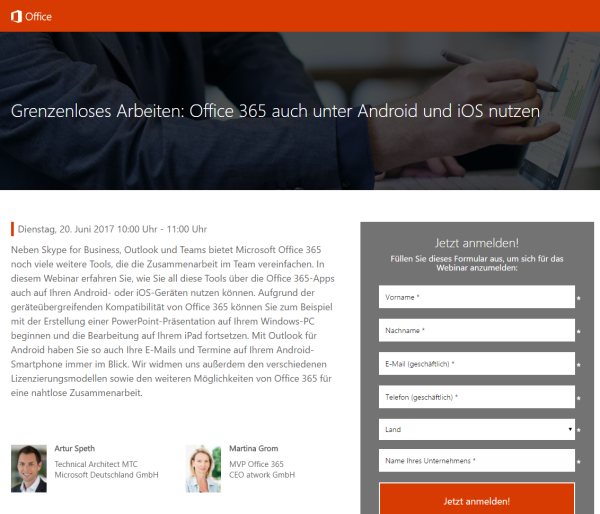
Office 365 ist mobil! Erfahren Sie in diesem Webinar mit Martina Grom und Artur Speth, wie Sie die Office 365-Apps auf Android- oder iOS-Geräten nutzen können! Das Webinar findet live kommenden Dienstag, den 20 Juni, von 10:00 bis 11:00 Uhr statt. Weitere Informationen und die Anmeldung sind unter Grenzenloses Arbeiten: Office 365 auch unter Android und iOS nutzen erreichbar. Das Webinar wird von Artur Speth, Technical Architect MTC bei Microsoft Deutschland GmbH, und Martina Grom, CEO atwork und RD & MVP Office 365, durchgeführt und kann online angesehen werden. ...

June 18, 2017 · 1 min · Toni Pohl
Adding Send as permissions to an Office 365 Group with PowerShell

Adding Send as permissions to an Office 365 Group with PowerShell

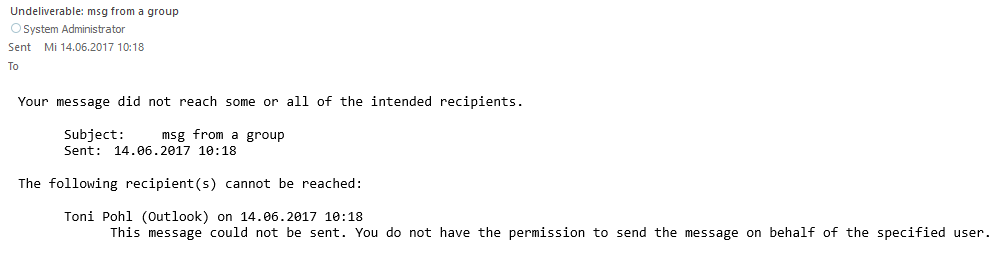
Office 365 Groups provide a bunch of useful features for collaboration. In some cases, users want to send emails from an Office 365 group as sender. Here’s the “HowTo” to accomplish “SendAs” permissions to an Office 365 group for users. By default, users do not have any permissions to send from an Office 365 Group. So, if you try to send an email with such a sender address, you will get a reply similar as here. ...

June 14, 2017 · 2 min · Martina Grom
Many new useful features coming in PowerApps

Many new useful features coming in PowerApps

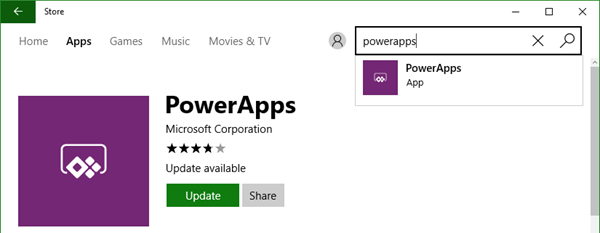
Two days ago, a new version of the PowerApps Studio has arrived with a bunch of useful features. See the details at PowerApps Newest Feature Releases Address Top User Requests! There’s a new Explorer Tree View to access a list of controls of each screen, as shown here in this animated graphics taken from the blog post: See more about control handling here. The new Multi-Column Form Control makes sense for Tablet mode apps… ...

June 2, 2017 · 1 min · Toni Pohl

Impressions of BUILD 2017

We did it again.. attending this year’s Microsoft BUILD conference in Seattle. See some of our impressions here! This year, Microsoft BUILD conference took place from May 10th to 12th near Microsoft’s home in Seattle. In total, this was the 7th BUILD conference. After the Professional Developer’s Conference (PDC) in the past and a break, the first BUILD started in September 2011 in Los Angeles, Anaheim, where Windows 8 was announced. The second BUILD end of October 2012 was interesting since it happened directly in Redmond at the Microsoft Campus with a big tent for the keynote (near the Conference Building 31) and Steve Ballmer himself presenting Windows 8 and Windows Phone 8. From then on (2013 to 2016), BUILD had it’s location in San Francisco at the Moscone Center. I still remember what an expensive location Silicone Valley and SanFran was. In 2013, Windows 8.1 was announced. In 2014, Universal Apps and the Lumia phone got most attention (can you remember, there was a time when Microsoft wanted to participate in the mobile device market with hardware and software…). In 2015, “Cloud First” – Azure (which was renamed from Windows Azure to Microsoft Azure in 2014 already) - took the stage, followed by Windows 10 that came in that summer. In 2016, it was time for the Cortana, Bots, Cognitive Services, Xamarin, and the Windows Windows 10 Anniversary Update. The Mixed Reality project “HoloLens” was announced in January 2016 at the virtual “Windows 10: The Next Chapter” event completely unexpected (although the Kinect project lead into that). ...

May 19, 2017 · 4 min · Toni Pohl
Add your local IP address to a SQL Azure Firewall easily

Add your local IP address to a SQL Azure Firewall easily

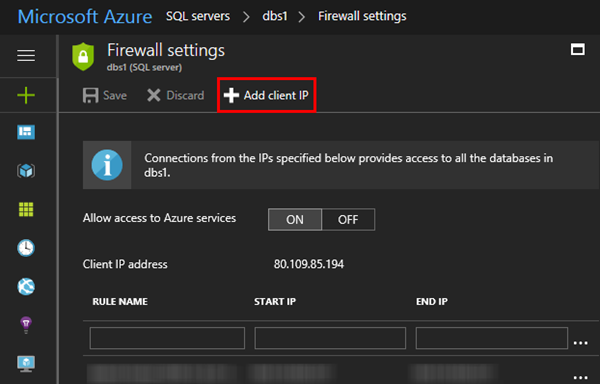
When working with SQL Azure you are aware that a connection is just established, if the client’s IP address is configured in the firewall of the SQL Azure database server. You needed to open the Azure Portal-SQL servers service and add your IP address manually. Well, the good story is, now the SQL Server 2016 Management Studio does this for you! At my home, the ISP renews IP addresses constantly. So, it’s always an effort to add my current IP address manually in the Azure Portal to be able to connect. Well, this can be done with Azure PowerShell as well, but I never automated that. ...

May 6, 2017 · 1 min · Toni Pohl