Delegate365 and the Exchange issue update

Delegate365 and the Exchange issue update

In the last days, some customers of Delegate365 experienced a warning in the Delegate365 portal that informed about the failing communication to Exchange Online. This issue was caused by the Microsoft Exchange Online PowerShell endpoint. We are glad to announce that this issue should be fixed soon. Delegate365 informed users about the reduced functionality with a message “Access denied – please check the credentials of your Office 365 account…” when opening the yellow warning icon in the portal. ...

August 30, 2017 · 3 min · Toni Pohl
Move resources in Microsoft Azure

Move resources in Microsoft Azure

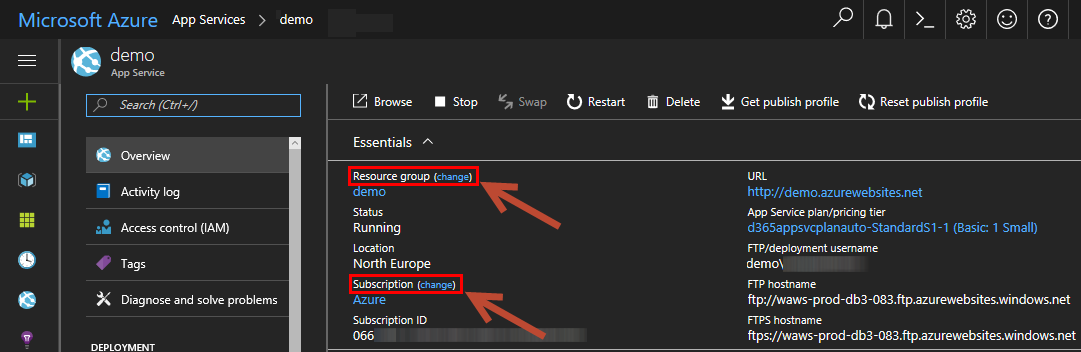
It’s a not so well known feature, that admins can transfer services in Microsoft Azure to reorganize their cloud services. This can be accomplished in the Azure Portal or programmatically. See here, how this works. So, you can move services between resource groups and you can move services to another Azure subscription.This can be done in the (new) Azure Portal portal.azure.com. When opening a resource, you see the “change” links to change the resource group and to change the subscription as in the screenshot here: ...

August 21, 2017 · 2 min · Toni Pohl

Use Azure AD app principal without user context

For an application registered in AAD to be able to run in application context only without a user context the “Company Administrator” role has to be assigned to the application in order to be able to access administrator endpoints for APIs like the Microsoft Graph. No additional permissions have to be assigned to the application after assigning this role. The assignment has to be done using PowerShell and looks like this: (the app registration has to be done beforehand) ...

August 21, 2017 · 1 min · Jörg Schoba
How to setup Multi Factor Authentication for your personal Microsoft Account

How to setup Multi Factor Authentication for your personal Microsoft Account

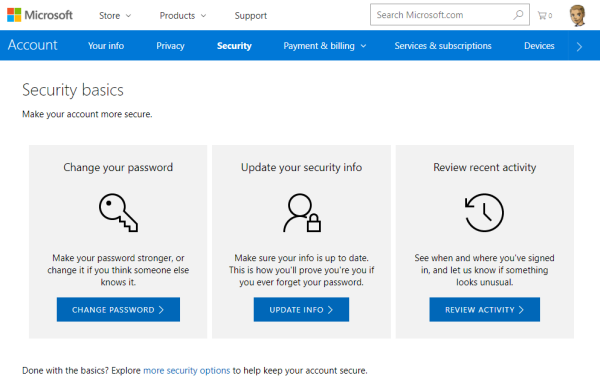
To secure a personal Microsoft Account (“MSA”, formerly known as “LiveID”), you can enable two-step verification (“MFA” for Multi Factor Authentication) easily. This article shows the How-To. The Microsoft support article About two-step verification informs about the necessary steps. ## Secure your MSA I wanted to add MFA to an existing MSA *@outlook.com. To make it short: Open the Security basics page (https://account.microsoft.com/security). Click update info, enter (or confirm) your mobile phone number. You get a SMS with a security code. ...

August 16, 2017 · 2 min · Toni Pohl
Why we moved away from Exchange distribution groups to Office 365 groups

Why we moved away from Exchange distribution groups to Office 365 groups

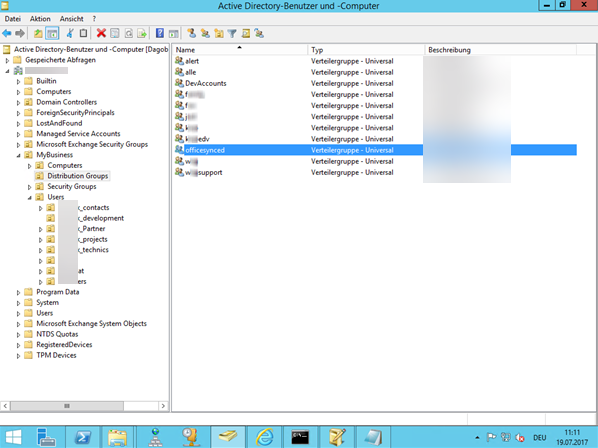
A very simple use case let us give up our Distribution lists. This article discusses why and how we did it and delivers tips how to improve your experience with Office 365 groups. How can you replace “old” distribution groups from a synced environment with “new” Office 365 groups? And how to add, delete or modify email addresses to an Office 365 group? This article shows the steps. After we replaced all distribution lists with Office 365 groups, we got some questions, like ...

July 23, 2017 · 8 min · Martina Grom
BUILD 2017 Redelivery Event bei Microsoft Wien

BUILD 2017 Redelivery Event bei Microsoft Wien

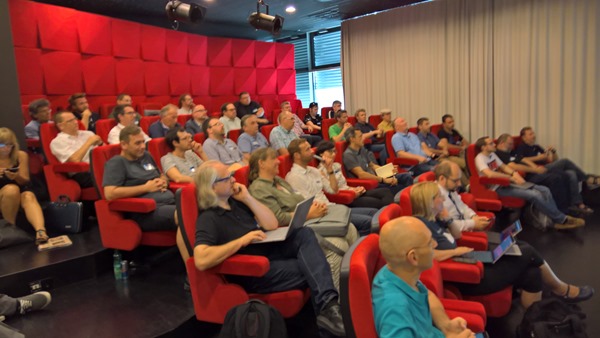
Am 21. Juni fand bei Microsoft Wien das Community Event BUILD 2017 Redelivery statt. Spät aber doch, hier ein paar Eindrücke vom Event mit einigen Schnappschüssen! Unter dem Motto //BUILD on Tour Neuigkeiten für Devs und IT-Pros organisierten Gerhard Göschl (MSFT), Gerwald Oberleitner (MSFT), Martina Grom (MVP, RD) und Rainer Stropek (MVP, RD) das Event im Office von Microsoft Wien. Es gab drei Tracks, mit den Zielgruppen für Entwickler, IT-Pros und Open Source Software sowie zusätzlich einen Hands-On Workshop über Azure Stack. Die Veranstaltung wurde von der community für die community veranstaltet und war kostenfrei. Vielen Dank an alle Sprecher (aus der MVP community), an den Sponsor Microsoft und an alle Teilnehmer! ...

July 2, 2017 · 2 min · Toni Pohl
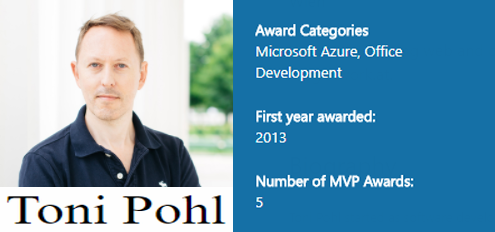
Honored for receiving my 5th MVP Award

Honored for receiving my 5th MVP Award

Well, it’s 1st of July and guess what? I got reawarded as a Microsoft MVP for the 5th time. And, I was accepted by two Product Groups for my contributions of the last year: I got the MVP award for Microsoft Azure and for Office Development. Wow! See my MVP-Profile here. For me, being awarded as a Microsoft MVP is a great honor. This award is a marvelous acknowledgment for all my activities as conferences, meetups, blog articles and all my other contributions to the various national and international IT-communities. I started as a MVP for “Client Development” in 2013 which then was re-organized in “Windows Development”. It was a very exiting time to be part of that group among great personalities! Today, I’m doing mostly projects around Microsoft Azure and Office Development, so I’m really proud and happy that my community contributions ended up in these two new competencies. ...

July 1, 2017 · 1 min · Toni Pohl

Wir suchen Software DeveloperInnen

Wir suchen engagierte Persönlichkeiten zur Verstärkung unseres Development-Teams für die Entwicklung von Individualsoftware und von Standardprodukten und Services mit Microsoft .NET und aktuellen Webtechnologien. Abhängig von Ihrer Projekterfahrung, bzw. nach Einarbeitung in unsere Projekte tragen Sie auch Verantwortung für Projekte und übernehmen Aufgaben in der Spezifikation und im Design und arbeiten aktiv gemeinsam mit Kunden an der Weiterentwicklung der Lösungen. Technical Skills Ausbildung zum Software-Developer Solides KnowHow von Microsoft.NET (C#, VB, ASP.NET) Kenntnis von Typescript, NET Standard, .NET Core von Vorteil Sehr gute Kenntnis von HTML5, CSS, Javascript (Kenntnis von Angular oder ähnlichen Plattformen und Libraries von Vorteil) Gute Kenntnis von Microsoft Cloud-Technologien: Office 365, Microsoft Azure Services (App Services, Storage, Datenbanken, Netzwerken, etc.) Kenntnis von Microsoft Visual Studio oder Visual Studio Code Grundlegendes Verständnis von Authentication Protocols Wissen von agilem Development, SCRUM und Application Lifecycle Management (ALM) Non-Technical Skills Teamfähigkeit Lösungsorientiertheit Deutsch und Englisch in Wort und Schrift Presentation skills für kleine und große Audiences Projektleitung Kontinuierliche Lernbereitschaft Certifications Ausbildung zum Software-Developer (HTL, Studium) Microsoft MCPs Microsoft Certified Solutions Developer (MCSD) Certification (etwa MCSD Azure Solutions Architect) oder ähnliches Project Experience Types/Qualities Erfahrung in Architektur und Design von Distributed Applications Fähigkeiten, selbstständig Applications und Services zu entwickeln, zu testen und zu dokumentieren Technologies Microsoft .NET Webtechnologien Office 365 Services Azure Services Authentication Das Mindestentgelt lt. IT-Kollektivvertrag für die Stelle entspricht 32.648,- pro Jahr auf Basis Vollzeitbeschäftigung. Unsere aktuellen Gehälter sind marktkonform und berücksichtigen Qualifikationen und Erfahrungen. Bereitschaft zur Überzahlung, je nach Berufserfahrung und Qualifikation (siehe Fachverband Unternehmensberatung und Informationstechnologie der Wirtschaftskammer Österreich). ...
June 20, 2017 · 2 min · Doris Schlaffer
Grenzenloses Arbeiten mit Office 365 und Android oder iOS

Grenzenloses Arbeiten mit Office 365 und Android oder iOS

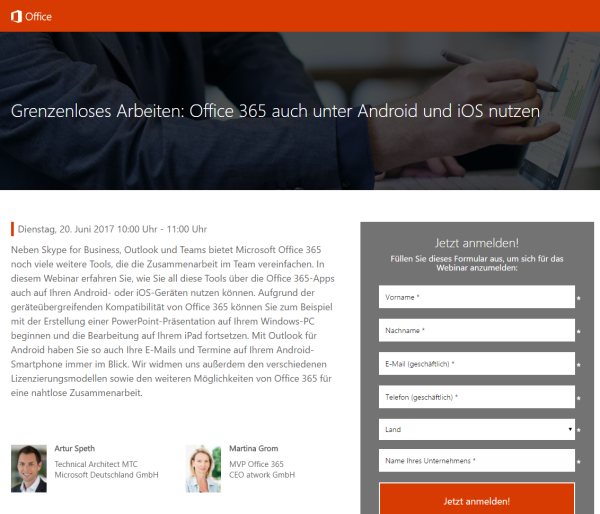
Office 365 ist mobil! Erfahren Sie in diesem Webinar mit Martina Grom und Artur Speth, wie Sie die Office 365-Apps auf Android- oder iOS-Geräten nutzen können! Das Webinar findet live kommenden Dienstag, den 20 Juni, von 10:00 bis 11:00 Uhr statt. Weitere Informationen und die Anmeldung sind unter Grenzenloses Arbeiten: Office 365 auch unter Android und iOS nutzen erreichbar. Das Webinar wird von Artur Speth, Technical Architect MTC bei Microsoft Deutschland GmbH, und Martina Grom, CEO atwork und RD & MVP Office 365, durchgeführt und kann online angesehen werden. ...

June 18, 2017 · 1 min · Toni Pohl
Adding Send as permissions to an Office 365 Group with PowerShell

Adding Send as permissions to an Office 365 Group with PowerShell

Office 365 Groups provide a bunch of useful features for collaboration. In some cases, users want to send emails from an Office 365 group as sender. Here’s the “HowTo” to accomplish “SendAs” permissions to an Office 365 group for users. By default, users do not have any permissions to send from an Office 365 Group. So, if you try to send an email with such a sender address, you will get a reply similar as here. ...

June 14, 2017 · 2 min · Martina Grom