Tips for PowerApps-When does a user need a license?

Tips for PowerApps-When does a user need a license?

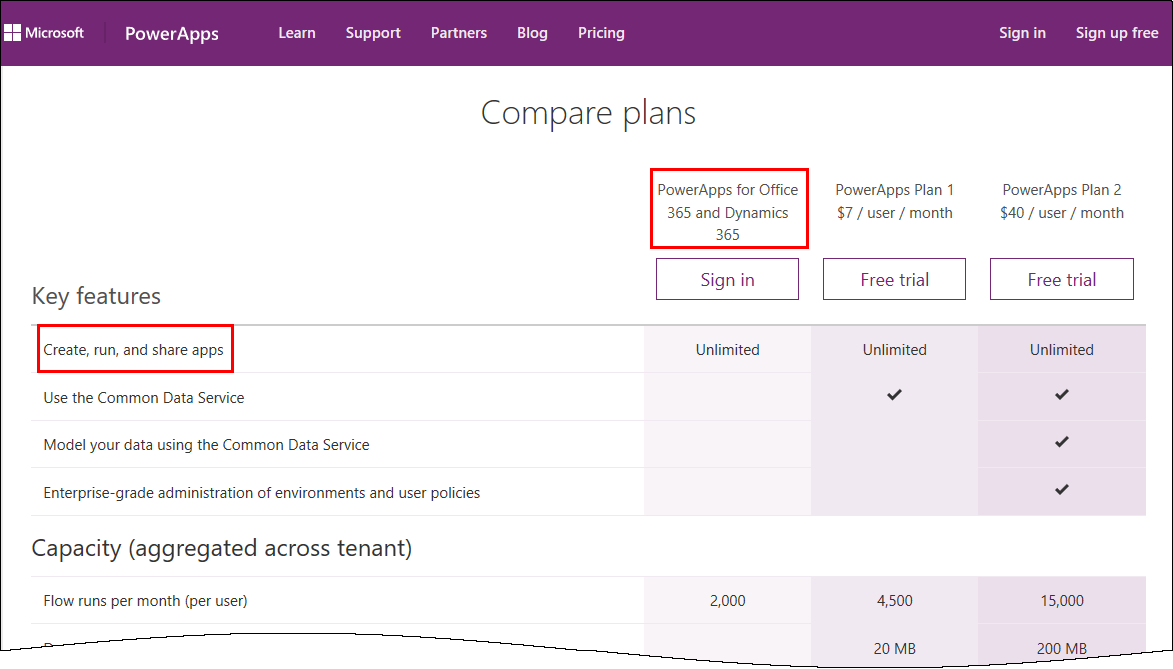
PowerApps is licensed in the Office 365 environment and offers three license plans: PowerApps for Office 365 and Dynamics 365, PowerApps Plan 1 and PowerApps Plan 2. Since it often is not clear, if end users who want to use (and not create) a PowerApps app need a license or how licensing works with data sources, I want to inform about licenses, show some samples and clarify that topic here. ...
January 5, 2017 · 6 min · Toni Pohl
Tips for PowerApps-A drivers logbook

Tips for PowerApps-A drivers logbook

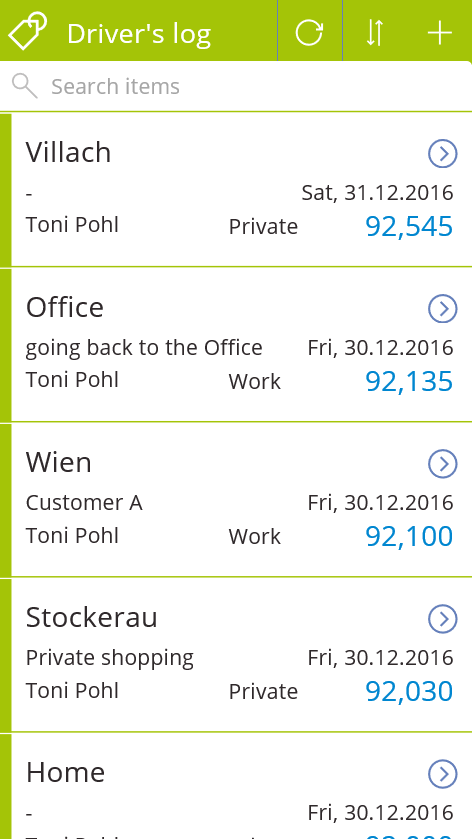
PowerApps are a great way to accomplish simple tasks by end users. A new PowerApp is usually done in minutes (if the underlying data source is existing and working). Nevertheless, it often takes much more time to polish the app and to find and modify details. So I decided to post from time to time some tips when stumbling upon any topics in PowerApps. A driver’s log I wanted to use a very simple custom SharePoint Online list to allow colleagues to log their travels with a company car. At every destination, the user shall simply protocol his location and the mileage, and optional some information about the customer or the appointment. Very little fields, just to keep it handy. ...

January 4, 2017 · 3 min · Toni Pohl
Our Technical Summit 2016 sessions on channel9

Our Technical Summit 2016 sessions on channel9

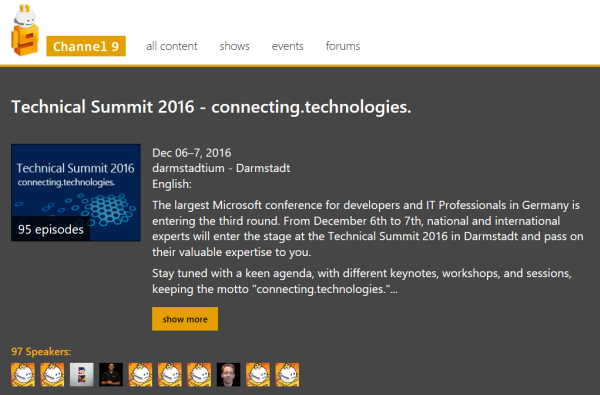
Check out the sessions of Technical Summit 2016 in Darmstadt here! All sessions are online now at https://channel9.msdn.com/Events/microsoft-techncial-summit/Technical-Summit-2016 Find the sessions by atwork on channel9 here: Martina Grom Toni Pohl Siegfried Jagott Christoph Wilfing Enjoy!

December 31, 2016 · 1 min · Toni Pohl
How to develop an Office App in real world-part 2

How to develop an Office App in real world-part 2

After part 1, we now look into the app side of our Excel solution. I want to point out some basics here to make it easy for developers to create their first Office App (with Excel). Here we go. Working with the API To easily access the Excel or Word functions with JavasScript, Microsoft provides an object with an anonymous function and a context (*ctx *here) as parameter. So, accessing Excel works basically as here: ...

December 30, 2016 · 4 min · Toni Pohl
How to develop an Office App in real world

How to develop an Office App in real world

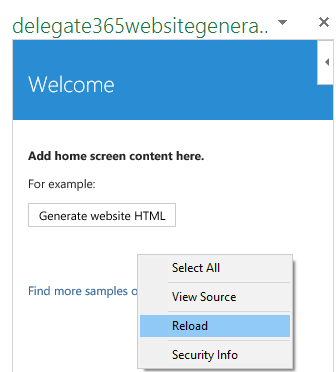
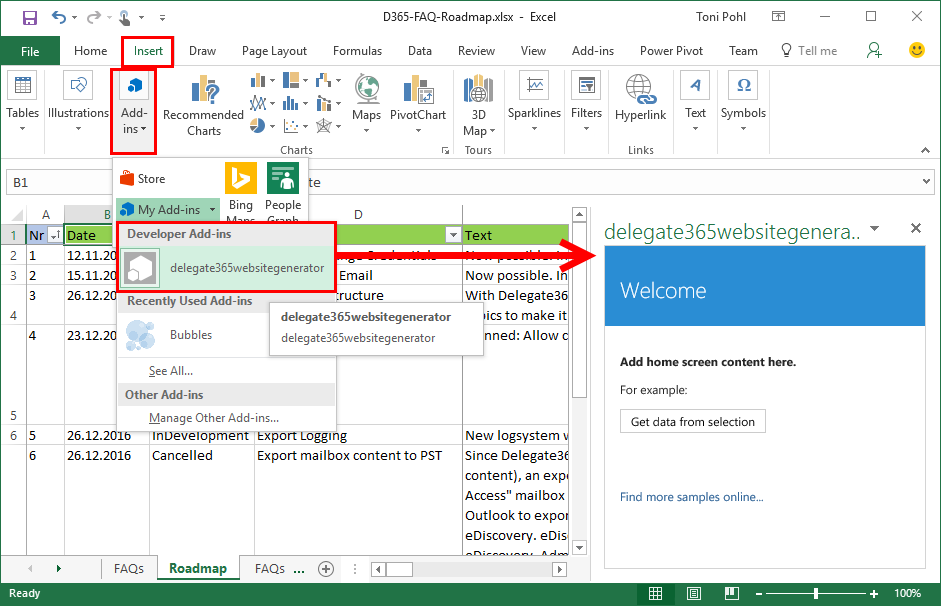
Sometimes, it’s the small things that cost (unnecessarily) time. Recently, I wanted to create a quick Office App for an existing Excel file to loop through rows and do some transformation for the values. I was stumbling over some topics when developing in real world. So here’s my short How To for working with Visual Studio and Office Apps with helpful tips. Set the start document If you are not used to develop Office Apps often, this maybe isn’t easy to find: How to set an existing document as start file. ...

December 29, 2016 · 4 min · Toni Pohl
Azure Active Directory PowerShell Module V2 is available

Azure Active Directory PowerShell Module V2 is available

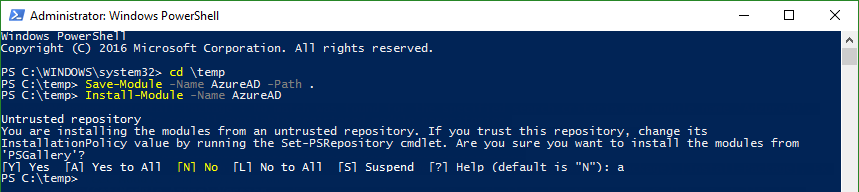
Today, just a short info for Azure Active Directory guys: #AzureAD PowerShell V2.0 is now GA! In this blogpost, Alex Simons and Rob de Jong inform that the PowerShell Azure AD v2.0 cmdlets are now generally available (GA). See the details at the Technet Blog and at Azure Active Directory V2 PowerShell Module - General Availability Release 2.0.0.33. Prerequisites Azure Active Directory V2 PowerShell Module can be installed on Windows starting with versions of Windows 7 SP1 and Windows Server 2008 R2 SP1 and up. ...

December 21, 2016 · 2 min · Toni Pohl
Microsoft announced BUILD 2017

Microsoft announced BUILD 2017

The next Microsoft BUILD conference will be held from May 10th to 12th 2017, this time no longer in San Francisco, but in Seattle. It seems Microsoft wants to simplify their organization, so they now pick the region of their headquarter. See https://build.microsoft.com/ CU there!

December 9, 2016 · 1 min · Toni Pohl
Join us at Technical Summit 2016 in Darmstadt

Join us at Technical Summit 2016 in Darmstadt

According to the principle “Technical Summit 2016: Mehr Technologie geht nicht”, this year’s Technical Summit 2016 is happening next week in Darmstadt, Germany. The event lasts from Tuesday, 6th to Wednesday, 7th of December with an optional additional workshop day on Thursday, 8th. This events features prominent Microsoft speakers as Scott Guthrie, Donovan Brown and more. We from atwork are pleased to be part of this event with four sessions! ...

December 2, 2016 · 1 min · Toni Pohl
A new version of Microsoft Azure Storage Explorer is available

A new version of Microsoft Azure Storage Explorer is available

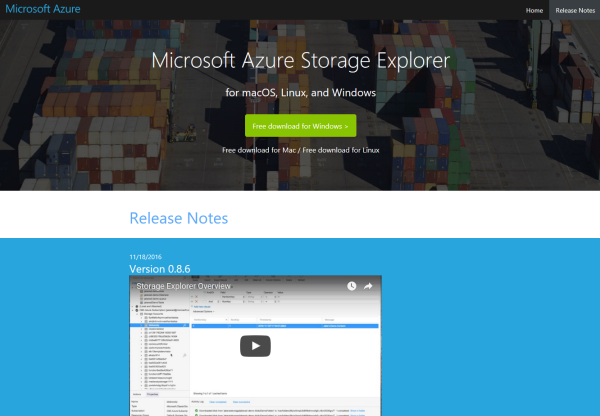
Azure-guys, there’s a new version of the cost free Microsoft Azure Storage Explorer available! Check it out here: https://storageexplorer.com! This is version Version 0.8.6 from 18th November 2016. And no, it’s not just a new logo and themes… The team included a lot of fixes and new stuff, as multiple editors in different tabs, search, modifications of data, improvements for uploads and downloads and more! See the details in the releasenotes! ...

November 30, 2016 · 1 min · Toni Pohl
Our Office-AddIns numbers

Our Office-AddIns numbers

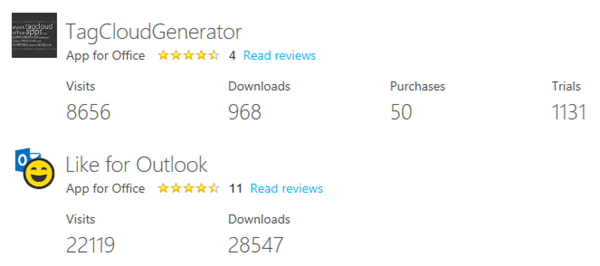
Nice numbers of our two Office-AddIns “TagCloud Generator” and “Like for Outlook”. Both Apps are available in the Microsoft Office Store. TagCloud Generator is a simple to use tagcloud generator for Microsoft Word (working with Word 2013 and above) and delivers an overview of a document rapidly. Like for Outlook enables users to send a Like with one click and works in Outlook 2013 or later, Outlook 2016 for Mac, Outlook on the Web. ...

October 29, 2016 · 1 min · Toni Pohl