Feststellen welche .NET Framework Version installiert ist

Feststellen welche .NET Framework Version installiert ist

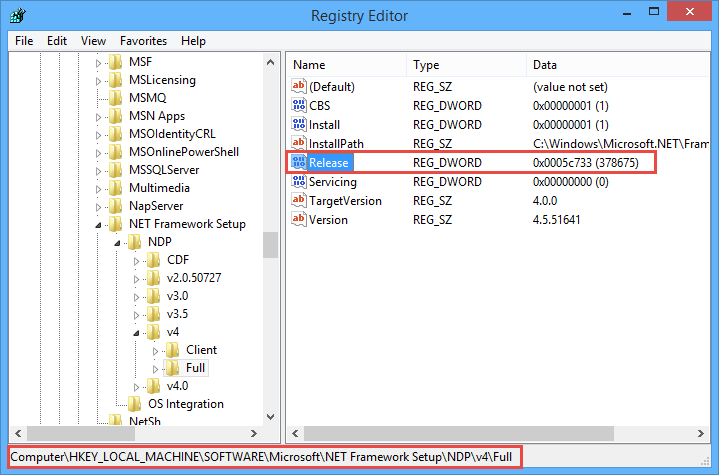
Manchmal entwickelt man eine App, äh, Code, auf Basis des .NET Frameworks um dann festzustellen, dass auf der Zielmaschine das entsprechende Microsoft .NET Framework nicht installiert ist. So ist es mir vor kurzem passiert, dass die Voraussetzungen für eine .NET 4.5 App am Zielrechner des Kunden nicht vorhanden waren. Dann hilft nur die App mit einer kleineren Version neu zu kompilieren oder das benötigte .NET Framework auf dem Zielrechner zu installieren. ...
July 25, 2014 · 2 min · Toni Pohl
Multi Factor Authentication  Explained

Multi Factor Authentication Explained

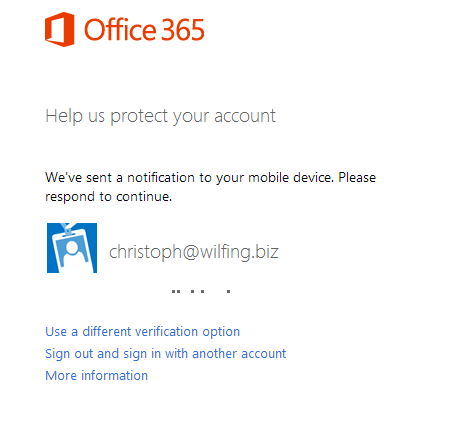
Ich bin heute über ein interessantes Detail gestolpert, wenn es um Multi Factor Authentication (MFA) geht und würde das gerne teilen. Was ist MFA überhaupt? Multi Factor Authentication (kurz MFA) bedeutet im Wesentlichen dass mehrere Faktoren notwendig sind um einen User zu identifizieren. Normalerweise kennt man das: Es gibt einen Usernamen ein Passwort und schon ist man angemeldet. So ist es aber ein leichtes das Geburtsdatum der Tochter oder den Namen des Hundes zu erraten und die Mailadresse des Users kennt man sowieso. Um dem User aber nicht mit 216 stelligen komplexen Passwörter zu belasten ist die einfachere Methode mit einem weiteren Faktor zu arbeiten. ...

July 19, 2014 · 4 min · Christoph Wilfing
Mailbox zer-syncen  la Cloud!

Mailbox zer-syncen la Cloud!

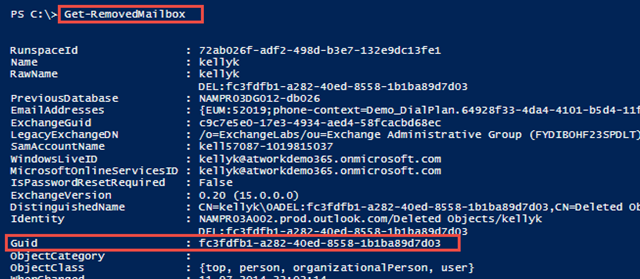
Haben sie sich schon einmal gefragt was passiert, wenn man einen User in der Cloud mit Dirsync “zer-synct”? Also ganz zu Anfang mal, was heißt “zer-synct”? Ich glaub jeder IT-Admin kennt das. Jeder Benutzer hat seine Mailbox, meist mit rund 5 Geräten (Handy, Tablet, Notebook, StandPC,…) die damit syncen und da kanns schon mal vorkommen dass man durch einen kleinen Fehlgriff oder durch den absolut unwahrscheinlich Fall eines Bugs beim Sync doppelt, dreifach oder einfach leere Mailboxen produziert. ...

July 15, 2014 · 4 min · Christoph Wilfing
Viel Lesestoff für den Sommer und danach130 freie eBooks

Viel Lesestoff für den Sommer und danach130 freie eBooks

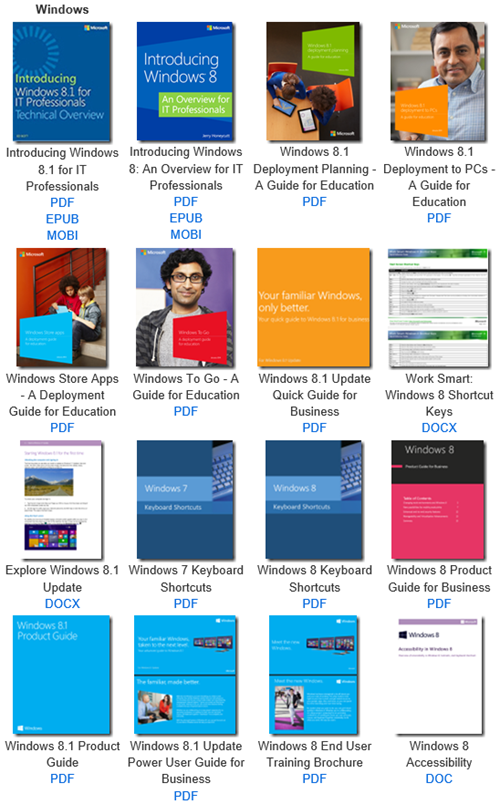
Microsoft stellt mittlerweile mehr als 130 eBooks zu technischen Themen kostenfrei zum Download zur Verfügung. Das Spektrum des Bücher-Angebots ist breit gefächert und reicht von Windows, Windows Server, Office, Dynamics, PowerShell, System Center, Lync, Azure, Programing, Windows Phone, Deployment, SharePoint, SQL Server, Data Mining, ASP.NET bis zu Virtualization und noch vieles mehr. Eric Ligman hat die Liste in seinem MSDN-Blog aktualisiert, hier ist sie: Largest collection of FREE Microsoft eBooks ever, including: Windows 8.1, Windows 8, Windows 7, Office 2013, Office 365, Office 2010, SharePoint 2013, Dynamics CRM, PowerShell, Exchange Server, Lync 2013, System Center, Azure, Cloud, SQL Server, and much more ...

July 11, 2014 · 1 min · Martina Grom
Windows Intune und Azure MFA

Windows Intune und Azure MFA

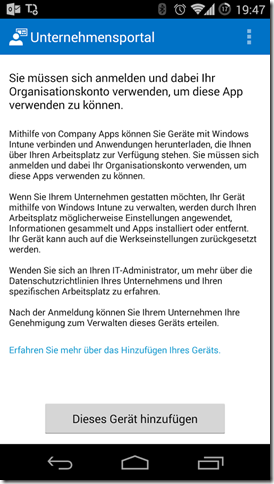
Cloud Services gibt es viele. Die meisten davon kann man auch kombinieren. In Einzelfällen kann es aber zu seltsamen Phänomenen führen. Heute habe ich das bei einem Kunden so gesehen. Um das Problem simpel zu erklären: Es gibt eine Windows Intune Trial Installation inkl. SCCM Anbindung und allem drumherum. Die Company Portal App für iOS und Android Devices ist bereits deployed, aber bei den Windows Phones happerts und will es nicht so recht klappten (man erkennt die Ironie…) ...

July 11, 2014 · 3 min · Christoph Wilfing
Determine which version of .NET Framework is installed

Determine which version of .NET Framework is installed

Sometimes it´s good to check if the desired version of the Microsoft .NET Framework is installed on the target machine where you want to run your code, ah, app. Fortunately, this is easy to figure out. See MSDN article How to: Determine Which .NET Framework Versions Are Installed for .NET versions and How to determine which versions and service pack levels of the Microsoft .NET Framework are installed. To check the version open a command prompt, and start ...

July 9, 2014 · 2 min · Toni Pohl
Visual Studio 2013 RC3 Update

Visual Studio 2013 RC3 Update

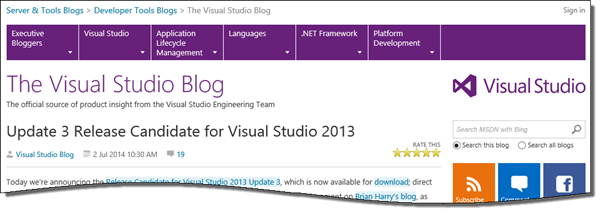
John Montgomery, Director of Program Management Visual Studio Platform, announced the availability of Update 3 Release Candidate for Visual Studio 2013. The download of release candidate (RC) for Visual Studio 2013.3 was published on June 30th and consists of a very small online-installer. RC3 Update is still pre-release. An Upgrade from Update 3 RC to Update 3 RTM is supported. Find it here: Download. See the original blog post for information about the new features of RC3!

July 8, 2014 · 1 min · Toni Pohl
How to install an Exchange App as IT-Admin

How to install an Exchange App as IT-Admin

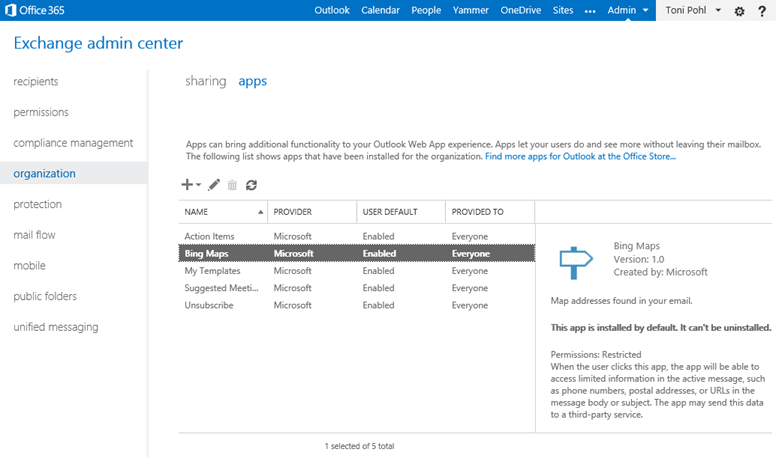
Since we put our App “Like for Outlook” in the Microsoft Office Store recently here´s some information how to install Apps for Outlook as an IT-administrator. What is deployed As an App for Office consists of an App manifest XML file and a webpage (which can be Provider-Hosted or SharePoint-Hosted) the Exchange admin needs to “install” (only) the App manifest file in the Exchange system for his company. In the manifest there´s specified where the App is hosted (the URL) as well as the permissions the app needs from the Host system (Outlook). See the relevant parts here: ...

July 7, 2014 · 3 min · Toni Pohl
Like for Outlook App

Like for Outlook App

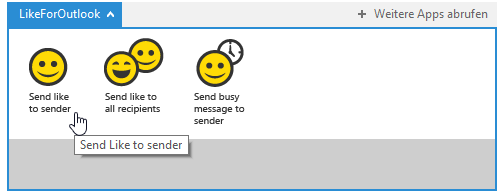
We´re happy to announce our first App for Outlook called “Like for Outlook”! Have you ever wanted to send a “Like”-message in Microsoft Outlook like in social media networks? Now you can! With that little App for Outlook you can send a “Like” to the sender or the recipients of an email with one click! Click here and install the App from the Office Store. It´s free! Install the app Open the link Like for Outlook and you will be redirected to the Like for Outlook App in the Microsoft Office Store immediately. ...

July 6, 2014 · 3 min · Toni Pohl
Unsere Sessions auf der ShareConf

Unsere Sessions auf der ShareConf

Letzte Woche fand die fünfte ShareConf 2014 Konferenz wie schon im Vorjahr im noblen Van der Valk Airporthotel Düsseldorf statt. Die Teilnehmer konnnten sich in mehr als 50 Vorträgen über aktuelle Themen rund um Microsoft SharePoint Technologien informieren und sich mit Referenten und Kollegen austauschen. Wir von atwork waren mit drei Sessions dabei. Hier ein paar Schnappschüsse von der Konferenz. Hier finden Sie die Präsentationen unserer Vorträge online auf SlideShare: ...

July 5, 2014 · 1 min · Toni Pohl