Windows on Devices and the Internet of Things

Windows on Devices and the Internet of Things

“The next big thing is small.” Microsoft is starting a new project on https://www.windowsondevices.com/. If you are interested in developing an Internet of Things (IoT) solution have a look on that website. There you can sign up for a mini Windows device. Microsoft is interested in what kind of solutions new and experienced Windows developers can build with the brand new Intel Galileo hardware based on Windows as Operating System with the tools we already know and love. ...
July 5, 2014 · 1 min · Toni Pohl
Access Yammer from an AppPart 2

Access Yammer from an AppPart 2

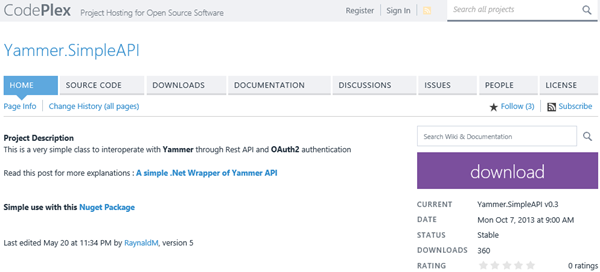
In part 1 we created a Yammer App and organized all the necessary App data for the authentication. Now let´s develop a .NET sample app for accessing data from the Yammer network. Communication with Yammer services Once the authentication is done we can use the Yammer API REST-Services to get data. The URLs all start with https://www.yammer.com/api/v1/... followed by the service methods like https://www.yammer.com/api/v1/messages.json , users.json , groups.json and so on. ...

June 25, 2014 · 4 min · Toni Pohl
Access Yammer from an AppPart 1

Access Yammer from an AppPart 1

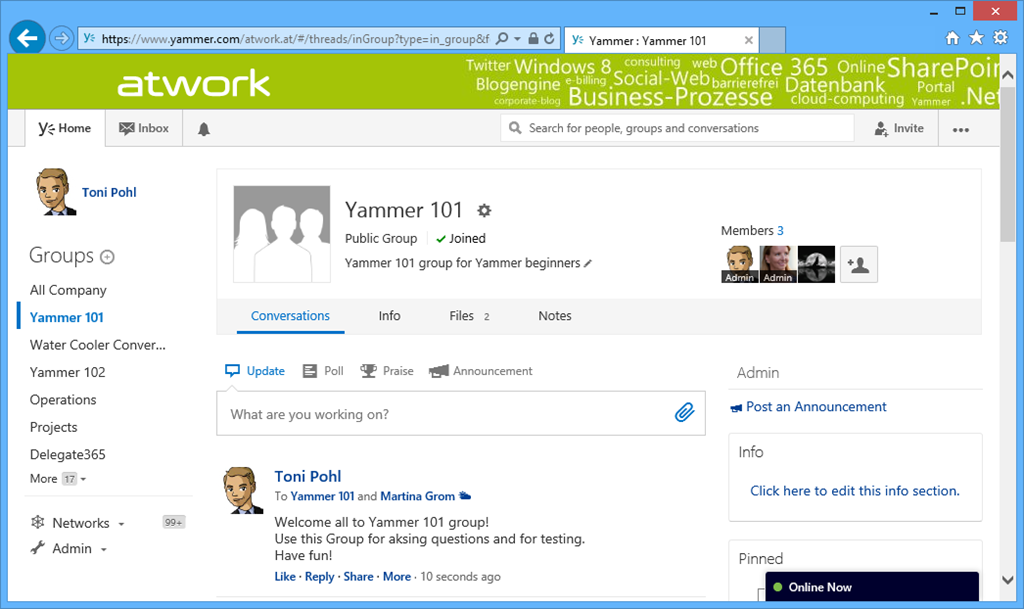
At SharePointkonferenz.at (#spkonfat) we from atwork - Martina and me - had a session about Yammer with the title “Who needs Yammer when we have SharePoint?” (see program). Martina gave an overview of Enterprise Social, differences between SharePoint Social and Yammer, experiences, projects and studies. When using social tools remember: “Social Enterprise is implemented 80% through organization culture and 20% through technology.” by Gartner, September 2012. It´s our recommendation to have key users in each company to promote and help employees to understand what it means to work like a network. ...

June 23, 2014 · 5 min · Toni Pohl
Manage custom domains in Azure websites

Manage custom domains in Azure websites

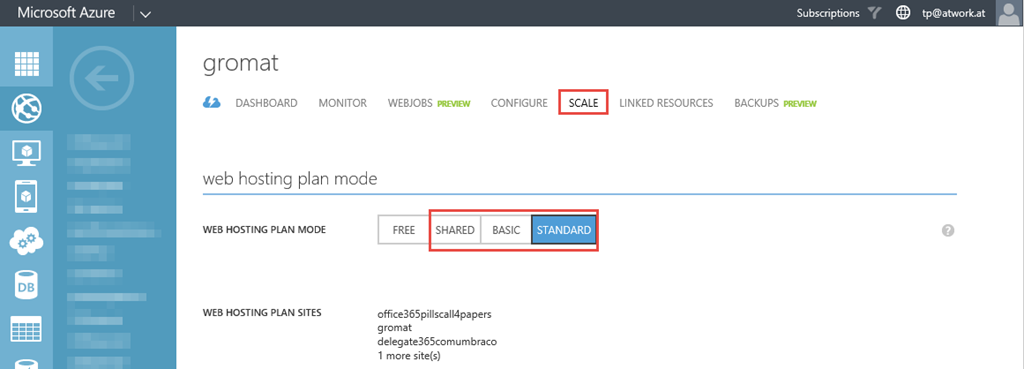
In addition to the many features of Microsoft Azure this platform is really cool for hosting websites, see https://azure.microsoft.com/en-us/services/web-sites/. Since we not only want to reach our websites with the out-of-the-box Microsoft domain *.azurewebsites.net we can add our custom domains as well. This article shows how this works. Update: See also Manage custom domains in Azure Websites step-by-step First switch the Azure website to a non-free mode For using one or more custom domains we need to switch the website to the (non free) web hosting plans *Shared, Basic *or Standard. You can do this in the “Scale” menu of the specific website. The screenshot shows how. ...

June 23, 2014 · 5 min · Toni Pohl
SharePoint Online UserProfiles and the story about synchronizing with Azure Active DirectoryPart 1

SharePoint Online UserProfiles and the story about synchronizing with Azure Active DirectoryPart 1

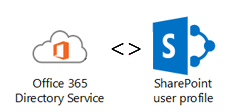
Office 365 uses Azure Active Directory for storing user information. Since SharePoint and SharePoint Online both have it´s own User Profile Service and User Store it was clear for Microsoft that some of the user properties have to be shared between these two storages. So Microsoft built a synchronization – or at least an one way transport - between the Azure Active Directory (AAD) user objects and SharePoint Online (SPO) user profiles. ...

June 14, 2014 · 9 min · Toni Pohl
Einblick in die neue Office 365 API

Einblick in die neue Office 365 API

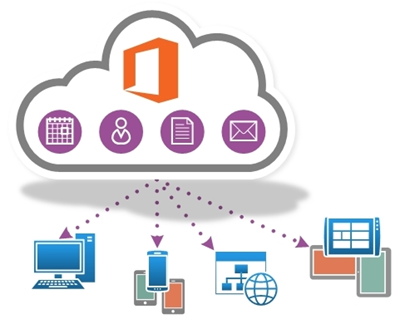
Die Office 365 API ist relativ neu und seit Mitte Mai in einer neuen Preview-Version verfügbar. Mit der Office 365 APIs können Apps auf Daten aus Office 365 wie E-Mail, Calendar, Contacts, Files und Profilinformation eines Users zugreifen. Die Office 365 API stellt REST APIs und Standard OAuth Authentifizierung bereit und kann somit sowohl von native Apps unter Windows 8, iOS, Android und anderen Plattformen benutzt werden. Microsoft plant in Zukunft die REST APIs weiter aufzupeppen und es werden weitere APIs hinzukommen, etwa für SharePoint, Exchange und Yammer. ...

June 11, 2014 · 4 min · Toni Pohl
The worst and the best company logos

The worst and the best company logos

Design matters. If you want to have a good laugh see the top 15 worst logos on businessinsider.com The 15 Worst Corporate Logo Fails like… …or …or …or …or …or …and the top 10 best cxompany logos redesigns here: The 10 Best Corporate Logo Changes Of 2013 Most of the redesigned logos are strongly simplified – and more clear - that´s my personal understanding of the current trend. ...

May 31, 2014 · 1 min · Toni Pohl
Lizenzkosten sparen mit Shared Mailboxen in Office 365

Lizenzkosten sparen mit Shared Mailboxen in Office 365

Eine tolle Alternative zu Public Foldern sind sogenannte Shared Mailboxen in Office 365. Diese haben bis zu 10 GB Speicher, kosten jedoch keine Lizenz. Durch Berechtigungen können diese automatisch in Outlook eingebunden werden, können E-Mail Nachrichten empfangen und haben auch sonst viele Funktionalitäten eines Mailaccounts. Wenn Sie nun eine bereits vergebene Mailbox in eine shared Mailbox umwandeln wollen, geht das sehr einfach über PowerShell. Zunächst verbinden Sie sich zum Service: $UserCredential = Get-Credential $Session = New-PSSession -ConfigurationName Microsoft.Exchange -ConnectionUri https://outlook.office365.com/powershell-liveid/ -Credential $UserCredential -Authentication Basic –AllowRedirection Import-PSSession $Session Get-MailboxStatistics <Alias> | FL Total* [![image](img_102.png)](img_102.png "image") Set-Mailbox –Identity [Alias] -Type "Shared" -ProhibitSendReceiveQuota 10GB -ProhibitSendQuota 9.75GB -IssueWarningQuota 9.5GB Sobald das gesetzt ist, erscheint nach kurzer Zeit im Portal die Mailbox unter den geteilten Ressourcen. Danach können Sie die Lizenz von dieser Mailbox entfernen.

May 22, 2014 · 1 min · Martina Grom
Bye bye SharePoint AutoHosted Apps

Bye bye SharePoint AutoHosted Apps

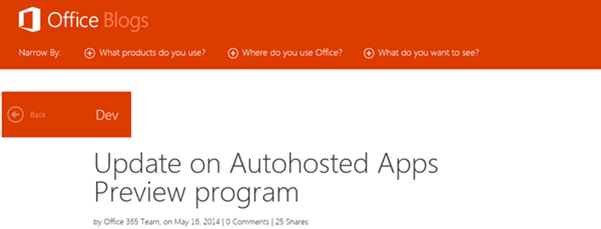
Achtung, SharePoint Developer: Das Office Team hat bekanntgegeben, dass AutoHosted Apps in naher Zukunft nicht mehr möglich sind, siehe Update on Autohosted Apps Preview program. Die “Office 365 Autohosted Apps experience” ist ein Service aus der Preview von SharePoint 2013, welches nun mit 30. Juni 2014 eingestellt wird. Danach sind keine AutoHosted Apps mehr möglich. Anstelle der AutoHosted Apps treten die Provider-Hosted Apps. Apps, die derzeit im AutoHosted Service laufen sind davon nicht betroffen und laufen weiter. Wenn sich für diese existierenden Apps etwas ändern sollte, wird das Office Team dies ebenso in seinem Blog blogs.office.com veröffentlichen. ...

May 21, 2014 · 2 min · Toni Pohl
Free Telerik tools license for Microsoft developers

Free Telerik tools license for Microsoft developers

Right now Microsoft TechEd 2014 is happening in Houston, Texas. Tools-Maker Telerik is also celebrating this event and gives away their best tools for creating Windows Universal Apps for Windows 8 and Windows Phone. Interested Developers open https://www.telerik.com/account/teched.aspx, register (or use your existing telerik account) and claim a license for the Telerik tools. The campaign runs till end of TechEd 2014 (till May 15th), so be quick! When Telerik launches the tools officially, all license holders will be upgraded automatically. ...

May 13, 2014 · 1 min · Toni Pohl