Create an Adventcalendar for festive techcalendar 2022 with Power Apps

Create an Adventcalendar for festive techcalendar 2022 with Power Apps

Christmas is near. As a contribution to the festivetechcalendar.com, I describe here how to create an advent calendar with Microsoft Power Apps. You can download the Power App and use this app and this article to learn useful concepts in Power Apps. Here we go with the article for December 4th. Requirements The Power Apps Advent Calendar is designed to work like a real one, with the following rules. ...
December 4, 2022 · 10 min · Toni Pohl
Tips for PowerApps-11 Make sure a value is selected in your dropdown

Tips for PowerApps-11 Make sure a value is selected in your dropdown

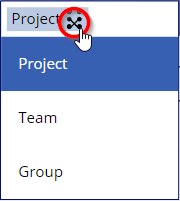
Working with Power Apps, have you seen that in the bound dropdown control the user can remove the selected item (even with single selection)? Well, there could be other solutions, but I want to make sure that a default value is always selected, even when the user clicks the button to remove the selection. In this sample Power App, I have a dropdown named *ProjectType *that is filled from a SharePoint list and a column with choices. When the user selects an item, they can remove the selection using the x-icon on the right. ...

November 2, 2022 · 2 min · Toni Pohl
Tips for PowerApps-10 Validate form input with RegEx

Tips for PowerApps-10 Validate form input with RegEx

Forms are simple. Forms are complex. Both are true depending on the functionality of the form. While you can create forms very quickly with Power Apps, it often takes a lot of time to make them as user-friendly as possible. In this article, we’ll look at how we can validate and simplify input using Regular Expressions. A sample form When creating a form, one often stumbles upon a few details designed to make it easier for the user to fill out the form. So, here´s my form with some fields. ...

November 1, 2022 · 5 min · Toni Pohl
How to restore a flow from a backup to another environment

How to restore a flow from a backup to another environment

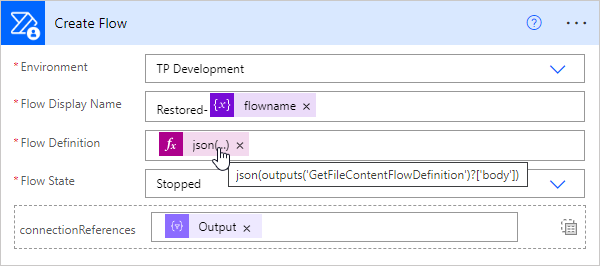
In the previous article, we showed and described two flows to backup and restore a flow. This works well when the flow’s connections are still in the same environment. But what about restoring a flow in a different environment? This is a typical use case for “moving” flows from a source environment to a target environment, such as from the development environment to the productive or department environment. In this article we show how this works with the restore flow. ...

September 13, 2022 · 4 min · Toni Pohl
Create a file with specific size

Create a file with specific size

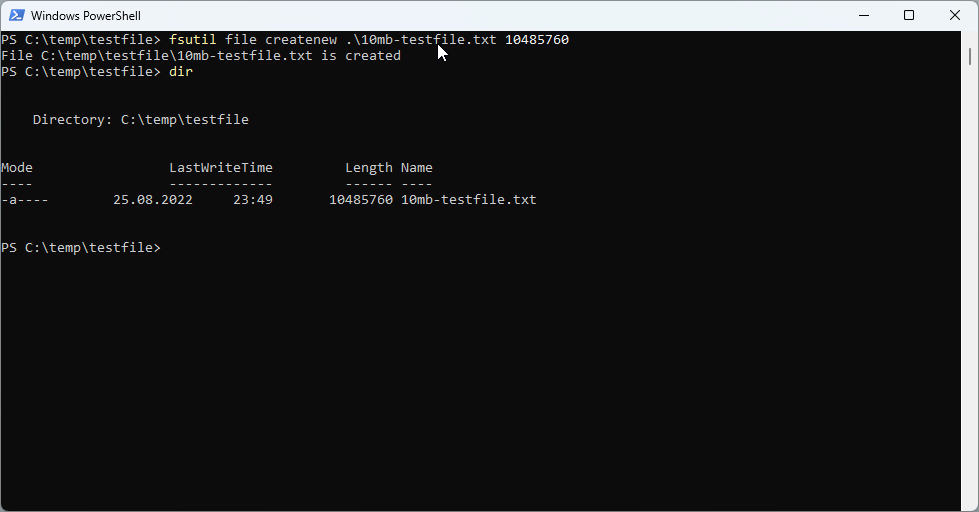
Sometimes it is useful to create a file of a specific size to test network or internet speed or to upload it to a specific application. This is how you can create a file with a specific file size in Windows and with PowerShell. Using the fsutil command line tool For the start, we can use fsutil** command with the file createnew option in a command prompt or in a PowerShell terminal for that purpose. ...

August 25, 2022 · 3 min · Toni Pohl
ÖGS GebärdensprecherIn für das AI for Good Projekt gesucht!

ÖGS GebärdensprecherIn für das AI for Good Projekt gesucht!

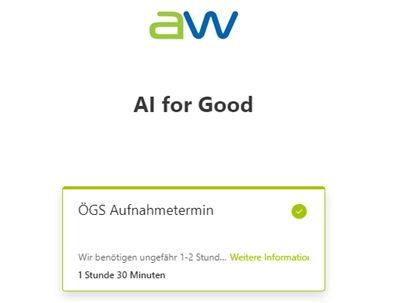
Worum geht es in dem Projekt? Wir bei atwork haben zurzeit ein superspannendes Projekt mit dem Titel “AI for Good” laufen, für das wir Deine Mithilfe benötigen. Wir haben ein Software-Tool entwickelt, mit dem es möglich ist mittels Künstlicher Intelligenz (KI) Gebärdensprache automatisch in Untertitel etwa in Microsoft Teams oder Zoom Onlinemeetings zu übersetzen. Damit das auch wirklich gut funktioniert, benötigen wir GebärdensprecherInnen für die Österreichische Gebärdensprache (ÖGS), die mit uns gemeinsam kurze Videos einiger Basisgebärden aufnehmen. Zu Beginn werden wir rund 50 Gebärden aufnehmen, mit denen wir unser KI-Model trainieren und optimieren wollen. Zu einem späteren Zeitpunkt wollen wir das Trainingsdaten-Set auf rund 500 Gebärden erweitern. ...

August 1, 2022 · 2 min · Toni Pohl
Governance Toolkit 365-Improvements July 2022

Governance Toolkit 365-Improvements July 2022

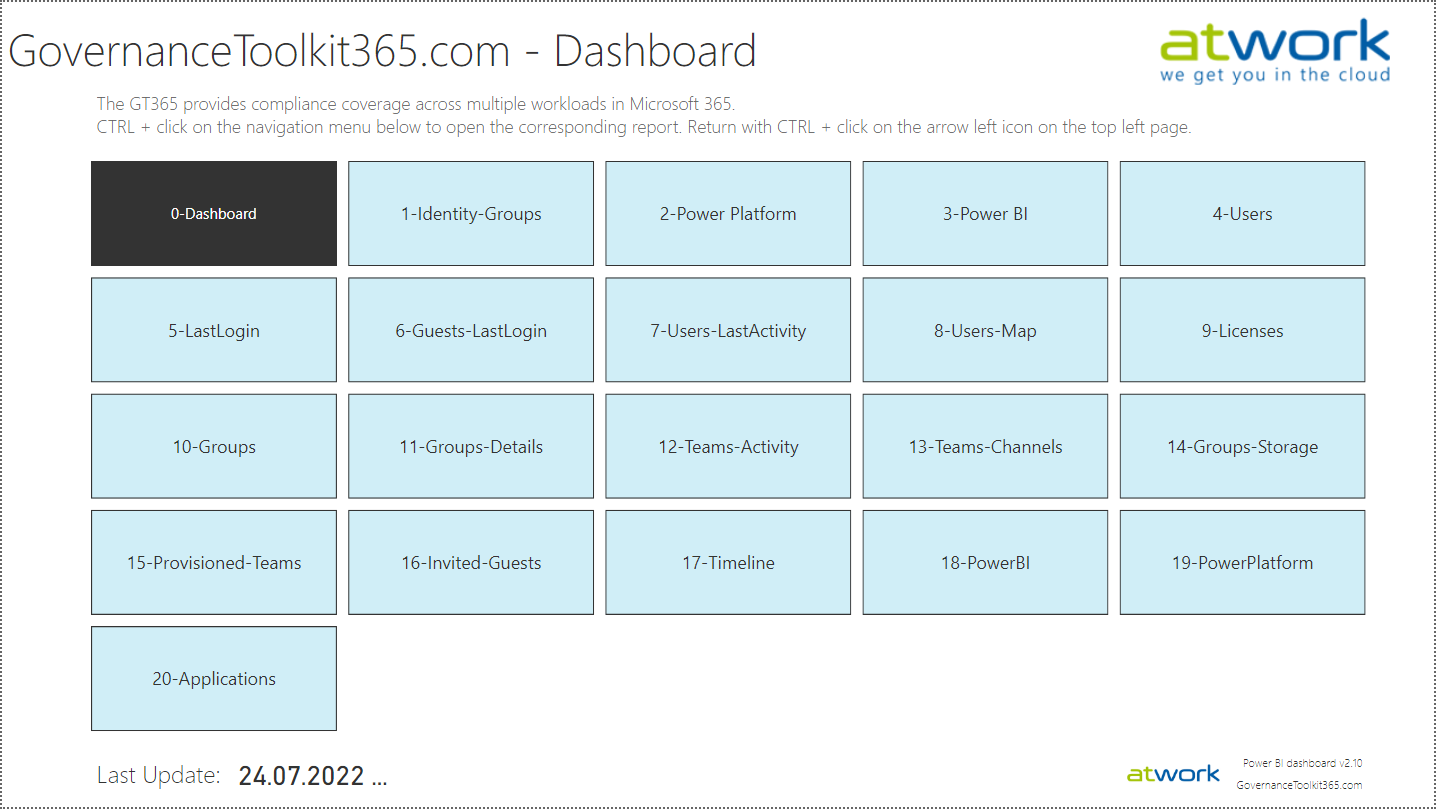
The Governance Toolkit SaaS solution provides compliance coverage across multiple workloads and offers self-services for users. We have added many new improvements and services over the past few months. We started the Governance Toolkit 365 (GT365) journey at the Microsoft Ignite conference in 2018, when my colleague Martina Grom showed a first version how to develop a Power BI governance board for Microsoft 365 and an endpoint to provision a new Microsoft 365 Group with an approval workflow. We saw that there was a great need for governance in the market and from there we developed our solution as Software-as-a-Service offering. One of the great advantages of the GT365 is that it runs completely with the on-board tools of Microsoft 365 and can be completely flexibly customized. You can find more information and test GT365 anytime at governancetoolkit365.com . ...

July 31, 2022 · 8 min · Toni Pohl
Why we need the Power Platform

Why we need the Power Platform

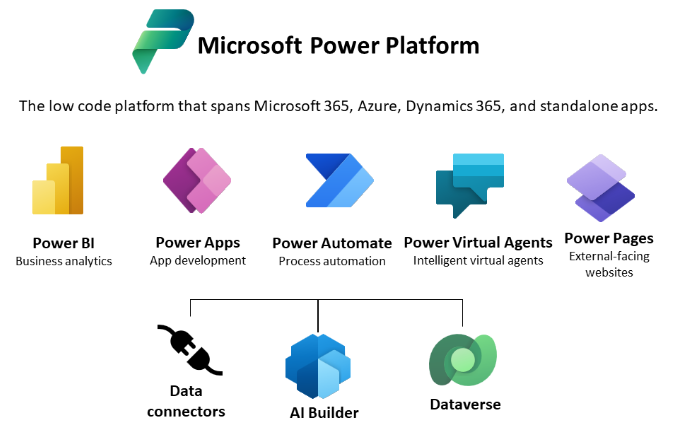
Today, a quick tip on an article about one of Microsoft’s fastest growing companies: Helping power users to build business apps with low-code and no-code apps. Helping regular folks build business apps The article on protocol.com is about Charles Lamanna, who is corporate vice president of Microsoft Business Applications. Charles Lamanna runs one of Microsoft’s fastest-growing businesses: Helping regular folks build business apps Microsoft’s Power Platform strategy is to allow non-technical people to build applications for their team’s needs with it´s Power Platform, which basically includes Power BI, Power Apps, Power Automate and other services out of Microsoft 365 and Dynamics 365, as the following graphics illustrates. ...

July 24, 2022 · 2 min · Toni Pohl
Tips for PowerApps-9 set data row limit for SharePoint Online lists

Tips for PowerApps-9 set data row limit for SharePoint Online lists

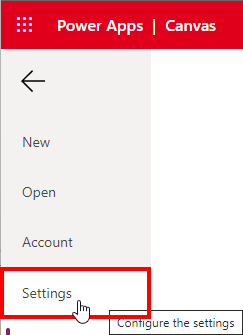
If you’re using a SharePoint list in a Power App and some data is missing, you can change the data row limit to a higher number in the Power App settings. See how this works here. In the Power Apps editor, open menu File and Settings. In the General section, scroll down to the “Data row limit” and modify the number how many items shall be retrieved from the data source. ...

June 26, 2022 · 1 min · Toni Pohl
Tips for PowerApps-8 Group and chart

Tips for PowerApps-8 Group and chart

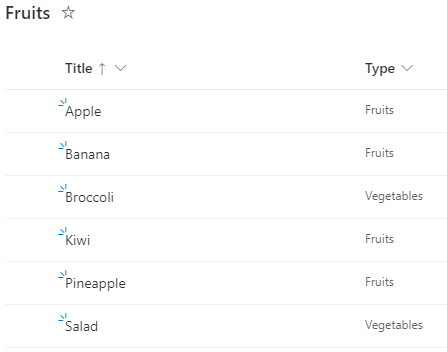
Grouping in Power Apps can be a little tricky. Here´s how to create a new collection from a data table and visualizing the grouped result in a chart control. In this small sample, I will show how you can use a data table with the group by function to visualize a summary with a chart in a Power App. The data source is minimal: It´s a SharePoint list named Fruits, containing some items. The Type column is what we want to see grouped by the number of items. ...

June 6, 2022 · 3 min · Toni Pohl