Get the latest Teams activity with Graph

Get the latest Teams activity with Graph

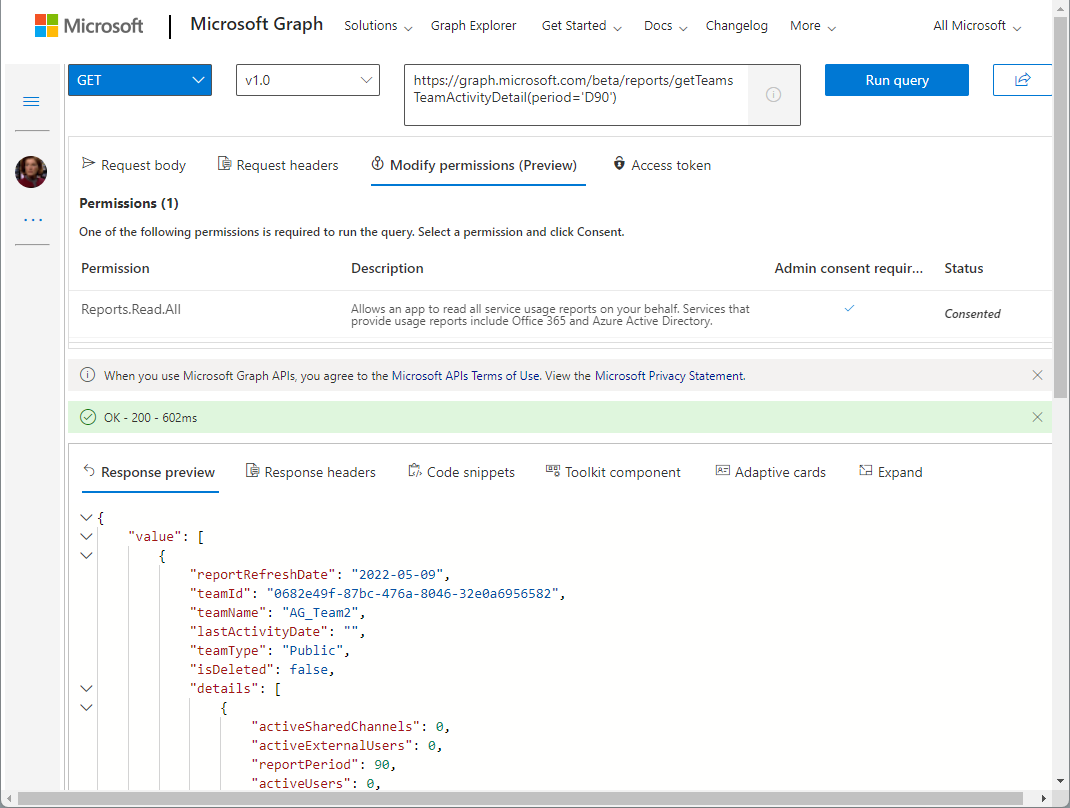
Carrying out a cleanup process from time to time helps against IT garbage. If you are an Microsoft 365 admin, the following post will help you to find out unused teams. In large organizations, many teams are often created over time (which are not used). While Microsoft 365 now supports the cleanup with the renewal function (see more at Team expiration and renewal in Microsoft Teams), it is sometimes helpful to identify and evaluate teams that are no longer used and to carry out deletion actions yourself. The Microsoft Graph now offers a (beta) method for searching and identifying such teams according to your own criteria. ...
May 11, 2022 · 4 min · Martina Grom
Join us at Thrive conference 2022

Join us at Thrive conference 2022

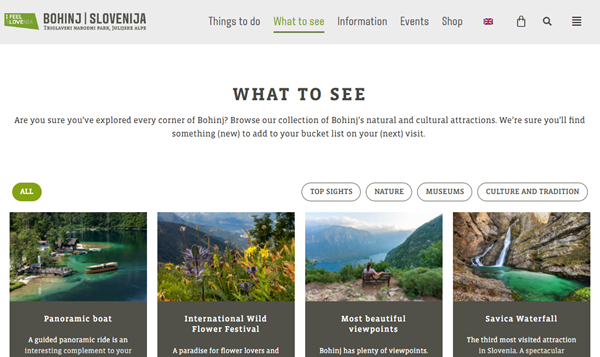
There are often hidden treasures to be discovered. The Thrive conference in Slovenia is one of them. Join us at there at the end of May! Thrive conference takes place from 24th - 25th May 2022 at ECO Hotel Bohinjska Bistrica, a small village between Bled lake and Bohinj lake in the heart of Triglav National Park, in beauftiful Slovenia. On 23rd May there are pre-conference workshops. The location is very easy to reach from Austria, by train or car. Visit the Bohinj website for more information about one of the most beautiful National Parks in the heart of Europe. ...

May 3, 2022 · 1 min · Toni Pohl
Azure Logic Apps Toolbox 8-Secure your secrets with Azure Key Vault and Managed Identity

Azure Logic Apps Toolbox 8-Secure your secrets with Azure Key Vault and Managed Identity

Credentials and secrets should be stored in a secure environment and not directly in an Azure Logic App or script. Azure provides the Key Vault service, which allows to store such secrets in a secure and controllable way. See how this works here. What is a secret? The Microsoft documentation of Azure Key Vault describes secrets follows: “A secret is anything that you want to tightly control access to, such as API keys, passwords, certificates, or cryptographic keys.” at Azure Key Vault basic concepts and at Azure Key Vault security. So you want to store ALL secrets in a safe location, in a Key Vault, and access them from other services. This can be done within Azure resources with a Managed Identity (see below). In this article we will focus on using an Azure Key Vault and storing such secrets and accessing them later in this step-by-step guide. ...

April 24, 2022 · 8 min · Toni Pohl
Copy a SharePoint list with PnP PowerShell

Copy a SharePoint list with PnP PowerShell

In the Microsoft 365 world, sometimes you want to copy a custom list in SharePoint Online to another SharePoint site in the same or in a different M365 tenant. While there are third-party tools for this, there is an easy-to-use method for such a scenario using PnP PowerShell. This article shows how it works with a step-by-step example. PnP PowerShell PnP PowerShell is an open-source component from Microsoft providing over 600 cmdlets that work with Microsoft 365 environments such as SharePoint Online, Microsoft Teams, and more services. We can use this simple-to-use module for our purpose. See more at PnP PowerShell overview. ...

April 22, 2022 · 5 min · Toni Pohl
This was the ADCD2022 event

This was the ADCD2022 event

Last Friday, the cloudusergroup organized the Virtual Community Event #ADCD2022, the Austrian Developer Community Day 2022. We had 25+ interesting sessions with great speakers and a great virtual day of the event. Here are some impressions of it. There hasn’t been a local community event for cloud developers for a long time. So we decided to hold such an event. Martina Grom and I, Toni Pohl, started to organize the event end of 2021. Due to the current Covid situation, it was clear that the event could unfortunately only take place virtually. Thankfully we got great support from Rainer Stropek, Martin Ullrich, Christian Glessner and Zaid Zaim. and we found some sponsors for advertising and for financing the community platform Hopin we wanted to use for the first time: Thanks to Microsoft Austria, atwork, Software Architects, hololux, tietoevry and to Coding Club Linz for your support! ...

March 3, 2022 · 4 min · Toni Pohl
Force a content refresh of an Azure static website using Azure CDN

Force a content refresh of an Azure static website using Azure CDN

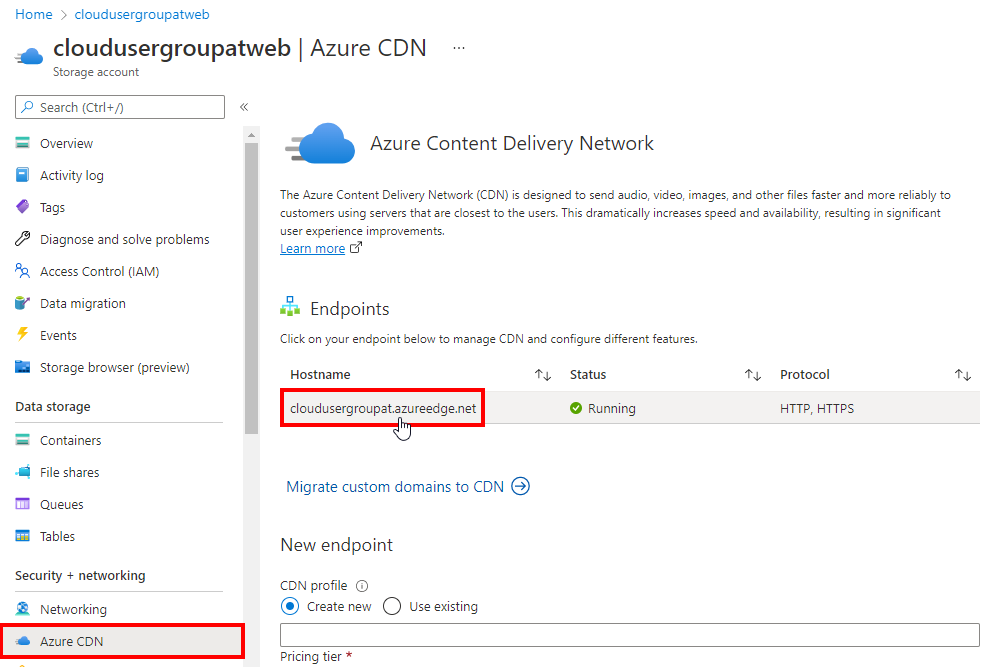
Static website hosting in Azure Storage is really cool and quick method for simple deployment scenarios. Azure CDN edge nodes provide the cache and distribution layer with custom domains, rules, and further configuration options for such a static website. But what to do if you update the static website and it doesn’t deliver the new content? How can you force an update? See the solution here. In this sample, we have a community website www.cloudusergroup.at running in Azure. You can find out how to create and to deploy a static website on an Azure Storage Account at Static website hosting in Azure Storage and a tutorial at Tutorial: Host a static website on Blob Storage. In this case, the website has a custom domain bound to the website with Azure CDN, see more at Quickstart: Integrate an Azure Storage account with Azure CDN. ...

February 5, 2022 · 2 min · Martina Grom
How to filter entries with Null value in Azure Table Storage Explorer

How to filter entries with Null value in Azure Table Storage Explorer

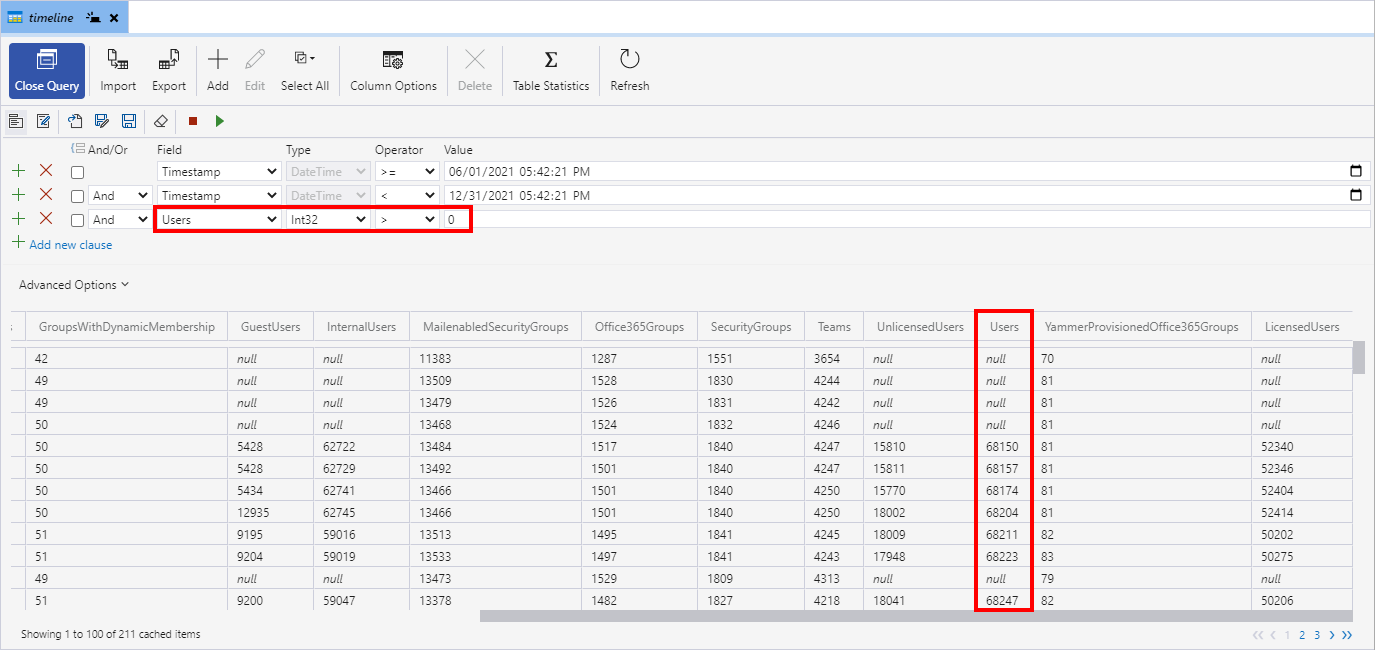
Azure storage accounts are a great and inexpensive way to store lots of data. I am using Azure Table storage to store large amounts of structured data for various tools. I needed to filter all rows that have a specific field that shows Null. While this sounds simple, it is a bit tricky. Here’s how. The problem is that columns showing “Null” just don’t exist, but they are shown in list with Null. Therefore, it does not work to filter them out. In my example, I had a table with a column called Users (of type Int32) that contained items with a number and others that had no value. So, the following query filters for a timeframe and all items having a Users value greater than 0. Unfortunately, the query also shows elements with the Null value… ...

January 27, 2022 · 2 min · Toni Pohl
Tips for PowerApps-7 Update fields with a button

Tips for PowerApps-7 Update fields with a button

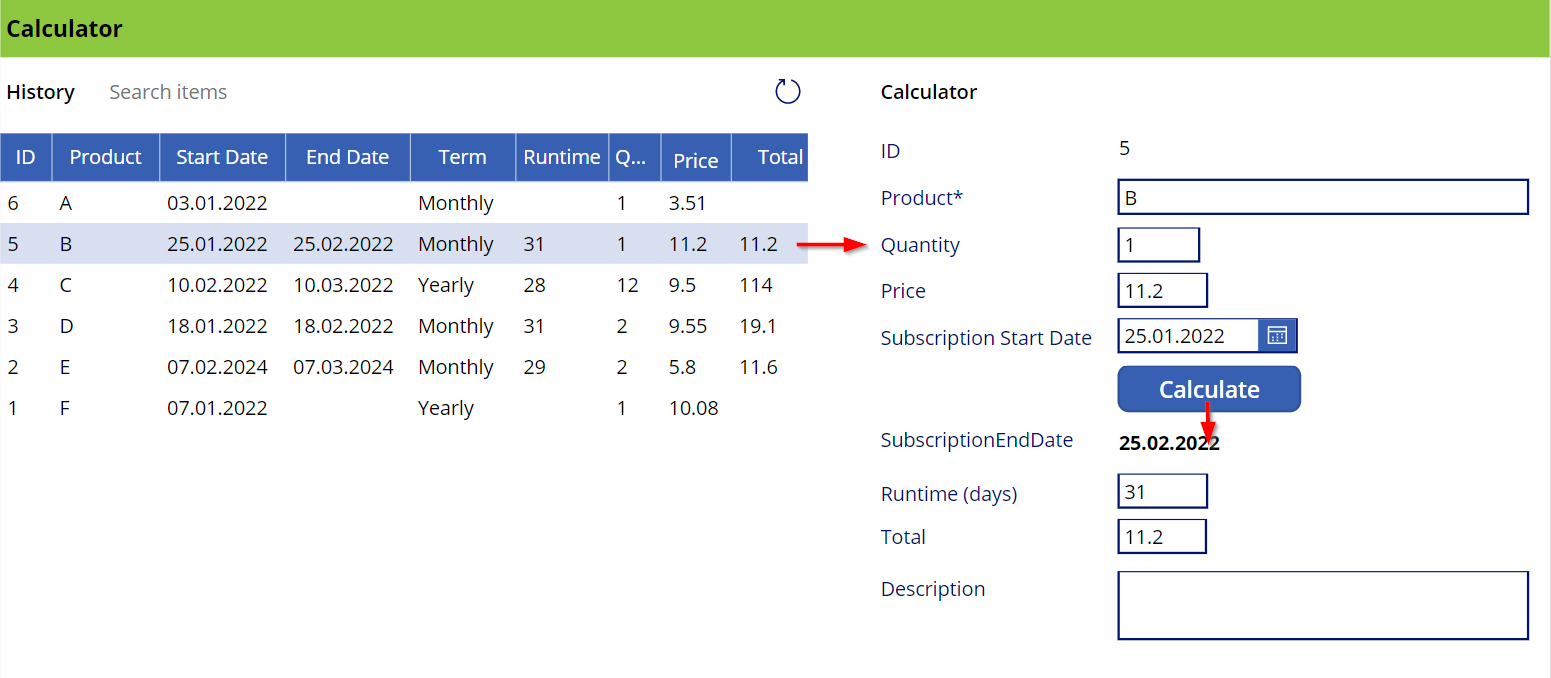
This is a quick guide on how to use a button to update a bound field on a form in a Power App. Since this is a little tricky, here are the instructions. The sample The Power App here is a simple calculator (and not pretty, but functional). Product subscriptions are coming from a SharePoint Online list and populate the Data List control on the left. When the user clicks on a row, the item corresponding is shown in the detail fields on the right in an Edit Form. When the Calculate button is pressed, the OnSelect event calculates the fields below the button. It calculates the SubscriptionEndDate, which corresponds to the SubscriptionStartDate plus one month, the runtime, which is the number of days of the *SubscriptionStartDate *month, and the Total, which is the price - quantity. Also, the button updates the item in the data source. ...

January 8, 2022 · 3 min · Toni Pohl
Identify guest users and their status with Graph

Identify guest users and their status with Graph

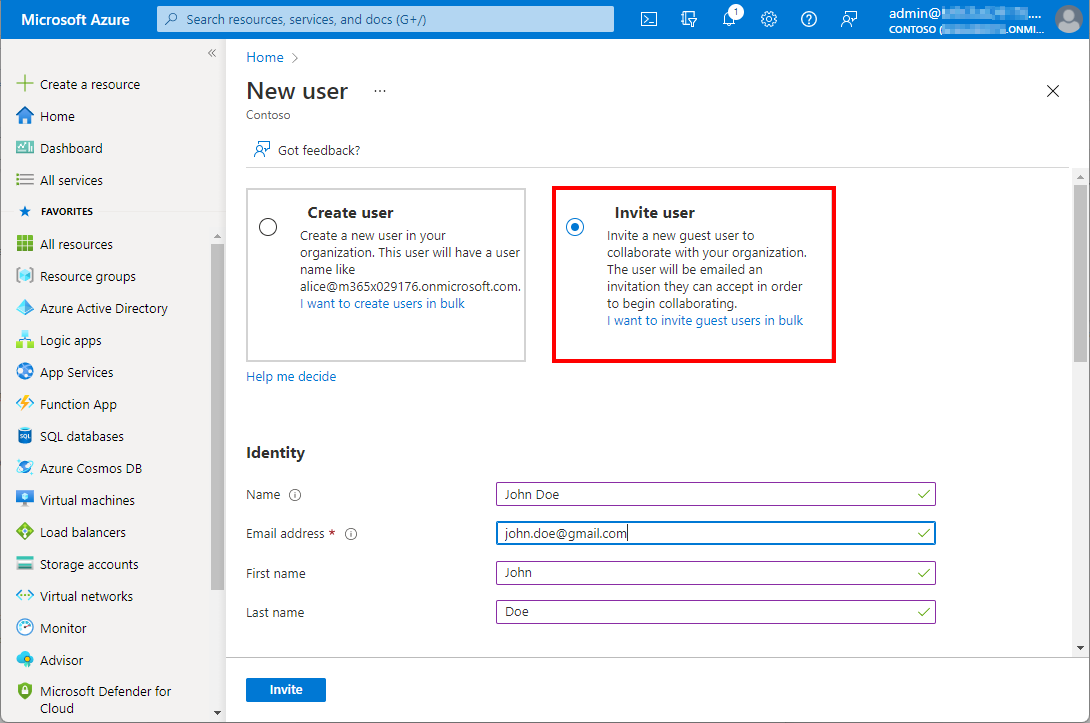
Working with Microsoft Azure and Microsoft 365, Azure Active Directory as an identity and management system becomes more and more important. Like Active Directory, Azure AD grows throughout time with guest accounts, cloud accounts and synchronized accounts. From a governance and lifecycle point of view - and also for security reasons - it is therefore important to clean up Azure AD from time to time. The cleanup process supports a healthy lifecycle management. In this article we describe how to quickly identify guest users in your own Azure AD with on-board resources. ...

January 5, 2022 · 4 min · Martina Grom
Export email messages from Exchange Online to a CSV file with Graph PowerShell

Export email messages from Exchange Online to a CSV file with Graph PowerShell

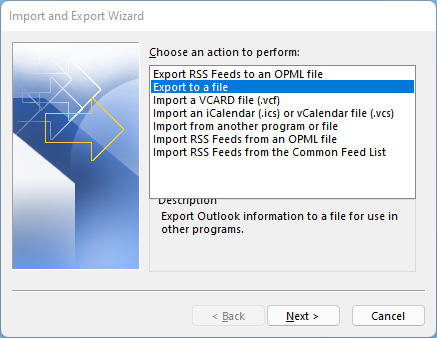
I had to export email messages from a specific folder in my Outlook mailbox to a CSV file for further processing. Nothing special, just a quick export. I noticed that Outlook allows messages to be exported, but the date of the message is missing in the export file! Really? So here is a workaround to quickly export email messages using Graph PowerShell. Why PowerShell Of course there are many ways to export emails. Unfortunately, the Outlook method is unsatisfactory. When opening the File menu in Outlook for the desktop, there is an “Open & Export” menu which has an Import/Export function. Well, the wizard allows to export messages to a CSV or to a PST file. ...

December 28, 2021 · 4 min · Toni Pohl