Optimize SQL queries using subqueries for lookups in Azure SQL Databases

Optimize SQL queries using subqueries for lookups in Azure SQL Databases

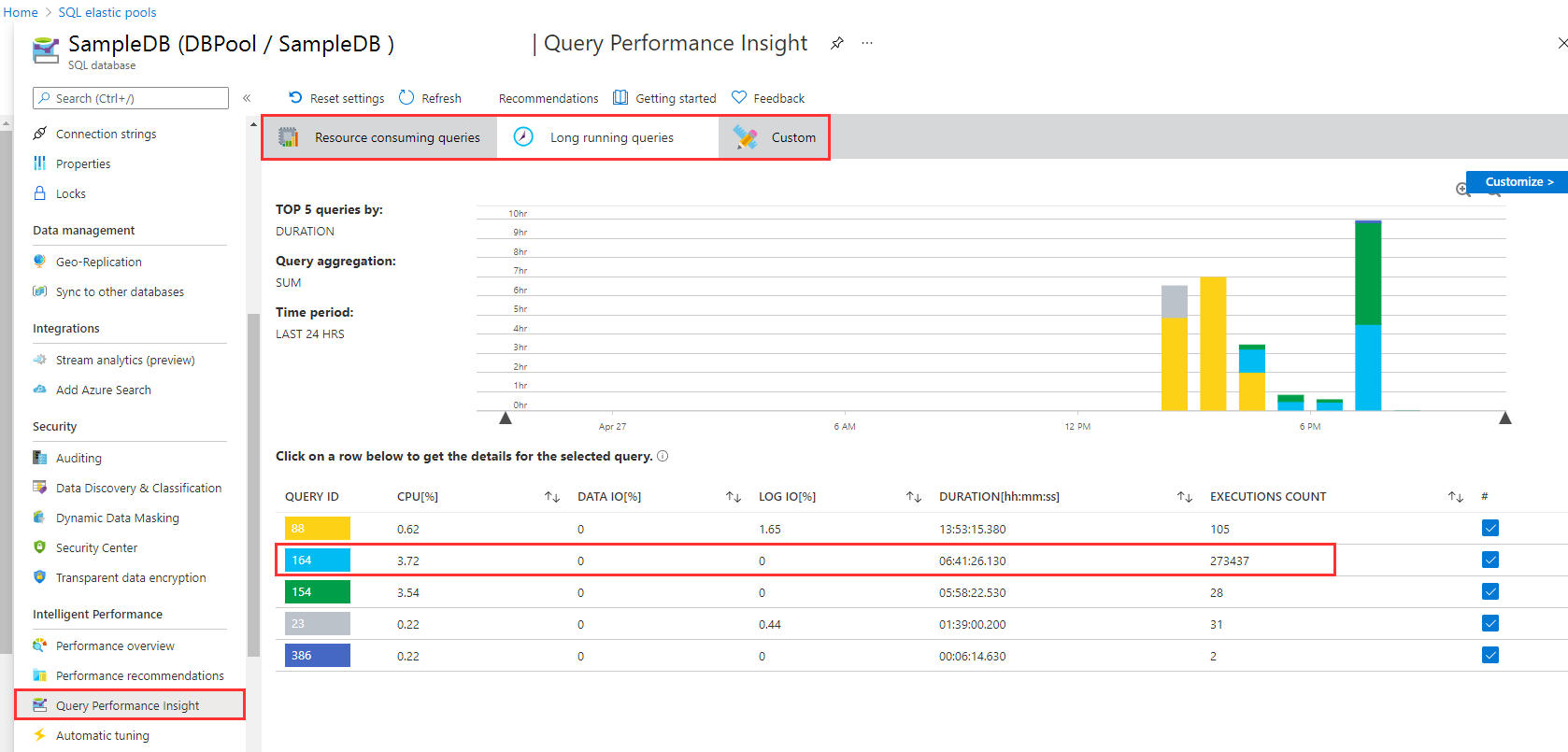
I like to work with Azure SQL Databases and use data from the cloud without any administrative effort. When working with apps, App Insights helps to detect anomalies, and to analyze bottle necks. Although SQL Azure can scale very well, we discovered performance issues in some legacy apps. Read here how we solved that by optimizing TSQL data queries. The scenario There is an older web application here that is connected to an SQL database that is running in an SQL elastic pool. App Insights showed the reason (the SQL queries) for the bad performance. Diving deeper, the elastic pool and the database / Query Performance showed performance issues in detail with certain queries which had very long runtimes. As we see in the following screenshot, there are two long running queries. Query 164 has been executed almost 274,000 times in the past 24 hours, consuming more than 6:40 hours. We started to investigate this issue. ...

April 27, 2021 · 5 min · Toni Pohl
Tips for PowerApps-Add required user permissions for PowerApps using Dataverse

Tips for PowerApps-Add required user permissions for PowerApps using Dataverse

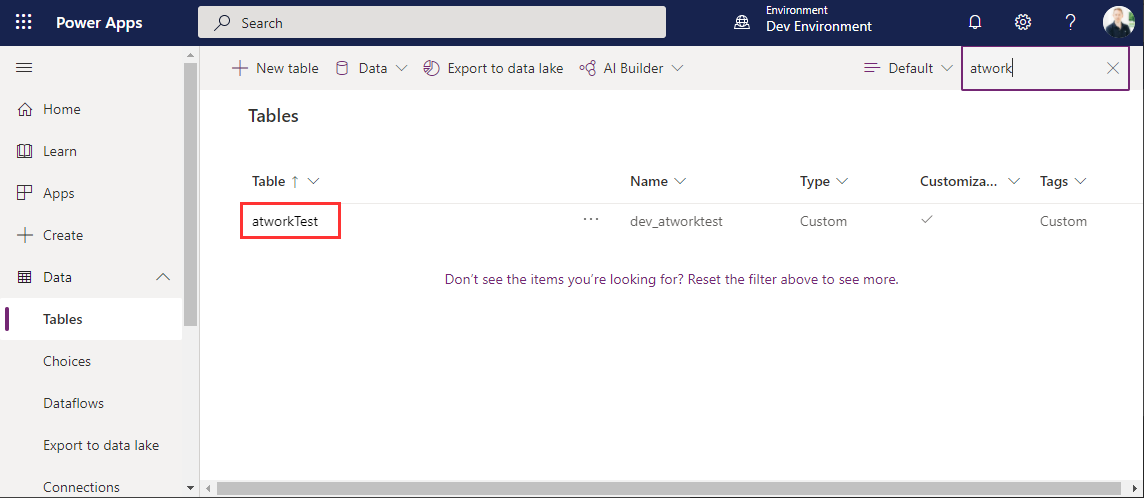
When users shall have access to a PowerApp that is using Dataverse (formerly Common Data Service - CDS), they also need to have the permissions to access the data entity (nowadays called table). So, if your users get an ugly “unknown error occurred” when accessing the PowerApp, here´s the solution to assign the required security role and permissions. The data table To demonstrate how to set permissions, I switched to the environment (in my sample, it´s the “Dev environment”) and created a new table in the https://make.powerapps.com/environments/[environment-id]/entities / Data / Table menu. The table name here is atworktest with some text columns. ...

April 1, 2021 · 4 min · Toni Pohl
Azure Logic Apps Toolbox 7-Resolve issues with the SharePoint Connector

Azure Logic Apps Toolbox 7-Resolve issues with the SharePoint Connector

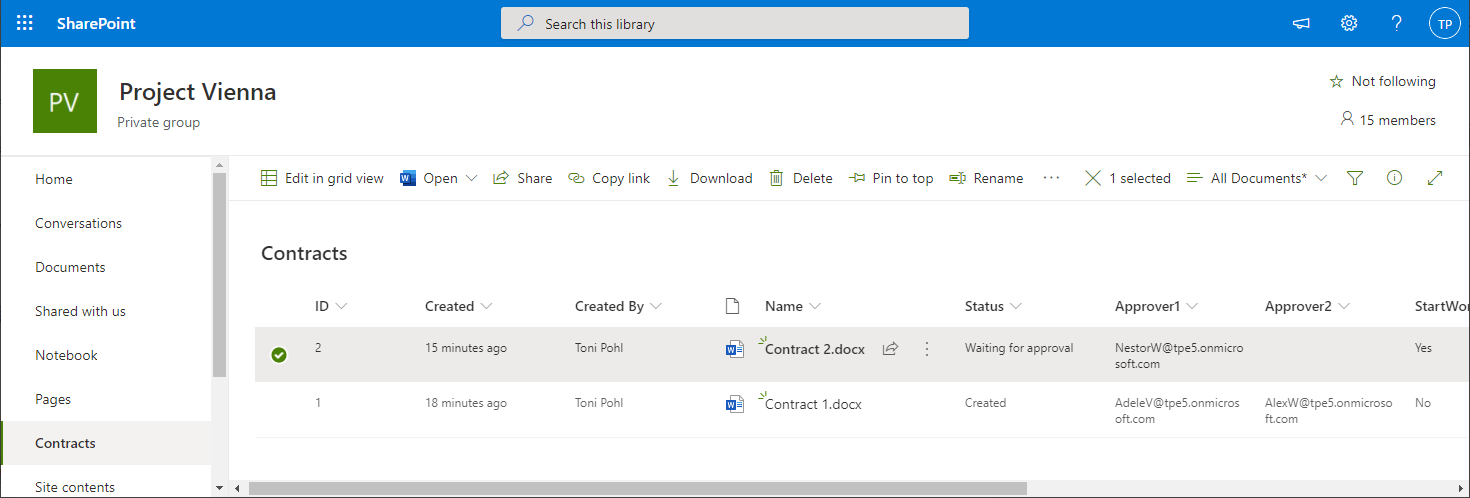
Using SharePoint Online (SPO) and Azure Logic Apps helps to automate processes. For a project, we have created some workflows with Azure Logic Apps that monitor changes to an SPO list or document library for approvals and other document workflows. We have found that the SPO connector does not always send all data in a reproducible manner: sometimes some fields were sent and sometimes not. We struggled with this behavior and found an unexpected workaround. ...

March 11, 2021 · 4 min · Toni Pohl
When to use what Azure monitoring service

When to use what Azure monitoring service

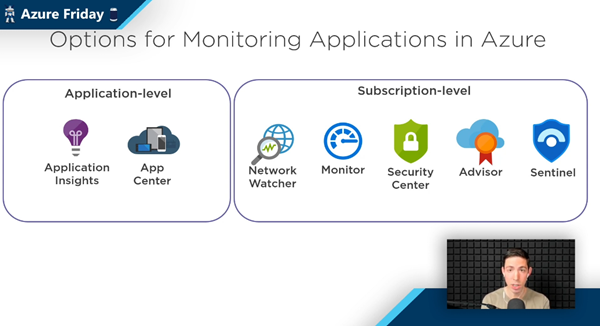
The well-known Scott Hanselman has been producing the recurring Azure Friday series for a long time. Last Friday, Scott interviewed Azure Barry (Barry Luijbregts) about “What to use for monitoring your applications in Azure”. Barry did a great overview about the main monitoring services. See the recording and a kind of summary transcript here. Azure provides a bunch of services for monitoring purposes. So, when you you use what service? To answer that, see the video at What to use for monitoring your applications in Azure | Azure Friday. ...

March 7, 2021 · 4 min · Martina Grom
Azure Logic Apps Toolbox 6-Work with items in Apply to each

Azure Logic Apps Toolbox 6-Work with items in Apply to each

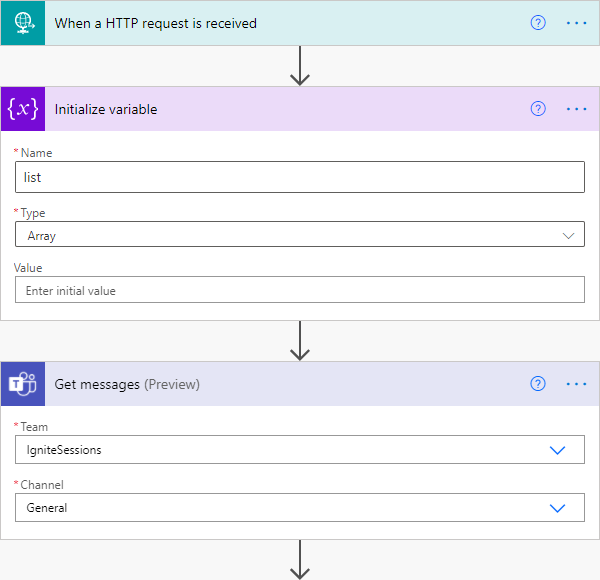
Automation of small tasks is helpful for many recurring processes. Unless you regularly use Power Automate (Flow) or Azure Logic Apps, it is often not that easy to remember the correct syntax for accessing items in a loop. Here is the quick help. This sample is using a flow in Power Automate to read messages from a Microsoft Teams team (I know, this sounds strange) and outputs any field to an email. The purpose is just to see how to access data in JSON format in a “Apply to each” loop. Here´s the screenshot of the complete flow with the description of the actions. ...

March 6, 2021 · 3 min · Toni Pohl
Working with Azure AD schema extensions in Graph PowerShell

Working with Azure AD schema extensions in Graph PowerShell

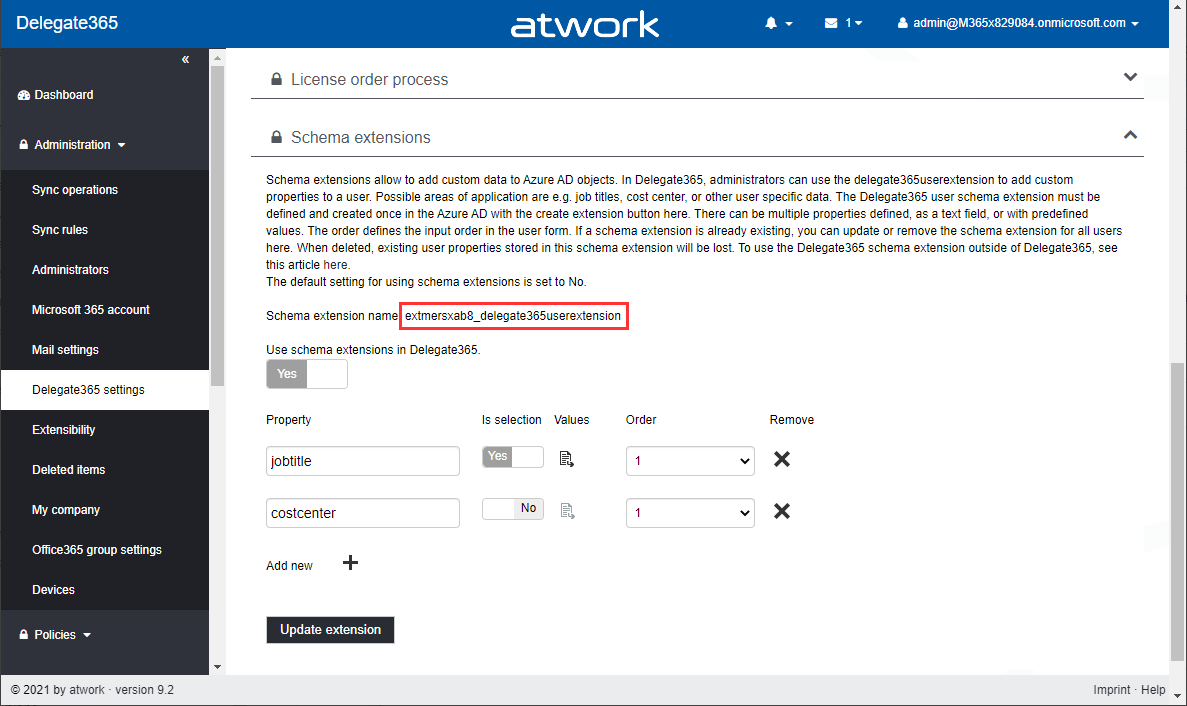
Schema extensions enable to store extended custom data directly to objects in Azure AD. This article describes how to access data we defined and added in Introducing user schema extensions in Delegate365 with the Microsoft Graph PowerShell module. Prerequisites To work with Microsoft Graph and PowerShell, we need to install the Microsoft.Graph module as described at Install the Microsoft Graph PowerShell SDK. You can install the module in PowerShell Core or Windows PowerShell using the following command. ...

March 4, 2021 · 7 min · Toni Pohl
Use multiple Node.js versions on your computer and develop a SPFx webpart

Use multiple Node.js versions on your computer and develop a SPFx webpart

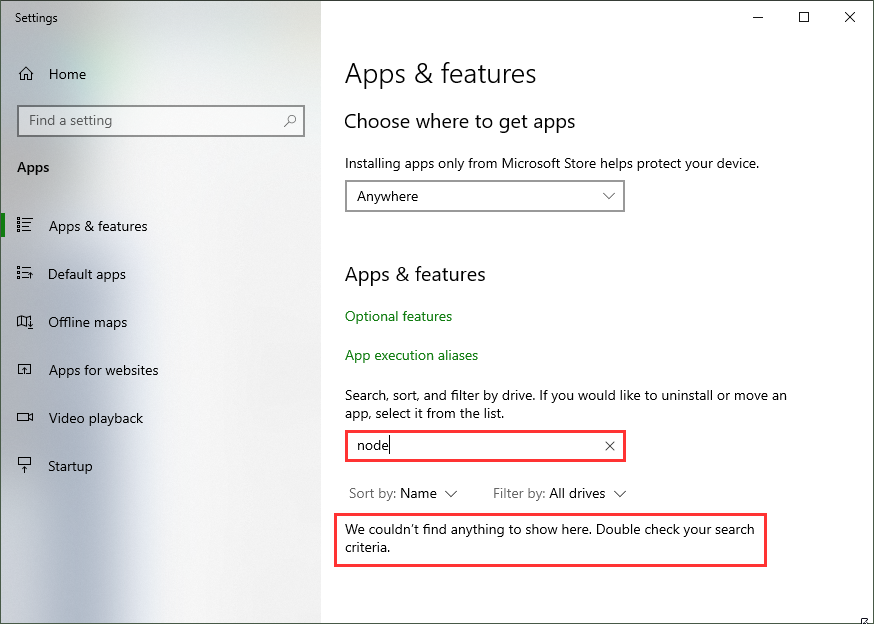
As developer, it often makes sense to have multiple versions of a framework installed on a single computer. For example, when developing SPFx applications with Node,js v10.x and developing web applications using Angular and Node.js v14.x you need both versions. Thankfully, with Node Version Manager, we can. To dive directly into the commonly used Node.js versions: SPFx apps require Node.js LTS 10.x, see Set up your SharePoint Framework development environment. All other versions of Node.js are not supported with SharePoint Framework development. ...

January 23, 2021 · 4 min · Toni Pohl
Azure Logic Apps Toolbox 5-Custom JSON payloads

Azure Logic Apps Toolbox 5-Custom JSON payloads

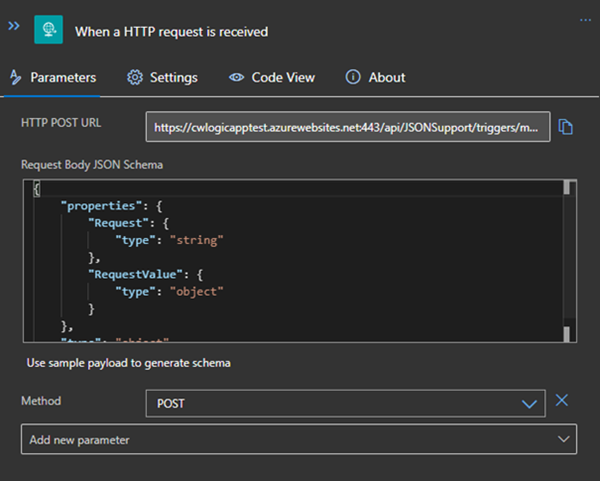
Did you ever have the problem of pushing different JSON payloads to a logic app and hitting errors due to JSON schema mismatches? The usual HTTP Request forces you to define the JSON Schema at the beginning. For every tiny difference in the later used properties you need to create your own Logic App even if the process is the same. I will show you an example of a single Logic App deciding at runtime which JSON schema to use for decoding the post body payload. Stay tuned! ...

January 14, 2021 · 3 min · Christoph Wilfing
Join the M365 virtual community events

Join the M365 virtual community events

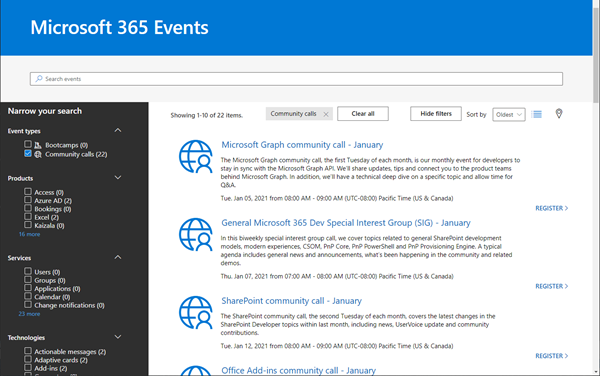
Ready to learn more about Microsoft 365 technology such as Microsoft Graph, SharePoint, Office-AddIns and more? Check out the Microsoft 365 virtual community events! Have fun and get involved!

January 5, 2021 · 1 min · Martina Grom
Working with Azure AD schema extensions and Microsoft Graph

Working with Azure AD schema extensions and Microsoft Graph

Azure Active Directory is Microsoft´s Cloud Identity system that stores user, license, group, apps, device data and more data in a secure way. As developers, we can extend many of these resources with custom extension. This can be useful to store additional metadata, such as a cost center or personal data for a user, for a group or other resource types. Unfortunately, there isn’t much documentation on that. Here’s how to do this step-by-step for the user resource with Azure AD schema extensions in real life. ...

December 29, 2020 · 13 min · Toni Pohl