How user profile picture synchronization works in Microsoft 365

How user profile picture synchronization works in Microsoft 365

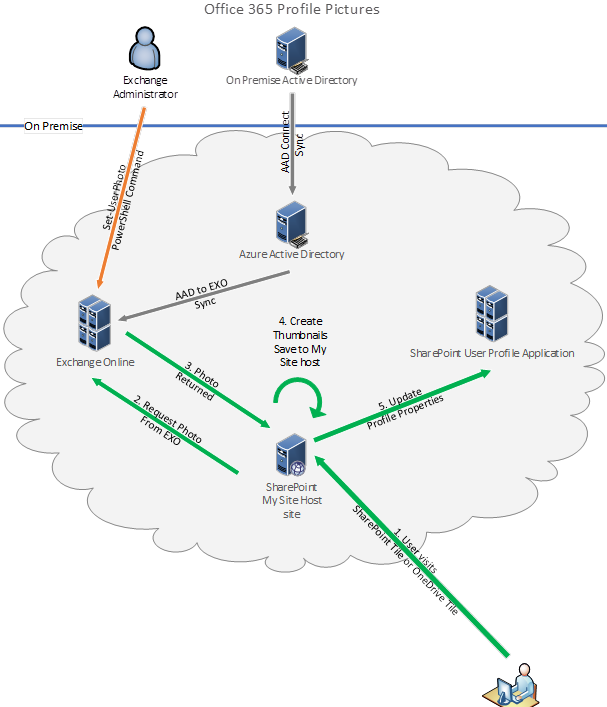
From an historical point of view, various single services such as Exchange and SharePoint Online have been integrated into Office 365, or as it´s named now, Microsoft 365. The platform shows user profile pictures, and syncs that between the services, depending on the service (licenses). Since this can be a little bit confusing, we now have a good article explaining the user profile sync. User profile picture sync is a important topic for every organization using Microsoft 365. In the end, you want to see users picture in people pickers, in Teams chats and calls, in Exchange, Delve, and so on. We have written some articles about that topic as well in the past, see SharePoint Online UserProfiles and the story about synchronizing with Azure Active Directory-Part 1, Part 2, How user profile synchronization works in Office 365 services and How the UserProfile in Azure Active Directory and how a Mailbox in Exchange Online looks like (using Microsoft Graph). We also have developed a solution for syncing user profile pictures from on premises systems to Microsoft 365. If you are interested in that, pls. contact us. ...

July 1, 2020 · 2 min · Toni Pohl
Run a PowerShell script as a different user

Run a PowerShell script as a different user

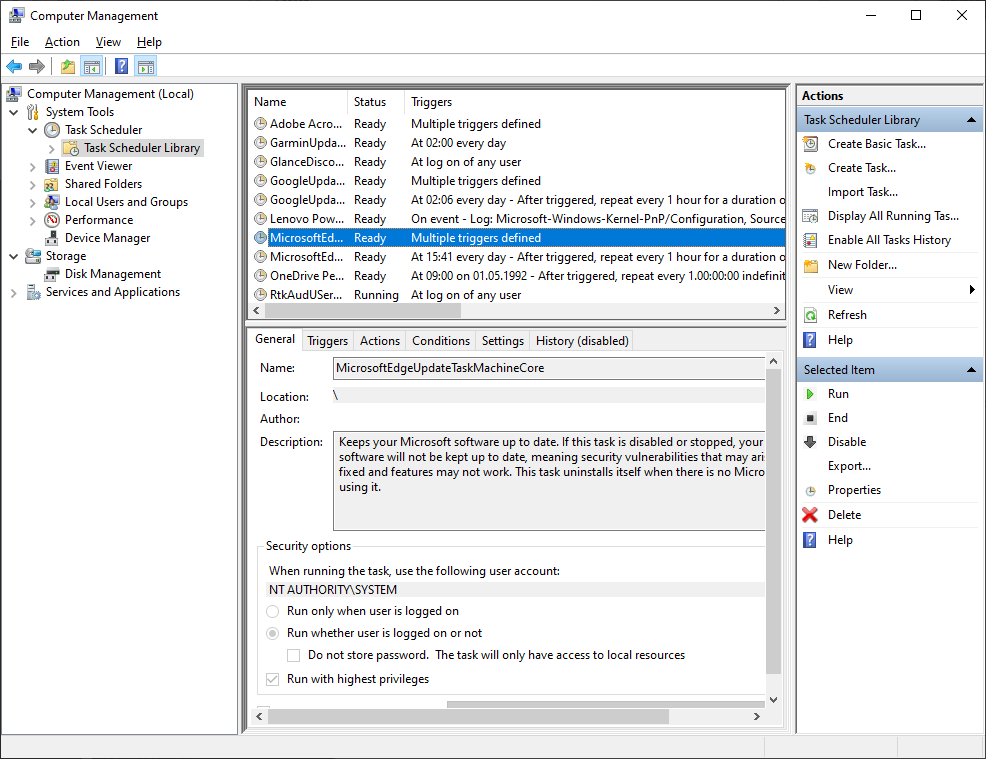
Sometimes it´s required to run a script as a service user on a Windows machine, e.g. for reading file shares as a different user with different permissions or similar tasks. You can easily do this using the following two methods. Method 1: Run a task as different user with Scheduled Tasks The first method is to create a new basic task in Computer Management / System Tools / Task Scheduler / Task Schedule Library. ...

June 25, 2020 · 3 min · Toni Pohl
Watch the sessions of GalacticSummit

Watch the sessions of GalacticSummit

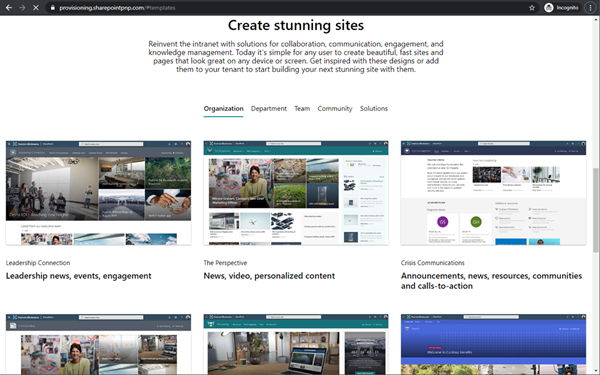
Galactic Summit was THE Microsoft 365 online conference that happened on June 2nd and June 9th, 2020 on USS Defiant, USS Voyager, USS Enterprise, USS Discovery and La Sirena with over 8000 attendees. You can now watch the sessions online! Thanks to the organizers Adis, Margit, Spencer, Elena and Fitz, the sponsors and speakers of #GalacticSummit for this great and free online event! See all sessions at www.collabsummit.space. Find our sessions here: Best practices to use Microsoft 365 for crisis communication requirements, Martina Grom ...

June 19, 2020 · 1 min · Martina Grom
Get or update your M365 developer tenant

Get or update your M365 developer tenant

In case you do not already have a Microsoft 365 developer subscription or if you have an old Microsoft 365 tenant with E3 licenses running: You can now get a new M365 developer subscription with 25 users with E5 licenses and demo content. See more here. You just need a MSA or a Microsoft 365 school or work account. Open the address aka.ms/o365devprogram, and click on the Join now link. ...

June 11, 2020 · 1 min · Toni Pohl
Microsoft 365 Virtual Marathon and Microsoft 365 for crisis communication resources

Microsoft 365 Virtual Marathon and Microsoft 365 for crisis communication resources

Microsoft 356 helps you communicate from anywhere. Today, the Microsoft 365 Virtual Marathon online event starts and I show different services like the quick to use crisis communication SharePoint site the Microsoft Health Care Bot service and more. Check out the Microsoft 365 Virtual Marathon and see how to start with these two services here. Microsoft 365 Virtual Marathon You can still join the free 36-hour Microsoft 365 Virtual Marathon online event and attend hundreds of interesting sessions, see the schedule. We from atwork will present the following sessions: ...

May 27, 2020 · 2 min · Martina Grom
Listen to the podcast about Microsoft 365 Governance for Work From Home with Martina Grom

Listen to the podcast about Microsoft 365 Governance for Work From Home with Martina Grom

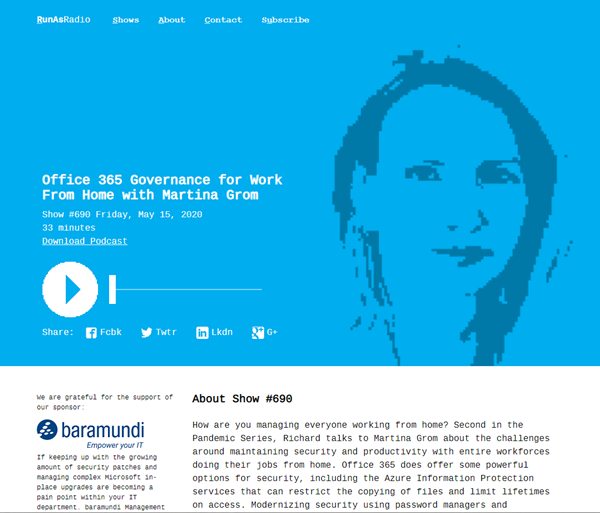
How are you managing working from home during the pandemic? Listen to Richard Campbell’s podcast from runasradio.com and our Martina Grom. Richard talks to Martina about the challenges around maintaining security and productivity with entire workforces doing their jobs from home with Microsoft 365 and governance tools. Open the podcast “Office 365 Governance for Work From Home with Martina Grom” at https://runasradio.com/Shows/Show/690. Martina mentions a bunch of tools as well as our Governance Toolkit 365. The tool runs as Software-as-a-Service and offers insights into your Microsoft 365 tenant, Power BI dashboards, newsletters, an API with custom workflows and a Bot with Teams integration. Check it out. ...

May 15, 2020 · 1 min · Toni Pohl
Watch our sessions of GlobalAzure Virtual Austria 2020

Watch our sessions of GlobalAzure Virtual Austria 2020

As in the previous years, we were proud to be part of the Global Azure Virtual - formerly known as the Global Azure Bootcamp - event on April 24, 2020. Because of the Corona pandemic, the word-wide event went virtual and was distributed as Microsoft Teams Live events, organized by the Coding Club Linz. If you could not attend live, you now can watch some sessions that are already uploaded to Youtube. Find them here! ...

May 10, 2020 · 2 min · Toni Pohl
Get the daily Bing picture as background in your Teams meetings automatically

Get the daily Bing picture as background in your Teams meetings automatically

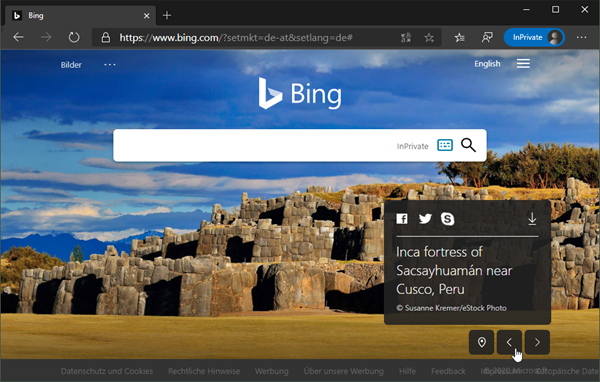
The Microsoft Bing Search Engine provides a professional and beautiful picture every day, you can see it online at www.bing.com. With the Bing API, you can easily get the images for your own use, e.g. to use them as custom background image in your Microsoft Teams calls. See how this works and download the ready-to-use PowerShell script here. So, the task is to get the daily image information, to download the picture and to provide it as background picture in Teams. ...

May 7, 2020 · 5 min · Martina Grom
Get more OneDrive for Business storage

Get more OneDrive for Business storage

Today´s another quick tip for Microsoft 365 users: If you are using OneDrive for Business (OFB) and encounter the default 1 TB storage limitations, there is a way to get more storage space. To do so, see the article by John Patrick White at Increase your OneDrive Storage Limit beyond 5 TB and Joel Olson´s blog post at Three tiers to increase to unlimited storage in OneDrive for Business. It is not very well known that the storage quota can be controlled and extended. Thank you guys, this is valuable for many Office 365 users with a lot of files! ...

April 1, 2020 · 1 min · Martina Grom
Automate SSL certificates updates with App Services and Azure Key Vault

Automate SSL certificates updates with App Services and Azure Key Vault

Storing credentials, SSL certificates, connection strings and other secrets in Azure Key Vault is recommended for every software project in the (Azure) cloud. This is easy to do when using certificates, such as for a website hosted in Azure App Services. Learn how to configure a SSL certificate once and then have it automatically updated when you update it in the Key Vault, called automatic rotation. See a step-by-step description here. ...

March 22, 2020 · 7 min · Toni Pohl