Copy a SharePoint list with PnP PowerShell

Copy a SharePoint list with PnP PowerShell

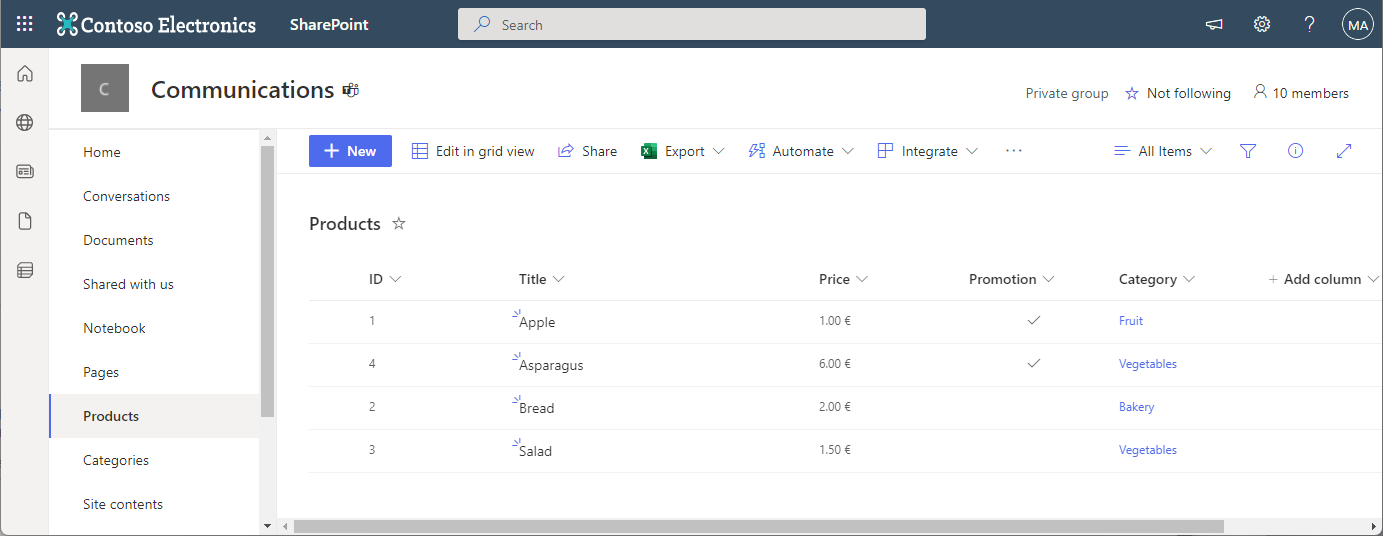
In the Microsoft 365 world, sometimes you want to copy a custom list in SharePoint Online to another SharePoint site in the same or in a different M365 tenant. While there are third-party tools for this, there is an easy-to-use method for such a scenario using PnP PowerShell. This article shows how it works with a step-by-step example. PnP PowerShell PnP PowerShell is an open-source component from Microsoft providing over 600 cmdlets that work with Microsoft 365 environments such as SharePoint Online, Microsoft Teams, and more services. We can use this simple-to-use module for our purpose. See more at PnP PowerShell overview. ...
April 22, 2022 · 5 min · Toni Pohl
Troubleshooting Active Directory Federation Services

Troubleshooting Active Directory Federation Services

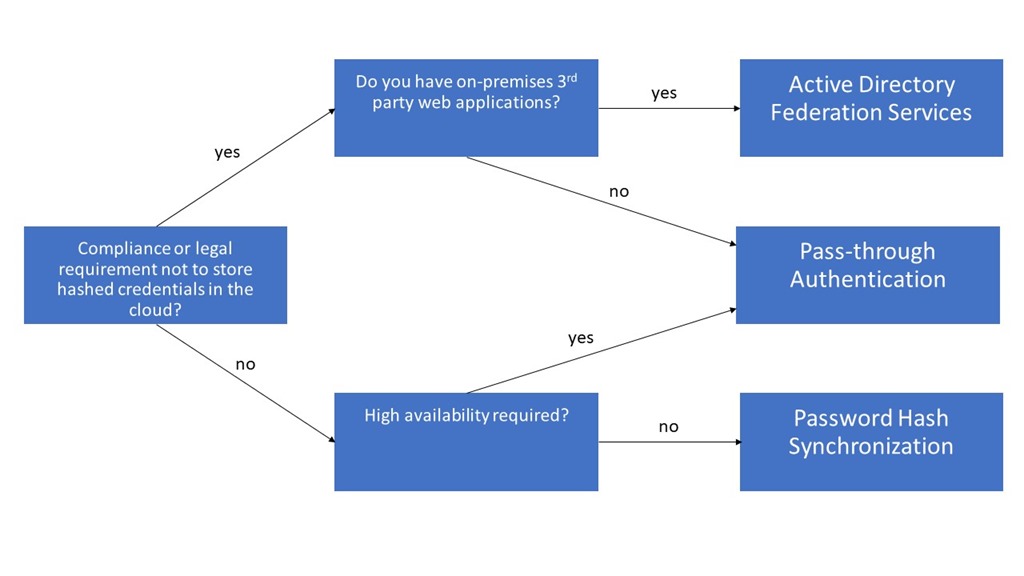
Enabling single sign-on for your users must not be a big deal. There are multiple hybrid identity authentication scenarios available to obtain single sign-on capabilities to your users: Active Directory Federation Services (AD FS): single sign-on, based on one identity in your on-premises Active Directory and publishes on-premises and cloud web applications. This is the most complex scenario and often used by organizations with 250+ seats. They are not only using Office 365 applications for single sign-on, but also for other Intranet and Internet applications to achieve SSO user experience. Password Hash Sync (PHS): same sign-on, which means you must authenticate again with your on-premises credentials accessing Office 365 services. Pass-through authentication (PTA): single sign-on, allows your users to sign in to Azure Active Directory directly validating the users’ passwords against your on-premises Active Directory. Seamless single sign-on: single sign-on, automatically signs your users in when they are on their corporate devices connected to your corporate network. Can be combined with either PHS or PTA. When should I use AD FS instead of other hybrid authentication methods? ...

January 4, 2018 · 4 min · Dominik Höfling
Self-service password reset for users in Azure Active Directory Editions

Self-service password reset for users in Azure Active Directory Editions

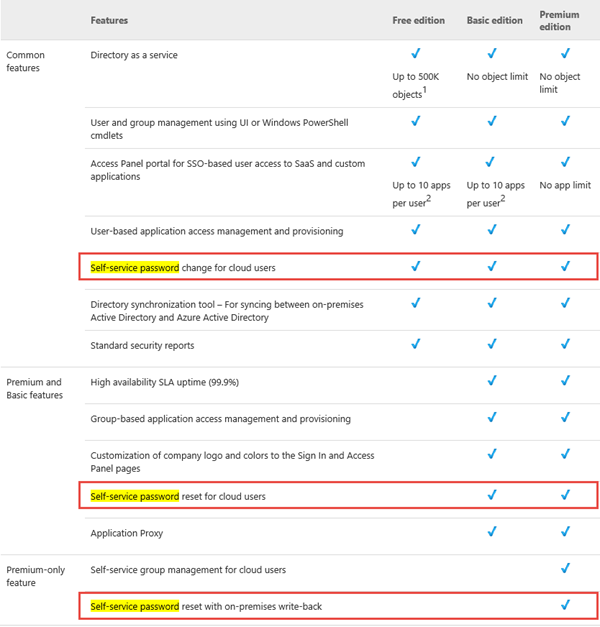
Since Microsoft´s Azure Active Directory (AAD) is constantly evolving it´s interesting to see the current status of features. Right now we want to point out the functionality of Azure Active Directory Editions in MSDN by December 10, 2014. AAD comes in three flavors: Free, Basic and Premium (see also here). Companies are often interested in relieving their IT with features like “Self-service password reset for users” (SSPR). In that MSDN article we see the support for the SSPR-feature for users in the three Azure Active Directory Editions: ...

December 31, 2014 · 2 min · Toni Pohl
Ein Blick in die neuen Azure Active Directory Whitepapers

Ein Blick in die neuen Azure Active Directory Whitepapers

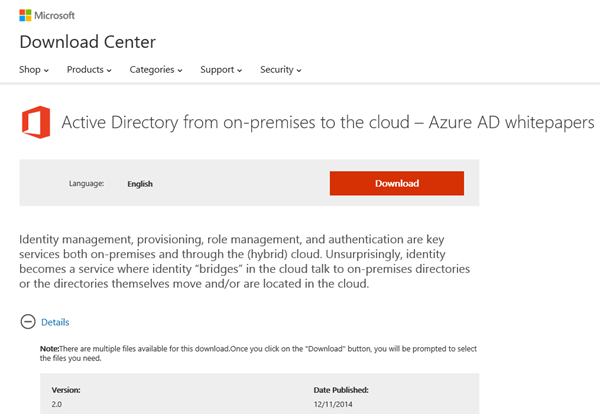
Ganz frisch gibt es eine Reihe von neuen Whitepapers mit Anleitungen und Informationen für die Integration von Azure Active Directory in die eigene Infrastruktur und eigenen Applikationen. Heutzutage stellen die Themen Identity Management, Provisionierung, Rollenverwaltung und Authentifizierung Schlüsselfaktoren für moderne IT-Szenarien dar, im eigenen Unternehmen, in Hybrid-Lösungen und natürlich genauso in der Cloud. Anwender profitieren durch bessere Nutzbarkeit von Single-Sign-On (SSO) und Bring Your Own Identity (BYOI) Lösungen, während IT-Abteilungen durch integrierte Lösungen und die Nutzung von Software as a Service (SaaS) Applications entlastet werden können und mit Tools rund um das (neue) Schlagwort “DevOps” Apps und deren Betrieb und Nutzung monitoren können. ...

December 19, 2014 · 7 min · Toni Pohl
How to use external users in SharePoint Online with a cost-free Azure Active Directory

How to use external users in SharePoint Online with a cost-free Azure Active Directory

We are using SharePoint Online (SPO) in many scenarios: for our own Intranet and we often create SPO Sites in our Office 365 tenant to collaborate with partners and for projects. Many projects last only for some months and after the work is finished the SPO site will be deleted. Since we don´t want to create not-our-company-users in our own Active Directory (AD) or in our synced Azure Active Directory (AAD) and assign an Office 365 license from our tenant it´s convenient to use users from another AAD and share the SPO site with them. ...

December 6, 2014 · 8 min · Toni Pohl
ADFS 3.0 und TLS 1.2

ADFS 3.0 und TLS 1.2

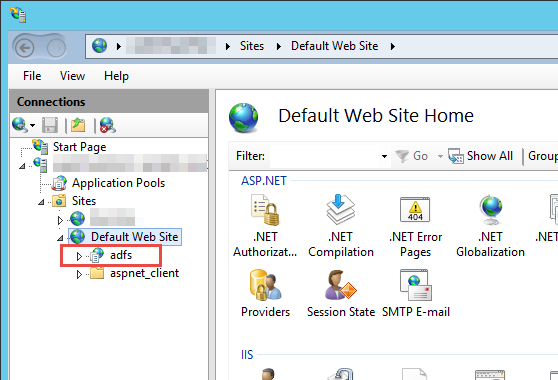
Ich bin vor kurzem auf ein interessantes Problem gestoßen. Das wäre sicher auch jedem aufgefallen, wenn man mal drüber nachdenkt. :) Ein Kunde wechselt im Zuge eines Serverwechsels von ADFS 2.0 auf ADFS 3.0. Das heißt in diesem Zusammenhang einfach nur, der ADFS Server wurde auf Windows Server 2012 R2 aktualisiert und der Web Application Proxy davor ebenfalls. Jetzt ist es nur leider so, dass seitdem - der ADFS Service hat zuvor beim Authentifizieren von Außen über den WAP problemlos funktioniert – von Intern der ADFS Service nicht mehr erreichbar ist. Der Internet Explorer liefert die Meldung “Die Webseite kann nicht angezeigt werden”. ...

September 3, 2014 · 3 min · Christoph Wilfing
DirSync und Proxy Einstellungen

DirSync und Proxy Einstellungen

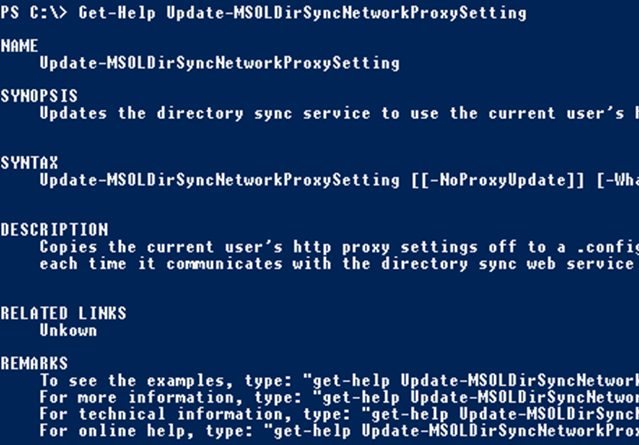
Gerade in großen Umgebungen gibt es neben einigen Firewalls sehr oft natürlich auch HTTP / HTTPS Proxy Server die zur Sicherheit den Verkehr von Clients nach extern überprüfen sollen. Gerade wenn sie Dirsync im Einsatz haben kann das häufig zu Konfigurationsproblemen führen und führt zu einigen Verwirrungen. Das Problem? Ihr Dirsync Server steht im internen LAN und muss aber für die Synchronisation mit dem Azure Active Directory mit dem Internet kommunizieren. Der Firewall Mensch sagt aber “nein - verwendet den Proxy”. ...

August 16, 2014 · 2 min · Christoph Wilfing
Exchange 2013 Hybrid Wizard Fehler

Exchange 2013 Hybrid Wizard Fehler

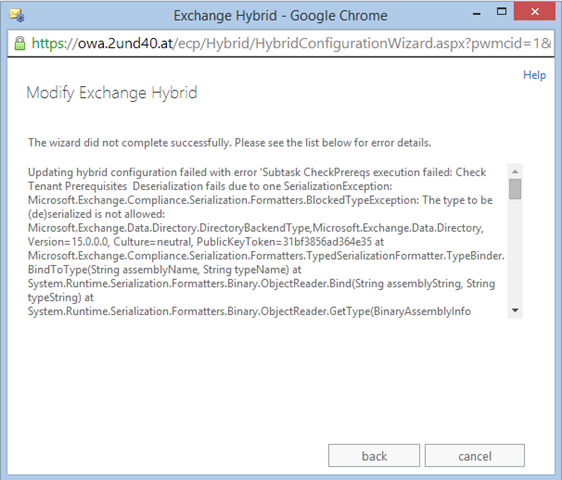
Für alle die aktuell versuchen einen Exchange 2013 Hybrid Wizard auszuführen. Leider gibt es seit kurzem einen kleinen Bug der dafür sorgt das dies aktuell nicht möglich ist. Die Fehlermeldung zeigt eine SerializationException und beginnt ungefähr: Updating hybrid configuration failed with error ‎’Subtask CheckPrereqs execution failed: Check Tenant Prerequisites Deserialization fails due to one SerializationException: Microsoft.Exchange.Compliance.Serialization.Formatters.BlockedTypeException: The type to be ‎(de)‎serialized is not allowed: Der dazupassende KB Artikel ist seit kurzem Online und lässt aktuell noch keine genauen Informationen los. Man muss für eine Lösung auch leider den Support bemühen. ...

July 31, 2014 · 1 min · Christoph Wilfing
DirSync  no such object on the server

DirSync no such object on the server

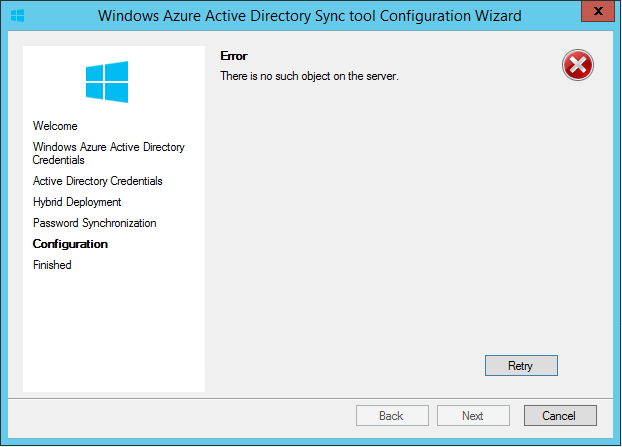
Ich habe in den vergangenen Tagen ein sehr interessantes Phänomen von Dirsync gesehen. Ich weiß nicht wie viele von Ihnen Dirsync schon einmal neu installieren mussten, aber manchmal kommt das vor. Wenn man zum Beispiel die Datenbank auf einen anderen Server verschieben will oder dgl. kann das schon mal notwendig werden (was so ned 100% stimmt, aber dazu ein anderes Mal mehr). Mir ist selbiges vor kurzem passiert. Also – eigentlich recht simpel. DirSync deinstallieren, auf neuem Server installieren und beim Configuration Wizard folgende Fehlermeldung erhalten: ...

February 26, 2014 · 2 min · Christoph Wilfing
Office 365 Dirsync Passwort Synchronisation

Office 365 Dirsync Passwort Synchronisation

Gerade für kleine Unternehmen die trotzdem in den Genuss von Online Services kommen wollen gibt es jetzt eine interessante Erweiterung. Die neueste Version des Directory Synchronisation Tools kann jetzt auch Passwörter synchronisieren. Man fragt sich – wer braucht das schon. Aber die Frage lässt sich leicht beantworten. In kleinen Unternehmen ist es meist nicht sinnvoll einen ADFS Server zu betreiben für die Authentifizierung und vor allem auch aufgrund Ausfalls Thematik vielleicht auch gar nicht möglich. Man hat halt lokal nur mehr wenig Hardware (Domain Controller?) und alles andere zentral auf Office 365. Warum sollte man dann einen ADFS Server installieren und dort ein Zertifikat kaufen müssen und dann auch noch das Ding am Leben erhalten und jedesmal auf den Redirect und.. jo.. ...

July 1, 2013 · 3 min · Christoph Wilfing