Delegate365 changelog 9.2-improvements

Delegate365 changelog 9.2-improvements

The next version of Delegate365 is here. Delegate365 v9.2 follows the last update v9.1. This update includes a bunch of helpful features and improvements such as SharePoint sites management, Group OU improvements, report improvements, a new message trace job and more. See a description of the new features here. License bars on the dashboard, for users and quotas: The license information is now visually improved for Portal Administrators. A license bar per license (SKU) shows how many licenses are in use and how many are available in total. The same applies to a user’s licenses… …and license quotas. The new display enables a quick view of the licenses. ...

October 22, 2020 · 6 min · Toni Pohl
Delegate365-Goodbye, Basic Authentication

Delegate365-Goodbye, Basic Authentication

Delegate365 provides a toolbox for easy management of a Microsoft 365 tenant. Management ranges from Exchange Online to Azure AD, SharePoint Online, Reporting and Intune. Delegate365 communicates with the Microsoft 365 services via apps and Modern Authentication, wherever possible. However, a service account had to be used for some Exchange features and the multi-factor authentication management. This will change with the next versions. Some M365 background information So far, some Microsoft services such as Exchange Online (EXO) could only be reached with Basic Authentication, while other (new) services such as Microsoft Graph can be used with an app. Basic Authentication relies on sending usernames and passwords with every request increasing risk of attackers capturing users´ credentials. Therefore, Microsoft recommends that you stop using Basic Authentication. Basic Authentication is superseded by *Modern Authentication *based on OAuth 2.0 that is supported for the new Microsoft 365 services. ...

October 21, 2020 · 6 min · Toni Pohl

Austria is getting its own Microsoft data centers

Today, Microsoft announced “the Microsoft cloud in Austria, for Austria”. The Austrian data center region will join Microsoft’s global cloud and provide Microsoft 365, Microsoft Azure and Dynamics 365 services. Microsoft’s Austrian data center region supports companies in complying with the General Data Protection Regulation (GDPR) of the European Union and will offer companies on-site access to the entire range of Microsoft cloud services. Microsoft also announced a new Center of Digital Excellence to modernize the IT infrastructure of public services and to promote industrial innovations in Austria. ...

October 20, 2020 · 1 min · Toni Pohl
Project Online  Project Server Project Detail Pages - Enhancements Part 9- Show WebParts in Tabs on Project Detail Page

Project Online Project Server Project Detail Pages - Enhancements Part 9- Show WebParts in Tabs on Project Detail Page

This is the ninth part of articles discussing Project Detail Page enhancements: Show/hide a field depending on the value of an internal field on the same page Show/hide a field depending on the value of an Enterprise Custom field on the same page Show/Hide a field based on the value of an internal field using REST Show/Hide a field based on the value of an Enterprise Custom Field without Lookup Table using REST Remove Time from Enterprise Custom Fields on Project Detail Pages Remove Prefix from Enterprise Custom Fields on Project Detail Pages Hide Impact Ratings on Project Detail Page “Strategic Impact” Disable “Project Owner” Button on Project Detail Page Show WebParts in Tabs on Project Detail Page For a description for preparation of a Project Detail Page for JavaScript, see General Preparation. ...

October 13, 2020 · 3 min · Barbara Henhapl
Handle failed actions in Azure Logic Apps

Handle failed actions in Azure Logic Apps

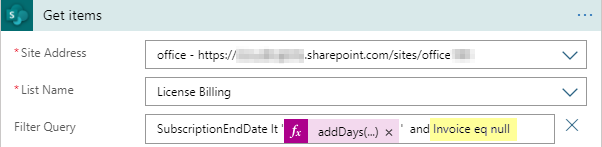
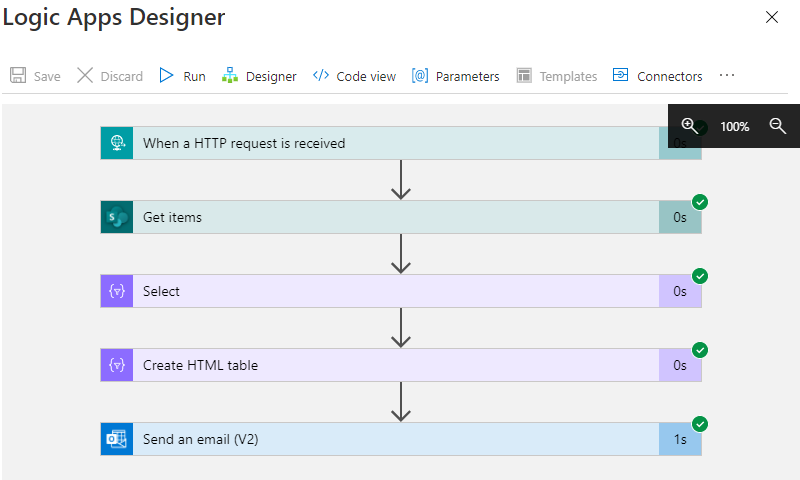
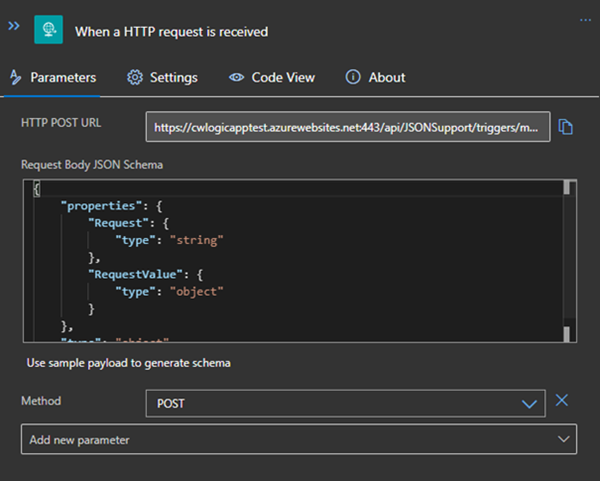
Today´s a quick tip for users working with Azure Logic Apps. This article shows how you can continue to work in a flow if an action has failed. This sample accesses an Excel file from a Microsoft teams SharePoint site and searches for a key. If the key was not found, the flow shall continue and deliver a useful error code with a message. See how this works here. The scenario The following Azure Logic App is triggered by an HTTP request and gets some data from another system. The purpose is to lookup a campaign and some data from an Excel file that is stored in a SharePoint site of a Microsoft 365 Group (a team site) and to continue to work with that data. Furthermore, the Logic App generate a voucher and sends emails. But that´s another story. Here we concentrate on the failure handling. ...

October 6, 2020 · 4 min · Toni Pohl
Project Massenänderung für Ressourcenkostensätze mit VBA  Bulk Update for Resource Rates with VBA

Project Massenänderung für Ressourcenkostensätze mit VBA Bulk Update for Resource Rates with VBA

Deutsche Version Alle Jahre wieder … Gegen Jahresende gibt es immer wieder die Anforderung, die Kostensätze für Ressourcen für das Folgejahr einzutragen. Hier stelle ich ein Makro bereit, der das Ganze mit VBA vereinfacht. Mit dem Code können Sie Kostensätze für jeweils eine Kostensatztabelle ändern. Für Änderungen in einem einfachen Projekt mit lokalen Ressourcen öffen Sie dieses Projekt für Enterprise Ressourcen aus Project Online oder Project Server öffnen Sie die Unternehmensressourcen im Client zur Bearbeitung von Ressourcen in einem gemeinsamen Ressourcenpool öffnen Sie den gemeinsamen Ressourcenpool Wenden Sie eine Ressourcenansicht, z.B. Ressource:Tabelle. Blenden Sie Kostenspalten ein, die noch nicht in Verwendung sind (Kosten1 – Kosten 10, ….). Ich verwende in diesem Code vorhandene Kostenfelder, um Probleme mit Einheitsbezeichnungen und Währungskennzeichen beim Import zu vermeiden. Wenn Sie nur den Standardsatz ergänzen möchten, ist ein Kostenfeld ausreichend. Für Überstundensatz oder Kosten pro Einsatz benötigen Sie bei Bedarf ebenfalls je ein Kostenfeld. Tragen Sie in diese Felder die neuen Kostensätze ein. ...

October 5, 2020 · 6 min · Barbara Henhapl
PowerShell package Az.Accounts failed to download

PowerShell package Az.Accounts failed to download

I recently ran into this problem: I had to install the Azure Az PowerShell module from the PowerShell Gallery on a new computer. Interestingly the installation with Install-Module -Name Az failed with the error message “WARNING: Source Location ‘https://www.powershellgallery.com/api/v2/package/Az.Accounts/1.9.3' is not valid.”. See my solution here. The Azure Az PowerShell module provides access to the world of Azure. See more at Introducing the new Azure PowerShell Az module. So, if you run into this issue when executing ...

September 20, 2020 · 2 min · Martina Grom

Microsofts experience with underwater data centers

Data centers are growing worldwide due to the need for cloud services. The operator’s goal is to use environmentally friendly energy and sustainable concepts. Microsoft tested “Project Natick” for two years in the waters of Orkney Islands in North Scotland. More than two years ago, the Microsoft Project Natick team deployed the container 35 meters deep to the seafloor. At the test site, the grid there is supplied 100% by wind and solar. The project also aims at how data centers can use energy more sustainably. Another goal is the need to have smaller data centers closer to the customer, at least where this is technically possible. ...

September 16, 2020 · 1 min · Toni Pohl
SPFx App webpart is blocked in various browsers

SPFx App webpart is blocked in various browsers

Recently, I stumbled across a strange behavior when running self-developed SPFx webparts in various browsers. When the SPO app was deployed, it worked well with Single-Sign-On, but in some browsers, the webpart was blocked. Instead, a grey box saying “login.microsoftonline.com refused to connect.” was displayed. I experienced that behavior in Chrome, and Edge, while FireFox, Safarai and Opera showed the webpart. Also, there was a different experience when working in the normal mode, or in the In-Private mode. If that happens to you, check out the solution here. ...

September 13, 2020 · 5 min · Toni Pohl

Join us at the Global Microsoft 365 Developer Bootcamp - Austria

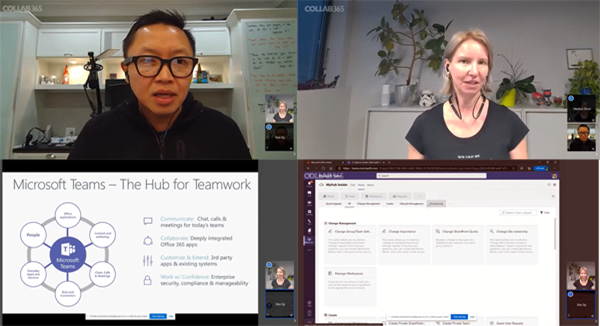
Global Microsoft 365 Developer Bootcamp is back! This year the event will take place virtually from more than 100 cities worldwide. Join us at our Microsoft 365 Developer Bootcamp - Austria on November, 13th, 2020! The Global Microsoft 365 Developer Bootcamp is here for the 4th year straight. Check out Microsoft 365 Events Bootcamps and join us at our bootcamp in Austria using Microsoft Teams. Register now! We are excited to kick off the virtual Global Microsoft 365 Developer Bootcamp Austria 2020! The Microsoft MVPs and community leaders invite YOU to attend this bootcamp to learn the latest on Microsoft 365 platform such as Microsoft Graph, SPFx, Microsoft Teams, the Power Platform, Bots, AI and more. Learn how to apply the latest technologies to your future projects. ...

August 18, 2020 · 1 min · Toni Pohl