Welcome to atwork365.com

In IT, Office 365 evolved to a standard for collaboration and Software-as-a-Service products within the Microsoft world. We at atwork are delivering highly qualified architecture, guidance and solutions based on Microsoft Office 365 and Microsoft Azure. So, we wanted to point out this fact and are marketing our brand with the domain name atwork365.com in future. Today, we started and added our new domain atwork365.com as address to our company website: https://www.atwork365.com ...

July 10, 2017 · 1 min · Martina Grom
How user profile synchronization works in Office 365 services

How user profile synchronization works in Office 365 services

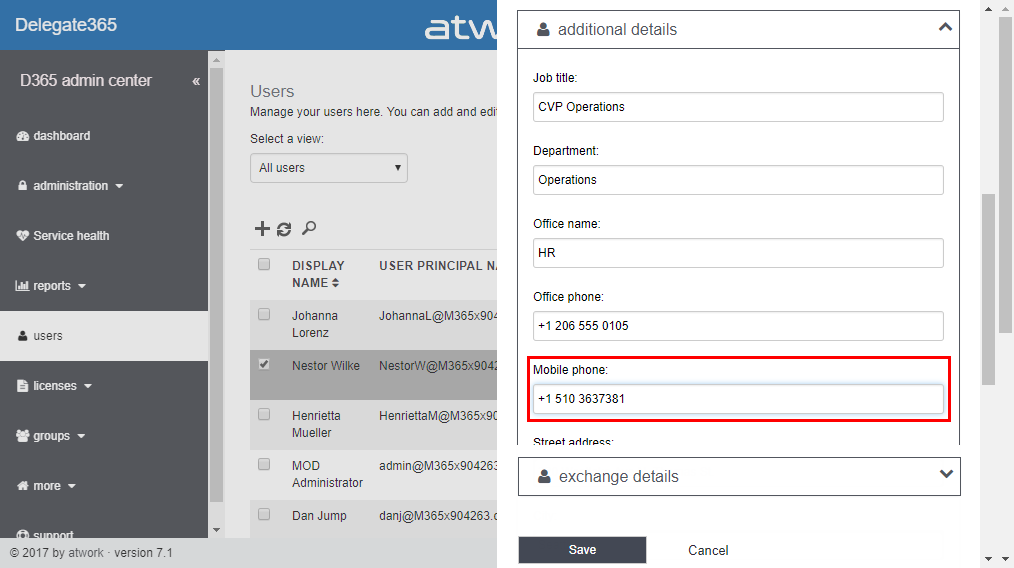
Office 365 users often ask about user profiles in various Office 365 services and where to change what. Since the Office 365 products do have a history, there are different places where user profile data is stored and how specific properties are synchronized. So, we at atwork thought that it makes sense to inform about the current user profile status in Office 365 with this article. AAD Basics The basis of all Office 365 services is the central Azure Active Directory (AAD) that stores all users, groups, licenses and relations of an Office 365 tenant (*.onmicrosoft.com). Entities can be managed in the Office-Portal, with scripts (PowerShell, etc.) or custom code (accessing the Microsoft API’s), or in a hybrid scenario with AAD Connect or ADFS. Once a user is created in AAD, there are a bunch of user properties available, as the User Principal Name (UPN, which is the login name), the person’s name and address data, Office 365 licenses, and more. All Office 365 products require such a user identity for sign-in. Once logged in, users benefit from Single-Sign-On (SSO) experience with one single identity. ...

July 7, 2017 · 6 min · Martina Grom

Honored for receiving my 5th MVP Award

Well, it’s 1st of July and guess what? I got reawarded as a Microsoft MVP for the 5th time. And, I was accepted by two Product Groups for my contributions of the last year: I got the MVP award for Microsoft Azure and for Office Development. Wow! See my MVP-Profile here. For me, being awarded as a Microsoft MVP is a great honor. This award is a marvelous acknowledgment for all my activities as conferences, meetups, blog articles and all my other contributions to the various national and international IT-communities. I started as a MVP for “Client Development” in 2013 which then was re-organized in “Windows Development”. It was a very exiting time to be part of that group among great personalities! Today, I’m doing mostly projects around Microsoft Azure and Office Development, so I’m really proud and happy that my community contributions ended up in these two new competencies. ...

July 1, 2017 · 1 min · Toni Pohl
Delegate365-Working with License Assignments

Delegate365-Working with License Assignments

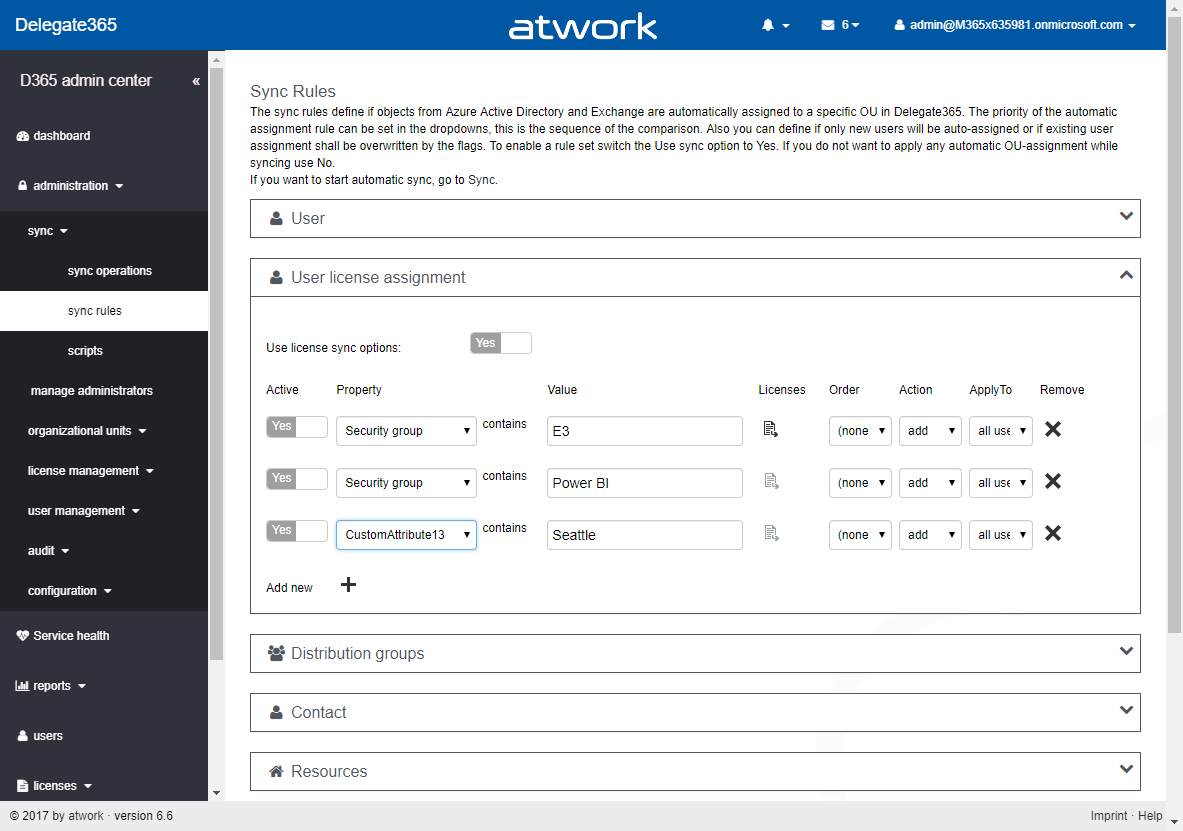
Delegate365 provides various automation tasks. One of these is the new License Assignment rule to automatically assign Office 365 licenses to users based on their user properties or on their group membership. See how this works in real world with a demo scenario here. The License Assignment is available since version 6.4. For details, pls. see the description here. This new feature allows to assign Office 365 licenses in a very custom way to users and runs at each Delegate365 synchronization operation, So, whenever a SyncOp runs, Delegate365 checks the sync rules and assigns licenses as specified. So let’s see how this works step-by-step as follows. ...

June 29, 2017 · 7 min · Toni Pohl
Delegate365 changelog version 6.5-Service health, logging and more

Delegate365 changelog version 6.5-Service health, logging and more

Delegate365 version 6.5 is here soon. With that update, there comes new functionality and some further improvements. Read the details here. Notification center: Now, the notification center shows just the last 100 messages (instead of all unread messages) to reduce the loading time for all unread messages that can be produced in a large number by the synchronization process. Anyway, you can access all messages as before by clicking the “Read all messages” link. “Clear all messages” sets all messages to “read”, so that they no longer show up in the notification center. This step improves the dashboard’s loading time. ...

June 28, 2017 · 6 min · Toni Pohl
Delegate365-Rerun the setup

Delegate365-Rerun the setup

Delegate365 runs as an app in Microsoft Azure on top of Office 365. You can connect to any Office 365 tenant with your Delegate365 portal. You just need a configuration password and a Global Admin user of your Office 365 tenant. The Setup must be executed once, as initial setup or during operation to renew the permissions of the Delegate365 app. See how the new and simplified setup process works here. ...

June 27, 2017 · 4 min · Toni Pohl
Delegate365-Working with Audit Logs

Delegate365-Working with Audit Logs

Delegate365 protocols all modifications of users, licenses and groups within the solution. This is essential to comprehend actions accomplished by Delegate365 administrators or by automated tasks. See how to work with that audited data here. So, all actions are logged to the Delegate365 Audit Log. In the current versions, the audit logs are saved to an Azure Storage Account. There are three ways of working with the audit data: See audit data within Delegate365 Access the data directly with Microsoft Storage Explorer Connect to the data with tools as Microsoft Excel or Power BI All methods are available for Portal Admins in the *administration / audit *menu and are described here. ...

June 26, 2017 · 7 min · Toni Pohl
Adding Send as permissions to an Office 365 Group with PowerShell

Adding Send as permissions to an Office 365 Group with PowerShell

Office 365 Groups provide a bunch of useful features for collaboration. In some cases, users want to send emails from an Office 365 group as sender. Here’s the “HowTo” to accomplish “SendAs” permissions to an Office 365 group for users. By default, users do not have any permissions to send from an Office 365 Group. So, if you try to send an email with such a sender address, you will get a reply similar as here. ...

June 14, 2017 · 2 min · Martina Grom
Many new useful features coming in PowerApps

Many new useful features coming in PowerApps

Two days ago, a new version of the PowerApps Studio has arrived with a bunch of useful features. See the details at PowerApps Newest Feature Releases Address Top User Requests! There’s a new Explorer Tree View to access a list of controls of each screen, as shown here in this animated graphics taken from the blog post: See more about control handling here. The new Multi-Column Form Control makes sense for Tablet mode apps… ...

June 2, 2017 · 1 min · Toni Pohl
This was European Collaboration Summit 2017

This was European Collaboration Summit 2017

This week, the first European Collaboration Summit (ECS) took place in beautiful Zagreb. We enjoyed the community conference together with about 500 attendees and about 60 speakers and we had a blast! ECS (www.collaborationsummit.rocks) is the new brand of the community event SPC Adriatics, extended from SharePoint and Project topics to all the new Microsoft cloud services around Office 365 and Azure, organized by the team around Branka, Adis, Toni and Nenad (see some history at 2014, wrap-up and 2013). This year, our Martina supported compiling the sessions for the Business track. ...

June 1, 2017 · 2 min · Toni Pohl