Impressions of SPSummit

This week, SharePoint Virtual Summit took place on May 16th. There were a bunch of news and announcements and the SharePoint team did a great job delivering the latest improvements on SharePoint. Watch the SharePoint Virtual Summit online. My personal highlights have been: OneDrive Files On-Demand (as announced during BUILD keynote) Update: See this great video by Microsoft Mechanics, lead engineer Eugene Lin! OneDrive for Business updates: simplified sharing and files on demand ...

May 20, 2017 · 1 min · Toni Pohl

Impressions of BUILD 2017

We did it again.. attending this year’s Microsoft BUILD conference in Seattle. See some of our impressions here! This year, Microsoft BUILD conference took place from May 10th to 12th near Microsoft’s home in Seattle. In total, this was the 7th BUILD conference. After the Professional Developer’s Conference (PDC) in the past and a break, the first BUILD started in September 2011 in Los Angeles, Anaheim, where Windows 8 was announced. The second BUILD end of October 2012 was interesting since it happened directly in Redmond at the Microsoft Campus with a big tent for the keynote (near the Conference Building 31) and Steve Ballmer himself presenting Windows 8 and Windows Phone 8. From then on (2013 to 2016), BUILD had it’s location in San Francisco at the Moscone Center. I still remember what an expensive location Silicone Valley and SanFran was. In 2013, Windows 8.1 was announced. In 2014, Universal Apps and the Lumia phone got most attention (can you remember, there was a time when Microsoft wanted to participate in the mobile device market with hardware and software…). In 2015, “Cloud First” – Azure (which was renamed from Windows Azure to Microsoft Azure in 2014 already) - took the stage, followed by Windows 10 that came in that summer. In 2016, it was time for the Cortana, Bots, Cognitive Services, Xamarin, and the Windows Windows 10 Anniversary Update. The Mixed Reality project “HoloLens” was announced in January 2016 at the virtual “Windows 10: The Next Chapter” event completely unexpected (although the Kinect project lead into that). ...

May 19, 2017 · 4 min · Toni Pohl
Delegate365 changelog version 6.4-automate additional licenses assignments

Delegate365 changelog version 6.4-automate additional licenses assignments

In Delegate365 version 6.2 update we added an important feature to save Delegate365 licenses. With this Delegate365 version, there comes a new, powerful feature for more Office 365 automation. The new version number is 6.4. No worries, you have not missed version 6.3, since this was an internal version for adding the new user license assignment feature, testing and fixes. Delegate365 version 6.4 will be rolled out in the next two weeks. So, what does this update do? ...

May 8, 2017 · 5 min · Toni Pohl
Add your local IP address to a SQL Azure Firewall easily

Add your local IP address to a SQL Azure Firewall easily

When working with SQL Azure you are aware that a connection is just established, if the client’s IP address is configured in the firewall of the SQL Azure database server. You needed to open the Azure Portal-SQL servers service and add your IP address manually. Well, the good story is, now the SQL Server 2016 Management Studio does this for you! At my home, the ISP renews IP addresses constantly. So, it’s always an effort to add my current IP address manually in the Azure Portal to be able to connect. Well, this can be done with Azure PowerShell as well, but I never automated that. ...

May 6, 2017 · 1 min · Toni Pohl
Check out this aka.msAzure hyperlinks collection

Check out this aka.msAzure hyperlinks collection

Sometimes, everybody needs a little helper. Find this helpful list of aka.ms/Azure shortcuts by mzbowe at Bookmark this! aka.ms/Azure/Shortcuts | Just scroll and click “Just want to make it simpler to remember key Azure links. All of my shortcuts will start with aka.ms/Azure/[the thing] …”. as for example https://aka.ms/Azure/VM, https://aka.ms/Azure/GraphAPI and a ton of more shortcuts. Nice list for Azure!

May 3, 2017 · 1 min · Toni Pohl

Martina Grom re-awarded as Microsoft Regional Director

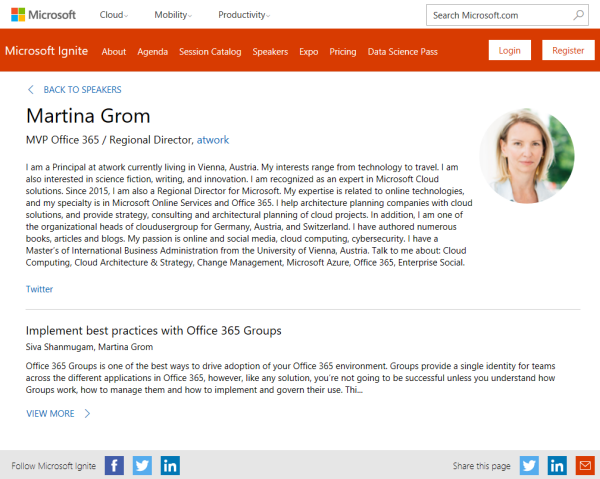
We are very happy and proud that our CEO, Martina Grom, has been re-awarded as Microsoft Regional Director (RD) this April! The Microsoft Regional Director Program consists of 150 of the world’s top technology visionaries chosen specifically for their proven cross-platform expertise. RD’s must be nominated by Microsoft and this is a very exclusive program. Find out more about that exceptional business and community leaders at the Microsoft RD website rd.microsoft.com. ...

May 1, 2017 · 1 min · Toni Pohl

Global Azure Bootcamp 2017 Austria

Yesterday, on the 22nd April 2017, the fifth Microsoft Global Azure Bootcamp happened worldwide where user groups and communities organized events to learn about Azure and Cloud Computing. In Austria, the #GAB happened in Linz. We had a great day with Azure and the community! See details at the website of global.azurebootcamp.net. The official twitter hashtag was #GlobalAzure (but many, as I, used #GAB2017, but that’s life ). As in the years before, Rainer Stropek (MVP, RD) with Karin and their team of Coding Club Linz organized the event in Austria, Linz in Wissensturm, see Global Azure Bootcamp 2017 in Austria. ...

April 23, 2017 · 2 min · Toni Pohl

Worldwide internet user map

Recently Microsoft published an article about “Giving CISOs assurance in the cloud” with nice visualized “internet user maps”. By 2015, the internet user map looks as here: Source: Microsoft Secure Blog That’s an interesting map showing the most heavy internet users in the dark green boxes. Summarized, these are North America, Northern Europe, South Korea and Japan. The dark green regions will include the south in the next years… So, if you are internet addicted (as we are…), you can choose your travel destinations by that map.

April 17, 2017 · 1 min · Toni Pohl
Tips for PowerApps-issues and status

Tips for PowerApps-issues and status

Recently I got an error in my PowerApp when trying to get an Office 365 User Profile, although this was working before: “The service returned an error: Office365Users!MyProfile: {“status”:402,“message”:Insufficient privileges to complete the operation.”,“source”:“127.0.0.1”}". See here how to deal with such scenarios. Well, first I tried to check my Office 365 User connection, removed the data source and added it again. But this didn’t change anything, the app still reported the same error. ...

April 16, 2017 · 2 min · Toni Pohl
Delegate365 changelog version 6.2-license and further improvements

Delegate365 changelog version 6.2-license and further improvements

Delegate365 version 6.2 comes with some updates and improvements. See the new features described here. License counting update: Delegate365 is licensed per user that shall be managed. There comes just one peculiarity with that: shared mailboxes and resources are delivered from the Office 365 interface as users. This causes that D365 counts such users (but only) if they are assigned to an OU as well although they do not need to have an Office 365 license. So, this can lead to uncertainty, why licensing in D365 can be different from Office 365. Again, this is only the case if the user objects are assigned to an OU in D365. For more information about that topic pls. see Delegate365 license information (Q&A 4 to 6). With the new feature this behavior can be compensated and is obsolete. The following graphics shows such a scenario where a shared mailbox “support” is assigned to an OU in D365 (and counts as a D365 user license). We wanted to simplify that licensing in D365 to make it equal to Office 365 licensing in that specific case. With this D365 update, there come two new switches “Ignore shared mailbox users” and “Ignore resource users” in the administration / sync / sync options user region. By default, these two switches are set to “No”. This means, existing users for shared mailboxes and resources stay in the users list, as it was before. If set to “Yes”, this means that shared mailboxes and resources are ignored as “user” in D365. Such user objects that were existing in the users list will be removed from the users list. (No worries, nothing bad happens, they just no longer show up – and are not counted for D365 user licenses.) After the next SyncOp (of course, with “Use user sync options” switch to “Yes”), these user objects will no longer shown in the users list. The shared mailbox “support” is gone from the users list. Of course, the object is still manageable in the more / shared mailboxes list and can be managed there. The same goes for the resources. Our recommendation: Set both new switches to “Yes”. Usually there is no need to manage a shared mailbox or a resource in the same way as a user. With “Ignore shared mailbox users” and “Ignore resource users” activated, this saves D365 licenses. ...

April 7, 2017 · 4 min · Toni Pohl