Martina Grom re-awarded as Microsoft Regional Director

Martina Grom re-awarded as Microsoft Regional Director

We are very happy and proud that our CEO, Martina Grom, has been re-awarded as Microsoft Regional Director (RD) this April! The Microsoft Regional Director Program consists of 150 of the world’s top technology visionaries chosen specifically for their proven cross-platform expertise. RD’s must be nominated by Microsoft and this is a very exclusive program. Find out more about that exceptional business and community leaders at the Microsoft RD website rd.microsoft.com. ...

May 1, 2017 · 1 min · Toni Pohl
Global Azure Bootcamp 2017 Austria

Global Azure Bootcamp 2017 Austria

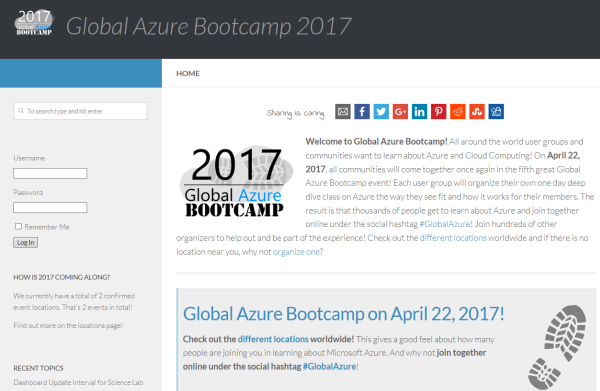
Yesterday, on the 22nd April 2017, the fifth Microsoft Global Azure Bootcamp happened worldwide where user groups and communities organized events to learn about Azure and Cloud Computing. In Austria, the #GAB happened in Linz. We had a great day with Azure and the community! See details at the website of global.azurebootcamp.net. The official twitter hashtag was #GlobalAzure (but many, as I, used #GAB2017, but that’s life ). As in the years before, Rainer Stropek (MVP, RD) with Karin and their team of Coding Club Linz organized the event in Austria, Linz in Wissensturm, see Global Azure Bootcamp 2017 in Austria. ...

April 23, 2017 · 2 min · Toni Pohl

Worldwide internet user map

Recently Microsoft published an article about “Giving CISOs assurance in the cloud” with nice visualized “internet user maps”. By 2015, the internet user map looks as here: Source: Microsoft Secure Blog That’s an interesting map showing the most heavy internet users in the dark green boxes. Summarized, these are North America, Northern Europe, South Korea and Japan. The dark green regions will include the south in the next years… So, if you are internet addicted (as we are…), you can choose your travel destinations by that map.

April 17, 2017 · 1 min · Toni Pohl
Tips for PowerApps-issues and status

Tips for PowerApps-issues and status

Recently I got an error in my PowerApp when trying to get an Office 365 User Profile, although this was working before: “The service returned an error: Office365Users!MyProfile: {“status”:402,“message”:Insufficient privileges to complete the operation.”,“source”:“127.0.0.1”}". See here how to deal with such scenarios. Well, first I tried to check my Office 365 User connection, removed the data source and added it again. But this didn’t change anything, the app still reported the same error. ...

April 16, 2017 · 2 min · Toni Pohl
Delegate365 changelog version 6.2-license and further improvements

Delegate365 changelog version 6.2-license and further improvements

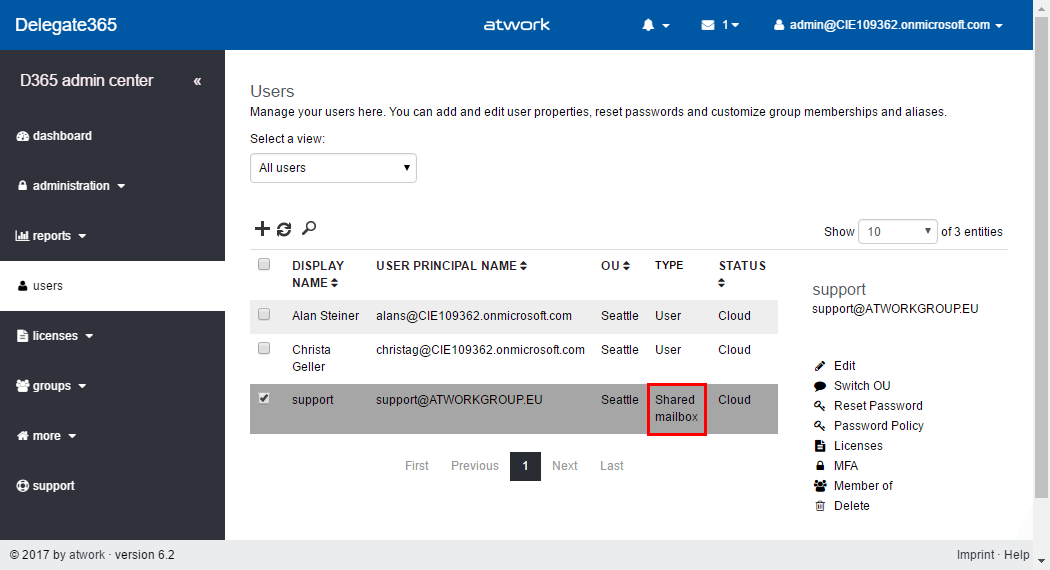
Delegate365 version 6.2 comes with some updates and improvements. See the new features described here. License counting update: Delegate365 is licensed per user that shall be managed. There comes just one peculiarity with that: shared mailboxes and resources are delivered from the Office 365 interface as users. This causes that D365 counts such users (but only) if they are assigned to an OU as well although they do not need to have an Office 365 license. So, this can lead to uncertainty, why licensing in D365 can be different from Office 365. Again, this is only the case if the user objects are assigned to an OU in D365. For more information about that topic pls. see Delegate365 license information (Q&A 4 to 6). With the new feature this behavior can be compensated and is obsolete. The following graphics shows such a scenario where a shared mailbox “support” is assigned to an OU in D365 (and counts as a D365 user license). We wanted to simplify that licensing in D365 to make it equal to Office 365 licensing in that specific case. With this D365 update, there come two new switches “Ignore shared mailbox users” and “Ignore resource users” in the administration / sync / sync options user region. By default, these two switches are set to “No”. This means, existing users for shared mailboxes and resources stay in the users list, as it was before. If set to “Yes”, this means that shared mailboxes and resources are ignored as “user” in D365. Such user objects that were existing in the users list will be removed from the users list. (No worries, nothing bad happens, they just no longer show up – and are not counted for D365 user licenses.) After the next SyncOp (of course, with “Use user sync options” switch to “Yes”), these user objects will no longer shown in the users list. The shared mailbox “support” is gone from the users list. Of course, the object is still manageable in the more / shared mailboxes list and can be managed there. The same goes for the resources. Our recommendation: Set both new switches to “Yes”. Usually there is no need to manage a shared mailbox or a resource in the same way as a user. With “Ignore shared mailbox users” and “Ignore resource users” activated, this saves D365 licenses. ...

April 7, 2017 · 4 min · Toni Pohl
All you need to know about Visual Studio Code-Tips and Tricks

All you need to know about Visual Studio Code-Tips and Tricks

Visual Studio Code (VSC) provides developers with a fast and powerful code editor.VSC is available as cross-platform development tool, supporting OS X, Linux, and Windows and is a cost free part of the Visual Studio family. Get the Visual Studio Code Tips & Tricks Vol. 1 document to get 26 pages of tips and tricks for this great code editor. Download Visual Studio Code Tips & Tricks Vol. 1 The PDF document was authored by Tobias Kahlert and Kay Giza of Microsoft Germany. Since this is volume 1, we hope for volume 2 in future as well. ...

March 31, 2017 · 1 min · Toni Pohl

Limitation of Exchange Hybrid Centralized Mail Transport

I recently had a curious behavior in my customers Exchange 2010 SP3 hybrid environment with centralized mail transport for Exchange 2010 SP3 Edge servers enabled. Before I describe the topic in more detail I would like to say thank you to the guys from Microsoft: Timothy Heeney, Scott Landry and Tom Kern helped me with my ‘little’ mail flow problem . Appreciate your help. My customer is using a smtp gateway for external mail flow as usual. Some of the mailboxes have configured smtp forwarding like ForwardingAddress (mail contact) and ForwardingSMTPAddress (external smtp address directly set on the mailbox). ...

March 31, 2017 · 3 min · Dominik Höfling
Azure Active Directory Join step-by-step in Windows 10

Azure Active Directory Join step-by-step in Windows 10

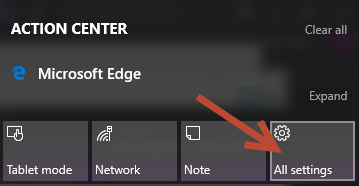
Your computer is still bound to your company’s local domain? How old school. Well, here’s a step-by-step guide how to join Azure Active Directory (AAD Join) with Windows 10. You must be administrator on your local computer, Your existing use profile (C:\Users[account name]) will continue to exist, but anyway, it’s a good idea to backup your local data if needed. Usually such “local” data should be synchronized to the cloud anyway, so it’s easy to restore (for example with OneDrive). ...

March 26, 2017 · 2 min · Toni Pohl
Restrict Office 365 Groups and Microsoft Teams creation in organizations

Restrict Office 365 Groups and Microsoft Teams creation in organizations

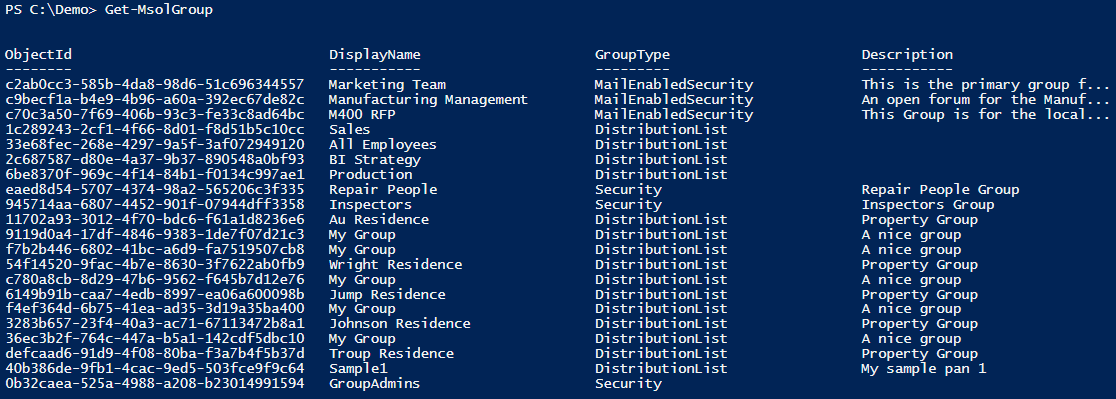
In many of my Office 365 projects customer want to limit the self-service of Office 365 groups creation. Gladly, this is possible in Office 365, with the definition that just specific users are able to create Office 365 groups. Since the launch of Microsoft Teams in March 2017 customers asked me several times if this policy also affect the creation of Microsoft teams? Well, let’s take a look. In a previous blog post, we described how to setup Office 365 Groups policies, check out Management capabilities for Office 365 Groups. Since Microsoft Teams depend on Office 365 groups, we document this scenario step-by-step. ...

March 19, 2017 · 6 min · Martina Grom
aOSDay Dublin in March 2017

aOSDay Dublin in March 2017

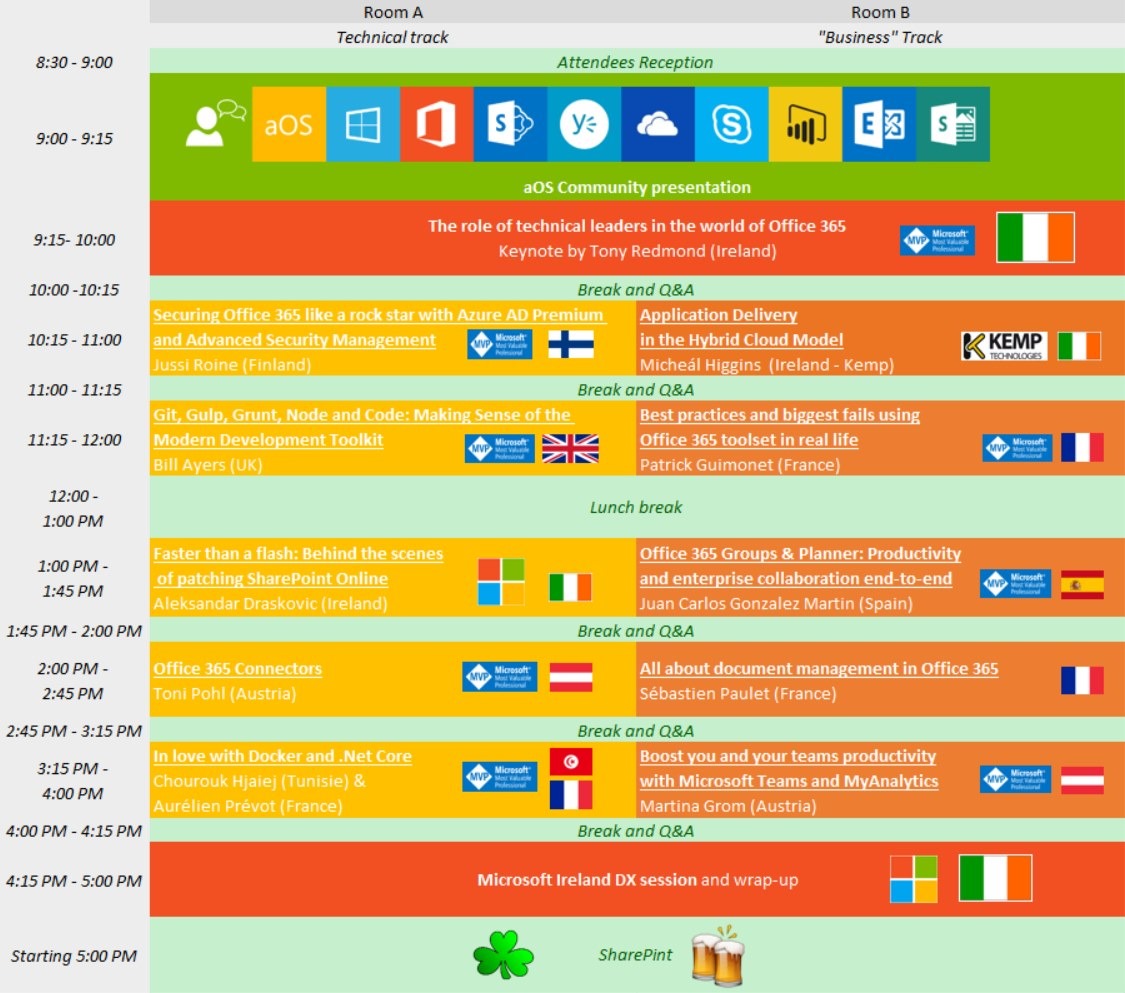
We enjoyed being part of aOSDay Dublin on March 15th, 2017, organized by the aOS Community. We had very interesting sessions from Securing Office 365 services, modern app development, groups, connectors to MyAnalytics and Office 365 toolsets. The agenda and speakers are available in a Sway at docs.com. Organizer Patrick Guimonet did the welcome and a session. Tony Redmond delivered a keynote and teached some basic Irish expressions. There were two tracks with 10 sessions, we of atwork had two sessions: ...

March 18, 2017 · 1 min · Toni Pohl