Delegate365 changelog version 4.2-User Search, Views and Updates

Delegate365 changelog version 4.2-User Search, Views and Updates

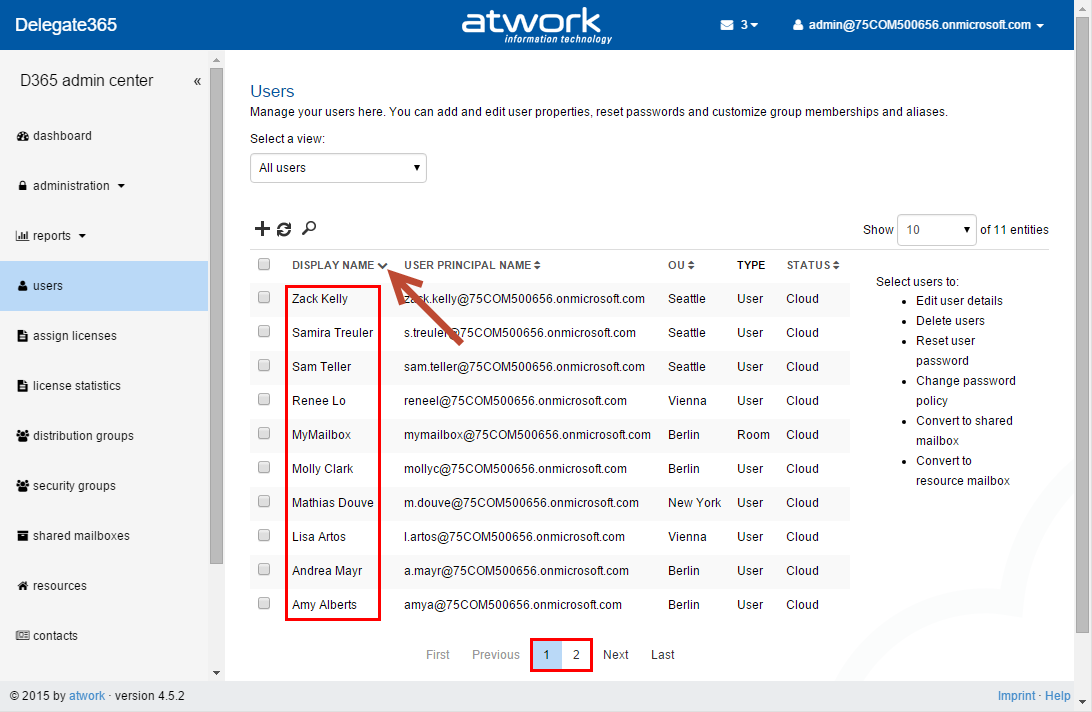
Delegate365 version 4.2 is out. The users list now can be filtered in a better way. The text search has been improved and the list offers system and customizable views for quick and easy filtering. For synced users now there is no Password reset function and Global Admins can restrict if admins are able to create new users. OU Overview delivers all managed objects at a glance. See the details here. ...

July 14, 2015 · 5 min · Toni Pohl
Office 365 Domain is stuck in another shadow tenant

Office 365 Domain is stuck in another shadow tenant

Domain verification in office 365 is one of the requirements to use Office 365 in production. Sometimes it happens that you receive an error while you want to add your domain to a tenant. There are various reasons for that. The Domain was already added in another tenant and not removed from that tenant. Normally the IT department knows which tenant is affected and can work out a solution. A user in your company signed up for a PowerBI Demo. A fast way to remove an accidentially added domain from a PowerBI demo is available through that steps: ...

July 13, 2015 · 2 min · Martina Grom
Delegate365 changelog version 4.1-Many new features

Delegate365 changelog version 4.1-Many new features

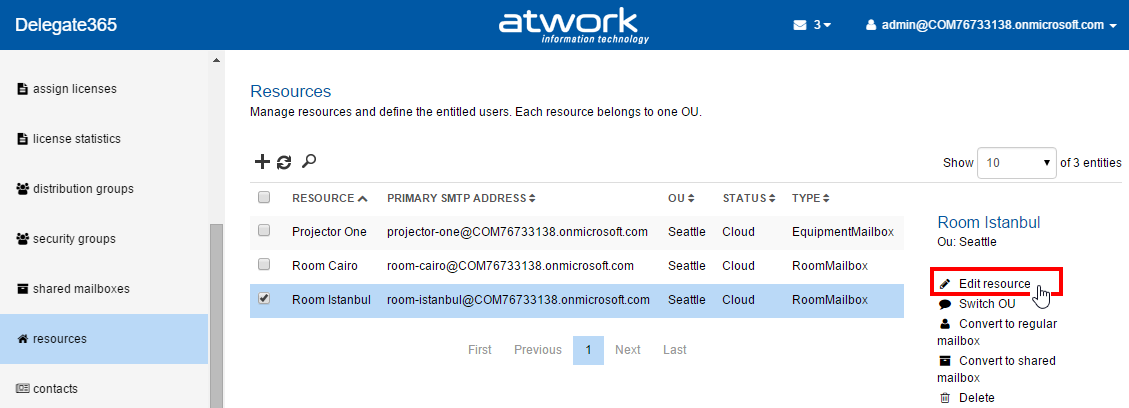
Shortly we released Delegate365 version 4.1 with many new features. Users can now be converted to shared mailboxes or resources, “rooms” have been renamed to “resources”, Shared Mailboxes now support all possible permission sets, there’s a new sync switch and a new sync history with more details and additional sync options. Also the assign licenses have been improved and D365 now uses the same friendly license plan names as in the Office 365 portal. See the details here. ...

July 7, 2015 · 4 min · Toni Pohl
Test the speed of the Azure datacenters from your location

Test the speed of the Azure datacenters from your location

When using Azure services or products running on Azure like our Delegate365 it is important to place them in a datacenter near you to get a low latency. Currently Microsoft Azure is available in 17 regions worldwide, see Azure Regions. There are some websites performing speed tests and providing the necessary information for the decision where to locate Azure services for your location. The first speed test is https://azurespeedtest.azurewebsites.net (which is also available on github.com). ...

July 7, 2015 · 1 min · Toni Pohl
Delegate365 Pricing and Ordering

Delegate365 Pricing and Ordering

The licensing of Delegate365 is at user base for the number of users that are to be managed with Delegate365. So if f.e. there are 10,000 users in AAD and you want to manage 2,000 in D365, then a license for 2,000 users would be sufficient. Users are all active user in Office 365. This includes users, shared mailboxes and resources (rooms or equipment mailboxes). In order to make prices transparent also for larger packages up to 500,000 users we replaced the former static price information with an interactive price selector on the Delegate365 website. ...

July 6, 2015 · 2 min · Toni Pohl

Our Microsoft Virtual Academy courses are online

In May Martina, I and our MVP colleague Sigi Jagott have been to Redmond and recorded some courses about Office 365 for Microsoft Virtual Academy. The recordings took two days for Martina and two days for Sigi. I had the pleasure to join Martina for the first day and two recordings. It’s quite an experience to come into the Microsoft Studio in Redmond Town Center and get a briefing about how it works, what to do (and what not to do). The recording was done and cutted by Danny who did a great job introducing us into the world of doing the webcasts. Many thanks for your patience and your support! ...

July 3, 2015 · 3 min · Toni Pohl
Next, next, Windows 10

Next, next, Windows 10

Wow, Microsoft is fast in delivering new versions of it’s Technical Preview of Windows 10. Today, Gabe Aul announced the availability of the next build of Win10 TP in “Welcome to the faster Fast ring”. “We have one more surprise for you this week – Build 10162, releasing to the Fast ring.” Microsoft did publish Build 10159 with the new wallpaper and logon UI on Tuesday, so Build 10162 was published right after… ...

July 2, 2015 · 1 min · Toni Pohl
Delegate365 changelog version 4.0.5-Synced infos and the latest Auto-Sync history

Delegate365 changelog version 4.0.5-Synced infos and the latest Auto-Sync history

Delegate365 version 4.0.5 is out. The last automatic sync operations are now shown in the sync page and the lists show if objects are cloud or synced items. See the details here. Automatic Sync infos: For admins it’s essential to see when the last sync process was executed and if it the operations were successful. So we integrated a short history in the sync page showing the last 5 sync operations. Admins see when the automatic sync started and when it ended and if it finished successfully. As you can see the sync tries to use differential queries if possible to update only the changed objects quickly. As before Admins can run the manual Sync process anytime. ...

June 26, 2015 · 1 min · Toni Pohl
Delegate365 changelog version 4.0-New Member Picker and Fixes

Delegate365 changelog version 4.0-New Member Picker and Fixes

In Delegate365 version 4.0 we have made further improvements and some minor fixes. We introduced a new member picker with Auto-Suggest instead of the old dialog picker which now is accessible in the new Task Pane. The sync was updated to get the synced or cloud-information and some fixes for setting alias addresses and mailbox delegation. See the details here. New Member Picker: In all groups a new member picker came in. Members are managed by selecting the group and clicking “Manage Members” in the Task Pane like in this sample with a security group here. The usernames can be partly typed – one char is sufficient – and the Auto Suggest opens an shows all user names starting with that characters. The navigation can be done by mouse or with the cursor keys. Once the selection is made the admin still can remove items by clicking the “x” icon and the end of the users name or Apply the settings by clicking “Add”. The selected users are then added as members to that specific group. This concept was introduced in the administration / manage administrators page with version 3.9.5 (see here) and works now for all member pickers in D365: distribution groups, security groups, shared mailboxes and manage administrators (as before). ...

June 25, 2015 · 3 min · Toni Pohl
The next steps on Windows 10

The next steps on Windows 10

See the very interesting article “Upcoming changes to Windows 10 Insider Preview builds” by Gabe Aul in Blogging Windows for the latest details about Windows 10 and it’s official release in about one month. You can download the last version of Windows 10 technical preview – which is April Update (build 10130) - here for free: Download Windows 10 Insider Preview ISO June Update. The latest updates will automatically come via Windows Update. ...

June 21, 2015 · 2 min · Toni Pohl