How to install an Exchange App as IT-Admin

How to install an Exchange App as IT-Admin

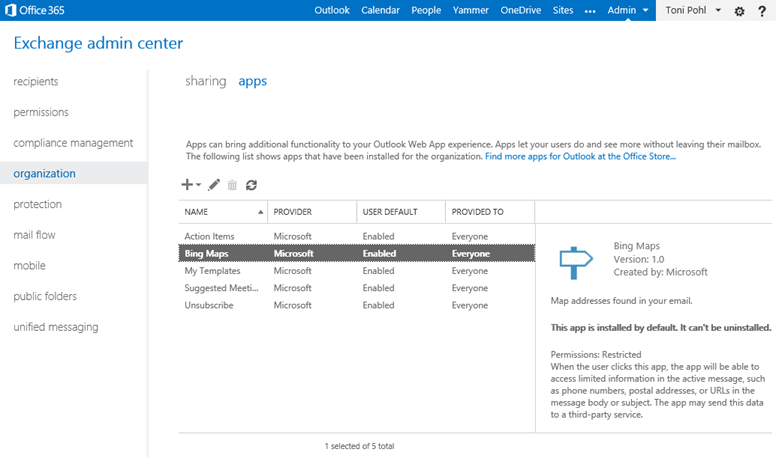
Since we put our App “Like for Outlook” in the Microsoft Office Store recently here´s some information how to install Apps for Outlook as an IT-administrator. What is deployed As an App for Office consists of an App manifest XML file and a webpage (which can be Provider-Hosted or SharePoint-Hosted) the Exchange admin needs to “install” (only) the App manifest file in the Exchange system for his company. In the manifest there´s specified where the App is hosted (the URL) as well as the permissions the app needs from the Host system (Outlook). See the relevant parts here: ...

July 7, 2014 · 3 min · Toni Pohl
Like for Outlook App

Like for Outlook App

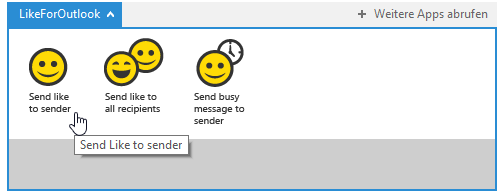
We´re happy to announce our first App for Outlook called “Like for Outlook”! Have you ever wanted to send a “Like”-message in Microsoft Outlook like in social media networks? Now you can! With that little App for Outlook you can send a “Like” to the sender or the recipients of an email with one click! Click here and install the App from the Office Store. It´s free! Install the app Open the link Like for Outlook and you will be redirected to the Like for Outlook App in the Microsoft Office Store immediately. ...

July 6, 2014 · 3 min · Toni Pohl
Windows on Devices and the Internet of Things

Windows on Devices and the Internet of Things

“The next big thing is small.” Microsoft is starting a new project on https://www.windowsondevices.com/. If you are interested in developing an Internet of Things (IoT) solution have a look on that website. There you can sign up for a mini Windows device. Microsoft is interested in what kind of solutions new and experienced Windows developers can build with the brand new Intel Galileo hardware based on Windows as Operating System with the tools we already know and love. ...

July 5, 2014 · 1 min · Toni Pohl
Access Yammer from an AppPart 2

Access Yammer from an AppPart 2

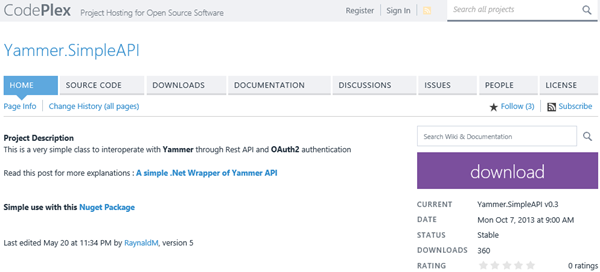
In part 1 we created a Yammer App and organized all the necessary App data for the authentication. Now let´s develop a .NET sample app for accessing data from the Yammer network. Communication with Yammer services Once the authentication is done we can use the Yammer API REST-Services to get data. The URLs all start with https://www.yammer.com/api/v1/... followed by the service methods like https://www.yammer.com/api/v1/messages.json , users.json , groups.json and so on. ...

June 25, 2014 · 4 min · Toni Pohl
Access Yammer from an AppPart 1

Access Yammer from an AppPart 1

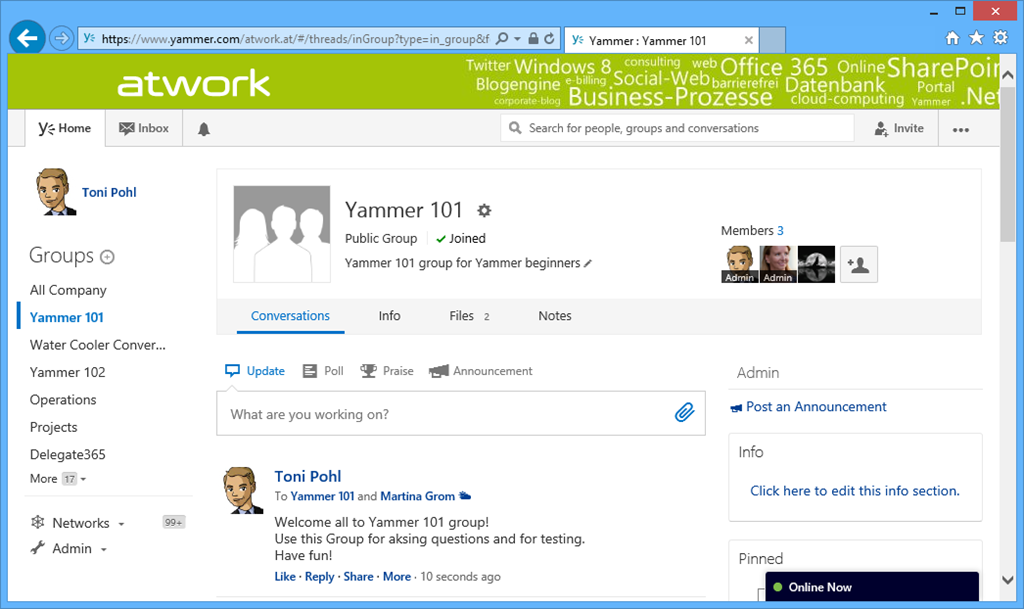
At SharePointkonferenz.at (#spkonfat) we from atwork - Martina and me - had a session about Yammer with the title “Who needs Yammer when we have SharePoint?” (see program). Martina gave an overview of Enterprise Social, differences between SharePoint Social and Yammer, experiences, projects and studies. When using social tools remember: “Social Enterprise is implemented 80% through organization culture and 20% through technology.” by Gartner, September 2012. It´s our recommendation to have key users in each company to promote and help employees to understand what it means to work like a network. ...

June 23, 2014 · 5 min · Toni Pohl
Manage custom domains in Azure websites

Manage custom domains in Azure websites

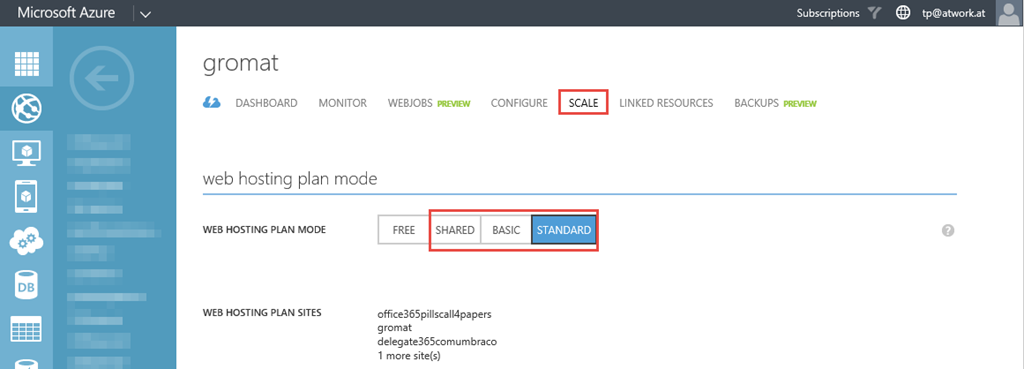
In addition to the many features of Microsoft Azure this platform is really cool for hosting websites, see https://azure.microsoft.com/en-us/services/web-sites/. Since we not only want to reach our websites with the out-of-the-box Microsoft domain *.azurewebsites.net we can add our custom domains as well. This article shows how this works. Update: See also Manage custom domains in Azure Websites step-by-step First switch the Azure website to a non-free mode For using one or more custom domains we need to switch the website to the (non free) web hosting plans *Shared, Basic *or Standard. You can do this in the “Scale” menu of the specific website. The screenshot shows how. ...

June 23, 2014 · 5 min · Toni Pohl
SharePoint Online UserProfiles and the story about synchronizing with Azure Active DirectoryPart 1

SharePoint Online UserProfiles and the story about synchronizing with Azure Active DirectoryPart 1

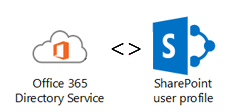
Office 365 uses Azure Active Directory for storing user information. Since SharePoint and SharePoint Online both have it´s own User Profile Service and User Store it was clear for Microsoft that some of the user properties have to be shared between these two storages. So Microsoft built a synchronization – or at least an one way transport - between the Azure Active Directory (AAD) user objects and SharePoint Online (SPO) user profiles. ...

June 14, 2014 · 9 min · Toni Pohl
SQL Azure Database Backup and Restore

SQL Azure Database Backup and Restore

When using SQL Databases in Microsoft Azure you´re self responsible for backups. Of course, usually the SQl Azure database cluster takes care of availability – but what if an app deletes records, or you need an older consistent version of a database or you want to work with the data on your local system or in your company´s network? This article shows how to create manual and automated backups and restore them locally or in the cloud. ...

June 9, 2014 · 3 min · Toni Pohl

Delegate365 version 2.3

Delegate365 changelog version 2.3. This version is a major release. We made some changes in the time consuming tasks and optimized them. Performance Improvements in all user lists: If an AAD or Office 365 tenant has many thousand users loading the list of all users was time consuming. The reason is that the Microsoft GraphAPI delivers objects in slices (we take about 200 users per call to ensure there are no timeout errors) but has no filter functions we need for separating our domains and OU´s in D365. The result have been some wait time in some cases if many thousand users are existing. So we decided to improve that mechanism and add a cache layer between the AAD and our D365 client. With version 2.3 there´s an extra service added which synchronizes all new, updated and deleted user objects in our own cache. This service runs in the background and takes care of all changes in AAD. The D365 client now uses that cache and has a completely new logic with async calls and organizies the requested data page per page. So – depending on the individual page size – the client at runtime requests only the data page which is rendered. The benefit is that all user list operations like searching and paging are happening instantly in less than one second, regardless of the number of users to be shown. This performance improvement delivers a great user experience even with ten thousands of users in the user list! ...

June 4, 2014 · 2 min · Toni Pohl
Delegate365 version 2.2

Delegate365 version 2.2

Delegate365 changelog version 2.2. This was an internal version only for testing some new features… We rolled out that version on some of our demo clients and did some heavy testing of the performance with many thousand users and tested SMS notifications. We built in some new features which will be integrated in the next official release 2.3.

June 3, 2014 · 1 min · Toni Pohl