Delegate365 changelog 9.2.4-Service health, guests, and teams templates

Delegate365 changelog 9.2.4-Service health, guests, and teams templates

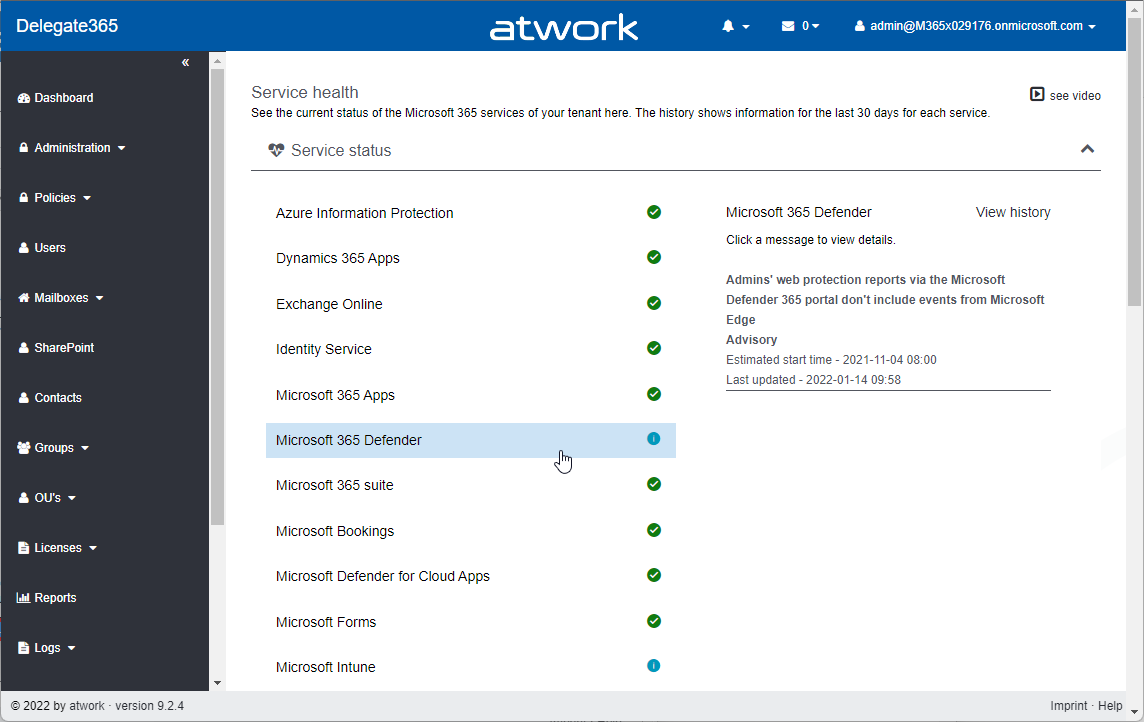
Delegate365 v9.2.4 is the latest update that brings new service health, guest user information, teams templates and other improvements. See the details here. Important: To upgrade to this version, Delegate365 setup must be run. We will inform all customers to make an appointment for the setup. This is required because the Delegate365 app needs additional permissions to read the service health (see below). Follow the steps at Delegate365-(Re)run the setup. The dashboard service health: As described at Delegate365 changelog 9.3-Service health, the old Microsoft Service Communications API has been retired by Microsoft. Therefore, the service health components in Delegate365 had to be changed. After the setup, the dashboard shows the service health properly again. The new service health shows more detailed information. Each service can be opened by clicking on it. ...

January 19, 2022 · 3 min · Toni Pohl
Delegate365 changelog 9.2.4-Teams templates

Delegate365 changelog 9.2.4-Teams templates

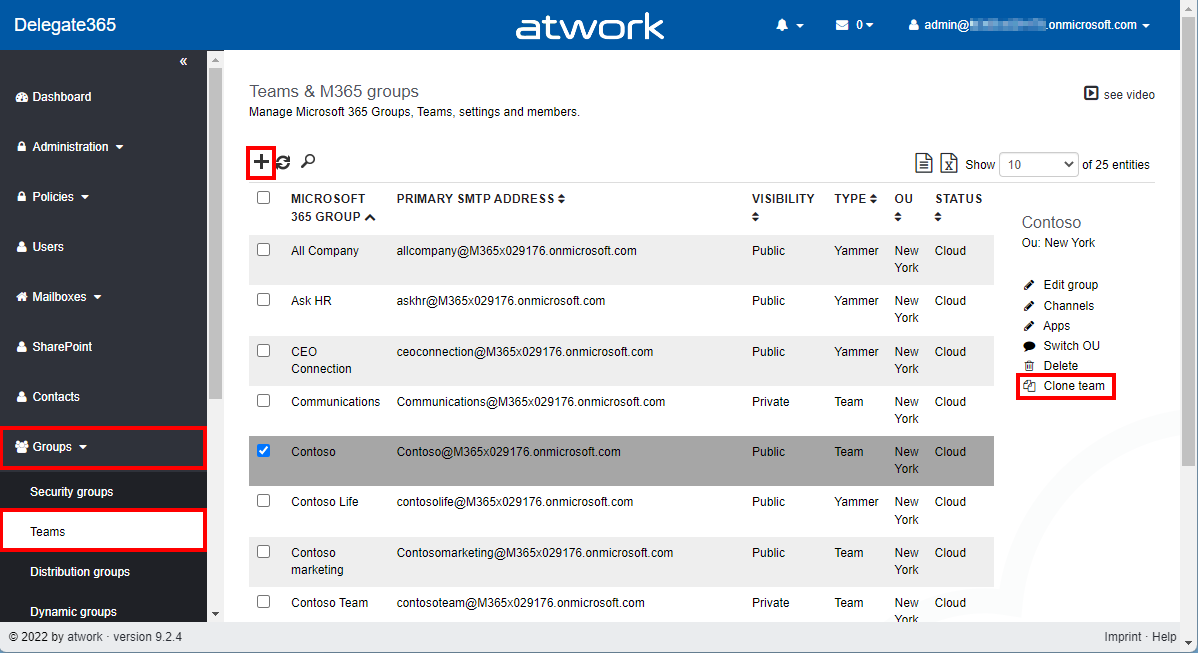
In Delegate365, a new Microsoft Team can be deployed using a teams template. Teams can also be cloned. Details can be found here. Menu Teams: A Microsoft Team is built on a Microsoft 365 Group. The Teams module can be found in the Groups / Teams menu. The following screenshot shows the new and adjusted functions. Create a new team with a teams template: As usual, click on the plus icon in the top left of the list. In the groups pane, enter the new team name and properties. By default, the Create a Team switch is set to Yes. Below that, there is a new dropdown control Template that allows to specify which teams template shall be applied to the new team. When done, click Save at the bottom of the panel. Usually the new team is ready after a few seconds to a minute. ...

January 18, 2022 · 4 min · Toni Pohl
Delegate365 changelog 9.3-Service health

Delegate365 changelog 9.3-Service health

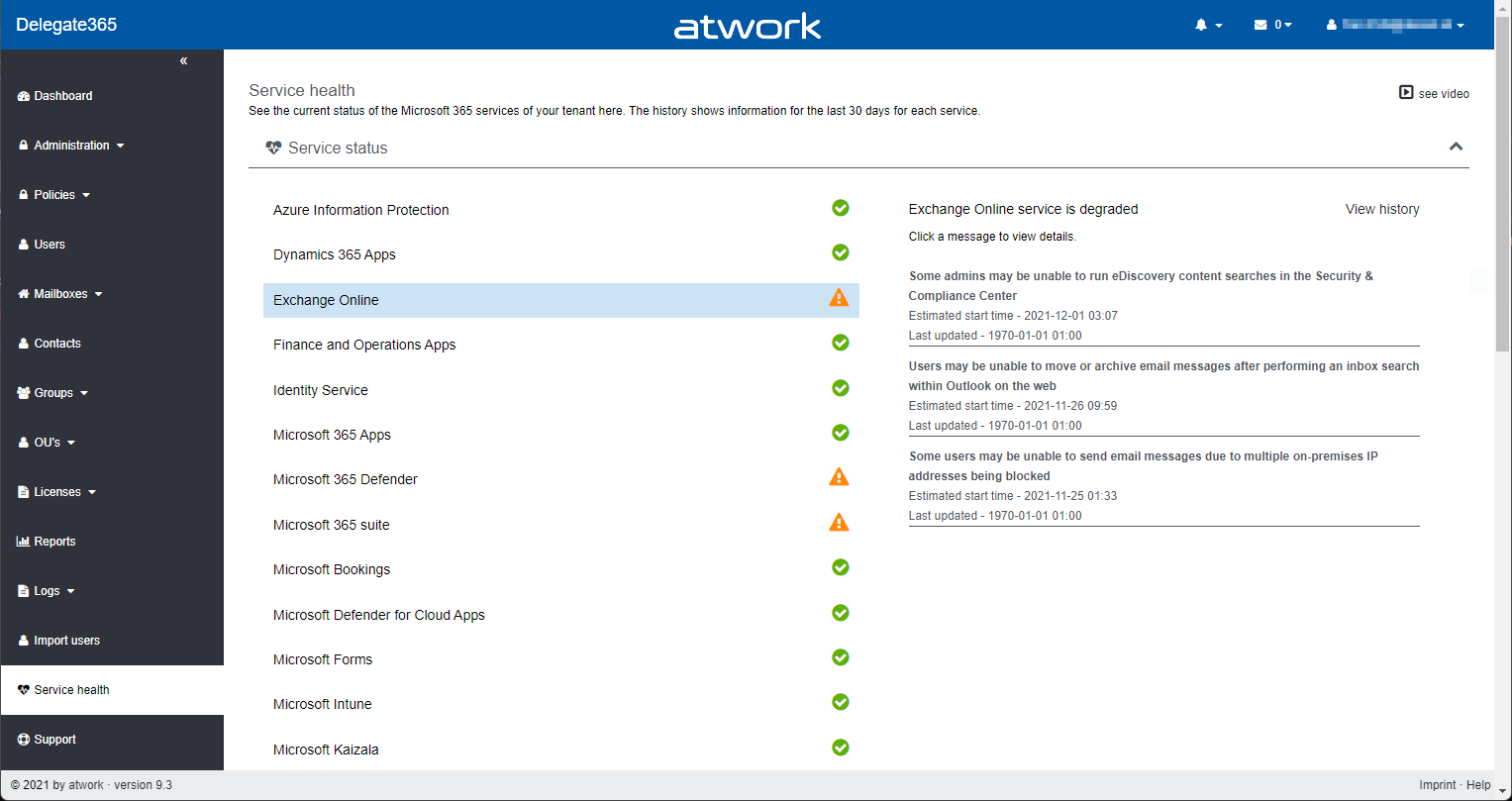
Microsoft announced the retirement of the Microsoft Service Communications API (Msg MC299902). Therefore, we changed the service health components in Delegate365 to use the successor API functions with immediate effect and to get more data. A new setup of Delegate365 is required. See the details here. The Service health module in Delegate365 shows, what´s happening in a specific Microsoft 365 tenant at a glance to all authorized users. Contrary to the required authorizations in M365, this is not necessary in Delegate365. All admins can view the service health and the message center posts. ...

December 8, 2021 · 2 min · Toni Pohl
Delegate365-Empty Reports

Delegate365-Empty Reports

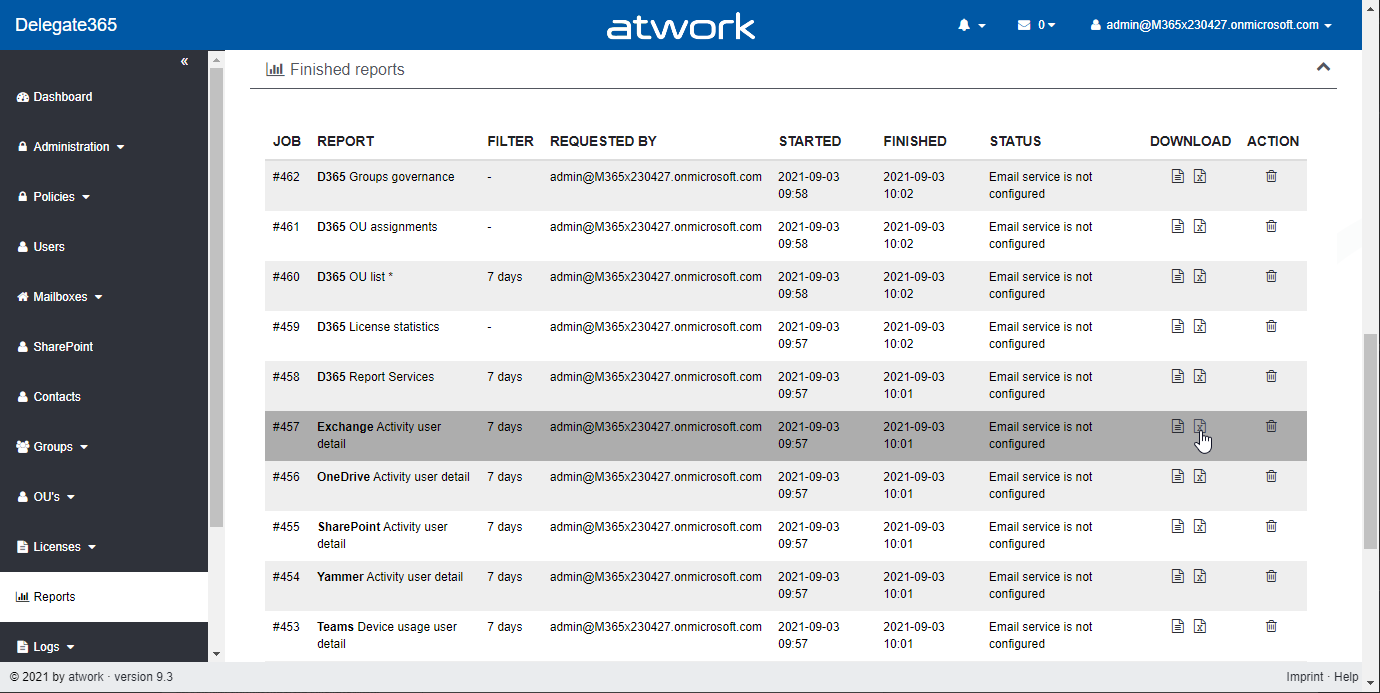
In some tenants, sometimes reports appear blank. This can happen when reports are obfuscated in the Microsoft 365 admin center. See more here. Reports can be scheduled and downloaded in the Reports menu. When the report generation is completed, they show up in the list, as here. When the report is open and “no data available” is displayed (although you see users and groups in the Delegate365 pages)… ...

September 8, 2021 · 2 min · Toni Pohl
Delegate365 changelog 9.2.3-Add users to groups

Delegate365 changelog 9.2.3-Add users to groups

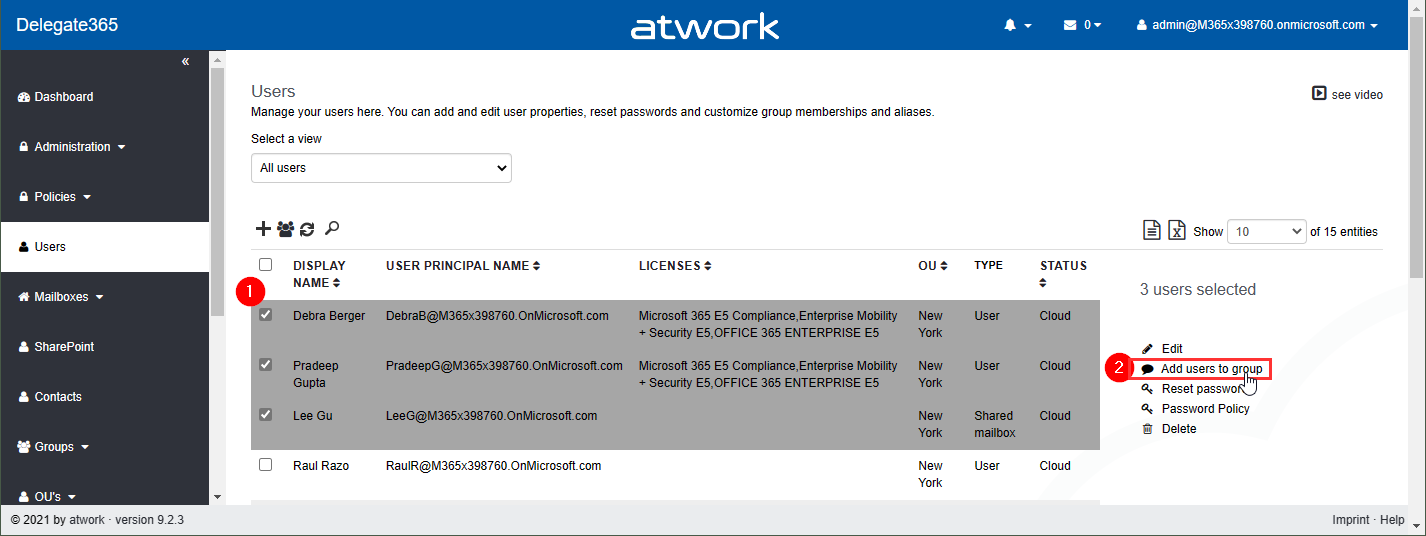
Delegate365 v9.2.3 brings a fix for the Message Trace function and offers a mechanism to add multiple users to one or more groups directly from the user list. See it here. Bulk add users to groups: In the users list, select more than one user. The menu on the right then shows the new option “Add users to group”. In this sample, 3 users are selected: Debra, Pradeep and Lee. The panel “Add users to group” opens and allows to select multiple groups of all types: Security groups, Distribution Groups, and Microsoft 365 Groups. The admin can search for the groups and add them to the Groups picker. By clicking on the Save button, a confirmation popup appears. When clicking Ok, the selected users will be added as members to these groups. A quick toast message shows the result in the bottom right corner. If the user already was a member of a group, this is ignored. ...

July 26, 2021 · 2 min · Toni Pohl
Message Trace in Delegate365

Message Trace in Delegate365

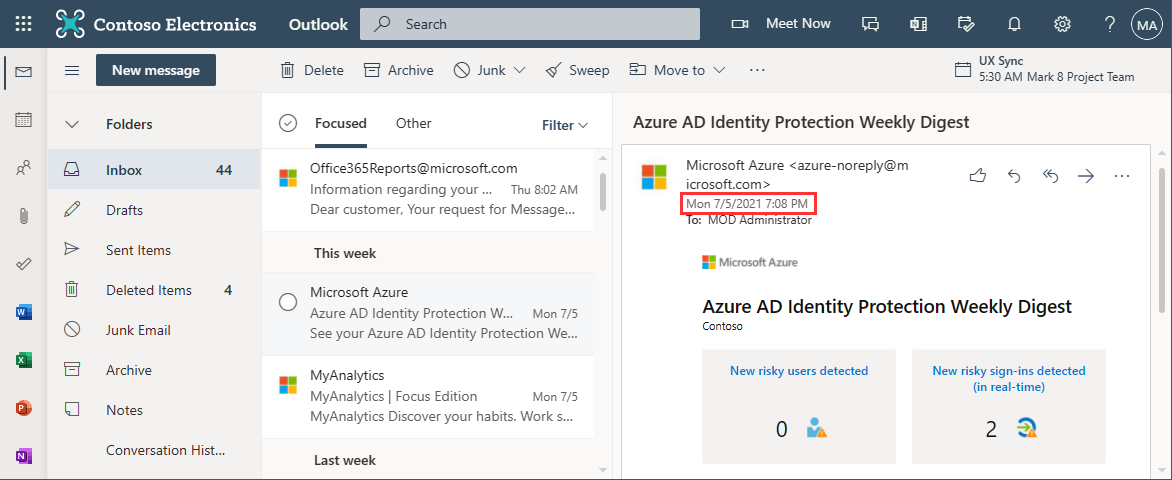
When you run a message trace operation to get status information about specific emails, the result can vary, depending on time zone settings. See a sample here. Show messages in the mail client In this sample, we work with an email sent from azure-noreply@microsoft.com. In Outlook we see the timestamp at Mon 7/5/2021 7:08 PM (2021-07-05 19:08). Message Trace in Delegate365 In Delegate365, admins can run a message trace to get information about the delivery status. When we run the message trace with the filter Startdate 2021-07-05 to Enddate 2021-07-05 - just this one day - and that user as recipient… ...

July 9, 2021 · 4 min · Toni Pohl
Delegate365 changelog 9.2.2-Manage group owners

Delegate365 changelog 9.2.2-Manage group owners

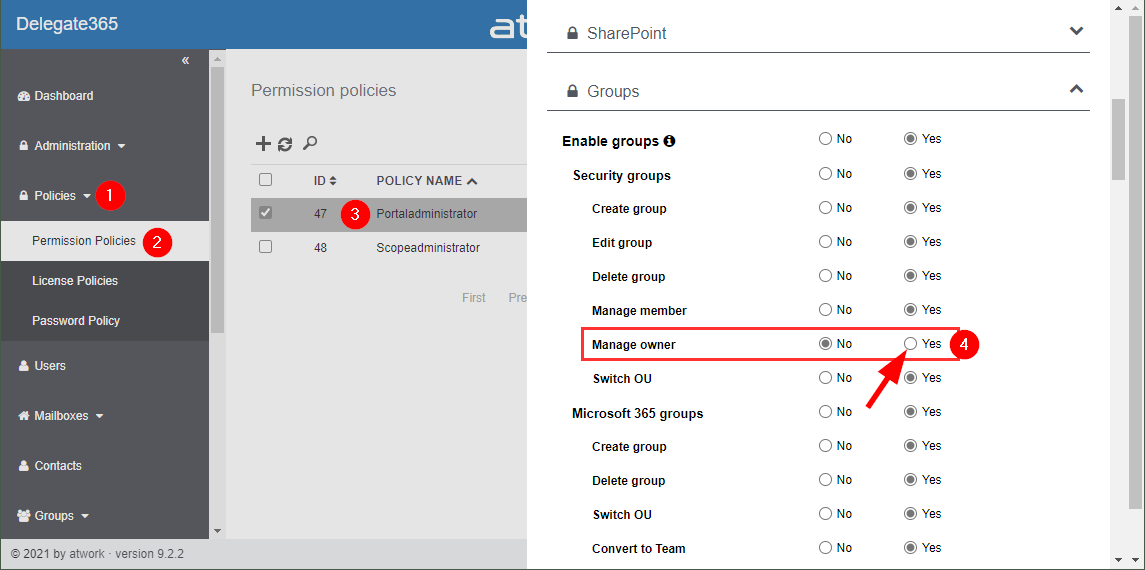
Delegate365 v9.2.2 allows to manage group owners. The permission policies have been extended and the current admin can add him- or herself or additional group owners for Security Groups and Microsoft 365 Groups. See a description of the latest features here. Enable (or disable) the manage owner feature: To enable the “manage owner” feature, you have to set the corresponding permission policies in the Groups - Security Groups - Manage owner from No to Yes, as here. Then, click on the Save button at the page end of the permission panel. By default, this new setting is disabled. So, don´t forget to switch it on, if your admins shall be able to set the group owner for security groups (in the same way as for Microsoft 365 Groups). Once the setting is set, it will be effective for all admins that have that permission policy assigned. To learn more about setting permission policies, see here. ...

June 16, 2021 · 4 min · Toni Pohl
Delegate365 changelog 9.2-PowerShell module update

Delegate365 changelog 9.2-PowerShell module update

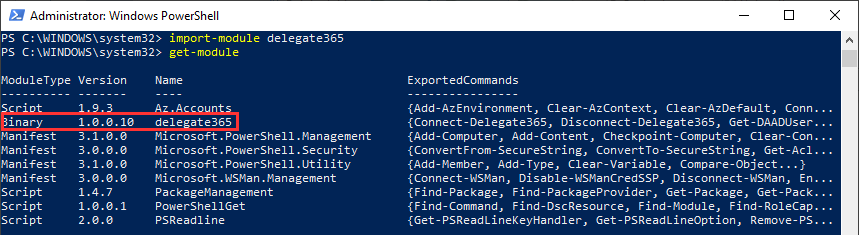
The Delegate365 PowerShell module got a small update to expand a user´s assigned licenses, license plans and proxy addresses. See the following description. See the description at https://github.com/delegate365/PowerShell how to use the Delegate365 PowerShell module- Check the Delegate365 PowerShell module version First, ensure you have the latest version of the Delegate365 PowerShell module installed. Check with Get-Module as here. The version must be 1.0.0.10 (or in future a higher version). ...

June 11, 2021 · 2 min · Toni Pohl
Work with the Delegate365 PowerShell in the Azure Cloud Shell

Work with the Delegate365 PowerShell in the Azure Cloud Shell

Delegate365 provides a PowerShell module to access data in Delegate365 in scripts. You can import the Delegate365 module locally, or use it in the Azure Cloud Shell as well. See here, how to use the module in Azure Cloud Shell. Here, you can find a description of the Delegate365 PowerShell module. It is hosted in the PowerShell Gallery and can be easily installed. So, here´s a step-by-step guide how to use the Delegate365 PS module. ...

May 21, 2021 · 2 min · Martina Grom
Delegate365 changelog 9.2-More improvements

Delegate365 changelog 9.2-More improvements

Delegate365 v9.2 will be extended with some new features this March. See the latest features here. See the latest features of Delegate365 v9.2 such as extended reports retention dates, new message tracing options, a new license order process, some fixes and more at Delegate365 changelog 9.2-improvements Schema Extensions: Another new feature is described at Introducing user schema extensions in Delegate365. This allows to add custom user data to Azure AD. The custom data can be used with PowerShell for own business processes. See more at how to use Azure AD schema extensions in Graph PowerShell. ...

March 8, 2021 · 2 min · Toni Pohl