Work with the Delegate365 PowerShell in the Azure Cloud Shell

Work with the Delegate365 PowerShell in the Azure Cloud Shell

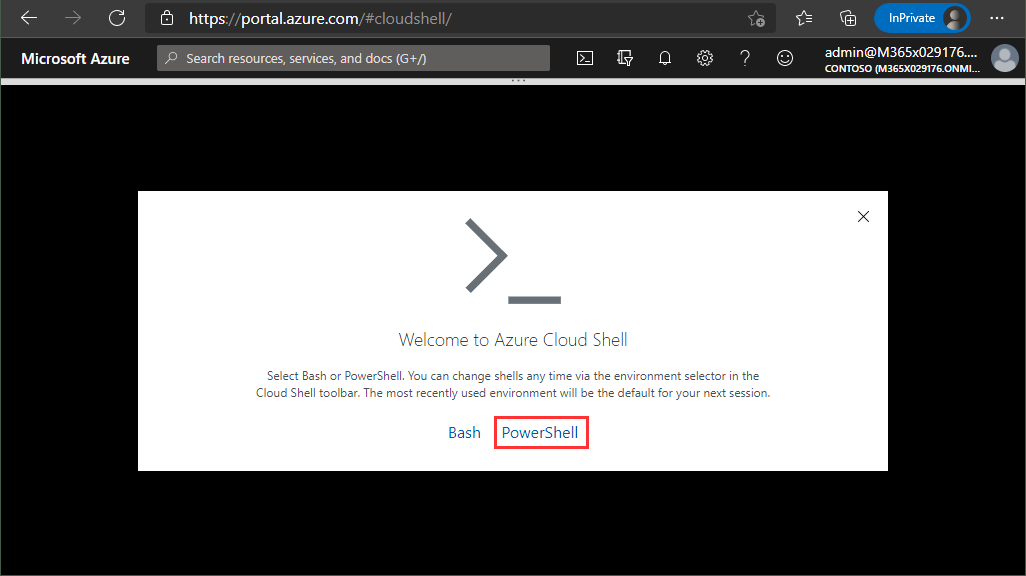
Delegate365 provides a PowerShell module to access data in Delegate365 in scripts. You can import the Delegate365 module locally, or use it in the Azure Cloud Shell as well. See here, how to use the module in Azure Cloud Shell. Here, you can find a description of the Delegate365 PowerShell module. It is hosted in the PowerShell Gallery and can be easily installed. So, here´s a step-by-step guide how to use the Delegate365 PS module. ...
May 21, 2021 · 2 min · Martina Grom
Delegate365 changelog 9.2-More improvements

Delegate365 changelog 9.2-More improvements

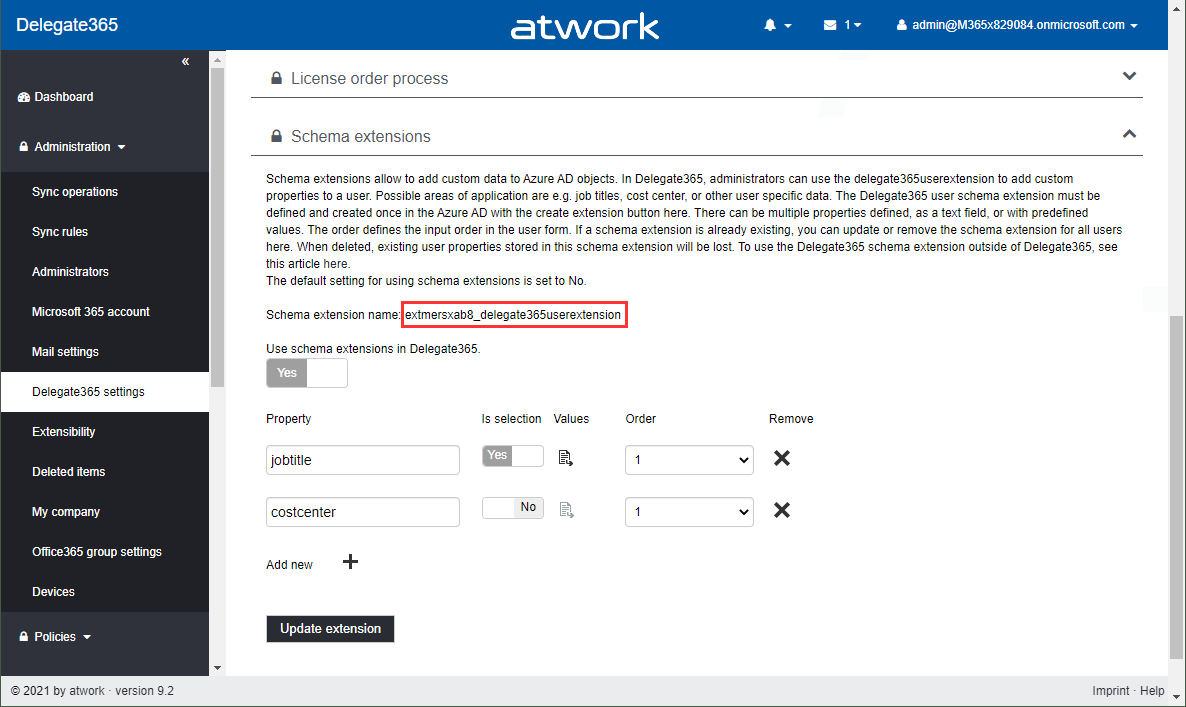
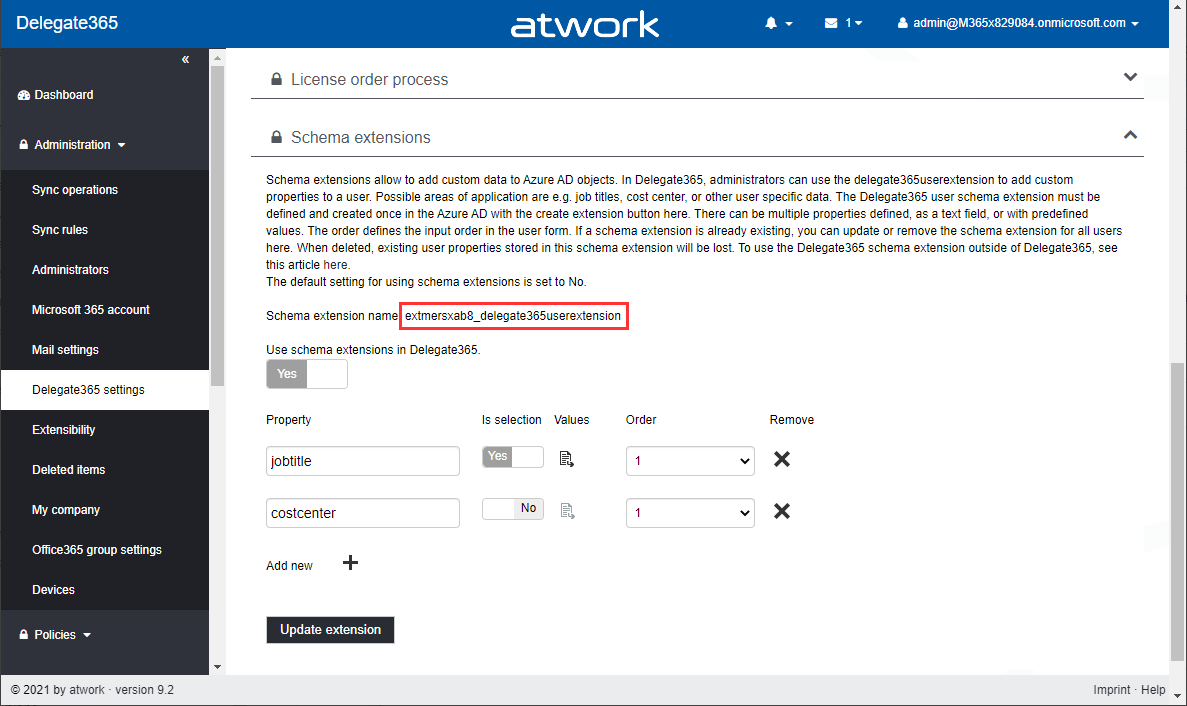
Delegate365 v9.2 will be extended with some new features this March. See the latest features here. See the latest features of Delegate365 v9.2 such as extended reports retention dates, new message tracing options, a new license order process, some fixes and more at Delegate365 changelog 9.2-improvements Schema Extensions: Another new feature is described at Introducing user schema extensions in Delegate365. This allows to add custom user data to Azure AD. The custom data can be used with PowerShell for own business processes. See more at how to use Azure AD schema extensions in Graph PowerShell. ...

March 8, 2021 · 2 min · Toni Pohl
Working with Azure AD schema extensions in Graph PowerShell

Working with Azure AD schema extensions in Graph PowerShell

Schema extensions enable to store extended custom data directly to objects in Azure AD. This article describes how to access data we defined and added in Introducing user schema extensions in Delegate365 with the Microsoft Graph PowerShell module. Prerequisites To work with Microsoft Graph and PowerShell, we need to install the Microsoft.Graph module as described at Install the Microsoft Graph PowerShell SDK. You can install the module in PowerShell Core or Windows PowerShell using the following command. ...

March 4, 2021 · 7 min · Toni Pohl
Introducing user schema extensions in Delegate365

Introducing user schema extensions in Delegate365

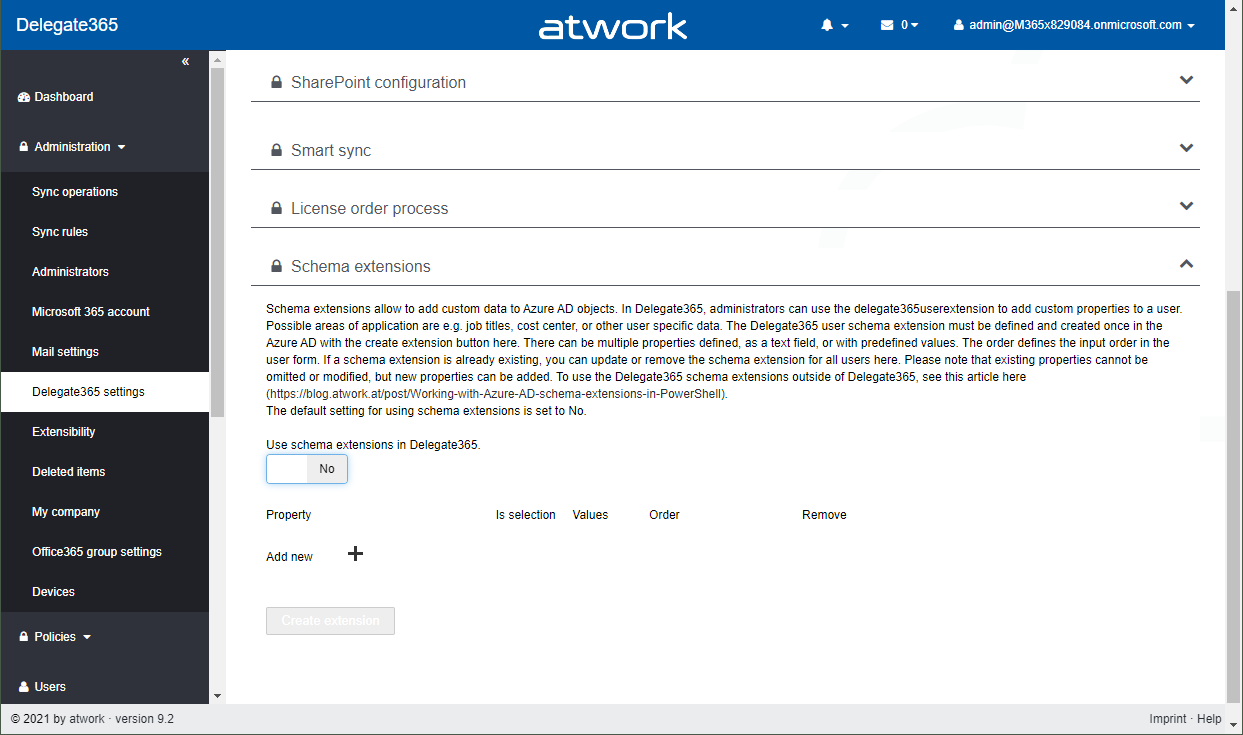
The current version of Delegate365 adds a new feature: Schema extensions for users. Schema extensions allow to add custom data to Azure AD objects. In Delegate365, administrators can use the Delegate365 schema extension feature to add custom properties to a user. Find out, how you can use the user schema extension in Delegate365 here. Possible areas of application are e.g. predefined job titles, cost center, employee type, other emails or managers, or other user specific data where there is no property in Azure AD existing. The Delegate365 user schema extension can be declared and used in Delegate365 and in the Azure AD. There can be multiple properties defined, as a text field, or with predefined values as a selection field. ...

February 25, 2021 · 5 min · Toni Pohl
Delegate365 changelog 9.2-improvements

Delegate365 changelog 9.2-improvements

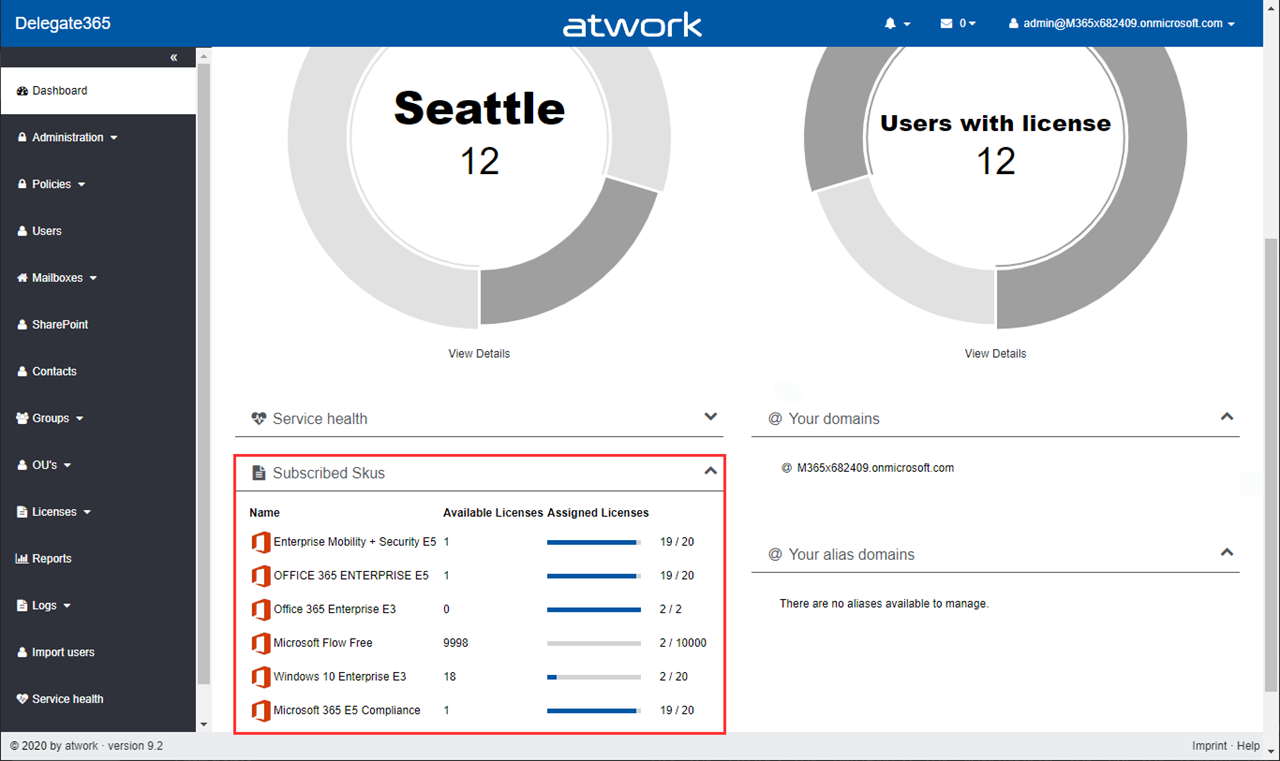
The next version of Delegate365 is here. Delegate365 v9.2 follows the last update v9.1. This update includes a bunch of helpful features and improvements such as SharePoint sites management, Group OU improvements, report improvements, a new message trace job and more. See a description of the new features here. License bars on the dashboard, for users and quotas: The license information is now visually improved for Portal Administrators. A license bar per license (SKU) shows how many licenses are in use and how many are available in total. The same applies to a user’s licenses… …and license quotas. The new display enables a quick view of the licenses. ...

October 22, 2020 · 6 min · Toni Pohl
Delegate365-Goodbye, Basic Authentication

Delegate365-Goodbye, Basic Authentication

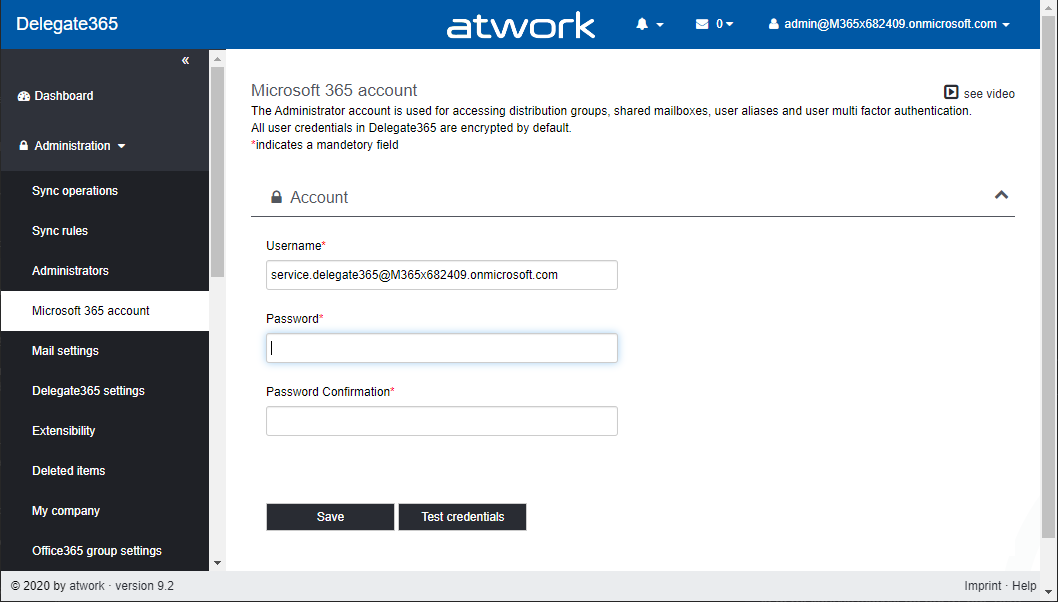
Delegate365 provides a toolbox for easy management of a Microsoft 365 tenant. Management ranges from Exchange Online to Azure AD, SharePoint Online, Reporting and Intune. Delegate365 communicates with the Microsoft 365 services via apps and Modern Authentication, wherever possible. However, a service account had to be used for some Exchange features and the multi-factor authentication management. This will change with the next versions. Some M365 background information So far, some Microsoft services such as Exchange Online (EXO) could only be reached with Basic Authentication, while other (new) services such as Microsoft Graph can be used with an app. Basic Authentication relies on sending usernames and passwords with every request increasing risk of attackers capturing users´ credentials. Therefore, Microsoft recommends that you stop using Basic Authentication. Basic Authentication is superseded by *Modern Authentication *based on OAuth 2.0 that is supported for the new Microsoft 365 services. ...

October 21, 2020 · 6 min · Toni Pohl
Delegate365-Working with guest users

Delegate365-Working with guest users

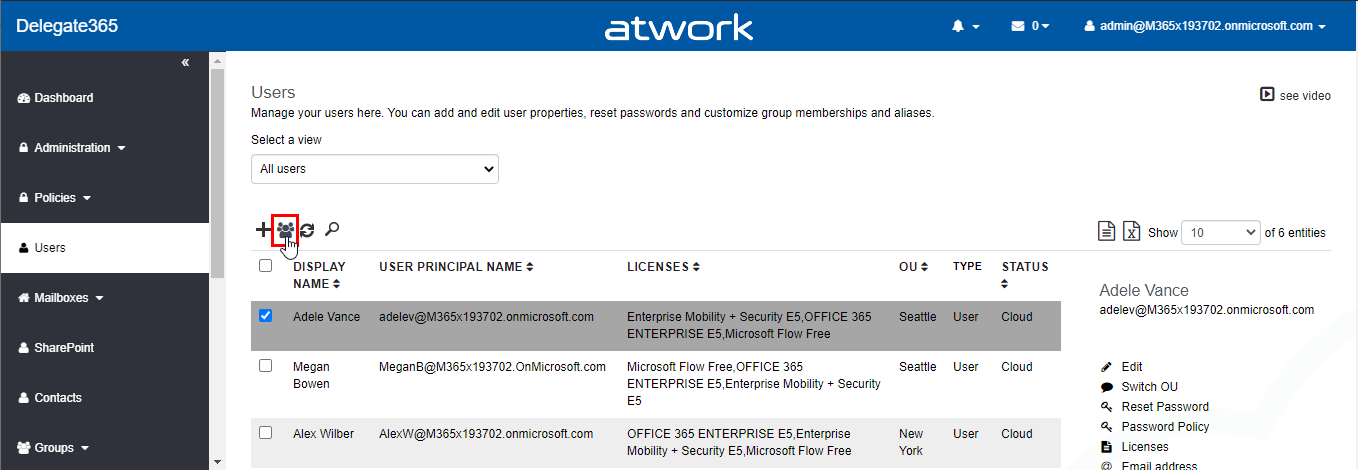
Delegate365 supports working with guest users. Guest users or external users are users that are invited to the company tenant by email. Once they accept the invitation, they get access to corporate resources. For example, a guest user can be a member of a Microsoft team or collaborate in Planner or in a SharePoint site or similar. See some samples here. Invite a guest user In Delegate365, admins can invite a guest user by clicking on the “Invite guest user” icon next to the “+” icon (new user). If you don´t see this icon, ask your Delegate365 Portal Admin to enable that feature in the permission policies. ...

June 26, 2020 · 5 min · Toni Pohl
Delegate365 changelog 9.2-SPO site auto-assign

Delegate365 changelog 9.2-SPO site auto-assign

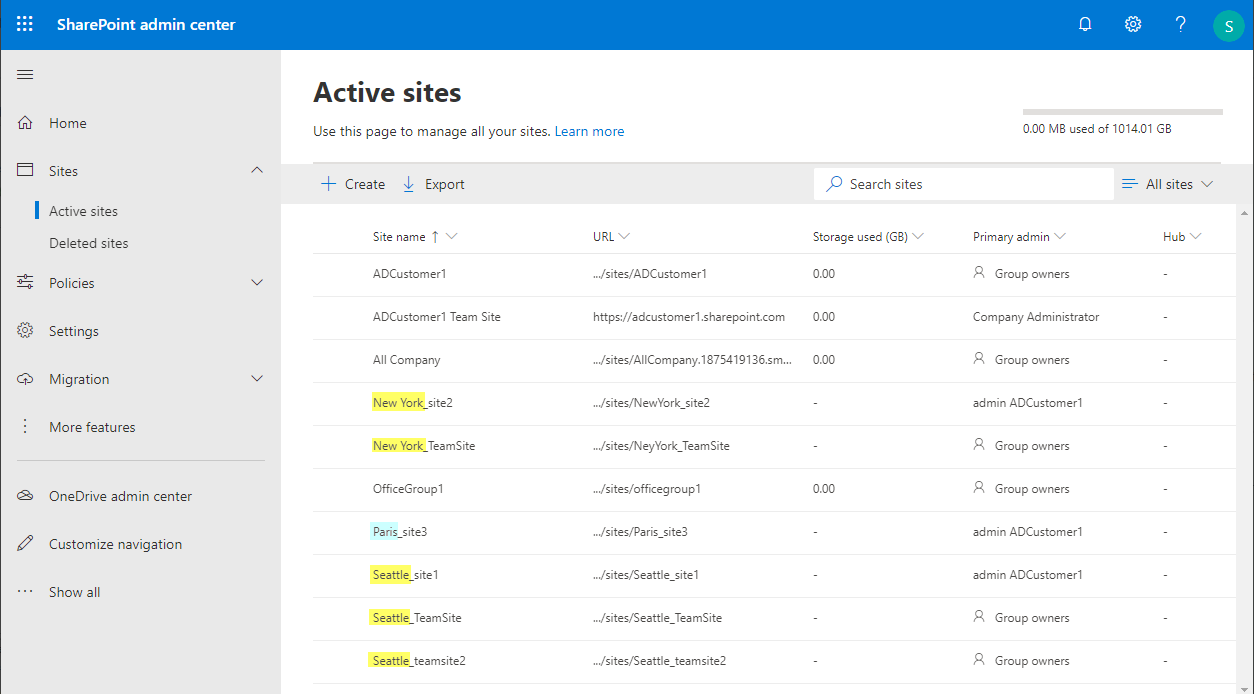
Delegate365 v9.2 brings a new feature for auto-assigning existing SharePoint site to an OU. This follows the same principle as auto-assigning groups. See it here. Note: To use the SharePoint Online management feature, ensure you have configured the SPO access for Delegate365 as described at Delegate365 changelog 9.1-SharePoint Online. The following scenario describes how to use the new SPO site auto assign. A scenario In this demo tenant, there are some SharePoint Online sites with a prefix in their site name: There are two sites starting with “New York”, one site with “Paris” and three sites starting with “Seattle”. All site names are separated with an underscore between OU name and the following site name, as here in screenshot of the SharePoint admin center (open it with your tenant-name and a Admin at https://[yourtenant]-admin.sharepoint.com/). ...

June 15, 2020 · 3 min · Toni Pohl
Delegate365 changelog 9.2-Group OUs

Delegate365 changelog 9.2-Group OUs

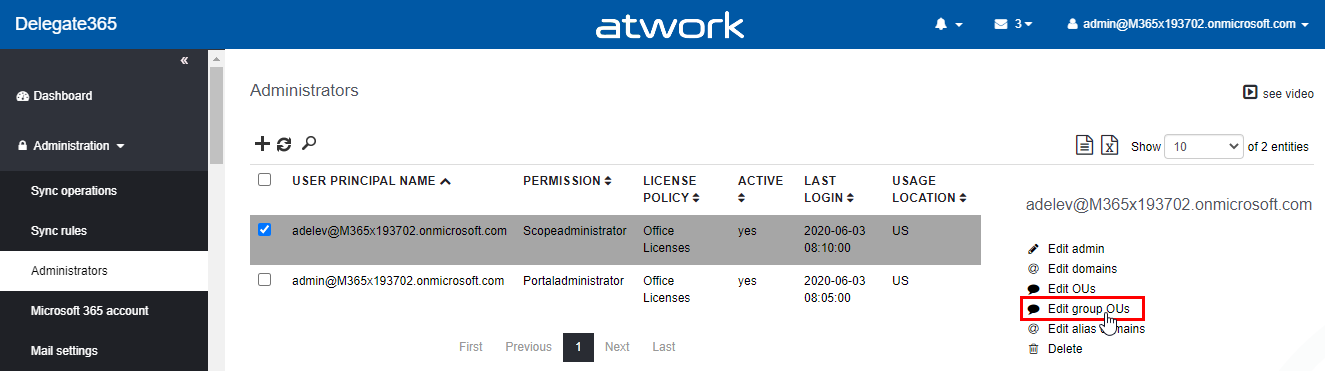
Delegate365 allows the separation of a single Microsoft 365 tenant with the OU concept. Every admin only sees and manages his own objects. Group OU´s allow administrators to add users from other organizational units to their managed groups without having access to manage those users. Until now, when using Group OUs, the domains had to be added to the administrators. That has now been changed with this version. Note: Article Delegate365 changelog version 8.0-Group OU’s also describes the basic concept of Group OU´s in Delegate365. This article describes the modification that the user´s domain must no longer be assigned to an administrator. ...

June 5, 2020 · 3 min · Toni Pohl
Delegate365 changelog 9.1-more updates

Delegate365 changelog 9.1-more updates

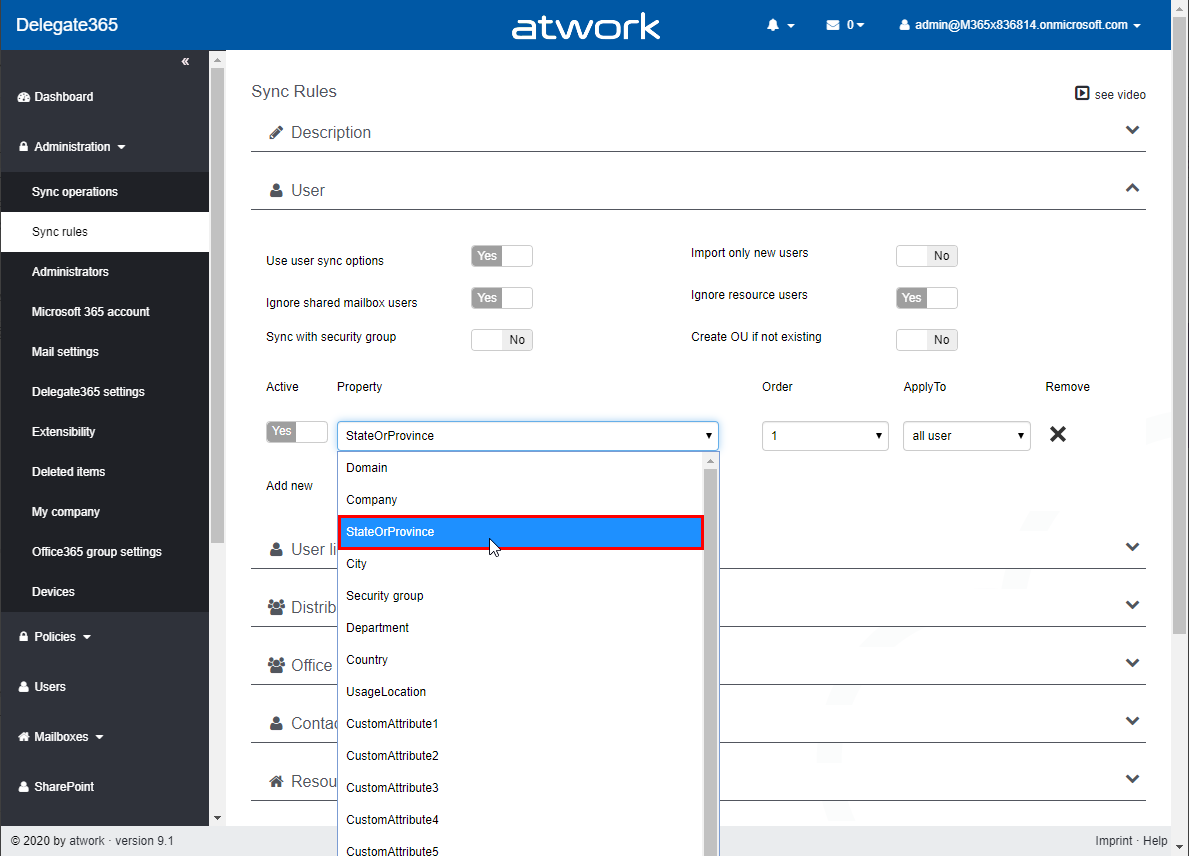
With the many new functions in the latest version, Delegate365 has received even more updates in version 9.1. See more new features such as the new user sync property StateOrProvince, the notification license names lookups and logs and guest user modifications here. See an overview of all updates at Delegate365 changelog 9.1-many new features. The following features have been added to Delegate365 v9.1 including all existing versions: New user sync property StateOrProvince: In Administration / Sync rules, in the User section, there is a new property StateOrProvince available. This new property allows that all users with an OU name in that user property can be automatically assigned to the OU, in the same way as with the other user properties. Note: In general, it is recommended to use the Sync with security group feature from an organizational perspective if possible. See more at Sync with Security Group. ...

March 30, 2020 · 5 min · Toni Pohl