Delegate365 changelog 9.1-SharePoint Online

Delegate365 changelog 9.1-SharePoint Online

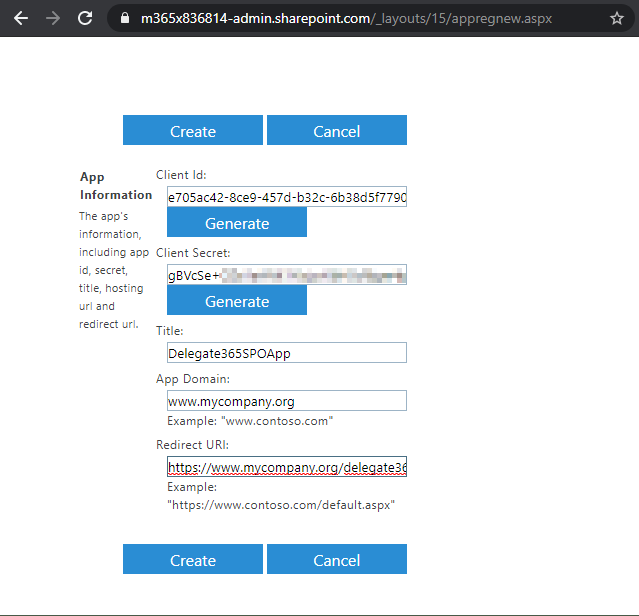
Delegate365 v9.1 provides basic management of SharePoint Online (SPO) sites that are assigned to an OU. See the prerequisites (part 1) and the features (part 2) here. Part one - Create the SPO app once Register the SPO app and to add that data in Delegate365. This needs to be done once by a Global Admin of the tenant. Important: Do the SPO app setup FIRST: To allow communication between Delegate365 and the SPO system, an app is required. Follow the steps described at Register SharePoint Add-ins to create the app or follow the step-by-step instructions here. ...

March 4, 2020 · 7 min · Toni Pohl
Delegate365-Read audit logs

Delegate365-Read audit logs

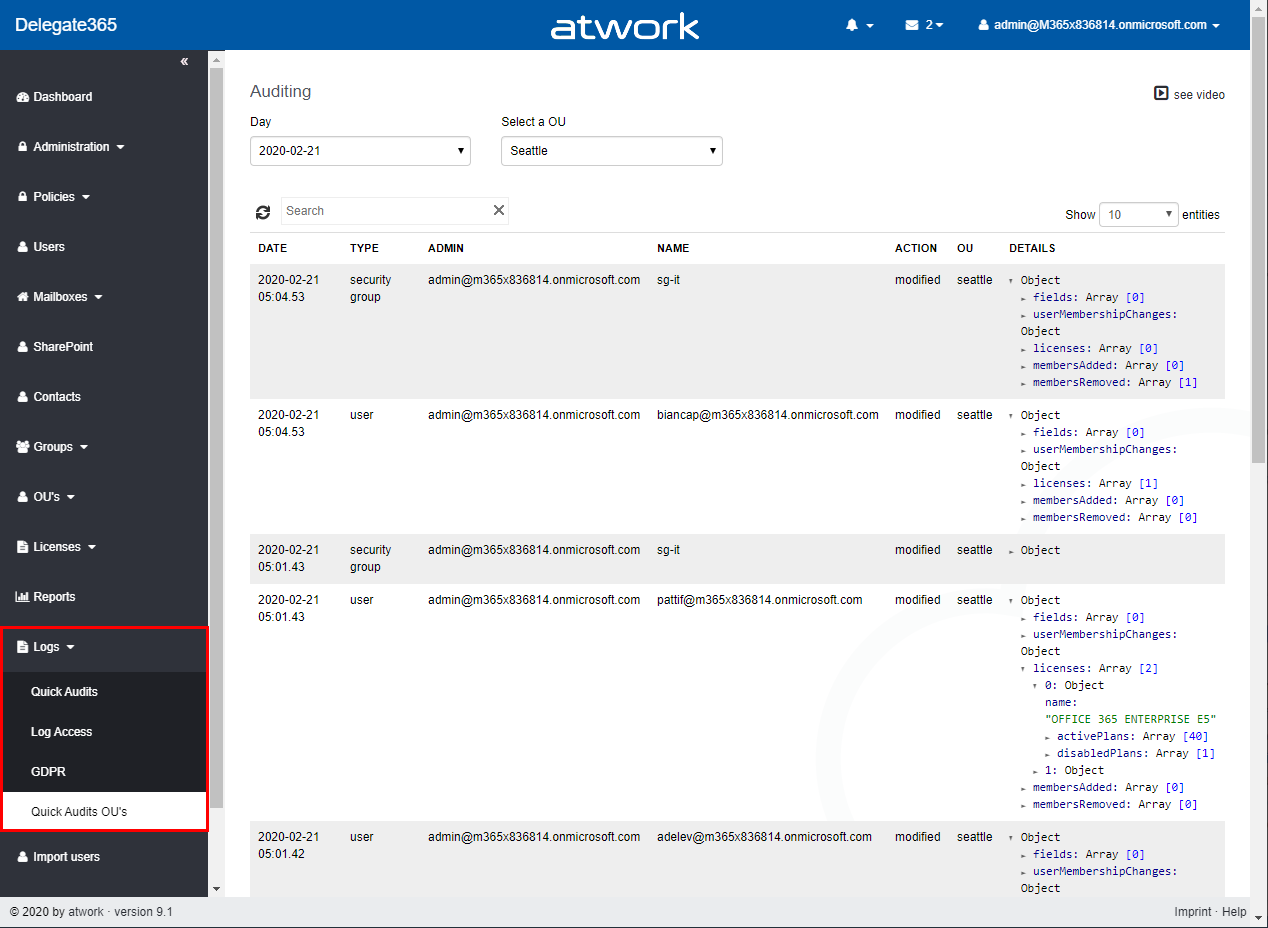
Whenever a user or the synchronization makes a change in Delegate365, this is logged. Logging is a collection of changed properties of an object. Since many different things can happen, logging depends on the action. See more here. Delegate365 protocols the changed object properties or assignments to an object. Through the service-oriented architecture, it can take up to 5 minutes till actions are visible in the audit logs. Logs are available for users who have permission to the corresponding Logs modules. For scope admins, usually the Quick Audit OU´s menu is available to see changes of their own objects as follows. ...

February 21, 2020 · 4 min · Martina Grom
Delegate365 - Methods of getting license statistics

Delegate365 - Methods of getting license statistics

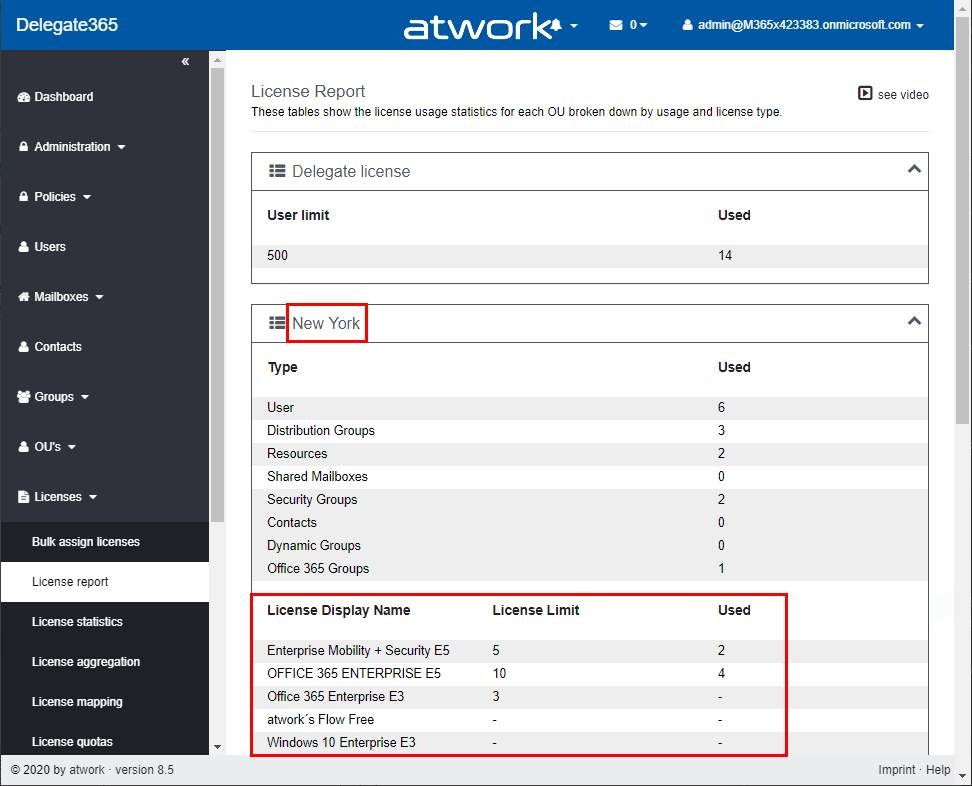
There are several ways to get the number of assigned Microsoft 365 licenses in Delegate365, depending on the administrator´s permissions policy and the OU assignments. See all methods listed here. Licenses / License report: This module shows den current status of licenses per OU as shown here. First, the Delegate365 licenses are shown. Below, every OU is listed in a box with it´s numbers per object type (such as Users, Groups, Shared Mailboxes, etc.) and the numbers of Microsoft 365 licenses that are assigned to users in that OU. If there are license quotas set, the quota is shown as well. This module is aimed at administrators, the Delegate365 licenses and number of managed objects are shown as well. Licenses / License statistics: This module is aimed for Scope Admins and shows the numbers of used Microsoft 365 licenses as follows. Licenses / License aggregation: For customers, it is often important to know later, on which day in which unit how many licenses are assigned. To enabled such a reporting, Delegate365 stores the assigned Microsoft 365 licenses on a daily basis. In the License aggregation module, administrators can filter for their OU´s and a date range. In the result list, all assigned Microsoft 365 licenses are shown for the OU and per day. This list can be easily exported using the CSV and Excel symbols in the top right of the list as shown in the screenshot below. This list shows a very detailed historical use of the licenses and quotas. Note: In this chronicle you can go back to the beginning where you started working with Delegate365, not only 30 or 90 days as Microsoft 365 stores data! Reports / Delegate365: The report License statistics in the Delegate365 section at the end of the report´s list shows the numbers of assigned Microsoft 365 licenses as well. License statistics: This reports is an exported list including the current numbers of assigned licenses and quotas per OU as shown in the Excel export here. Note: If you are interested, what objects are assigned to an OU, check out the OU overview report. This export includes all objects in a line per OU: users, groups, etc. The report Active user detail in the Office 365 section shows assigned licenses per service for a simple analysis: Note: To see a list of available reports with samples, see Delegate365 on GitHub Reports / Delegate365 / notifications: Note that every admin can choose when to receive a report in the Schedule dropdown. Available options are* Run now, Run weekly (each Monday) *and Run monthly (each 1st). This allows to automate the report generation on a individual user basis. Note: The Portal admins controls how the notification is sent to the users: Send notification with link to the Delegate365 reports page, Send notification with the report as attachment, and Send a notification with a direct download link to the report, which is valid for 24 hours. Our recommend method is to use the last option with the 24-hours link. See more at Delegate365 changelog version 8.4 - New Report notification settings. User properties / Notifications: Another option is to set the Daily Notifications to Yes in the user properties. Click on your user name in the top right corner and select Properties. Turn on the daily notifications and enter the email address to send the report to (usually that would be your work account address you use to manage Delegate365). Then, click Save. The daily notification function generates a report every night that is sent to the provided mailbox. The admin gets an overview of the assigned users of his assigned OU´s. The email is sent with the subject “D365 daily notification” and looks similar as here. This notification includes a section for every OU showing the current numbers of assigned Microsoft 365 licenses and managed objects on a daily basis automatically. Every admin can select this option if needed. So, Delegate365 provides several methods to get and to export license statistics, even historical data. ...
February 1, 2020 · 4 min · Martina Grom
Delegate365 - Sync rules and license quota example

Delegate365 - Sync rules and license quota example

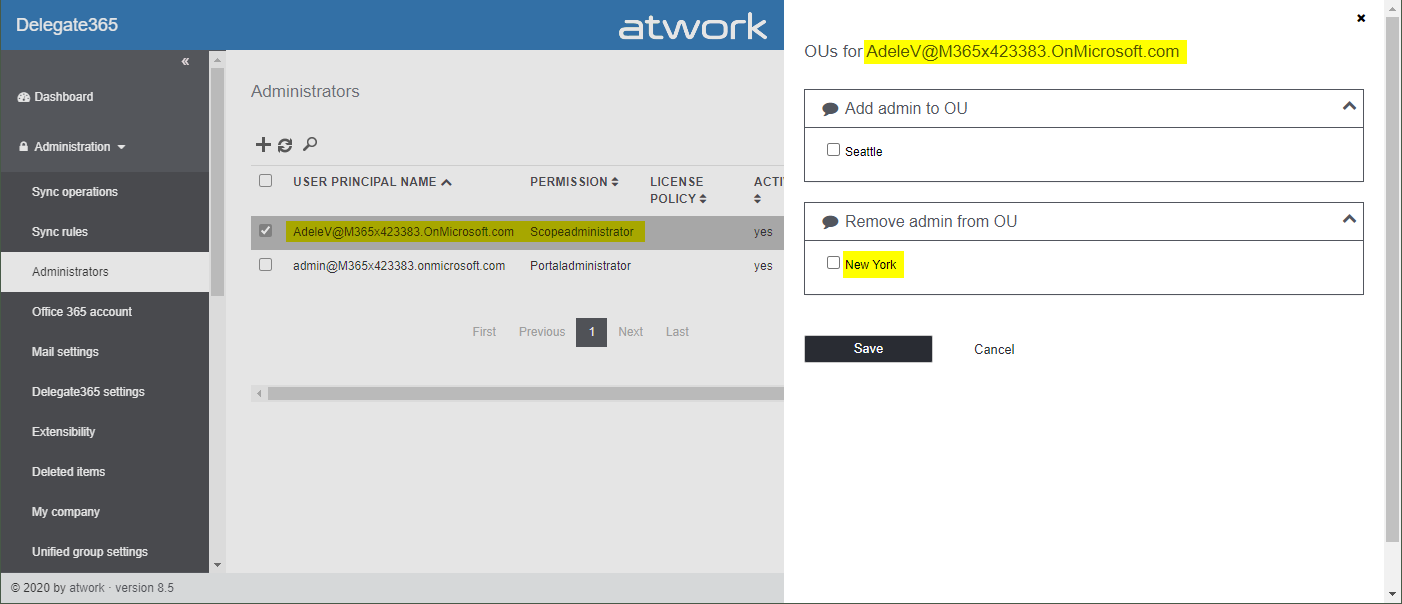
Delegate365 allows to split a Microsoft 365 tenant and to delegate management of assigned objects. With synchronization rules, licenses can be added or removed automatically. This works together with license quotas. In this article we show an example. Scenario: Here, we have a demo tenant and two administrators in Delegate365: Admin and AdeleV. The Admin can manage the OU´s “Seattle” and “New York” and has the role “Portal Admin”. AdeleV has the role “Scope Administrator” assigned and she can manage OU “New York” as we see in the Delegate365 Administration / Administrators menu. ...

January 15, 2020 · 6 min · Toni Pohl
Delegate365 version timeline

Delegate365 version timeline

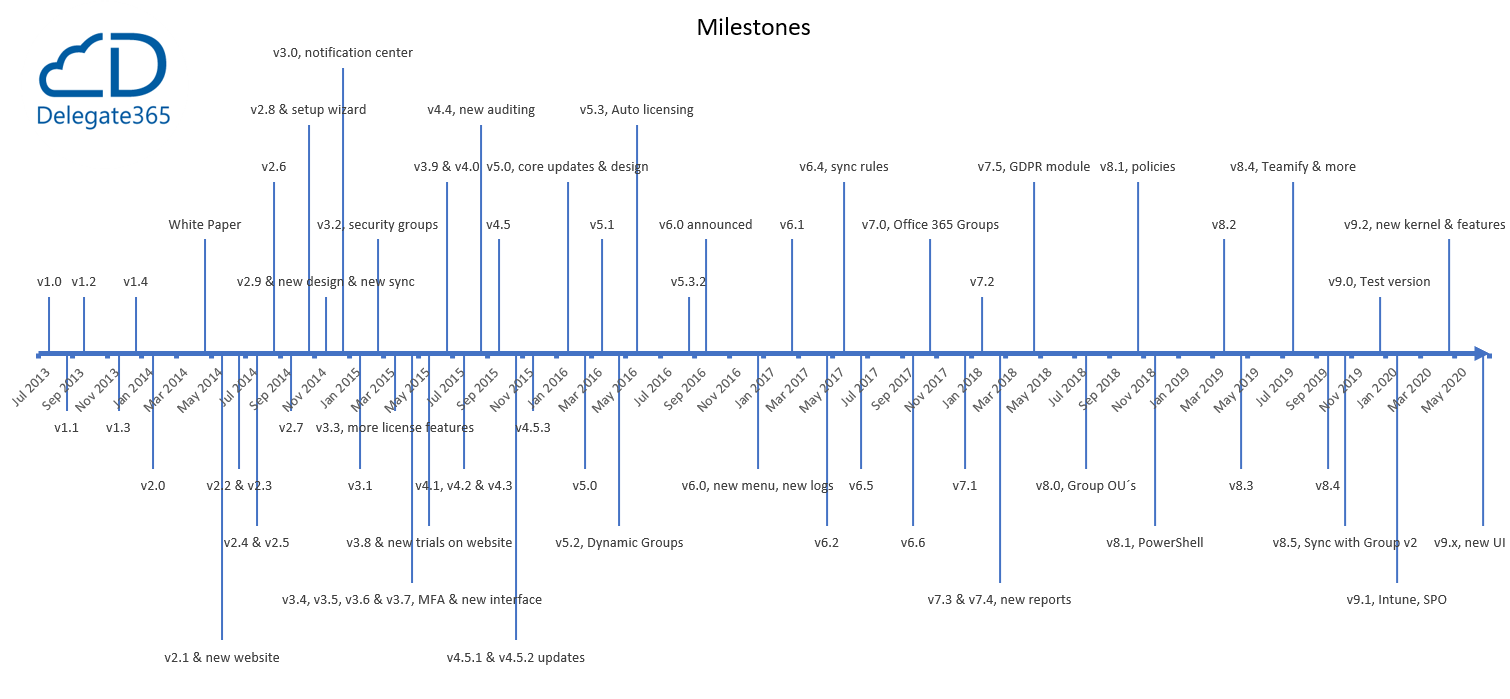
Delegate365 has continued to evolve over the past few years. See the timeline of the Delegate365 versions in this graphic. atwork started the development of Delegate365 (www.delegate365.com) in early 2013 as an Add-On for Office 365. Many functions have been added since then. Here you can see the graphic of the Delegate365 versions timeline as of today (click to enlarge). On average, a new Delegate365 version is deployed every 3 months. Delegate365 is operated as SaaS, so updates usually happen automatically. For versions that require additional permissions, a Delegate365 administrator must run a setup once on request. You can find the Delegate365 version details in the corresponding articles here. The current version is Delegate365 v8.5. The next update will be Delegate365 version 9.1, planned for February 2020. ...

December 27, 2019 · 1 min · Toni Pohl
Delegate365 changelog 8.5

Delegate365 changelog 8.5

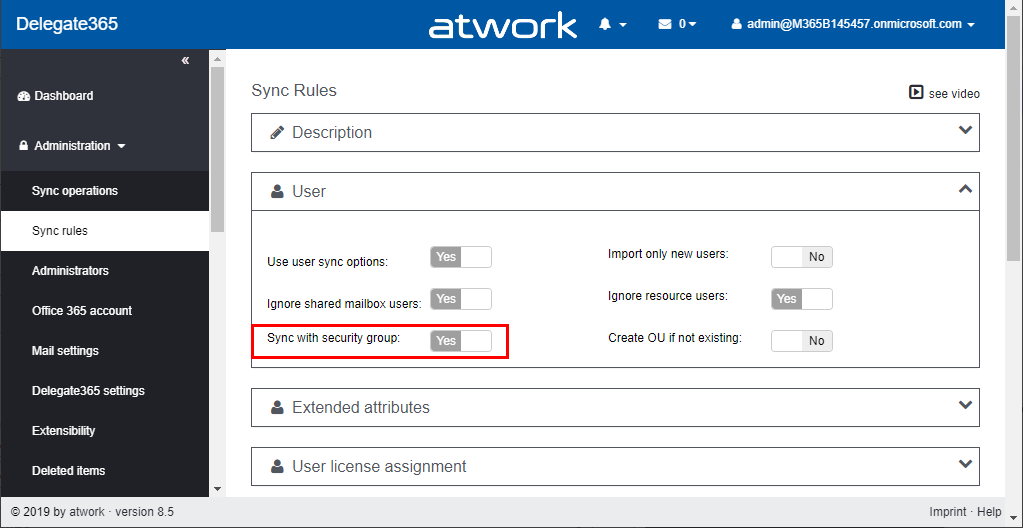
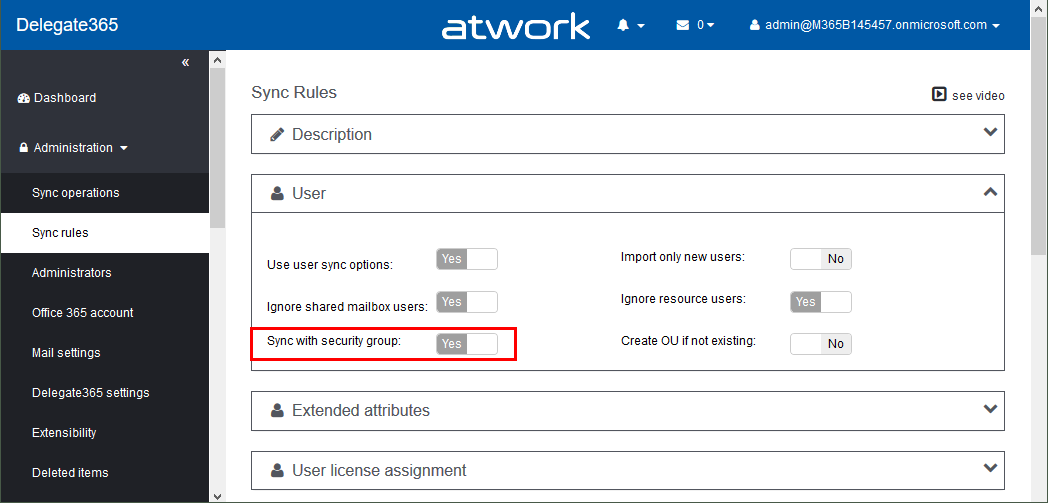
Delegate365 version 8.5 is an update to the extensive Delegate365 version 8.4. This update includes a new sync operation “Sync with security group” and some sync fixes. See a description here. New “Sync with security group” mechanism: In Administration / Sync rules, this option allows to synchronize all members of a Security Group with assigned members of an OU. After a sync, only the members of a security group are assigned to an OU. Removed members will be removed from an OU, new members are added. See a full description of this sync feature at Sync with Security Group. ...

October 31, 2019 · 2 min · Toni Pohl
Delegate365 changelog 8.5-Sync with Security Group

Delegate365 changelog 8.5-Sync with Security Group

Delegate365 version 8.5 comes with an updated sync operation for the option “Sync with security group”. This option allows to achieve a match between (specific) Office 365 security groups and Delegate365 OU´s. In short, this means that the members of a Security Group control the assigned members of an OU, and after a sync, they are identical. See a description of this sync feature here. Sample scenario To describe the “Sync with Security Group” functionality, here´s a demo. In our organization, there are branches in 3 locations: *Seattle, New York, *and London. We want to have users in some locations automatically assigned to OU´s in Delegate365. For that purpose, we are using Security Groups in Office 365 and add the users as members to these groups. So here´s the detailed scenario. ...

October 30, 2019 · 6 min · Toni Pohl
Delegate365 - Secure and setup your tenant

Delegate365 - Secure and setup your tenant

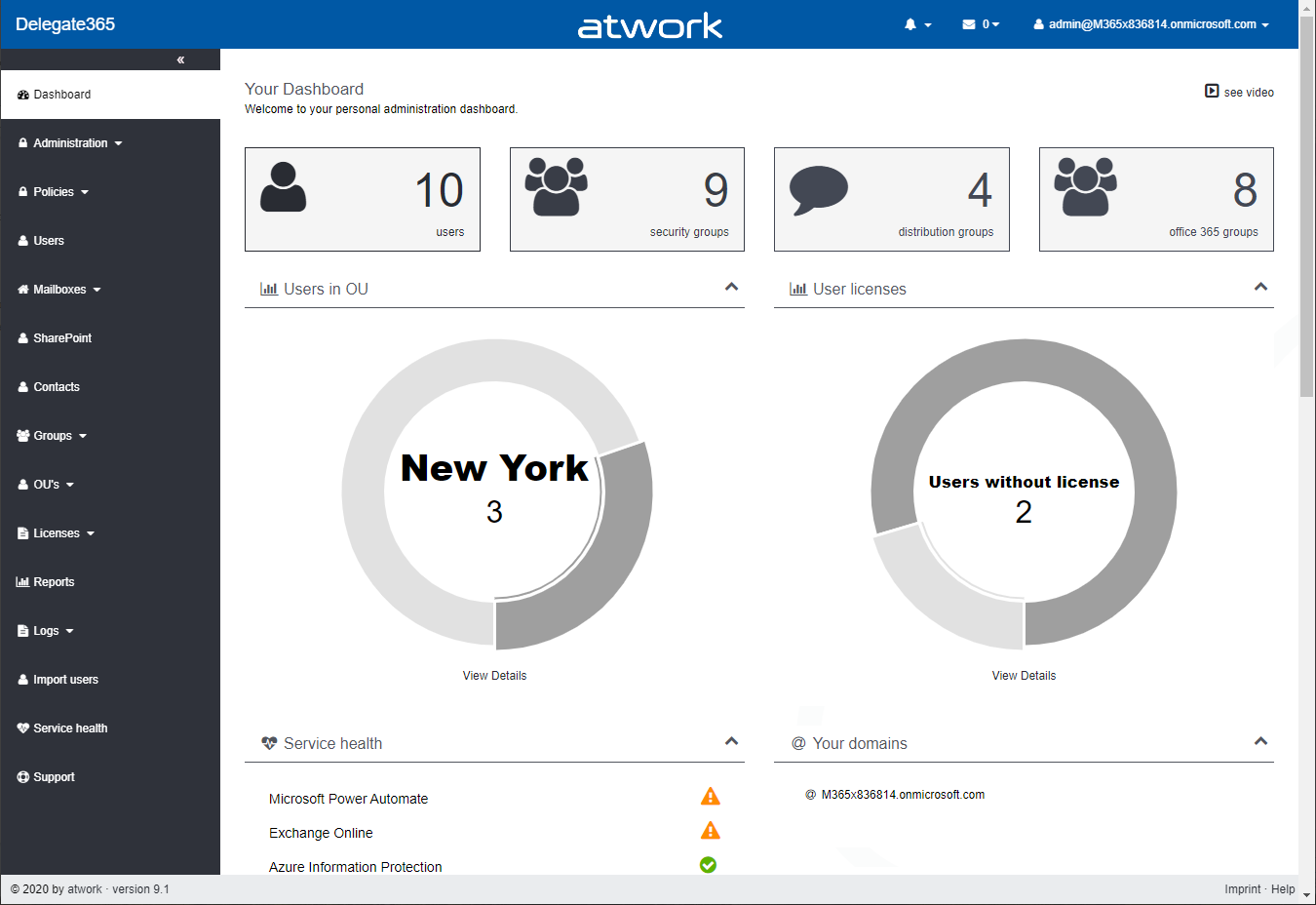
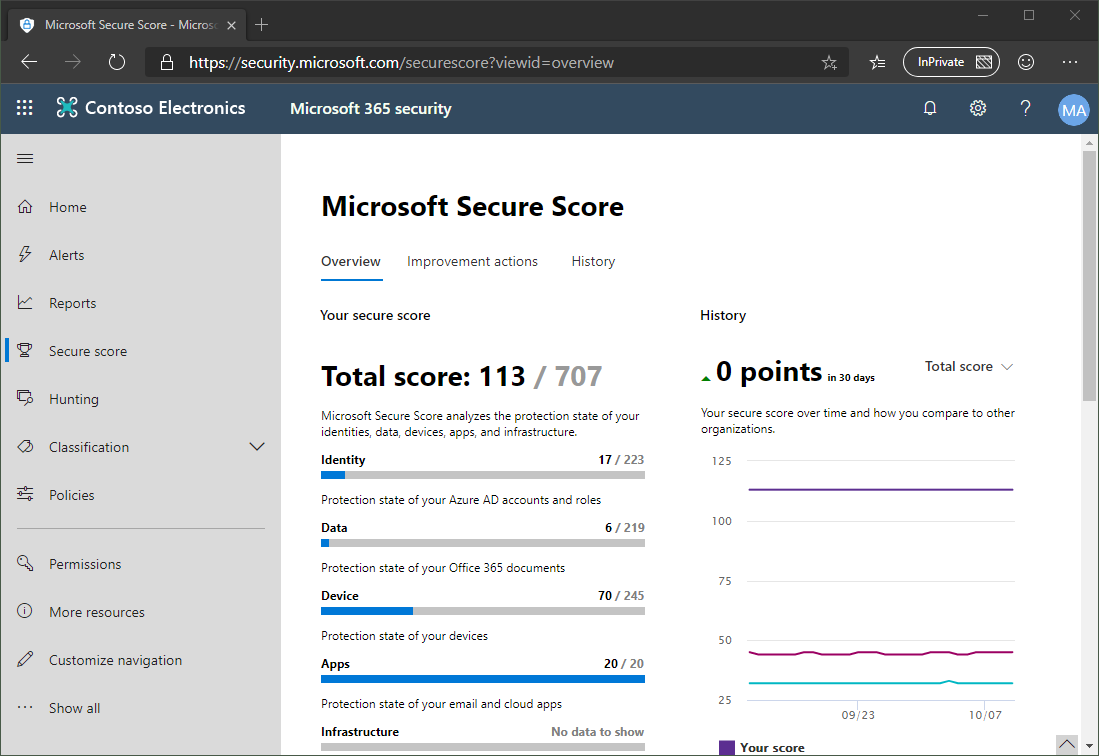
Delegate365 is using the Microsoft 365 and Azure standards to sign-in and to communicate with the Microsoft APIs. Here´s the best practice how to secure your environment for using Delegate365. 1. Secure your Microsoft 365 tenant Microsoft 365 provides a bunch of features to harden a tenant and to raise the Secure Score. Every administrator should start improving the security with setting Conditional Access, MFA, and policies. You can learn more about Microsoft Secure Score here. This demo tenant screenshot above is not properly configured and should definitely be secured. If your need support, we got you covered, see our Enterprise Security & Compliance Workshop offering. ...

October 11, 2019 · 5 min · Toni Pohl
Delegate365 changelog version 8.4 update-Speeding up License assignments

Delegate365 changelog version 8.4 update-Speeding up License assignments

Delegate365 version 8.4 came up with a lot of improvements and updates. This version recently got another update to speed up the license assignment synchronization operation. See the details here. Delegate365 allows to add sync rules to the sync operation to automate specific operations. In large tenants, the sync can run for a long time since all objects must be queried for changes. To accelerate the sync operation when using license assignment sync rules, we optimized this process as follows: ...

September 13, 2019 · 2 min · Toni Pohl
Delegate365 changelog version 8.4-Teamify with policy support, Room Lists, Mailbox licenses management, Report download  and more

Delegate365 changelog version 8.4-Teamify with policy support, Room Lists, Mailbox licenses management, Report download and more

Delegate365 v8.4 brings a bunch of new features and improvements. Office 365 Groups management allows to teamify existing groups and to control all Teams settings including policy settings. The Sync Job can send warnings if many objects are deleted, Shared Mailboxes and Resource Mailboxes licenses can be removed, Reports can be directly downloaded, Room Lists are available, License Orders can be exported and much more. See a description of the new features here. ...

July 29, 2019 · 13 min · Toni Pohl