Delegate365 changelog 8.5-Sync with Security Group

Delegate365 changelog 8.5-Sync with Security Group

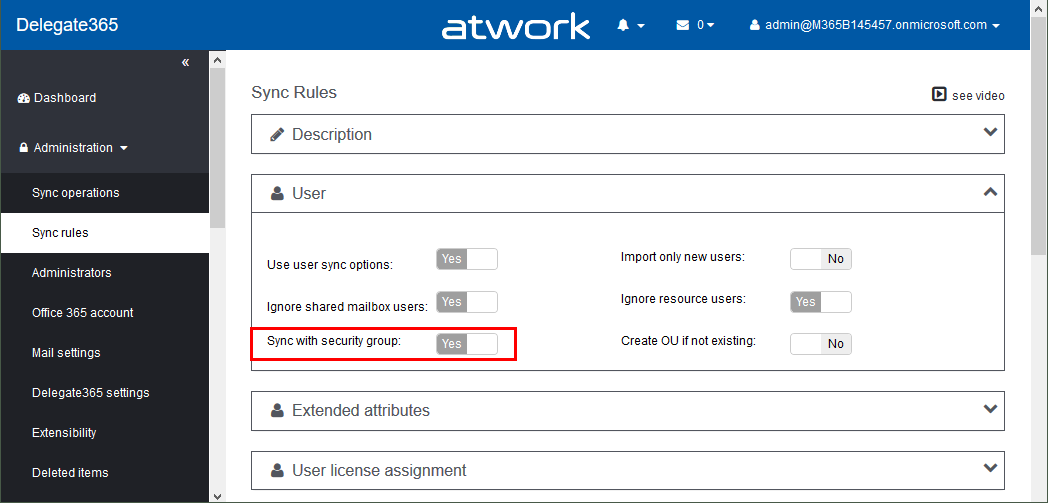
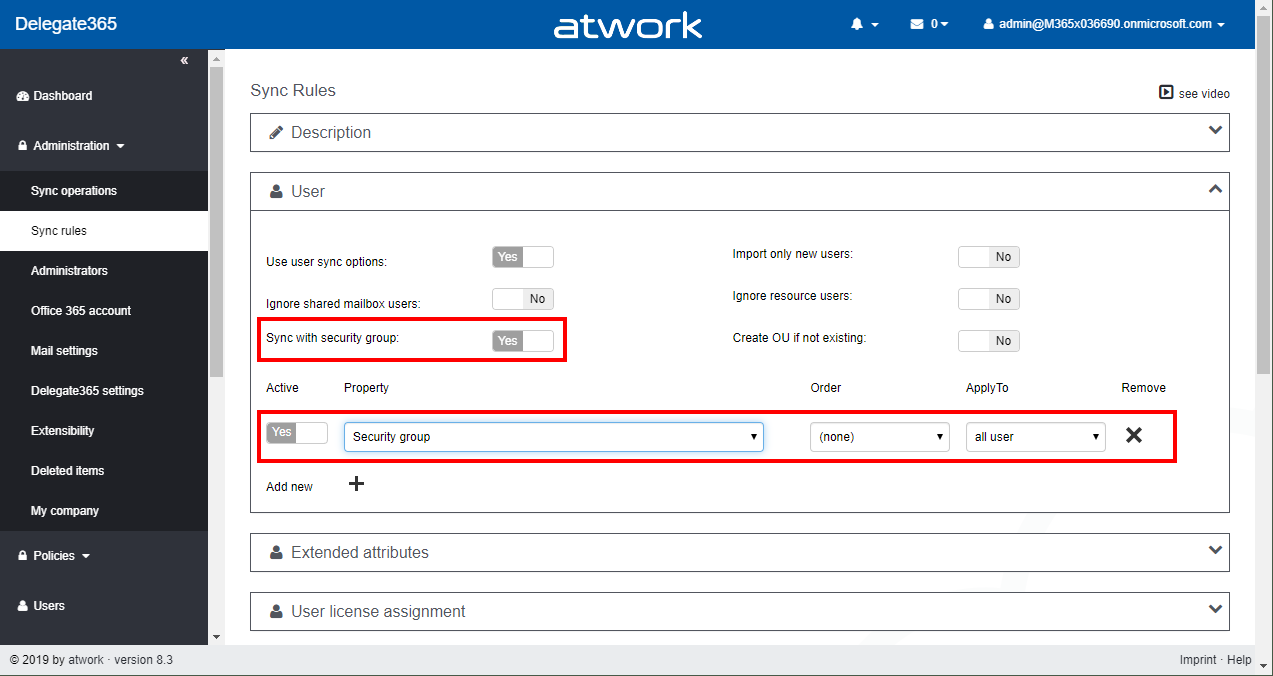
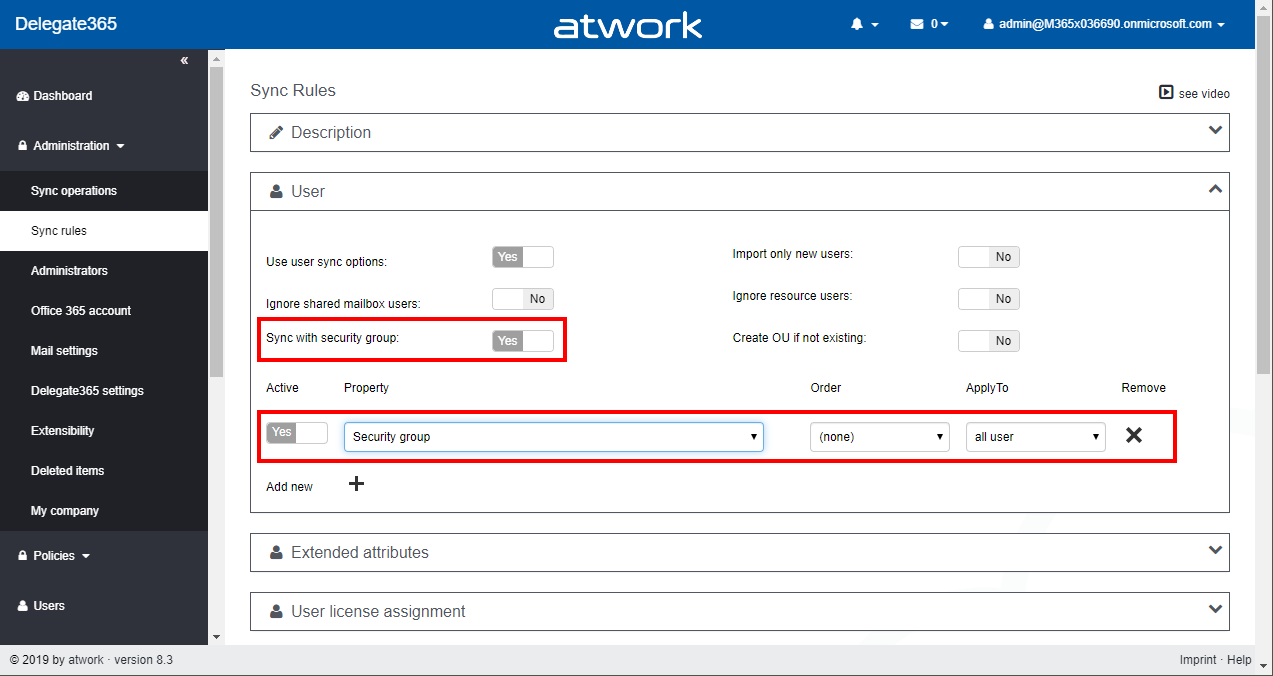
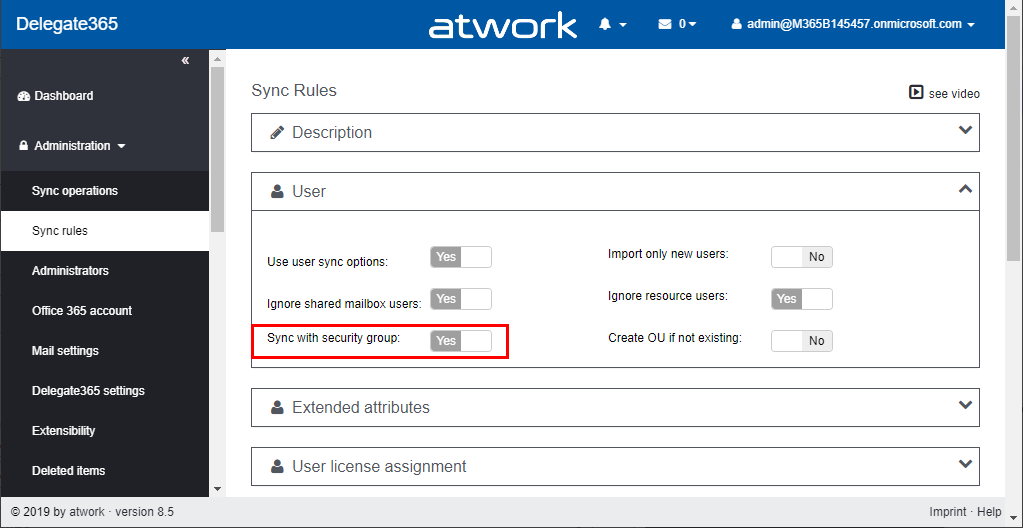
Delegate365 version 8.5 comes with an updated sync operation for the option “Sync with security group”. This option allows to achieve a match between (specific) Office 365 security groups and Delegate365 OU´s. In short, this means that the members of a Security Group control the assigned members of an OU, and after a sync, they are identical. See a description of this sync feature here. Sample scenario To describe the “Sync with Security Group” functionality, here´s a demo. In our organization, there are branches in 3 locations: *Seattle, New York, *and London. We want to have users in some locations automatically assigned to OU´s in Delegate365. For that purpose, we are using Security Groups in Office 365 and add the users as members to these groups. So here´s the detailed scenario. ...

October 30, 2019 · 6 min · Toni Pohl
Delegate365 - Secure and setup your tenant

Delegate365 - Secure and setup your tenant

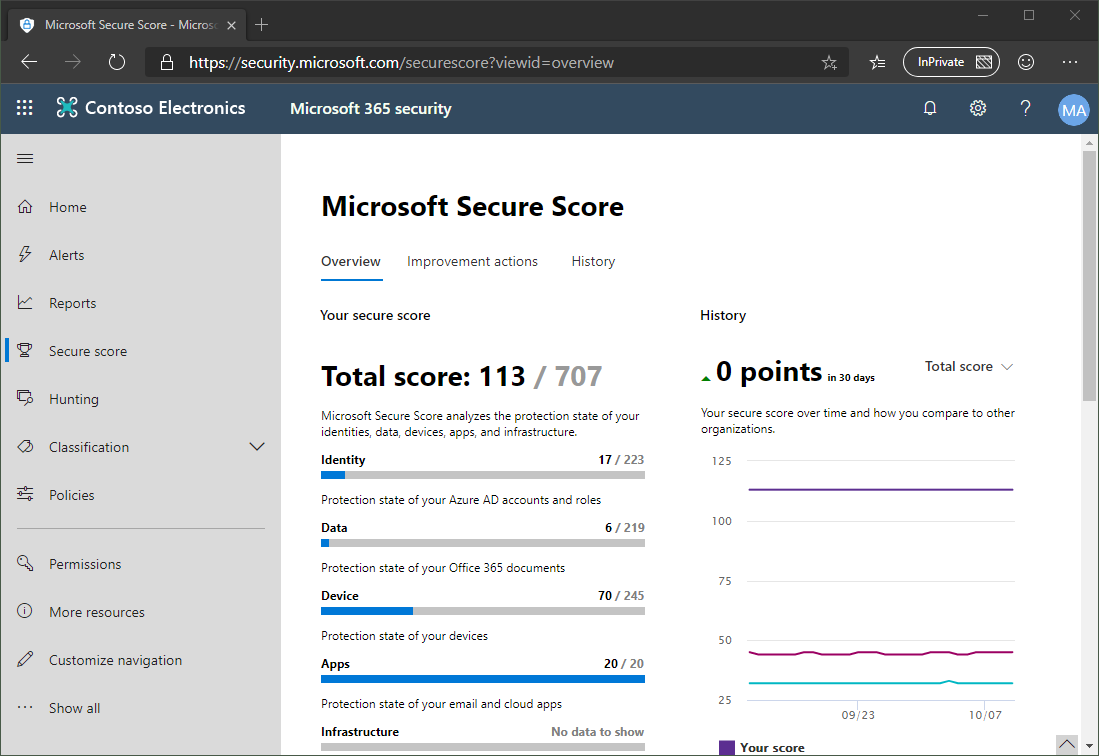
Delegate365 is using the Microsoft 365 and Azure standards to sign-in and to communicate with the Microsoft APIs. Here´s the best practice how to secure your environment for using Delegate365. 1. Secure your Microsoft 365 tenant Microsoft 365 provides a bunch of features to harden a tenant and to raise the Secure Score. Every administrator should start improving the security with setting Conditional Access, MFA, and policies. You can learn more about Microsoft Secure Score here. This demo tenant screenshot above is not properly configured and should definitely be secured. If your need support, we got you covered, see our Enterprise Security & Compliance Workshop offering. ...

October 11, 2019 · 5 min · Toni Pohl
Delegate365 changelog version 8.4 update-Speeding up License assignments

Delegate365 changelog version 8.4 update-Speeding up License assignments

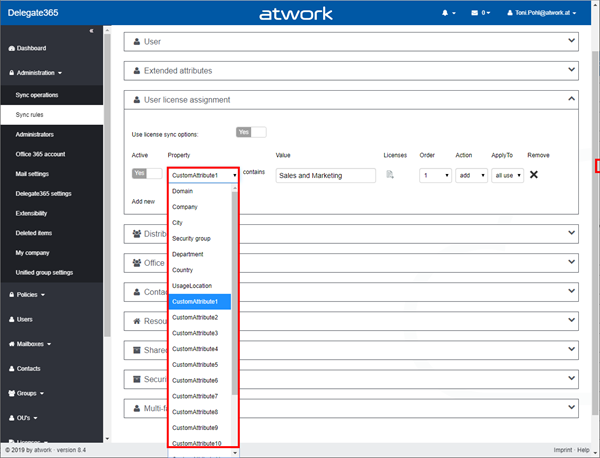
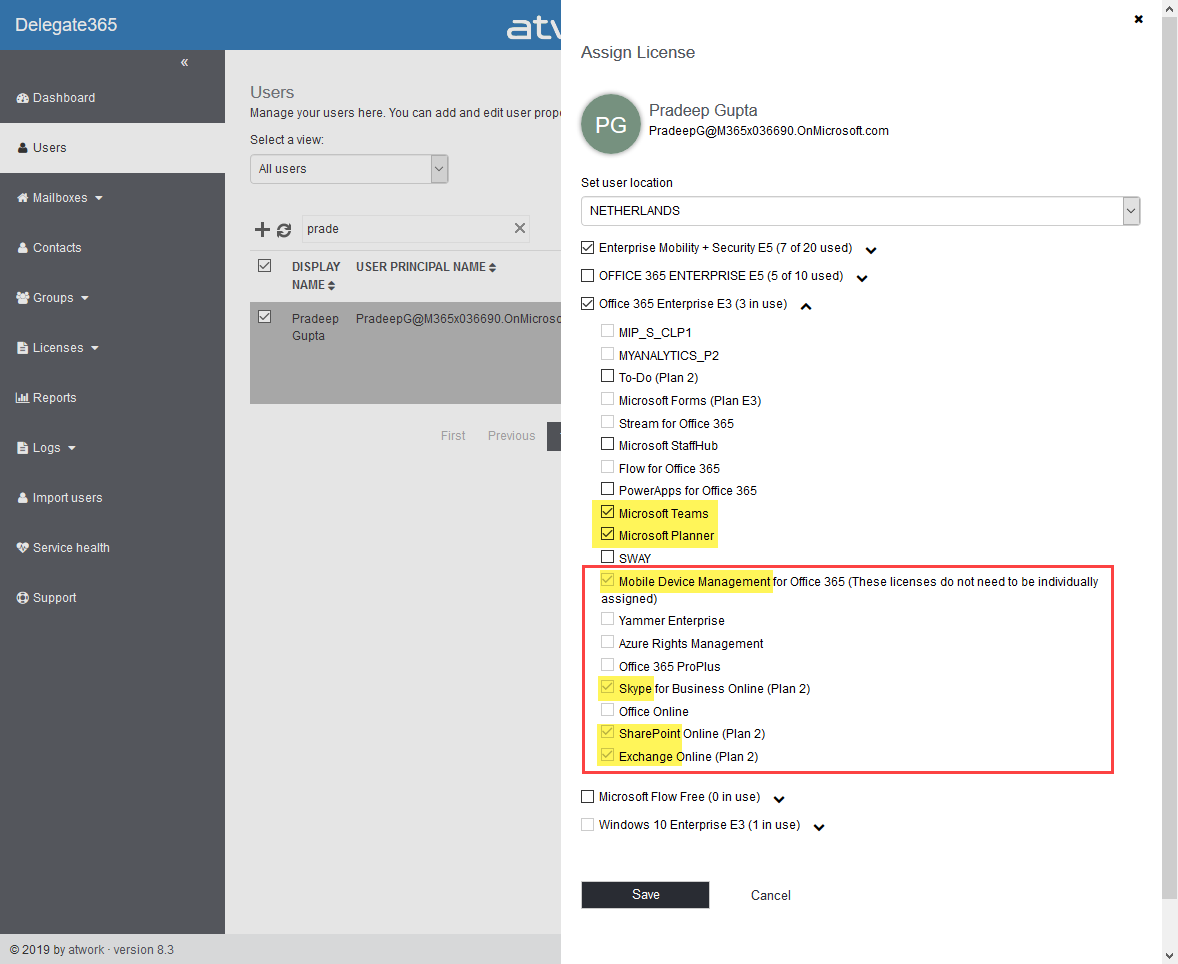
Delegate365 version 8.4 came up with a lot of improvements and updates. This version recently got another update to speed up the license assignment synchronization operation. See the details here. Delegate365 allows to add sync rules to the sync operation to automate specific operations. In large tenants, the sync can run for a long time since all objects must be queried for changes. To accelerate the sync operation when using license assignment sync rules, we optimized this process as follows: ...

September 13, 2019 · 2 min · Toni Pohl
Delegate365 changelog version 8.4-Teamify with policy support, Room Lists, Mailbox licenses management, Report download  and more

Delegate365 changelog version 8.4-Teamify with policy support, Room Lists, Mailbox licenses management, Report download and more

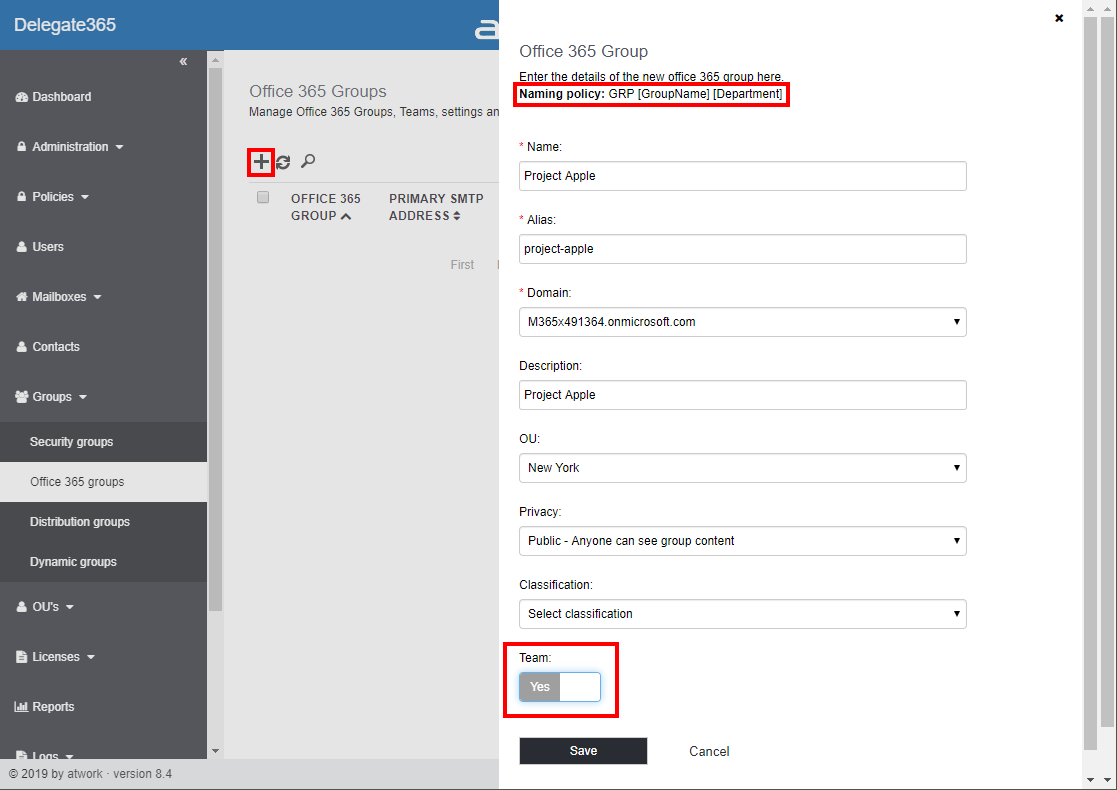
Delegate365 v8.4 brings a bunch of new features and improvements. Office 365 Groups management allows to teamify existing groups and to control all Teams settings including policy settings. The Sync Job can send warnings if many objects are deleted, Shared Mailboxes and Resource Mailboxes licenses can be removed, Reports can be directly downloaded, Room Lists are available, License Orders can be exported and much more. See a description of the new features here. ...

July 29, 2019 · 13 min · Toni Pohl
Delegate365 changelog version 8.3-GroupSync,Bulk operations and more improvements

Delegate365 changelog version 8.3-GroupSync,Bulk operations and more improvements

The next version of Delegate365 v8.3 is here. This major version brings some new features as “Sync with security group”, bulk assignments, list export, improved OU management, and many further features and fixes. See the details here. Upgrading from Delegate365 version 8.2 does not require running a new setup. Upgrading from any other Delegate365 version, requires to (Re)run the setup. New Sync Rule “Sync with security group”: This new feature in Administration / Sync rules allows to remove users from an OU automatically based on their security group membership. See how this works in detail at Sync with Group. We hope this new sync feature helps improving your users organization based on security group memberships in Delegate365. ...

May 6, 2019 · 5 min · Toni Pohl
Delegate365 changelog version 8.3-Sync with Group

Delegate365 changelog version 8.3-Sync with Group

With Delegate365 v8.3 there comes a new feature in the Sync Rules: Sync with security group allows to automatically remove users from an OU. See how this works here. This is a feature request brought to us by Delegate365 customers: When a user is removed from a security group, he or she should also automatically be removed from the corresponding OU, if the User sync rules are set to “Security group”. So here´s a description of that feature with a sample (improved Delegate365 Admins can have a look at step1 and then continue with step 7)… ...

April 23, 2019 · 3 min · Toni Pohl
Delegate365 changelog version 8.3-Bulk assign licenses

Delegate365 changelog version 8.3-Bulk assign licenses

Delegate365 allows to modify licenses in many ways, manually, automatically and with bulk-assignments. With version 8.3, the license policies will be considered for bulk assignments as well. See a description of that functionality here. The Delegate365 permission and license policies control what modules and what licenses a scope administrator sees. An administrator can be assigned to one permission policy and to one license policy. While many organizations are using the Delegate365 sync rules, scope admins can manually assign entitled licenses and plans. The menu Licenses / Bulk assign licenses allows to accomplish such an operation for multiple users and takes the unauthorized licenses into account with this update. ...

April 12, 2019 · 3 min · Martina Grom
Delegate365 changelog version 8.2

Delegate365 changelog version 8.2

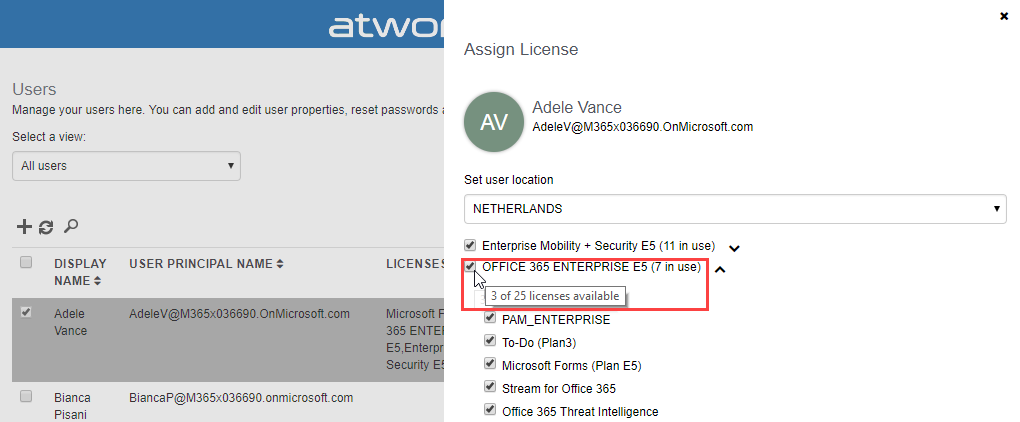
After the major update that came with Delegate365 v8.1, v8.2 brings various improvements and fixes to optimize daily tasks in Delegate365. See the details here. Run a setup: Admins need to run the Delegate365 setup after the upgrade process from v8.1 to v8.2. See the How-To at (Re)run the setup. User license quick info: When hovering over a license checkbox in the user license panel, a new quick info informs about the license numbers that are available in the Office 365 tenant. This brings more transparency for admins to see if a license might be inactive because all licenses are assigned. In this sample above, there are 25 E5 licenses available, and only 3 licenses are left (which means that 22 licenses are already assigned to users). In that OU, there are 7 E5 licenses used, and there is no quota defined. ...

March 10, 2019 · 4 min · Toni Pohl
Troubleshooting Delegate365-Login

Troubleshooting Delegate365-Login

Sometimes support cases are opened because users cannot login to Delegate365 with their Office 365 account. In most cases, the browser cache automatically signs-in a user with wrong credentials. Please follow these simple steps to see how to achieve a successful login to the Delegate365 portal in such scenarios. 1. Use a browser in Private mode The most common stumbling block is that web browser log in users automatically. Also, often users are working with multiple accounts. Thus, there is a high probability that an incorrect sign-in will occur when opening the Delegate365 portal. ...

February 21, 2019 · 4 min · Toni Pohl
Troubleshooting Delegate365

Troubleshooting Delegate365

Delegate365 is a user-friendly tool to enable delegated management of users, licenses, and groups. This means that only objects assigned to a scope administrator are displayed in Delegate365. So, sometimes, we get questions as “I can’t see my users/shared mailbox or similar”. Here’s why and how to solve such issues. Why does Delegate365 not show users? Well, that’s the idea of the tool. Delegate365 shows only objects to which I am entitled to see and to manage. ...

February 13, 2019 · 7 min · Toni Pohl