This was European Collaboration Summit 2021

This was European Collaboration Summit 2021

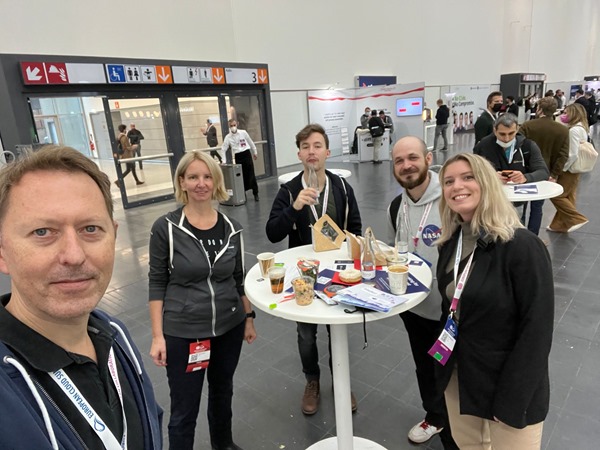
It’s a wrap! The European Collab Summit and Cloud Summit (www.collabsummit.eu) are sister conferences and are the major community-driven technology conferences focusing on digital transformation, the Cloud, and modern workplace. This year, after being remote for almost two years, the atwork-team attended the conference as speakers and attendees (of course in compliance with the COVID-19 safety concept), and we had a blast! The conference took place from 11/29 – 12/2 at Messe Düsseldorf, Germany, with excellent experts who informed about topics, such as Microsoft 365, Azure, Artificial Intelligence, SharePoint, Microsoft Viva, Teams, Yammer, and Business Apps & Power Platform. This focus is further strengthened by the partnership with Microsoft Teams as a Premium Technology Partner. ### ESC 2021 in a nutshell ...
December 7, 2021 · 3 min · Mercedes Orasch
Unsere Top 3 Microsoft 365 Summer-Special-Tipps

Unsere Top 3 Microsoft 365 Summer-Special-Tipps

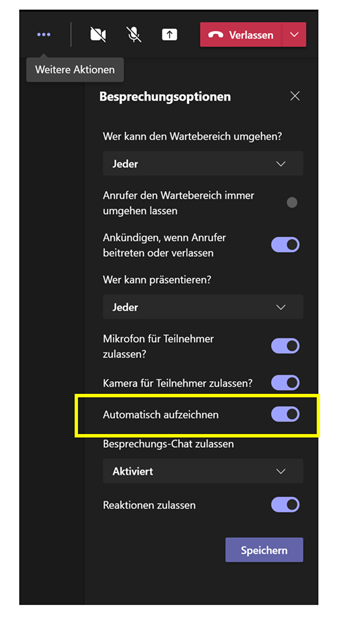
Damit ihr auch während des Sommers mit hilfreichen und guten Microsoft 365 Tipps versorgt seid, haben wir für euch unsere Top 3 New Feature Tipps zusammengefasst, die euch in eurer täglichen digitalen Arbeit unterstützen sollen. Automatisches Aufzeichnen von Microsoft Teams Meetings Wenn ihr auf Nummer sicher gehen und nicht vergessen wollt eine wichtige Besprechung aufzuzeichnen, gibt es ab nun in den Besprechungsoptionen eine neue Umschaltfläche Automatisch aufzeichnen. Tritt vor Beginn der jeweiligen Microsoft Teams Besprechung dem Meeting bei. Klicke oben rechts innerhalb der Besprechung auf Weitere Aktionen und wähle Automatisch Aufzeichnen aus, indem du den Schieberegler nach rechts schiebst und somit aktivierst Wenn die Besprechung beginnt, startet Microsoft Teams automatisch die Aufzeichnung Nach ****Beendigung der Besprechung steht dir die Aufzeichnung im Besprechungschat, wie gewohnt, via Microsoft Stream zur Verfügung ...

August 3, 2021 · 2 min · Mercedes Orasch
PowerPoint Live in Microsoft Teams mit Laserpointer und Textmarker nutzen

PowerPoint Live in Microsoft Teams mit Laserpointer und Textmarker nutzen

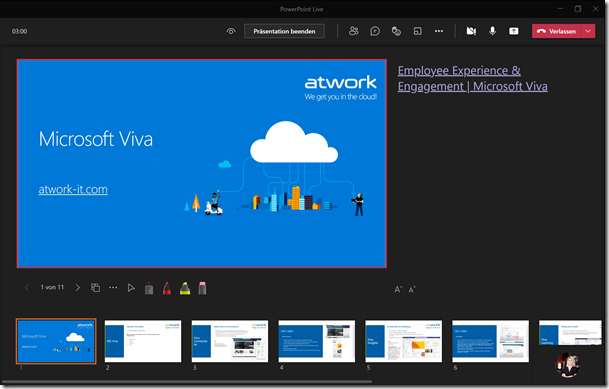
Microsoft Teams hat wieder eine neue Funktion veröffentlicht, die wir gleich getestet haben: Laserpointer und Textmarker-Funktion in PowerPoint Live für Microsoft Teams. Um es kurz zu machen, bedeutet es, dass man mit dem Laserpointer auf PowerPoint Folien zeigen kann, sowie diese mit Tinte und Textmarker (in verschiedenen Farben & Stärken) beschriften kann, um wichtige Inhalte hervorzuheben. Daneben kann man auch den Radierer verwenden, um den Textmarker oder Stift wieder zu entfernen. ...

July 2, 2021 · 3 min · Mercedes Orasch
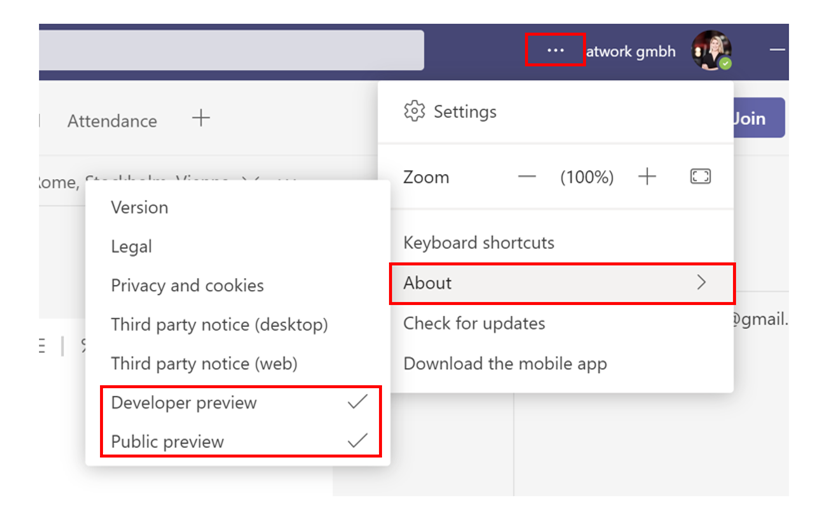
Standout Presentation Mode is available in PublicDeveloper Preview in Microsoft Teams

Standout Presentation Mode is available in PublicDeveloper Preview in Microsoft Teams

The standout mode is now available in Public and Developer Preview in Microsoft Teams and will soon be allocated within all Microsoft Teams versions, and we love it! Benefits Your video feed is next/overlaid to your content Customize your video feed and content Bring your presentations to the next level For the standout mode in Public or Developer preview, you need the following Use the Microsoft Teams Desktop application as a presenter but also as an attendee to experience the standout mode option ...

June 2, 2021 · 2 min · Mercedes Orasch
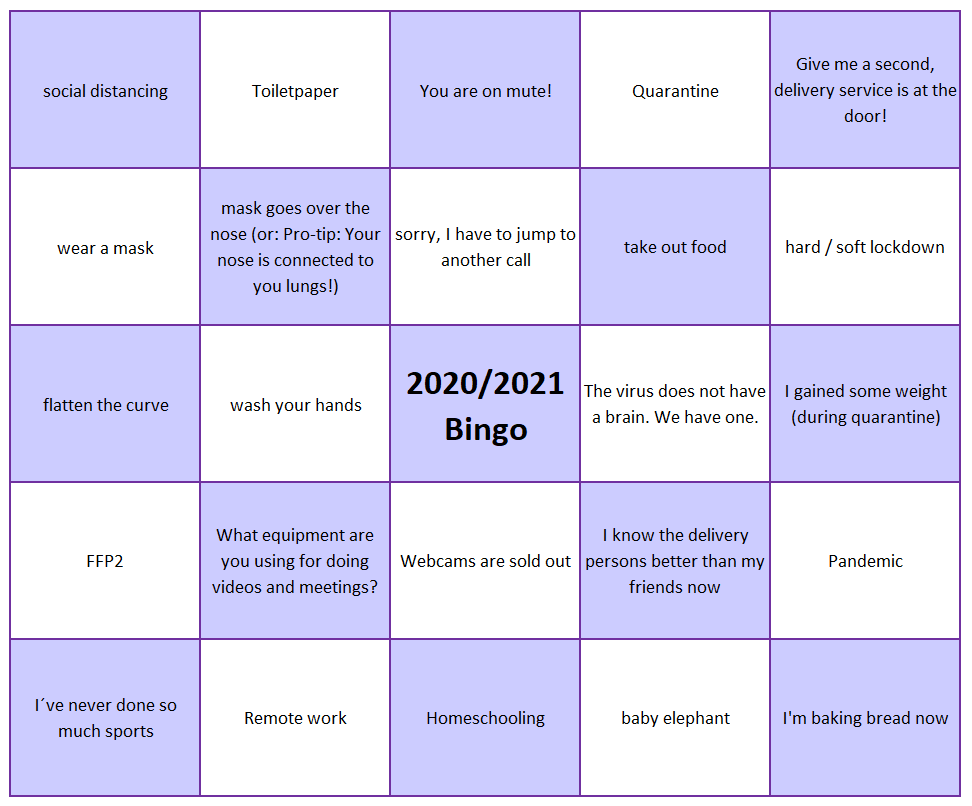
The ultimate 2020  2021 Bingo Card

The ultimate 2020 2021 Bingo Card

We learned many new terms this year. With 2020 now coming to an end the Team at atwork created a Bingo card about the most used terms in our environment. Is it Bingo for you, too? Please feel free to add suggested items, maybe we can create more than one Bingo card. Happy 2021!

December 31, 2020 · 1 min · Martina Grom

Get the daily Bing picture as background in your Teams meetings automatically

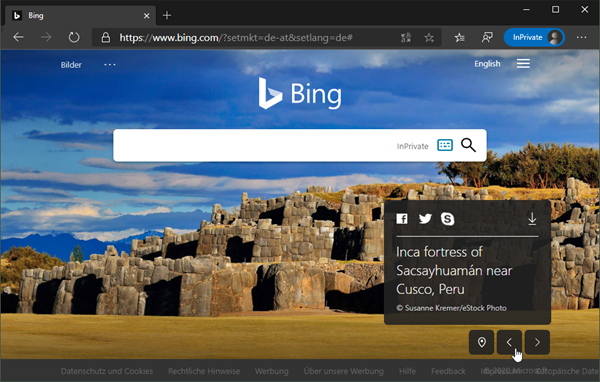
The Microsoft Bing Search Engine provides a professional and beautiful picture every day, you can see it online at www.bing.com. With the Bing API, you can easily get the images for your own use, e.g. to use them as custom background image in your Microsoft Teams calls. See how this works and download the ready-to-use PowerShell script here. So, the task is to get the daily image information, to download the picture and to provide it as background picture in Teams. ...

May 7, 2020 · 5 min · Martina Grom