Upgrade to Delegate365 v10 - The Future of Microsoft 365 Delegated Management

Upgrade to Delegate365 v10 - The Future of Microsoft 365 Delegated Management

We are thrilled to announce Delegate365 version 10, the most advanced release of our SaaS solution for delegated Microsoft 365 management. Delegate365 version 9 has reached its end of life and will no longer receive updates. Update: All Delegate365 environments were scheduled to be updated to version 10 by December 14th, 2025. This date has now passed, and any environment still running an older version is no longer supported. If your environment has not yet been upgraded, please schedule an appointment with us as soon as possible to complete the update. This ensures continued support and access to the latest features and security improvements. ...

October 30, 2025 · 3 min · Toni Pohl
Delegate365-Extended Extensibility

Delegate365-Extended Extensibility

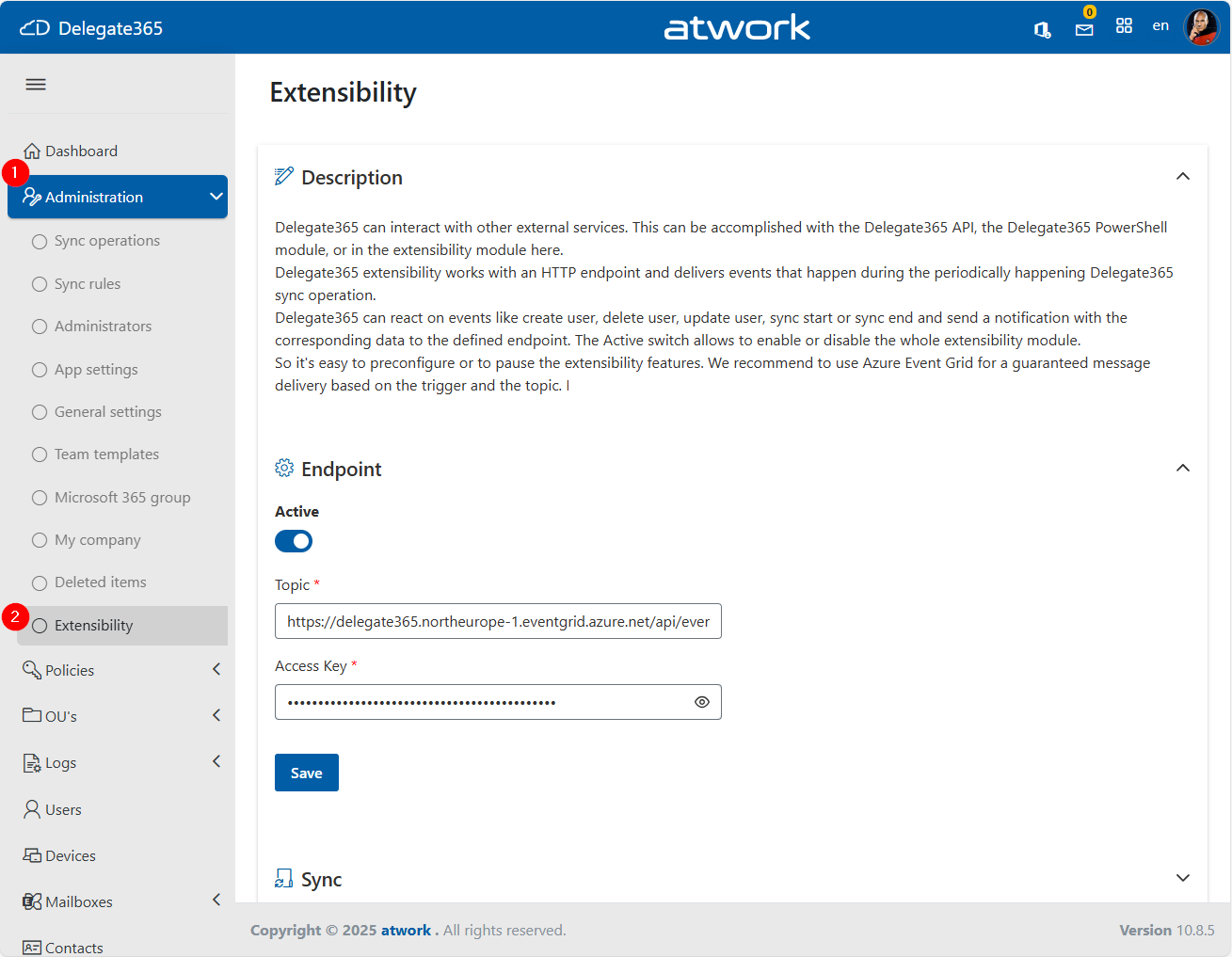
Delegate365 now supports enhanced Extensibility through integration with Azure Event Grid, enabling real-time notifications when specific actions occur within the system. This allows external systems to react to events in Delegate365, opening up new automation and integration scenarios. External systems can include ticketing platforms, monitoring tools, and custom workflows, enabling organizations to automate responses to changes within their Microsoft 365 environment. For instance, when a new user is created, they can automatically be added to a specific team based on their domain or OU, or when a new team is created, a designated administrator can be notified. This functionality requires only an Azure subscription and the provisioning of an Azure Event Grid resource. ...

October 2, 2025 · 3 min · Toni Pohl
Delegate365-September Update New Feature-Message Quarantine

Delegate365-September Update New Feature-Message Quarantine

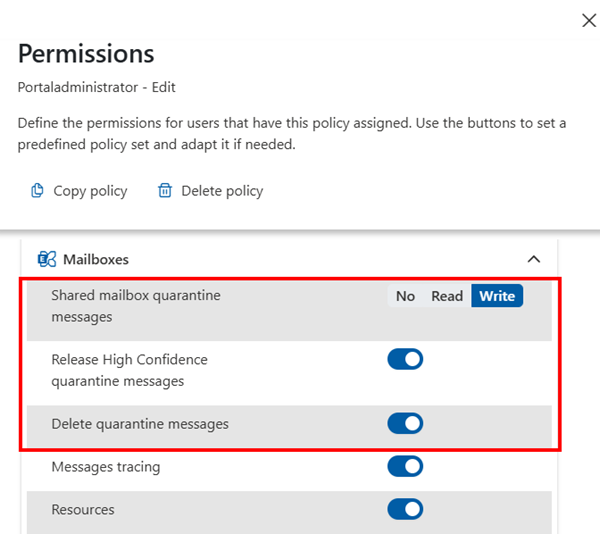
We’re pleased to introduce a powerful new feature in Delegate365 v10 that significantly extends the platform’s capabilities: Message Quarantine. This feature brings advanced security controls to Delegate365, enabling administrators to manage quarantined messages with greater precision and oversight. Message Quarantine: Delegate365 now includes a Message Quarantine feature that allows administrators to view and manage quarantined messages for users within their assigned Organizational Units (OUs). This functionality, typically reserved for Exchange administrators, is now available directly in Delegate365 with fine-grained access control. ...

September 29, 2025 · 2 min · Toni Pohl
Delegate365August Updates Enhanced Features and Improvements

Delegate365August Updates Enhanced Features and Improvements

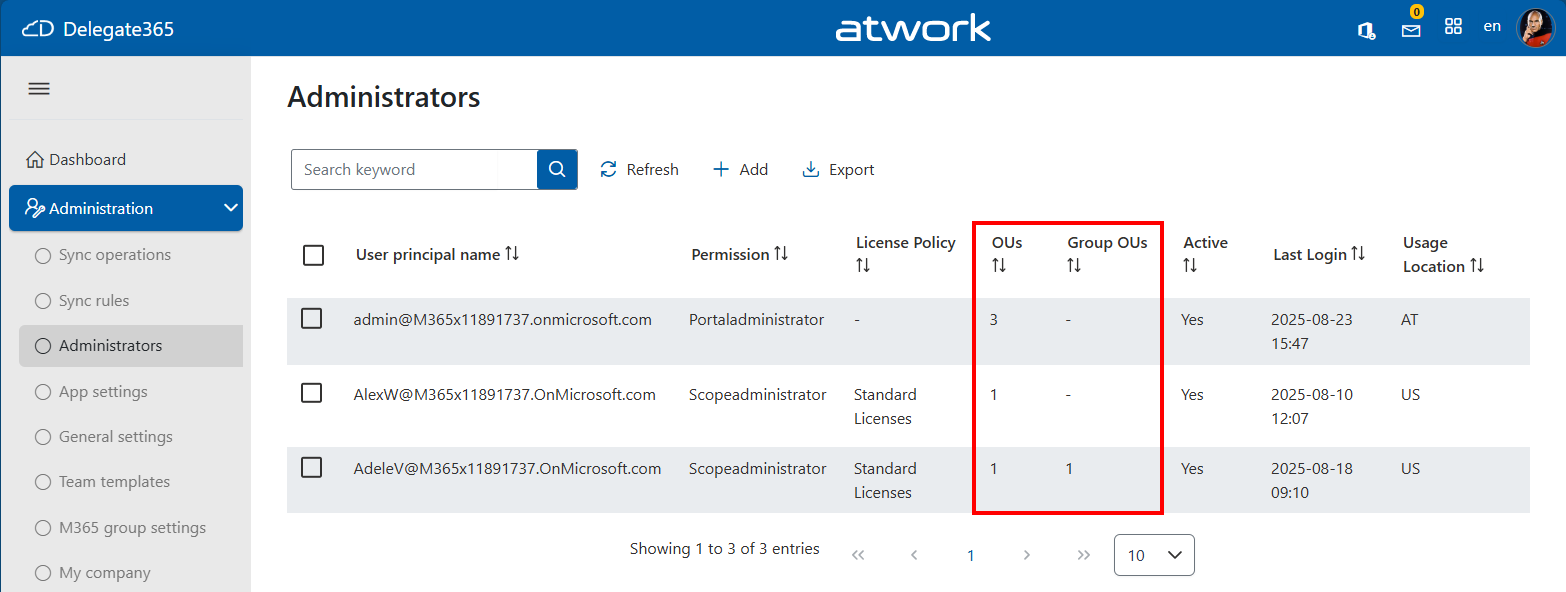
We are excited to announce the latest enhancements to Delegate365, designed to make your Microsoft 365 management even more intuitive and powerful. Building on the momentum of the recent releases, the August update introduces several user-driven improvements that provide additional productivity. Assigned OU overview for administrators: Admins can now see the number of assigned Organizational Units (OUs) at a glance thanks to the newly added OU columns *OUs *and Group OUs in the Administration / Administrators list. This helps to see the assigned policies and the number of assigned OU´s. ...

August 20, 2025 · 2 min · Toni Pohl
Troubleshoot Delegate365 Insufficient privileges to complete the operation

Troubleshoot Delegate365 Insufficient privileges to complete the operation

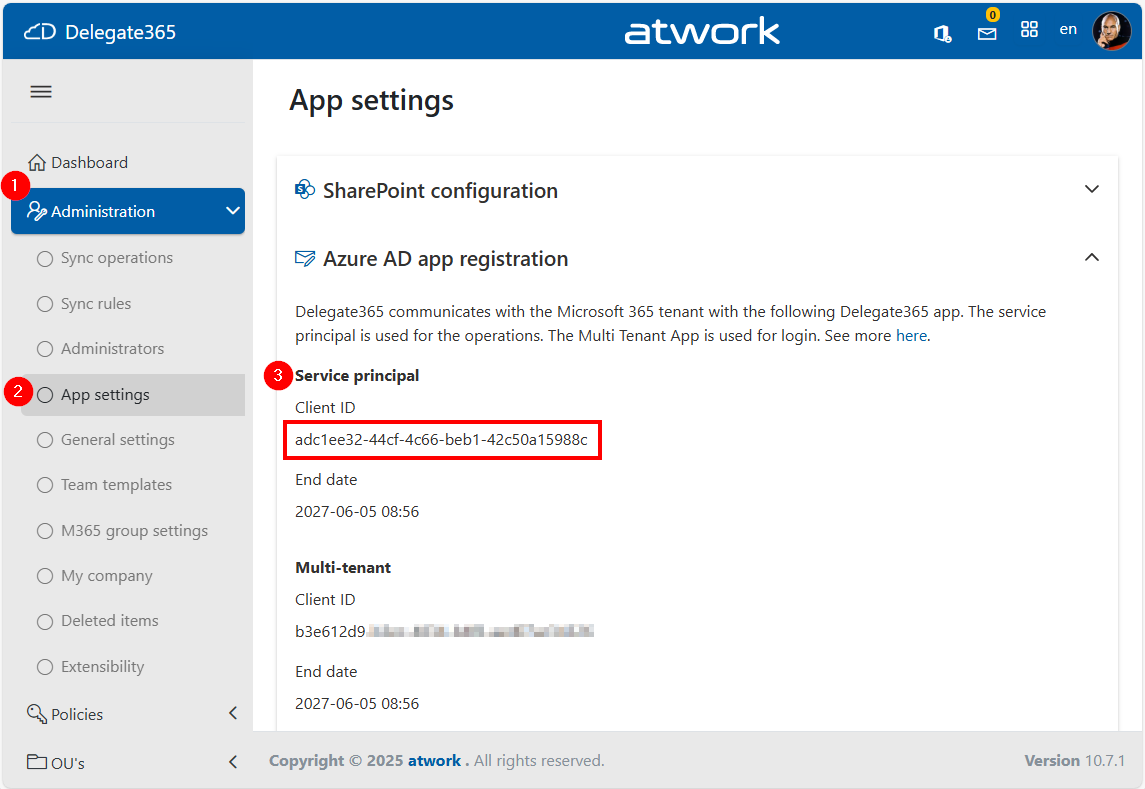
When managing devices through the Delegate365 application that integrates with Microsoft Intune, you might encounter the error “Insufficient privileges to complete the operation”, This issue may occur during specific operations if the Delegate365 setup has been used a longer time ago, or if the Global Administrator role has been removed from the Delegate 365 application by a Microsoft 365 administrator. In such cases, the administrator must reassign the necessary role to the application. The process for doing so is outlined below. ...

July 24, 2025 · 3 min · Toni Pohl
Delegate365-June Updates Enhanced Features and Improvements

Delegate365-June Updates Enhanced Features and Improvements

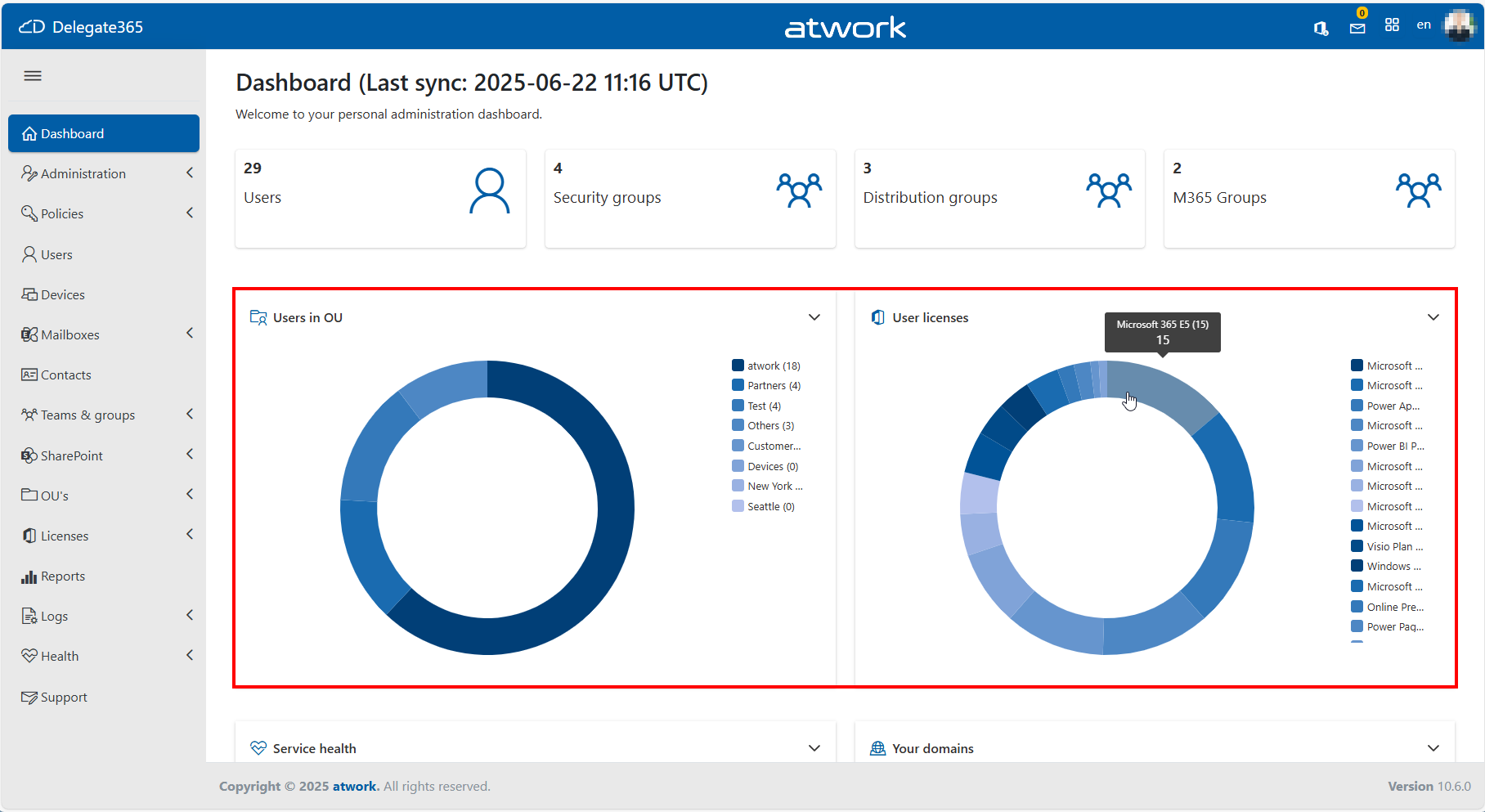
We are continuously working to enhance Delegate365, making it more powerful and user-friendly with every update. Following the major v10 April update, we’re excited to share the latest improvements and new features introduced in June 2025. Key Enhancements in May and June: Revamped Dashboard Graphics: The dashboard visuals have been refreshed with a modern look and now include a legend for better clarity and usability. When you hover over an item in the legend, the corresponding section of the chart is highlighted, making it easy to see the number of affected items at a glance. The license pie chart User licenses now displays a detailed breakdown of assigned licenses, rather than just showing the number of licensed and unlicensed users. Improved Reporting Performance: The List SignIns report now supports streaming for large datasets, ensuring faster and more reliable access to extensive sign-in data. Mailbox Fixes: We resolved an issue with the Update Mailbox and quota function in Exchange Online, particularly related to mailbox size handling. Sync Rules for Licenses, new feature RemoveAll Licenses: A new option to quickly remove all licenses from a selected security group has been added. If the *Remove All *sync rule is active, thisremoves all M365 licenses from the members of the group. A fix has also been applied to ensure the Apply to option works as intended. User Edit, Multi-Group Assignment: Using the Add user to group function could result in an error if different group types were assigned. This error has been resolved. The assignment now works reliably in all scenarios Small UI Enhancements: New controls have been added for a more intuitive experience and better performance (v10.0.6). Tab order *and support for the Home and End keys in the User Edit form have been corrected to improve accessibility and navigation. These updates are part of our ongoing commitment to improving Delegate365 based on your feedback. Stay tuned for more enhancements coming soon!
June 9, 2025 · 2 min · Toni Pohl
Delegate365-April Updates Group Picker, Devices Sync, Reports, Changes and Fixes

Delegate365-April Updates Group Picker, Devices Sync, Reports, Changes and Fixes

We have made numerous updates and improvements to Delegate365 over the past few months (see also Delegate365-January Updates). See an overview of the Delegate365 v10 April update here. Menu order slightly changed: The design of Delegate365 now more closely matches the M365 Admin Portal. This also affects the order of the menu on the left. The modules have been rearranged. These are the changes: Old menu order: Administration, Policies, Users, Mailboxes, SharePoint, Contacts, Devices, Groups, OU’s, Licenses, Reports, Logs, Health, Support New menu order: Administration, Policies, Users, Devices, Mailboxes, Contacts, Teams & groups, SharePoint, OU’s, Licenses, Reports, Logs, Health, Support This means that the menu order corresponds more to the way you work. ...

April 28, 2025 · 5 min · Martina Grom
Important Update for Governance Toolkit 365 Users Configuration Changes Required for Power BI Integration

Important Update for Governance Toolkit 365 Users Configuration Changes Required for Power BI Integration

We are excited to announce an important update to our SaaS solution, Governance Toolkit 365 (GT365). To enhance security and streamline data access, we have replaced the Power BI data refresh authentication method with the Power BI built-in Admin API permissions. This change will take effect on February 21st. To ensure uninterrupted access to your Power BI data, it is crucial that you update your Microsoft 365 tenant configuration as described here. ...

February 10, 2025 · 3 min · Toni Pohl
Comparing Delegate365 Versions v9 vs. v10

Comparing Delegate365 Versions v9 vs. v10

Delegate365 is a powerful web-based solution for managing Microsoft 365 tenants, offering a range of features designed to streamline user, group, license management, and more resource management. Both Delegate365 versions are identical in their core features, but v10 includes some improvements and will be continued. Upgrade soon! Key Features of Delegate365 Both versions of Delegate365 offer a robust set of features, including: User and License Management: Manage users, licenses, and groups within defined organizational units (OUs). Device Management: Assign and manage Devices based on their Tags Group Management: Manage all types of groups, including security, distribution, Microsoft 365, and dynamic groups. Delegation and Automation: Delegate administrative tasks and automate processes to improve efficiency. Auditing and Reporting: Comprehensive logging and reporting capabilities to ensure compliance and provide insights. Mailbox Management: Set mailbox delegations, convert to shared or resource mailboxes, and run message traces. SharePoint and Teams Management: Provision and manage SharePoint sites, Teams tabs, and channels. PowerShell Module: Available for entitled admins to perform operations via PowerShell, with all actions logged. ## Improvements in Delegate365 v10 Version 10 of Delegate365 introduces several enhancements that build on the existing features of v9: ...

February 1, 2025 · 3 min · Toni Pohl
Delegate365-January Updates Sync with AUs, Devices Management, Company defaults and more

Delegate365-January Updates Sync with AUs, Devices Management, Company defaults and more

The latest update to Delegate365 v10 includes numerous small but impactful changes designed to improve the user experience and functionality. With the addition of new fields and features, administrators can now manage their tasks more efficiently. These improvements reflect our commitment to continuous innovation and user satisfaction. See the changes here. New sync with Administrative Units (AU´s): The new AU synchronization enables the automatic assignment of users to a Delegate365 OU based on the membership of an AU. This works in the same way as synchronizing with security groups. Members of the AU are synchronized to the Delegate365 OU of the same name. If an assigned user is no longer a member of an AU, he or she will be removed from the OU. In module Administration / Sync rules / section User, the user sync can now be selected between Sync with Security Group, Sync with Administrative Units, or User Properties. ...

January 25, 2025 · 4 min · Toni Pohl