Delegate365 accelerated!

Delegate365 accelerated!

Shortly we launched Delegate365 version 3.3. With that release there came a new and very fast cloud service along which handles all Exchange operations. We upgraded this service yesterday into production. Delegate365 users, have you noticed the NEW SPEED? The new service now uses pooling for all incoming request of one tenant and is very fast since many operations can be executed asynchronously within the connection pool. The result is that all Exchange-tasks are much much faster (about factor 6 to 10) than before. ...

March 17, 2015 · 2 min · Toni Pohl
Delegate365 changelog version 3.3-licenses improvements

Delegate365 changelog version 3.3-licenses improvements

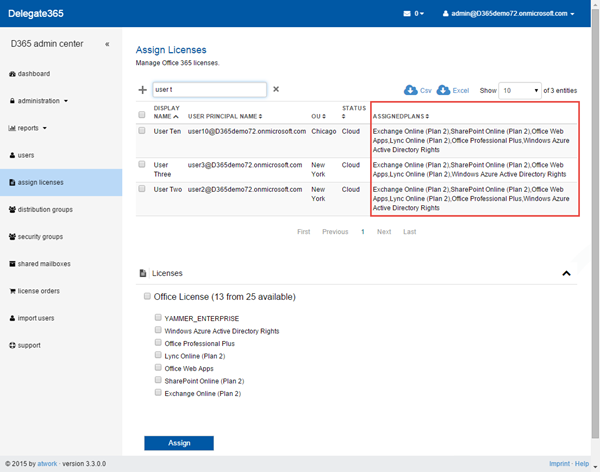
As announced in our version 3.3 article we added another feature in the new module “assign licenses”. Now this list also shows all already assigned plans for each user. There´s a new column “AssignedPlans” showing the plans of the displayed users. So this list can be used for setting and also for reporting multiple user licenses of OU´s. For doing that we had to implement an additional caching layer which is now filled by the automatic sync process. ...

March 13, 2015 · 1 min · Toni Pohl
Delegate365 changelog version 3.3-fixes, licenses and mailbox-settings

Delegate365 changelog version 3.3-fixes, licenses and mailbox-settings

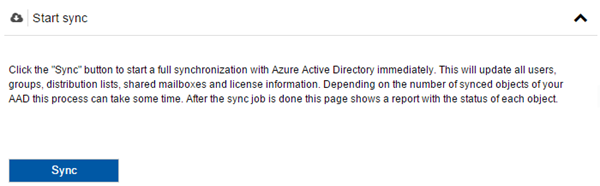
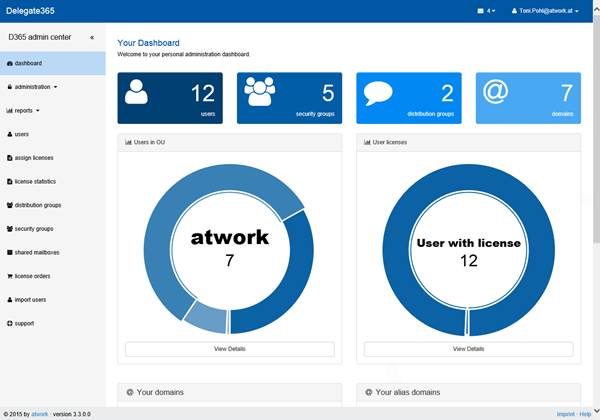
The current version of Delegate365 is version 3.3. In that version we have some new features available as well as some minor bugfixes. Let´s start with these: Bugfixes Sync licenses: It seems that there was a change in delivering the licenses information of users by Microsoft. If the Office 365 licenses of an user were changed, the license and the active plans stay unchanged. In D365 the synchronization could not update the license data correctly because it relied on that data. We found that now only the disabled plans information delivered by the interface is correct. The sync and getting and setting the licenses function has been updated to use the disabled plans data. So this version fixes all license information updates. Since the Sync functions automatically runs periodically (usually all 4 hours), there´s no need to do anything manually. Anyway, admins can click the Sync button anytime to ensure that all data in the D365 tenant are updated. ...
March 12, 2015 · 5 min · Toni Pohl
Delegate365 changelog version 3.2-mail enabled security groups

Delegate365 changelog version 3.2-mail enabled security groups

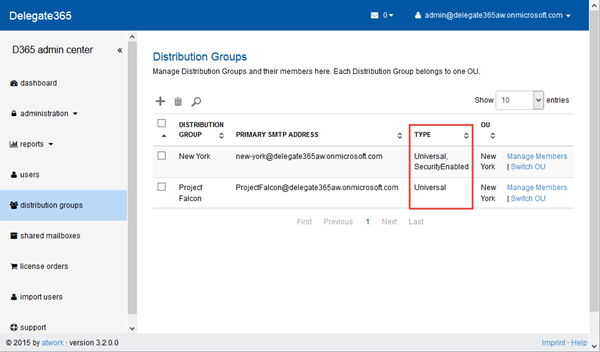
As announced here D365 version 3.2 has support of security groups. This also includes management of “mail enabled security groups”. The differences between “mail enabled security group” and “distribution group” are explained in TechNet, here´s a quick definition: Mail-enabled security group: A mail-enabled security group is an Active Directory universal security group object that can be used to assign access permissions to resources in Active Directory and can also be used to distribute messages. ...

February 23, 2015 · 2 min · Toni Pohl
Delegate365 changelog version 3.2-security groups

Delegate365 changelog version 3.2-security groups

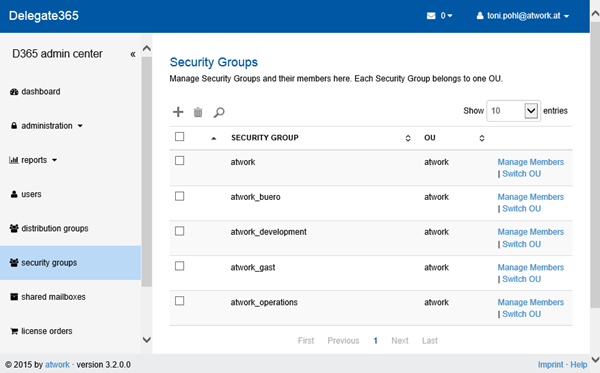
With D365 version 3.2 there comes full support of security groups with two new modules: security groups for managing these groups and memberships and the new administration / assign security groups module for assigning existing security groups to a particular OU. The security groups list works in the same way as all other lists in D365: new security groups can be created, deleted, members can be added and deleted and the OU assignment of a group can be changed. The search helps for getting access to the desired groups quickly. ...

February 12, 2015 · 1 min · Toni Pohl
How to manage self service password reset for users in Delegate365

How to manage self service password reset for users in Delegate365

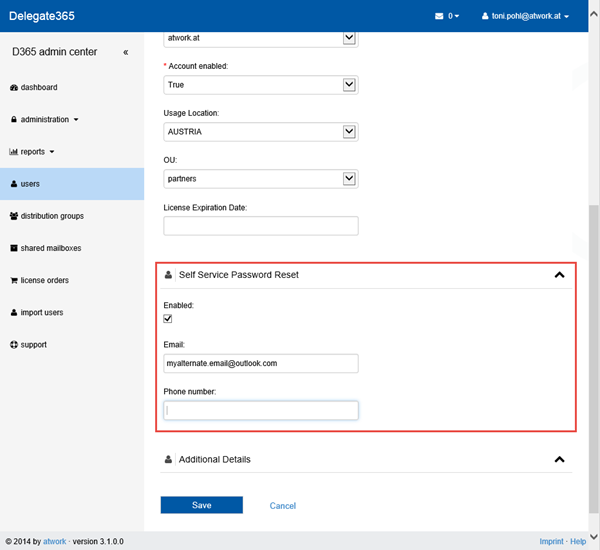
Delegate365 provides a user self service password reset (SSPR) function since version 2.1. If an user forgot his Office 365 password – and the admins allowed that function – he can self reset his password easily with D365. The SSPR feature comes automatically with Delegate365 at no additional costs. In contrast there´s Azure Active Directory in three editions (Free, Basic and Premium) where SSPR starts with the premium and basic features, see Self-service password reset for users in Azure Active Directory Editions. ...

February 6, 2015 · 4 min · Toni Pohl
How to use Office 365 MFA in Delegate365

How to use Office 365 MFA in Delegate365

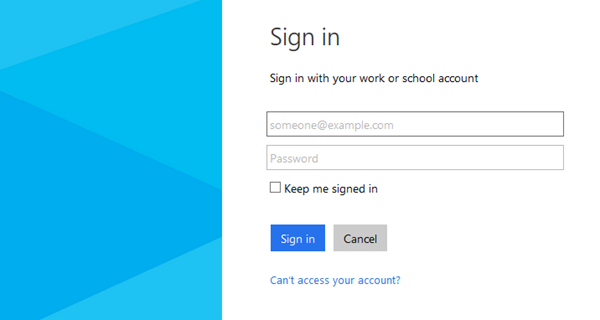
In Office 365 IT Admins can define Multi Factor Authentication (MFA) for their users to secure access for all or special user accounts. The good news is that Delegate365 supports the usage of MFA for the login process by default. MFA works exactly in the same way as usual. MFA consists of usually two factors: Something you know (typically a password) Something you have (a trusted device that is not easily duplicated, like a phone) ...

February 6, 2015 · 2 min · Toni Pohl
Delegate365 changelog version 3.1

Delegate365 changelog version 3.1

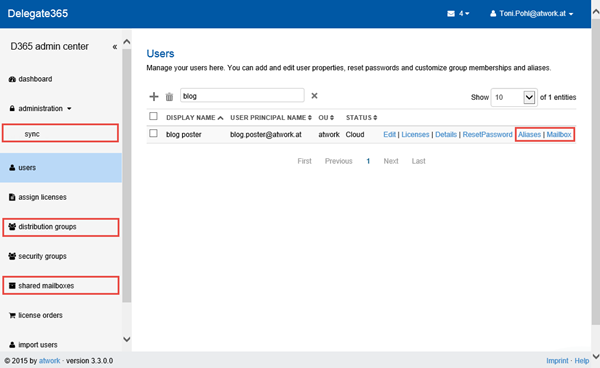
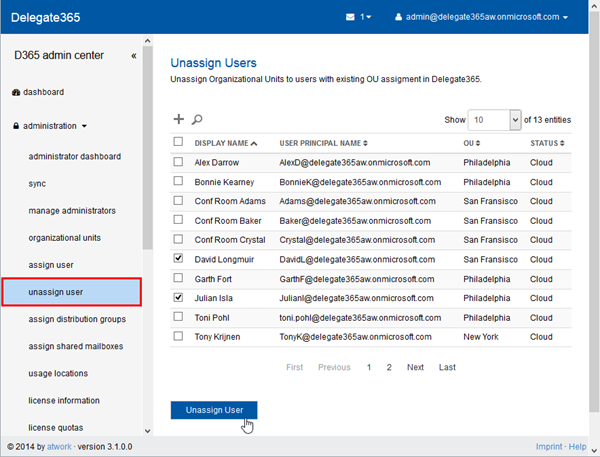
Delegate365 version 3.1 brings improvements and new features. As already announced in Delegate365 version 3.1 outlook we have some new modules and an unified user interface. Here´s a list of the main changes. New: Unassign users in the administrator menu: With this new module users who are already assigned to an OU can be unassigned. This module is only available for portal admins and works exactly in the same way as the assign users module: Search the users, mark them and click the “Unassign” button. ...

January 28, 2015 · 4 min · Toni Pohl

Delegate365 version 3.1 outlook

Delegate365 is continuously improving. We were busy and implemented new features and optimized some code in the Delegate365 solution. So, in the next version we will have some improvements, here´s a first outlook: We have completely rewritten the logging operations and are now using a new event store for protocoling detailed actions of operations. This means with version 3.1 the event sourcing is made step by step and saves all changed fields with old and new values. Starting with v3.1 all operations in D365 are protocolled step by step. Additionally we are developing an additional protocol source which delivers an overview and is good readable for humans. ...

January 22, 2015 · 3 min · Toni Pohl
How to setup an Exchange Admin in Office 365 and use this account in Delegate365

How to setup an Exchange Admin in Office 365 and use this account in Delegate365

In large organizations it´s often useful to create an own Exchange administrator for performing tasks against the Exchange API´s, f.e. with PowerShell or with third party tools like our Delegate365 solution. Here´s how to create an Exchange Admin in Office 365. There are two ways to accomplish this task: The easy way is to simply create (or use) a gobal administrator in Office 365. This user gets all rights in all services of Office 365 (AAD, Exchange, SharePoint, Lync) automatically. The second way – if your want to have an own Exchange administrator - is described here. Login in as global admin First, open the Office 365 portal https://portal.office.com with a global admin account to get full rights in that Office 365 tenant. ...

January 17, 2015 · 5 min · Toni Pohl