Delegate365-Disable MFA Legacy

Delegate365-Disable MFA Legacy

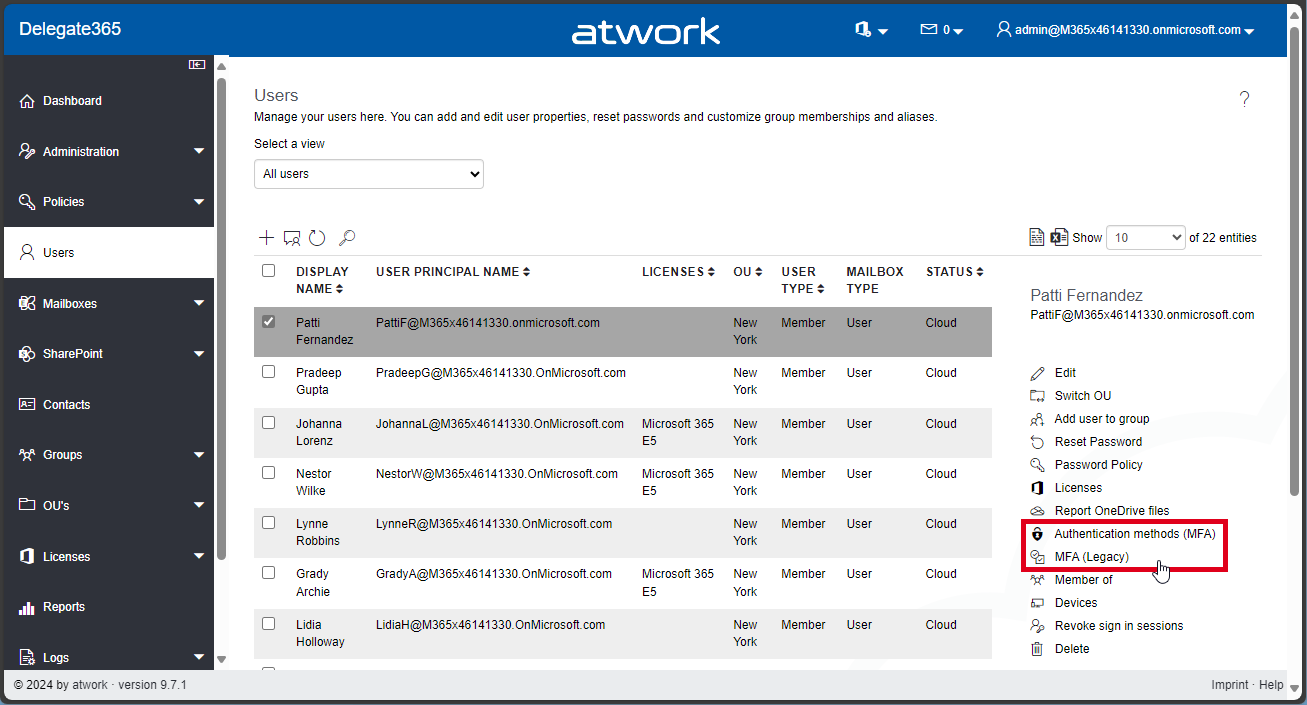
In Delegate365, there exist two methods to configure Multi Factor Authentication (MFA) for users: the functions “Authentication methods (MFA)”, and “MFA (Legacy)”. See the difference here, and how to disable the “MFA (Legacy)” feature. Authentication Methods (MFA): This is Microsoft’s modern MFA setting method. Delegate365 allows you to remove authentication methods for a user, so the user will have to reconfigure their MFA if they are removed. MFA (Legacy): This method is deprecated, which is why we called it “Legacy.” It requires a service account without MFA to work, and will stop working after March 2025, see Important update: Deprecation of Azure AD PowerShell and MSOnline PowerShell modules. Therefore, this feature is only present for historical reasons. If it is not needed, we recommend disabling it as below. ...

July 29, 2024 · 2 min · Toni Pohl
GT365-Team deep links no longer work in v2 client

GT365-Team deep links no longer work in v2 client

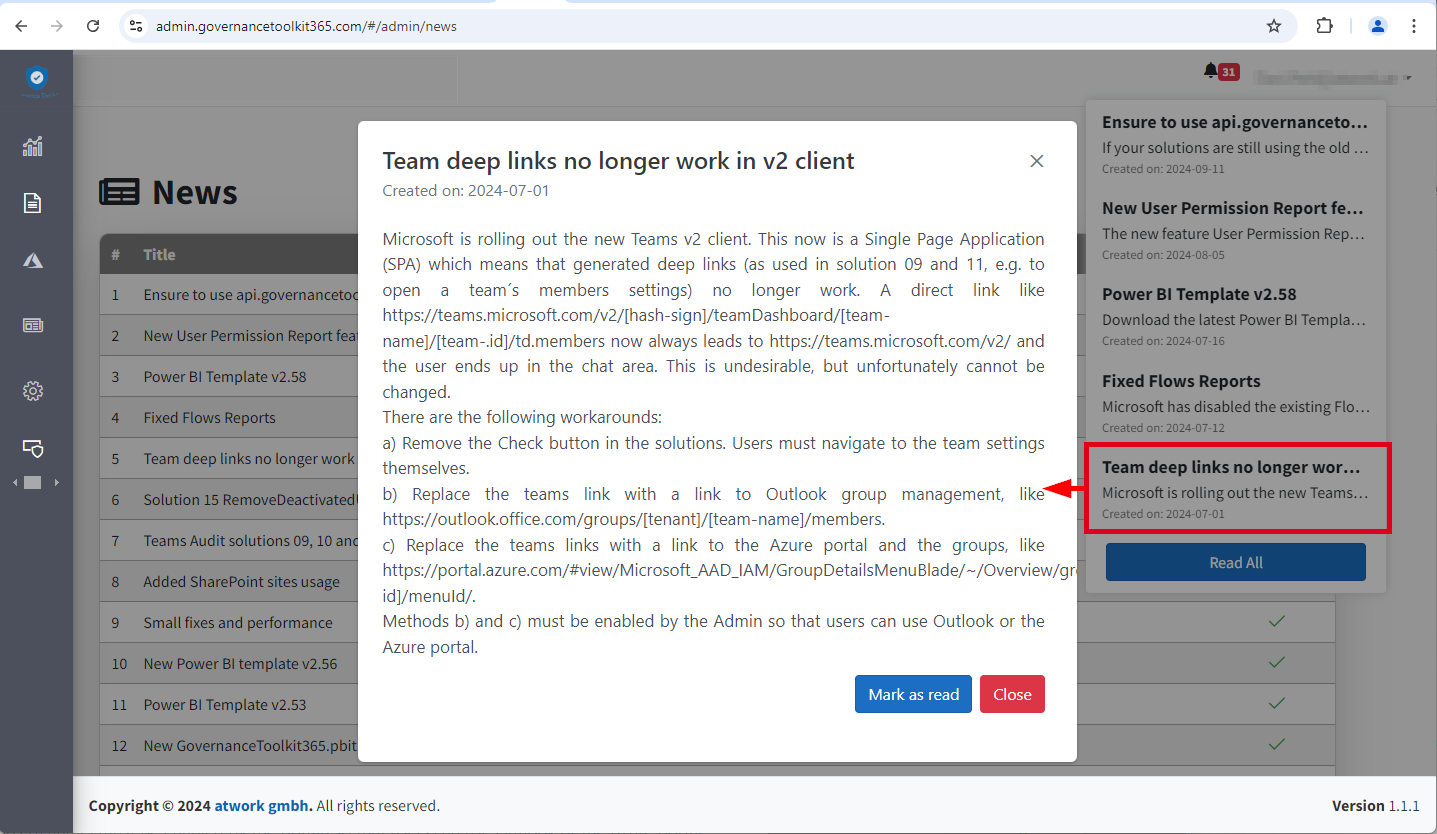
Microsoft is rolling out the new Teams v2 client. This is now a Single Page Application (SPA), which means generated deep links no longer work. Unfortunately, this also affects the GT365 solution 09 and 11, e.g. to open the settings of a team and the management of members with a button. Here you can find out why this is the case and what workarounds are possible. This means that a direct link like https://teams.microsoft.com/v2/#/teamDashboard/[team-name]/[team-.id]/td.members now always leads to https://teams.microsoft.com/v2/ and the user ends up in the chat area. This is undesirable, but unfortunately cannot be changed because Microsoft no longer supports direct links in the Teams v2 client due to the new SPA architecture. For Governance Toolkit 365 customers, see also the news entry in the GT365 admin portal. ...

July 2, 2024 · 2 min · Toni Pohl
Working with Microsoft Entra ID Applications - Part 2

Working with Microsoft Entra ID Applications - Part 2

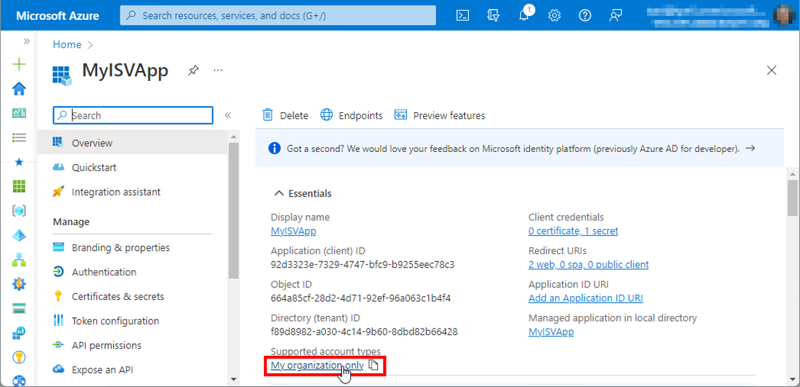
In Part 2 of this series we look into setting up and managing applications in a Microsoft 365 tenant. In Part 1, I focused on how Azure AD applications can be used to provide secure access control to data and services. I demonstrated how to create an Azure AD application in the home tenant and the importance of integrating with Azure AD for centralized app registration, management, and security measures. In this article, I will dive deeper into the topic and exploring how to use and manage a multitenant app in foreign M365 tenants. So, let’s get started! ...

May 14, 2024 · 11 min · Toni Pohl
Activate the sensitivity label for Groups and Sites with Graph PowerShell

Activate the sensitivity label for Groups and Sites with Graph PowerShell

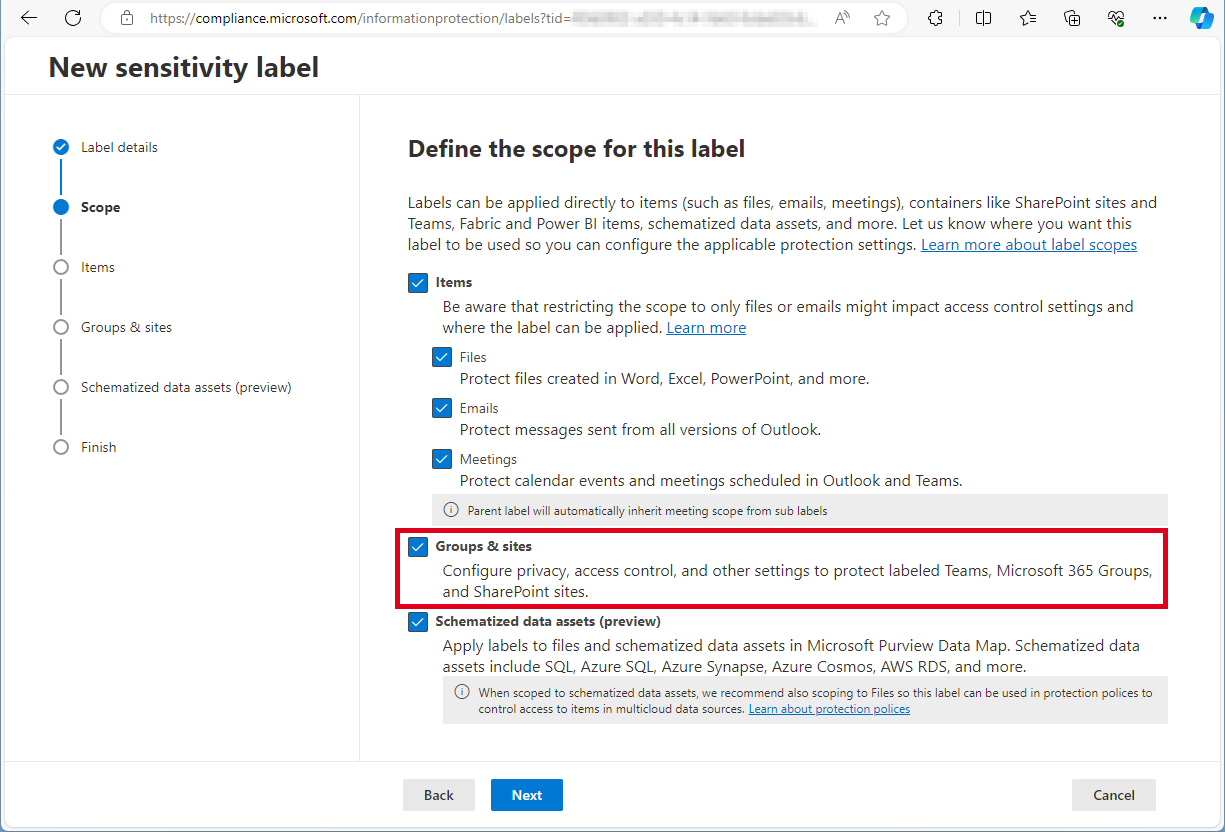
Need to activate the Microsoft 365 sensitivity labels for Groups and Sites? This must be done with PowerShell. Find the current working script here. The article Assign sensitivity labels to Microsoft 365 groups in Microsoft Entra ID describes basically how to activate the Groups and Sites settings with Microsoft Beta Graph PowerShell: “…To apply published labels to groups, you must first enable the feature. These steps enable the feature in Microsoft Entra ID….”. My colleague Christoph Wilfing corrected and completed the script so that it optimizes module loading times and works in all cases. Thx Christoph! ...

April 22, 2024 · 1 min · Toni Pohl
Delegate365 changelog 9.7-SharePoint Sharing

Delegate365 changelog 9.7-SharePoint Sharing

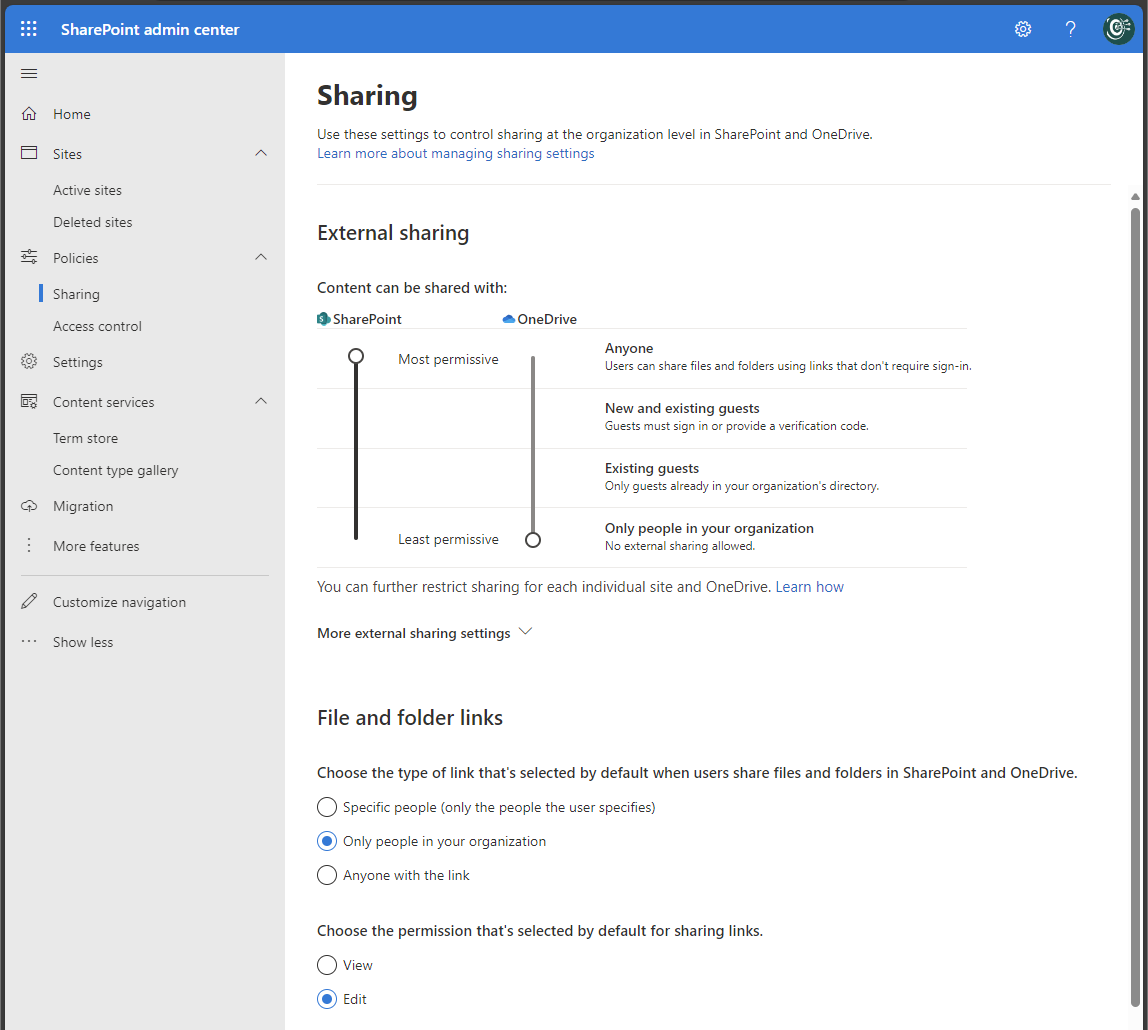
In December and January some features and fixes have been added to Delegate v9.7. In this update, administrators can allow or block sharing settings of SharePoint sites to comply with company policies. Global Sharing settings: In the SharePoint Admin Center, Global Administrators can control the sharing settings for their Microsoft 365 tenant (see more at Manage sharing settings for SharePoint and OneDrive in Microsoft 365). These settings apply to the entire organization in SharePoint and OneDrive. The screenshot below shows a typical setting for organizations that allow external and anonymous sharing to certain SharePoint sites, but want to restrict sharing from the OneDrive personal space. ...

February 14, 2024 · 4 min · Toni Pohl
A year in review. 2023 is a wrap!

A year in review. 2023 is a wrap!

2023 was the year when we finally overcame the pandemic that affected many aspects of our lives. We resumed our normal activities while also applying the lessons we learned from a challenging situation, where we had to limit our travel, social interactions, and work remotely. From a business perspective, the year was very rewarding for us. Our company, atwork, received the Innovation award 2023 from Microsoft Austria for our AI4Good project, which uses AI to assist with sign language communication in various scenarios. ...

December 31, 2023 · 2 min · Martina Grom
Delegate365 changelog 9.7-Improvements

Delegate365 changelog 9.7-Improvements

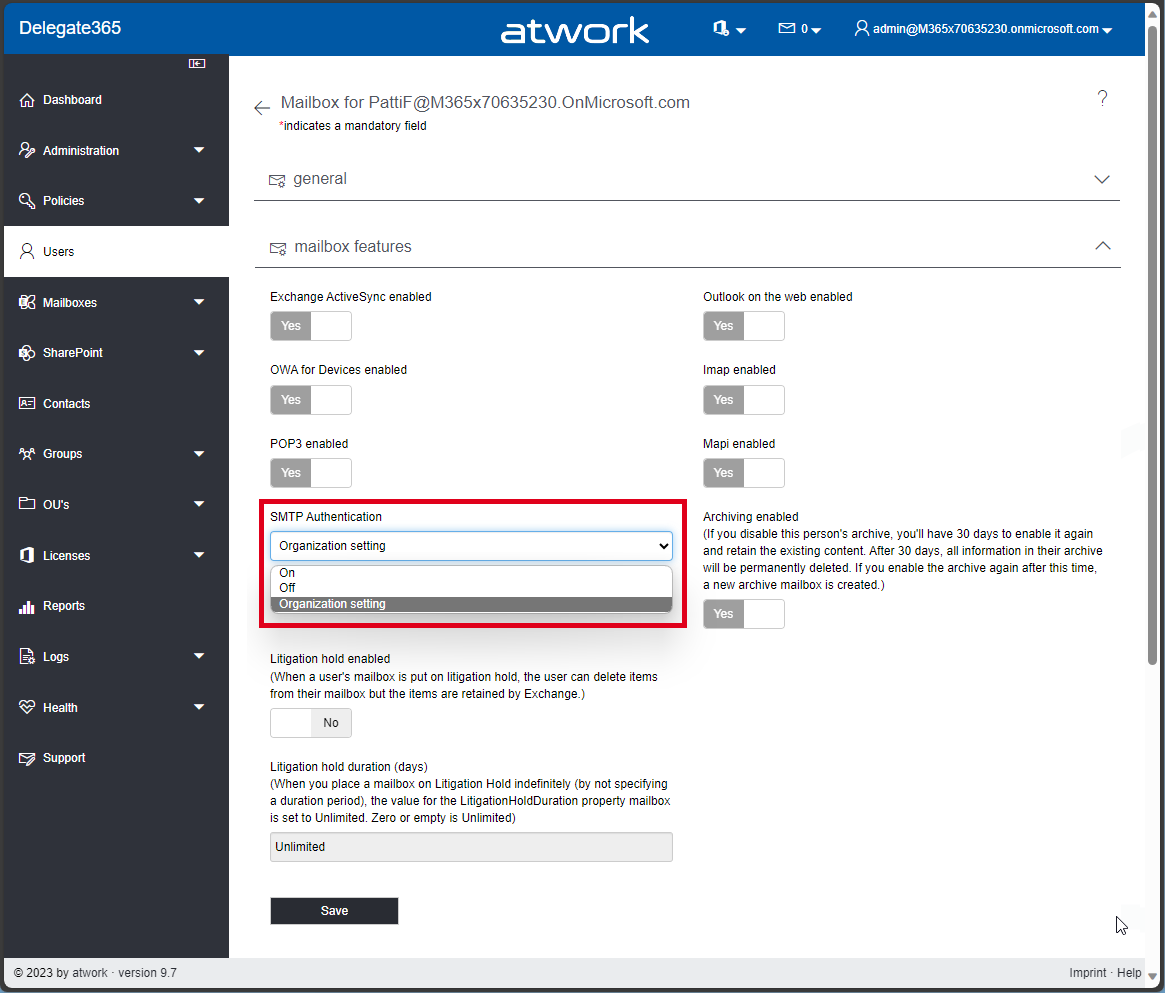
The current version of Delegate365 v9.7 comes with some improvements. See the details here. SMTP Authentication in Users / Mailbox settings: A new switch SMTP Authentication has been added to the Mailbox settings of a User. This allows, see Enable or disable authenticated client SMTP submission (SMTP AUTH) in Exchange Online. Usually, Microsoft recommends to disable SMTP AUTH in your Exchange Online organization and to enable it only for the accounts (mailboxes) that still require it. If security defaults is enabled in your organization, SMTP AUTH is already disabled in Exchange Online. However, admins can modify this setting in the Mailbox features section. The SMTP Authentication dropdown allows to set the setting to* On, Off, *and Organization settings. which means that the settings for the user are inherited from the organization´s transportation rules settings. This setting corresponds to the setting in the Microsoft 365 Admin Center, under Users / Active Users / Select a user / Manage Email Apps / Authenticated SMTP switch or with PowerShell. In PowerShell, this setting is set with Set-TransportConfig and Set-CASMailbox with an attribute named SmtpClientAuthenticationDisabled, where the organization settings are equal to $null, On means $false, and Off means $true. This is simplified in Delegate365 to be more understandable. ...

December 11, 2023 · 3 min · Toni Pohl
Dear Microsoft Entra Administrator, allow Guest users to leavelifecycle and governance for external user accounts

Dear Microsoft Entra Administrator, allow Guest users to leavelifecycle and governance for external user accounts

Sometimes being a guest in Microsoft Entra tenants feel like Hotel California: “You can check-out any time you like, but you can never leave!” It is this time of the year, where people get new phones and this comes also with some necessary cleanup task if you move from one phone to another. While the technology is really awesome today – connect old phone with new phone and transfers happen magically, there are some things that need to be done manually. Things like your Bank account access, cryptocurrency wallets, wallets, digital ID’s and last but not least – your multifactor settings. ...

October 21, 2023 · 5 min · Martina Grom
How to restrict access to an Azure AD application

How to restrict access to an Azure AD application

Azure AD provides several benefits for managing applications, including Single sign-on (SSO) for users, application management and provisioning, security and conditional access, reporting and monitoring, B2B and B2C collaboration and many more. For organizations, restricting access to an Azure AD application as an administrator is important for a number of reasons, such as increased security, compliance, following the principle of least privilege and last but not least application performance. See here how to allow applications only for certain users. ## Use applications in the Azure AD tenant ...

June 10, 2023 · 5 min · Toni Pohl
Delegate365 changelog 9.6-Premium Reports

Delegate365 changelog 9.6-Premium Reports

The latest version of Delegate365 v9.6 brings some improvements, fixes, and additional reports with the new Premium feature. See it here. Updating License Name Mappings during Sync: The background sync now checks the hash of a Microsoft service file that contains all M365-friendly license names (SKUs) and plan names. If there is a change in a Microsoft license name, the Delegate635 sync updates it´s database to always show the latest product and plan names in the licenses. With this feature, all Microsoft product names are automatically updated, regardless of what licenses the customer tenant has. If the naming is not consistent, this is unfortunately due to the quality of the data provided by Microsoft. ...

June 7, 2023 · 3 min · Toni Pohl