Power Platform Environments and Governance Tips

Power Platform Environments and Governance Tips

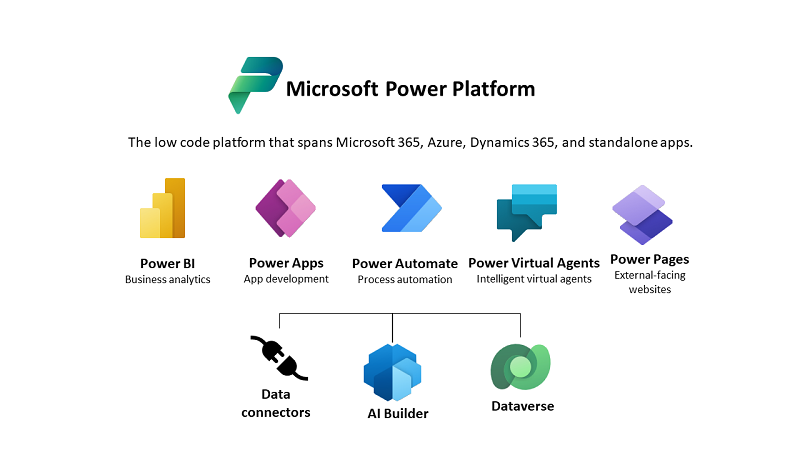
The Microsoft Power Platform enables individual solutions to be developed and business processes to be easily automated. When it comes to controlling the solutions, it is important to establish an IT governance in the organization. There are many areas and details about it. For this reason, I’ve put together a summary here with some news and helpful tips. The Microsoft Power Platform includes Power BI, Power Apps, Power Automate, and Power Virtual agents, leveraging the common infrastructure of the Microsoft Dataverse (the former Common Data Service) and Data Connectors. Dynamics 365 and the Power Platform are both deeply coupled with Dataverse and are held in containers called environments. A governance strategy usually starts with organizing the environments accordingly. Environments allow to separate Production, Test and Development. See more at Environments overview and at Microsoft Power Platform guidance documentation. ...

July 5, 2021 · 5 min · Toni Pohl
Delegate365 changelog 9.2.2-Manage group owners

Delegate365 changelog 9.2.2-Manage group owners

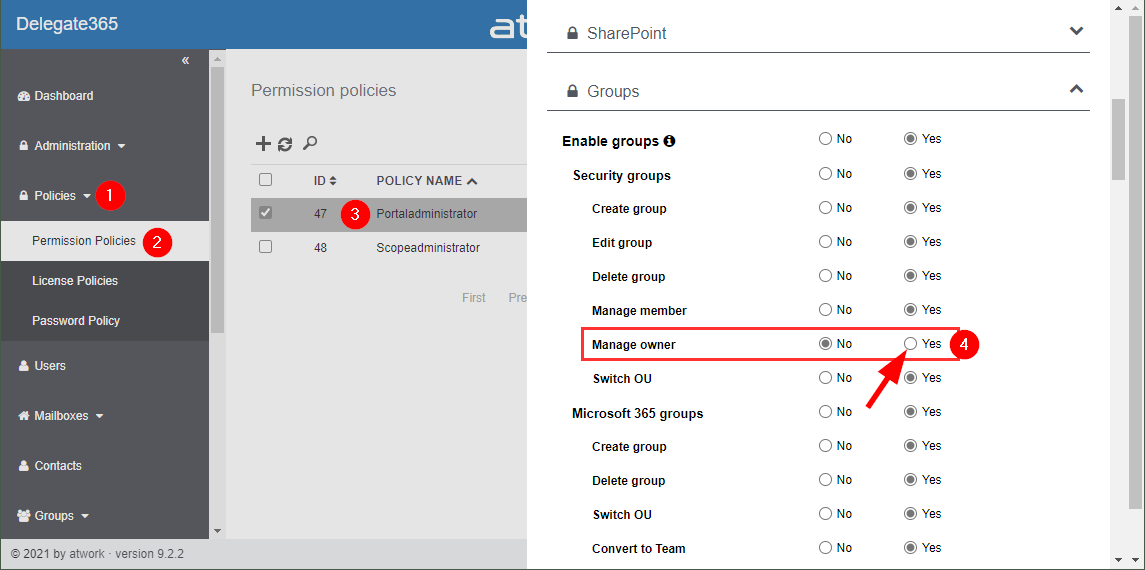
Delegate365 v9.2.2 allows to manage group owners. The permission policies have been extended and the current admin can add him- or herself or additional group owners for Security Groups and Microsoft 365 Groups. See a description of the latest features here. Enable (or disable) the manage owner feature: To enable the “manage owner” feature, you have to set the corresponding permission policies in the Groups - Security Groups - Manage owner from No to Yes, as here. Then, click on the Save button at the page end of the permission panel. By default, this new setting is disabled. So, don´t forget to switch it on, if your admins shall be able to set the group owner for security groups (in the same way as for Microsoft 365 Groups). Once the setting is set, it will be effective for all admins that have that permission policy assigned. To learn more about setting permission policies, see here. ...

June 16, 2021 · 4 min · Toni Pohl
Delegate365 changelog 9.2-PowerShell module update

Delegate365 changelog 9.2-PowerShell module update

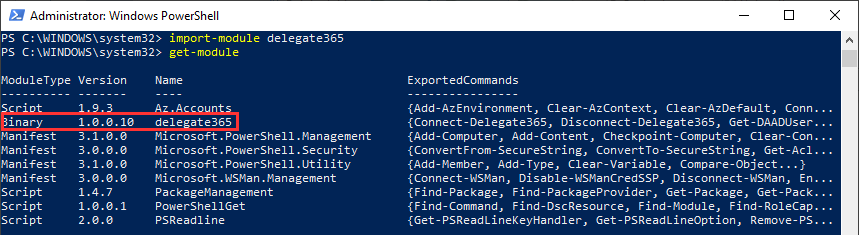
The Delegate365 PowerShell module got a small update to expand a user´s assigned licenses, license plans and proxy addresses. See the following description. See the description at https://github.com/delegate365/PowerShell how to use the Delegate365 PowerShell module- Check the Delegate365 PowerShell module version First, ensure you have the latest version of the Delegate365 PowerShell module installed. Check with Get-Module as here. The version must be 1.0.0.10 (or in future a higher version). ...

June 11, 2021 · 2 min · Toni Pohl
Work with the Delegate365 PowerShell in the Azure Cloud Shell

Work with the Delegate365 PowerShell in the Azure Cloud Shell

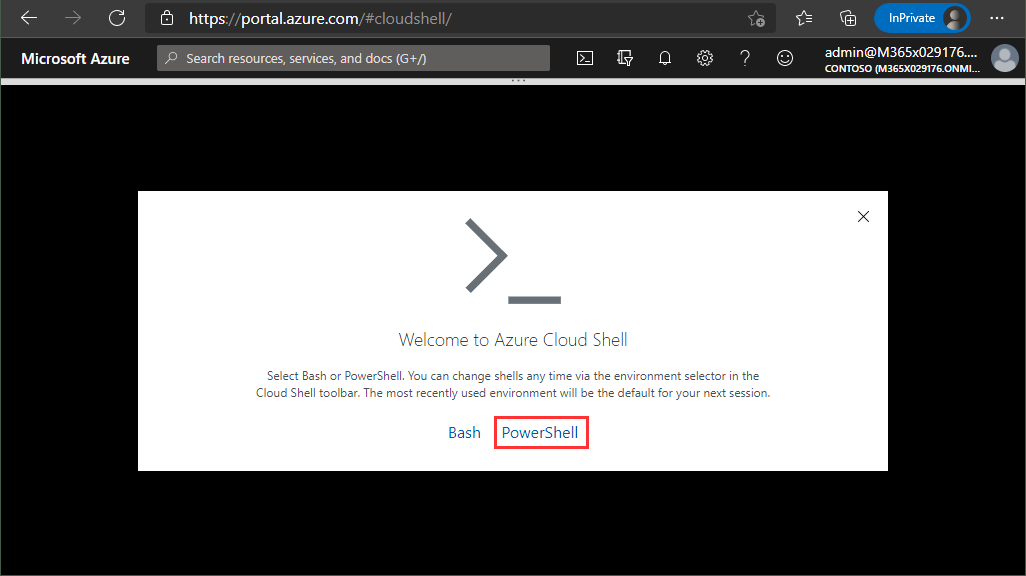
Delegate365 provides a PowerShell module to access data in Delegate365 in scripts. You can import the Delegate365 module locally, or use it in the Azure Cloud Shell as well. See here, how to use the module in Azure Cloud Shell. Here, you can find a description of the Delegate365 PowerShell module. It is hosted in the PowerShell Gallery and can be easily installed. So, here´s a step-by-step guide how to use the Delegate365 PS module. ...

May 21, 2021 · 2 min · Martina Grom
Delegate365 changelog 9.2-More improvements

Delegate365 changelog 9.2-More improvements

Delegate365 v9.2 will be extended with some new features this March. See the latest features here. See the latest features of Delegate365 v9.2 such as extended reports retention dates, new message tracing options, a new license order process, some fixes and more at Delegate365 changelog 9.2-improvements Schema Extensions: Another new feature is described at Introducing user schema extensions in Delegate365. This allows to add custom user data to Azure AD. The custom data can be used with PowerShell for own business processes. See more at how to use Azure AD schema extensions in Graph PowerShell. ...

March 8, 2021 · 2 min · Toni Pohl
When to use what Azure monitoring service

When to use what Azure monitoring service

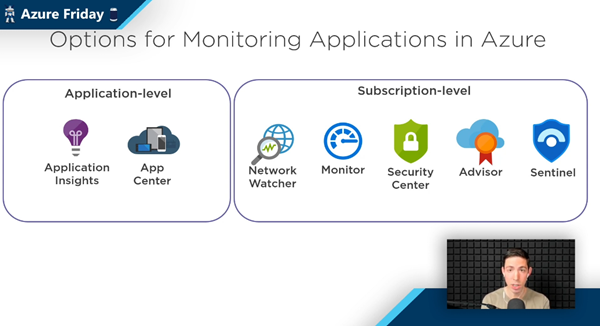
The well-known Scott Hanselman has been producing the recurring Azure Friday series for a long time. Last Friday, Scott interviewed Azure Barry (Barry Luijbregts) about “What to use for monitoring your applications in Azure”. Barry did a great overview about the main monitoring services. See the recording and a kind of summary transcript here. Azure provides a bunch of services for monitoring purposes. So, when you you use what service? To answer that, see the video at What to use for monitoring your applications in Azure | Azure Friday. ...

March 7, 2021 · 4 min · Martina Grom
Working with Azure AD schema extensions in Graph PowerShell

Working with Azure AD schema extensions in Graph PowerShell

Schema extensions enable to store extended custom data directly to objects in Azure AD. This article describes how to access data we defined and added in Introducing user schema extensions in Delegate365 with the Microsoft Graph PowerShell module. Prerequisites To work with Microsoft Graph and PowerShell, we need to install the Microsoft.Graph module as described at Install the Microsoft Graph PowerShell SDK. You can install the module in PowerShell Core or Windows PowerShell using the following command. ...

March 4, 2021 · 7 min · Toni Pohl
Introducing user schema extensions in Delegate365

Introducing user schema extensions in Delegate365

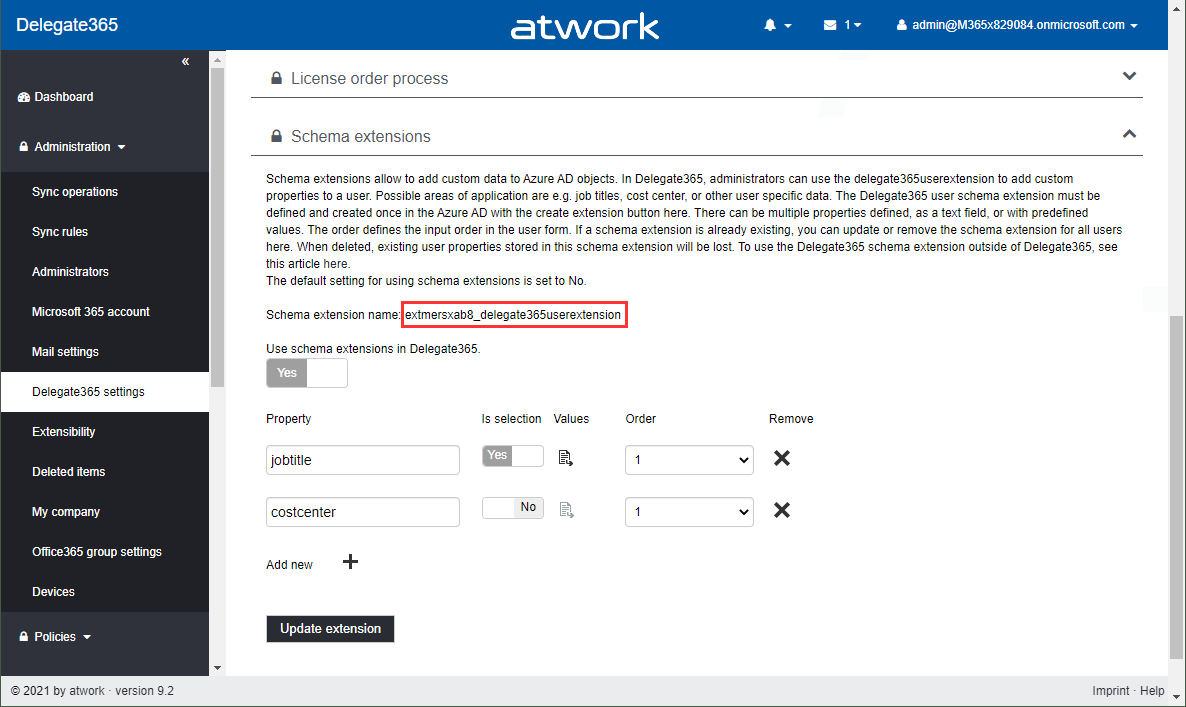
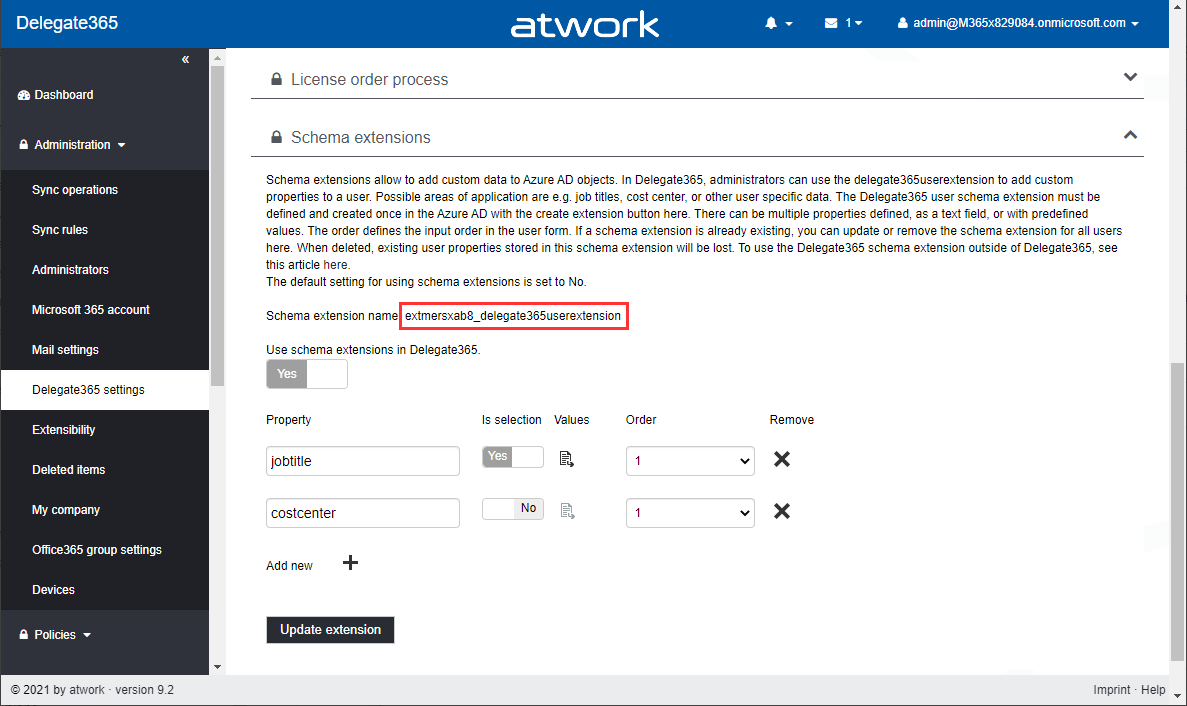
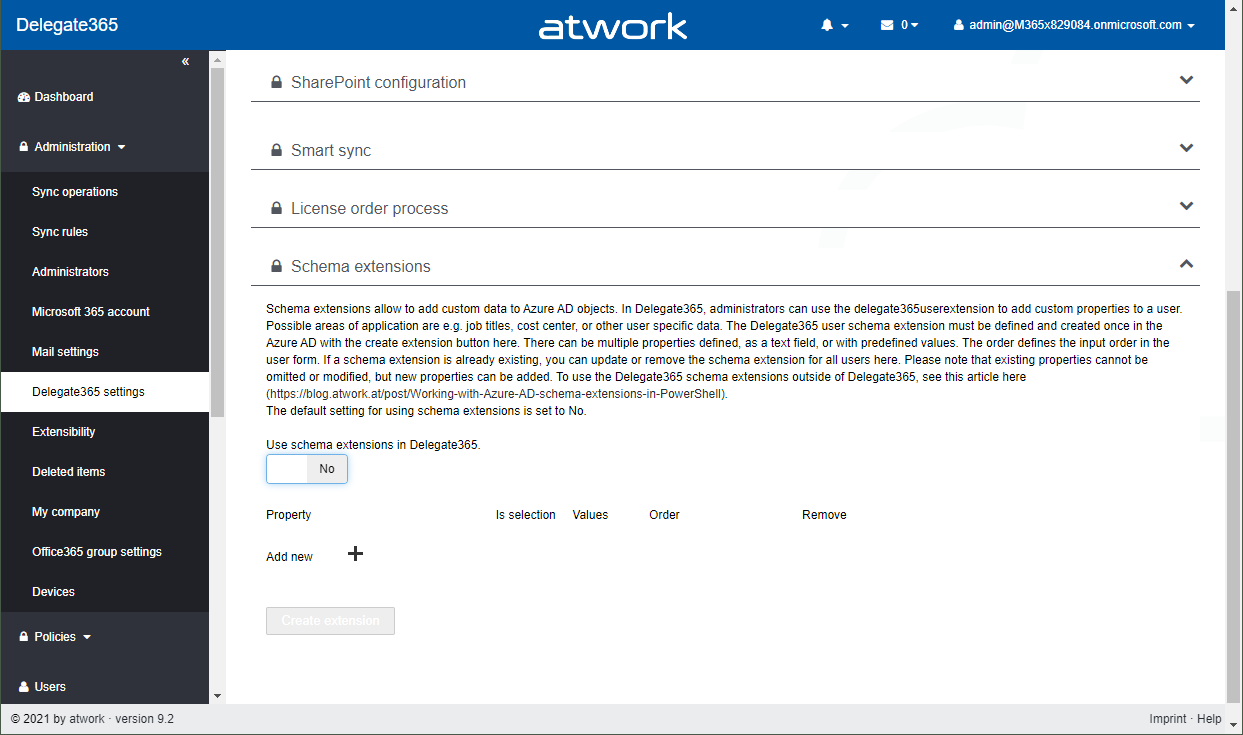
The current version of Delegate365 adds a new feature: Schema extensions for users. Schema extensions allow to add custom data to Azure AD objects. In Delegate365, administrators can use the Delegate365 schema extension feature to add custom properties to a user. Find out, how you can use the user schema extension in Delegate365 here. Possible areas of application are e.g. predefined job titles, cost center, employee type, other emails or managers, or other user specific data where there is no property in Azure AD existing. The Delegate365 user schema extension can be declared and used in Delegate365 and in the Azure AD. There can be multiple properties defined, as a text field, or with predefined values as a selection field. ...

February 25, 2021 · 5 min · Toni Pohl
Dataverse for TeamsGovernance Aspects

Dataverse for TeamsGovernance Aspects

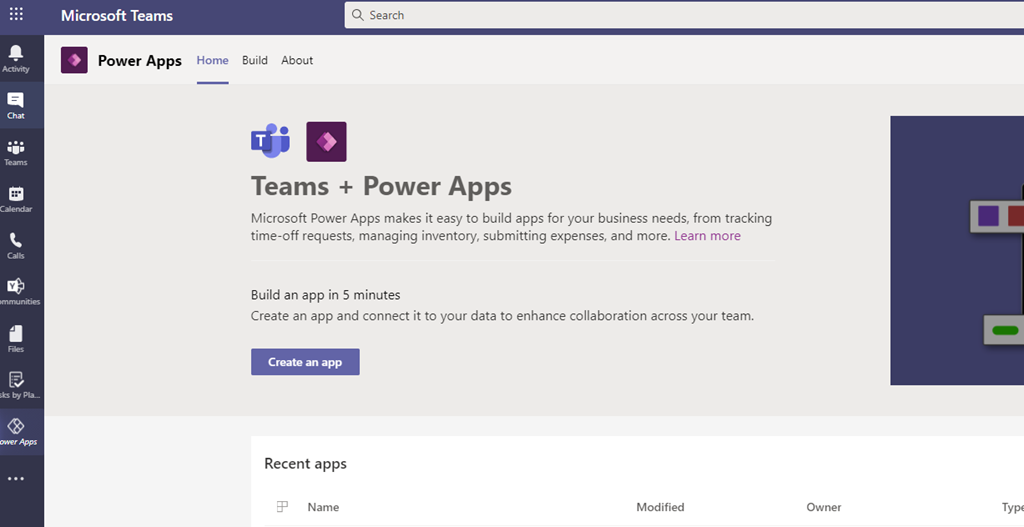
Microsoft enabled a new feature for Microsoft Teams: Dataverse (former Common Data Services –CDS) for Teams. It empowers Teams Owner to create PowerApps directly in Teams without any additional storage space for its data (e.g. a SharePoint List) To achieve that every “Power App enabled Team” gets its own Power App Environment. But there are some things to consider: Power Platform Admins can NOT control the creation of Teams (Dataverse) Environments – the only way is to disable the Teams App “Power Apps” via Teams App Policies ...

December 14, 2020 · 2 min · Peter Hödl
Delegate365 changelog 9.2-improvements

Delegate365 changelog 9.2-improvements

The next version of Delegate365 is here. Delegate365 v9.2 follows the last update v9.1. This update includes a bunch of helpful features and improvements such as SharePoint sites management, Group OU improvements, report improvements, a new message trace job and more. See a description of the new features here. License bars on the dashboard, for users and quotas: The license information is now visually improved for Portal Administrators. A license bar per license (SKU) shows how many licenses are in use and how many are available in total. The same applies to a user’s licenses… …and license quotas. The new display enables a quick view of the licenses. ...

October 22, 2020 · 6 min · Toni Pohl