Important Update for Governance Toolkit 365 Users Configuration Changes Required for Power BI Integration

Important Update for Governance Toolkit 365 Users Configuration Changes Required for Power BI Integration

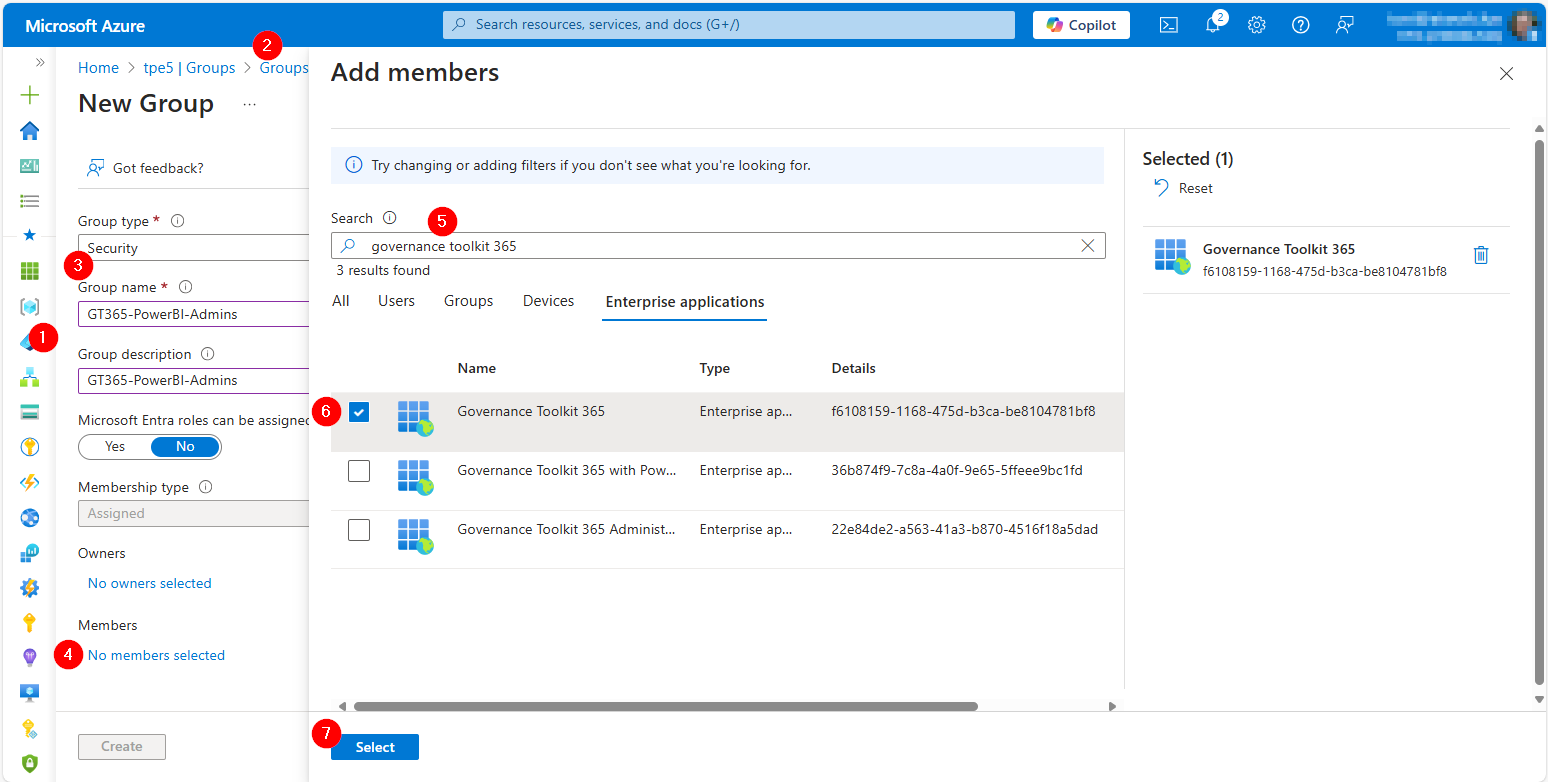
We are excited to announce an important update to our SaaS solution, Governance Toolkit 365 (GT365). To enhance security and streamline data access, we have replaced the Power BI data refresh authentication method with the Power BI built-in Admin API permissions. This change will take effect on February 21st. To ensure uninterrupted access to your Power BI data, it is crucial that you update your Microsoft 365 tenant configuration as described here. ...

February 10, 2025 · 3 min · Toni Pohl
Using Microsoft 365 Security Audit Logs to Track Copilot Usage

Using Microsoft 365 Security Audit Logs to Track Copilot Usage

In our data-driven era, gaining insights into user interactions with tools like Microsoft 365 Copilot is essential for enhancing productivity. For administrators, it is vital to know which users are utilizing a Copilot license and the specific services they are engaging with. This information helps in managing licenses effectively, ensuring that resources are allocated efficiently. The Microsoft 365 Security Audit Logs offer a detailed view of user activities, including interactions with Copilot, even when the organization’s anonymization settings are enabled. Here’s how this works. ## Get Copilot Usage with Graph Reports ...

January 24, 2025 · 7 min · Martina Grom
How to Use Power BI REST API as an Admin

How to Use Power BI REST API as an Admin

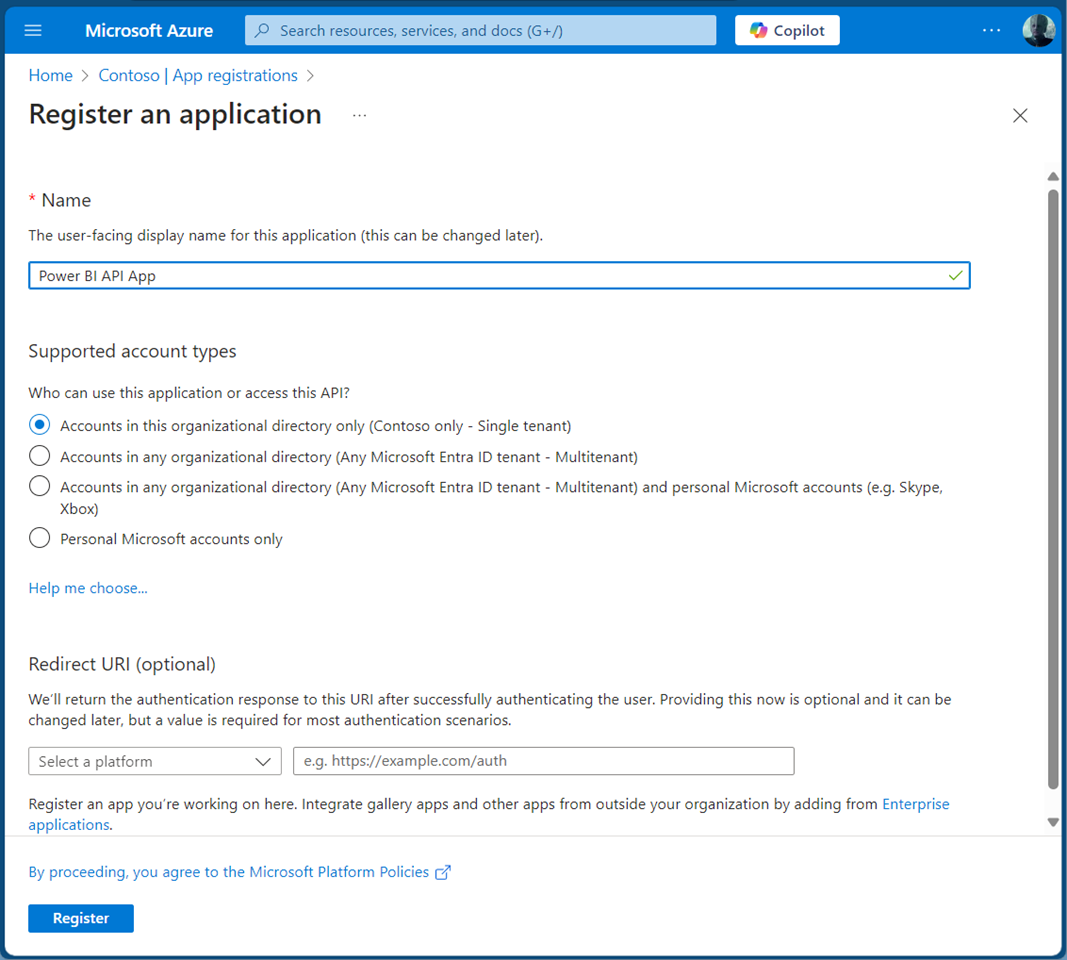
Accessing the Power BI REST API with an application is crucial for efficiently managing and monitoring your Power BI environment. This guide will walk you through using the Power BI REST API with an app as an admin. By leveraging a service principal, your app can seamlessly authenticate and interact with Power BI resources. This allows our app to read Power BI workspaces and usage data automated to streamlines administrative tasks in Power BI. A Service Principal Name (SPN) is an authentication method that enables a Microsoft Entra application to access Microsoft Fabric content and APIs. When you create a Microsoft Entra app, a service principal object is automatically generated. This object, commonly referred to as the Service Principal, allows Microsoft Entra ID to authenticate your app. Once authenticated, the app can access resources within the Microsoft Entra tenant. See more at Service principals can access read-only admin APIs. and Tenant settings index. ...

November 1, 2024 · 5 min · Toni Pohl
Grant permissions to the GT365 app

Grant permissions to the GT365 app

Our Governance Toolkit 365 (GT365) provides information and automation solutions for a Microsoft 365 tenant. In order to use the functions, this app must be approved by an administrator. In addition, new solutions are constantly being added. Some of these also require new permissions. You can find out how you as an administrator can grant and renew these permissions here. GT365 requires an app “Governance Toolkit 365” that reads the data from the M365 tenant and collects it for further actions. An administrator must approve this app so that the functions can be used. There are the following functions that administrators can perform: ...

August 7, 2024 · 7 min · Toni Pohl
GT365-Team deep links no longer work in v2 client

GT365-Team deep links no longer work in v2 client

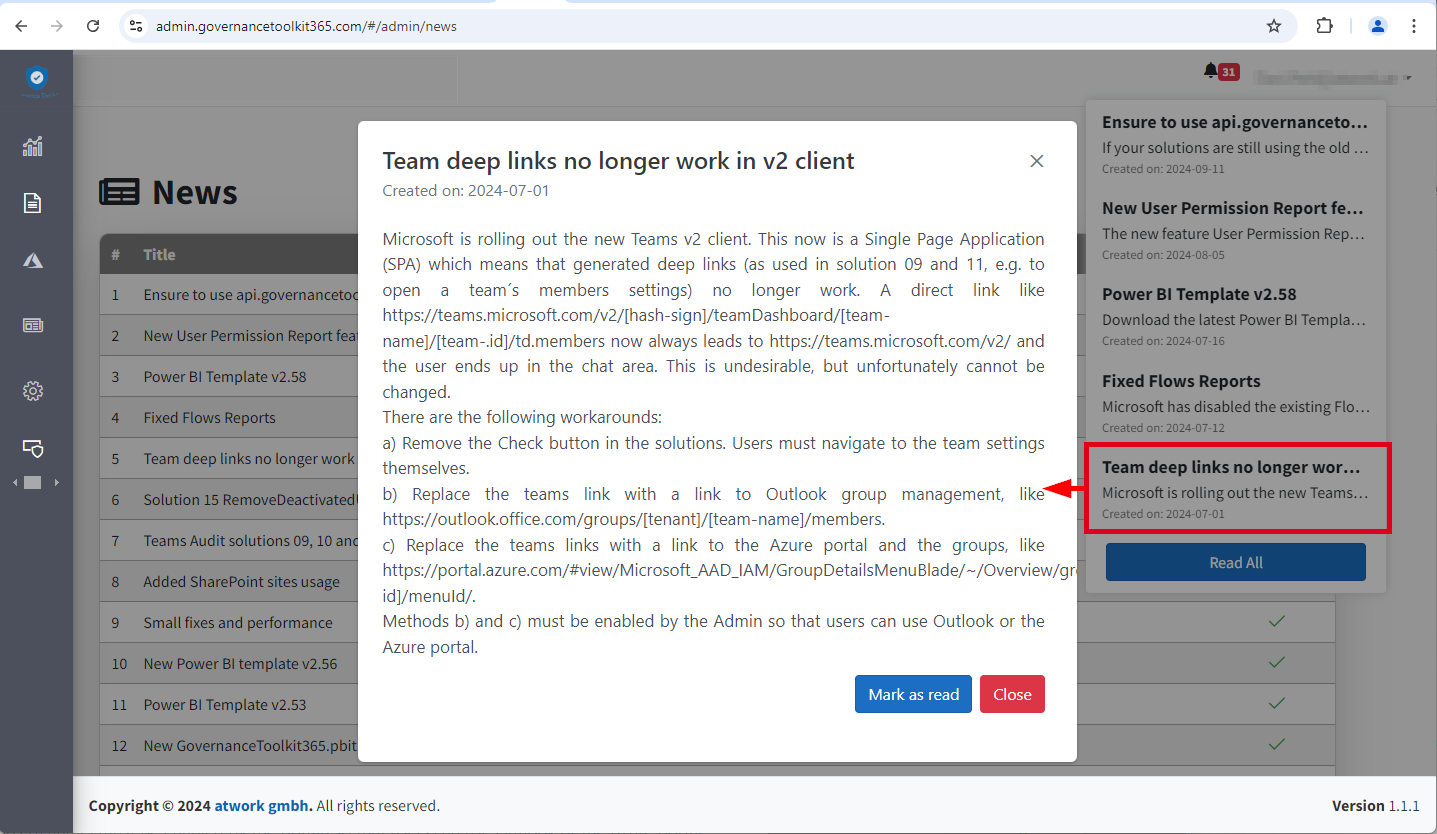
Microsoft is rolling out the new Teams v2 client. This is now a Single Page Application (SPA), which means generated deep links no longer work. Unfortunately, this also affects the GT365 solution 09 and 11, e.g. to open the settings of a team and the management of members with a button. Here you can find out why this is the case and what workarounds are possible. This means that a direct link like https://teams.microsoft.com/v2/#/teamDashboard/[team-name]/[team-.id]/td.members now always leads to https://teams.microsoft.com/v2/ and the user ends up in the chat area. This is undesirable, but unfortunately cannot be changed because Microsoft no longer supports direct links in the Teams v2 client due to the new SPA architecture. For Governance Toolkit 365 customers, see also the news entry in the GT365 admin portal. ...

July 2, 2024 · 2 min · Toni Pohl
Governance Toolkit 365-Improvements July 2022

Governance Toolkit 365-Improvements July 2022

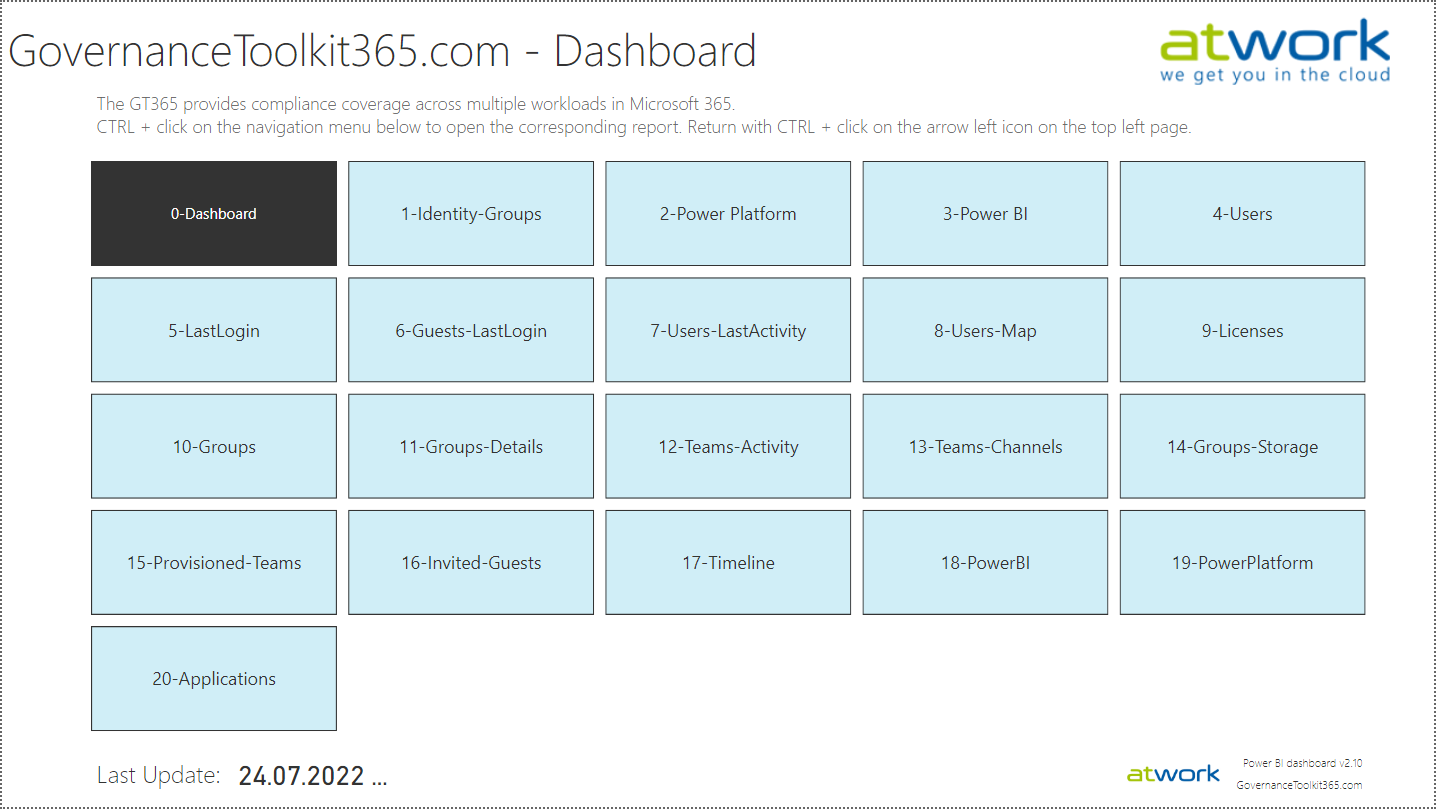
The Governance Toolkit SaaS solution provides compliance coverage across multiple workloads and offers self-services for users. We have added many new improvements and services over the past few months. We started the Governance Toolkit 365 (GT365) journey at the Microsoft Ignite conference in 2018, when my colleague Martina Grom showed a first version how to develop a Power BI governance board for Microsoft 365 and an endpoint to provision a new Microsoft 365 Group with an approval workflow. We saw that there was a great need for governance in the market and from there we developed our solution as Software-as-a-Service offering. One of the great advantages of the GT365 is that it runs completely with the on-board tools of Microsoft 365 and can be completely flexibly customized. You can find more information and test GT365 anytime at governancetoolkit365.com . ...

July 31, 2022 · 8 min · Toni Pohl
Governance Toolkit 365-Turn off obfuscation

Governance Toolkit 365-Turn off obfuscation

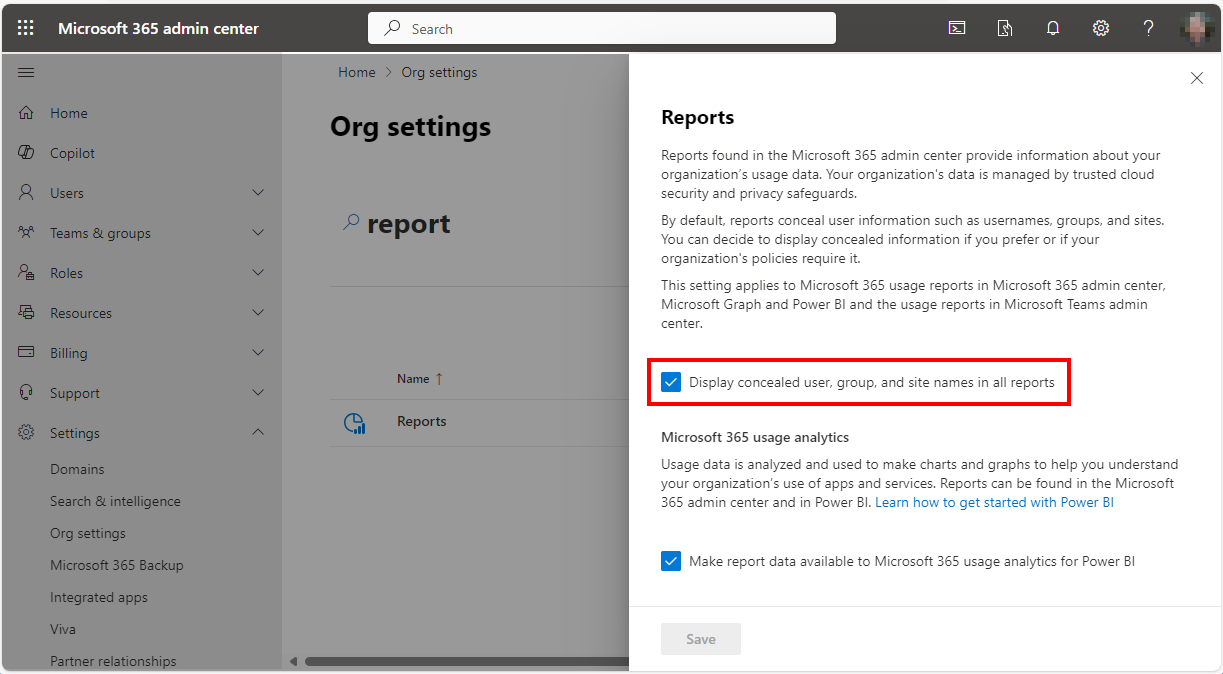
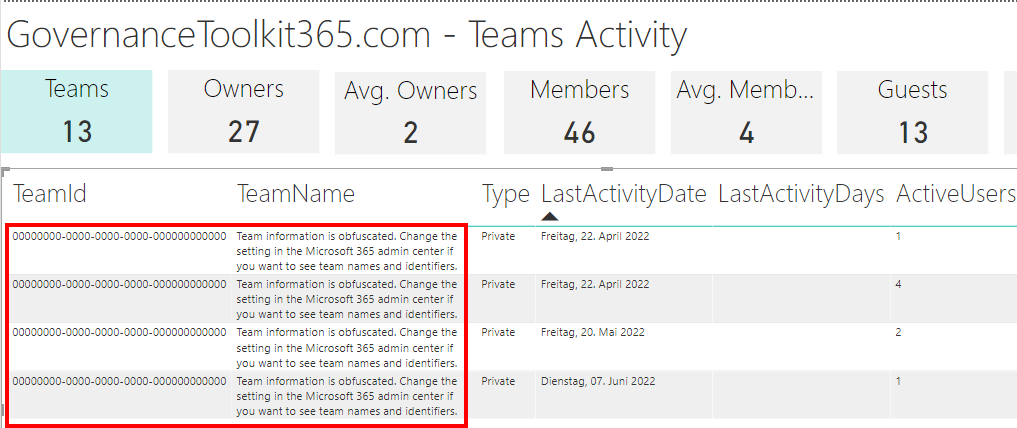
The Governance Toolkit 365 (GT365) provides many insights from a Microsoft 365 tenant, like users, guests, teams, activities, Power Apps and Flows, Power BI reports and much more. If reports don’t show names, IDs, or other details, you’ll need to turn off the obfuscation feature in the Microsoft 365 admin center. Here´s how. The reports Here’s an example of a Teams activity report showing when Teams were last accessed. As you can see in the following screenshot, the TeamId and the TeamName are not shown correctly. ...

June 20, 2022 · 2 min · Toni Pohl