How to develop an Office App in real world-part 2

How to develop an Office App in real world-part 2

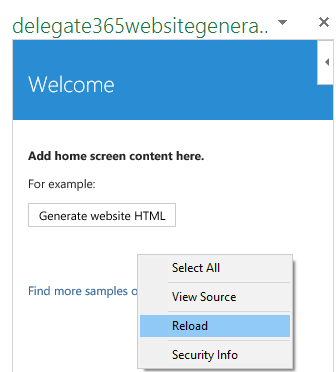
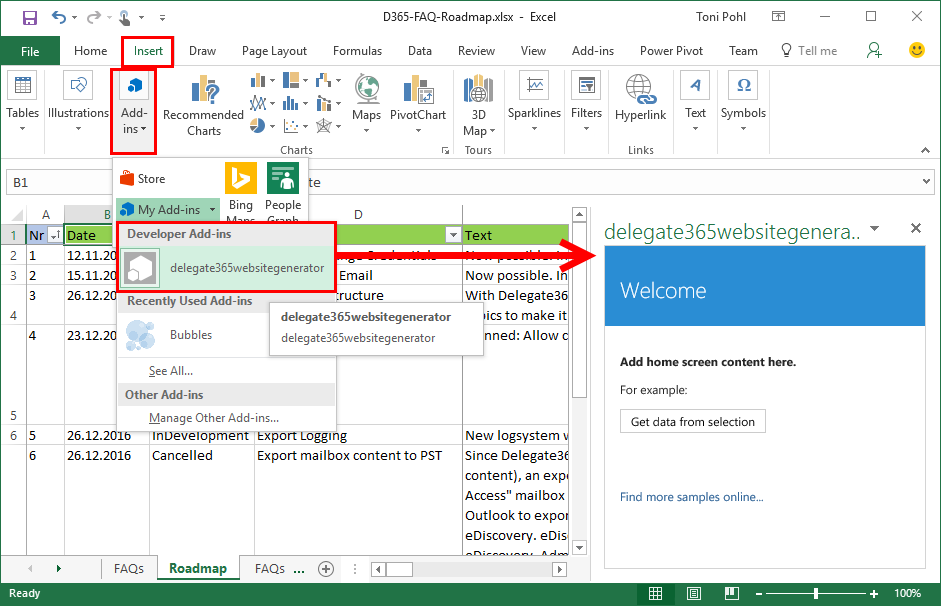
After part 1, we now look into the app side of our Excel solution. I want to point out some basics here to make it easy for developers to create their first Office App (with Excel). Here we go. Working with the API To easily access the Excel or Word functions with JavasScript, Microsoft provides an object with an anonymous function and a context (*ctx *here) as parameter. So, accessing Excel works basically as here: ...
December 30, 2016 · 4 min · Toni Pohl
How to develop an Office App in real world

How to develop an Office App in real world

Sometimes, it’s the small things that cost (unnecessarily) time. Recently, I wanted to create a quick Office App for an existing Excel file to loop through rows and do some transformation for the values. I was stumbling over some topics when developing in real world. So here’s my short How To for working with Visual Studio and Office Apps with helpful tips. Set the start document If you are not used to develop Office Apps often, this maybe isn’t easy to find: How to set an existing document as start file. ...

December 29, 2016 · 4 min · Toni Pohl

SharePoint Framework Developer Preview Release is here

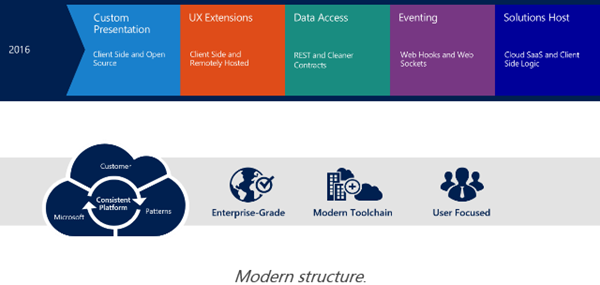
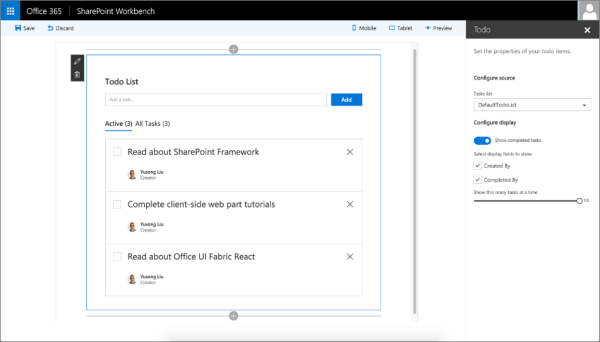
After the announcement on May 4th at the Future of SharePoint event, now the first public developer preview of the SharePoint Framework is available. The SharePoint Framework enables developers to build client-side web parts using “modern script development tools” – this means Javascript and related web components and tools. The new SharePoint Workbench allows developers to test and deploy client-side web even offline! Read the details in the Office Dev Center in SharePoint Framework Developer Preview Release! ...

August 18, 2016 · 1 min · Toni Pohl

Monaco Editor in eigene Web-Apps integrieren

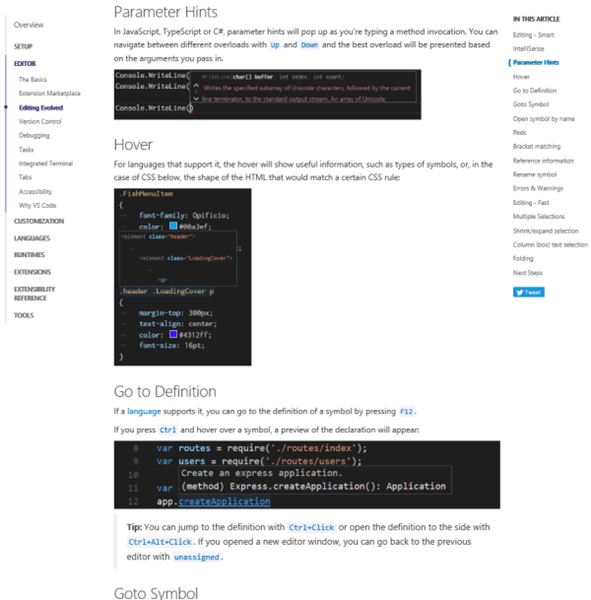
Visual Studio Code verwendet ihn. Und man kann ihn auch selbst in eigenen Projekten verwenden: Den unglaublich coolen Monaco-Editor! Dieser Editor ist ein browser-basierter Code Editor, mit IntelliSense für JavaScript, JSON, HTML, CSS, Less, Sass, C# und TypeScript Support und vielem mehr. Und er kann in eigenen Web-Apps verwendet werden. Eine detaillierte Beschreibung des Monaco-Editors ist unter (Visual Studio Code) Editing Evolved vorhanden. Hier werden die coolen Features des Editors und Tipps und Tastenkombinationen beschrieben. ...

August 5, 2016 · 2 min · Toni Pohl

Einführung in das neue SharePoint Framework

Passend zu meinem letzten Blogpost mit dem Hinweis zum Office 365 Developer Podcast möchte ich Software-Entwicklern das neue SharePoint Framework vorstellen. Doch schön der Reihe nach… Mit der Vorstellung von SharePoint 2016 Anfang Mai (siehe Future of SharePoint) hat Microsoft ein neues Entwicklungsmodell für SharePoint vorgestellt: Das SharePoint Framework. Anstelle von Server-seitigem Development (so, wie es von der ersten SharePoint Version mit ASP und ab 2003 ASP.NET – mit Ausnahme des neuen App Modells - bis heute der Fall war…) tritt nun Client-seitiges Development. Für Entwickler bedeutet das in einem Wort gesagt: Javascript! ...

July 28, 2016 · 4 min · Toni Pohl

Visual Studio Code den Run-Button für Websites beibringen

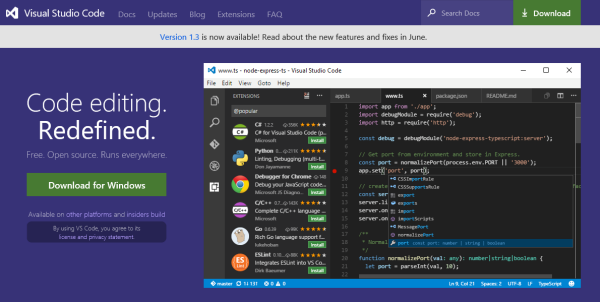
Visual Studio Code ist eine feine Sache. Das kostenlose Entwicklungssystem für Windows, OS X und Linux ist unter https://code.visualstudio.com downloadbar und stellt neben einem sehr leistungsfähigen Editor mit IntelliSense und Debugging, Git-Support und Extensions auch Runtimes für Node.js, .NET Core, Unity und Office bereit. Apropos Runtime: Wie sieht es mit Webprojekten aus? Das müssen wir Visual Studio Code erst beibringen… Visual Studio Code for all Für alle jene, die neu in Visual Studio Code (VSC) sind, informiert die Startseite The Basics of Visual Studio Code über den Editor und seine Leistungsfähigkeit. ...

July 28, 2016 · 4 min · Toni Pohl

TypeScript 2.0 Beta

Das Microsoft TypeScript Entwicklungsteam war fleißig und hat gestern im MSDN Blog die TypeScript 2.0 Beta-Version angekündigt, siehe Announcing TypeScript 2.0 Beta. Neuerungen in TypeScript Version 2 sind unter anderem Non-nullable Types, Easier Module Declarations, Control flow based type analysis, The never type, Read-only properties and index signatures, Glob support in tsconfig.json , Wildcard character in module names, Support for UMD module definitions und vieles mehr. Im Detail gibt es die Neuerungen im GitHub Wiki von Typescript nachzulesen: ...

July 12, 2016 · 1 min · Toni Pohl