Streamlining Automation Integrating Scripts with Logic Apps

Streamlining Automation Integrating Scripts with Logic Apps

Calling scripts from an Automation Account in a Logic App is particularly useful when the tasks to be performed are too complex to implement directly in a Logic App. It is also useful when scripts need to be reused multiple times without rewriting them in each Logic App. See how to enhance your Logic Apps with Automation Account Scripts. Such an integration allows for centralized management and updating of scripts to ensure consistency and maintainability. Finally, it is useful when advanced functions and modules available in PowerShell or Python are needed. ...
January 7, 2025 · 4 min · Martina Grom
Azure Logic Apps Toolbox 10-Dynamic access to keys and values in a JSON object

Azure Logic Apps Toolbox 10-Dynamic access to keys and values in a JSON object

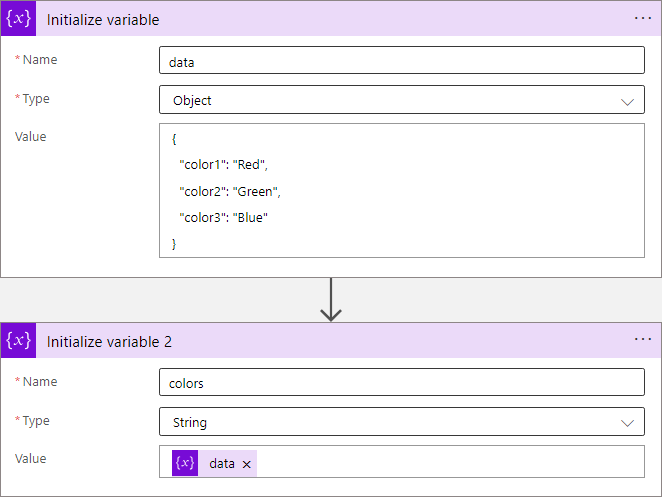
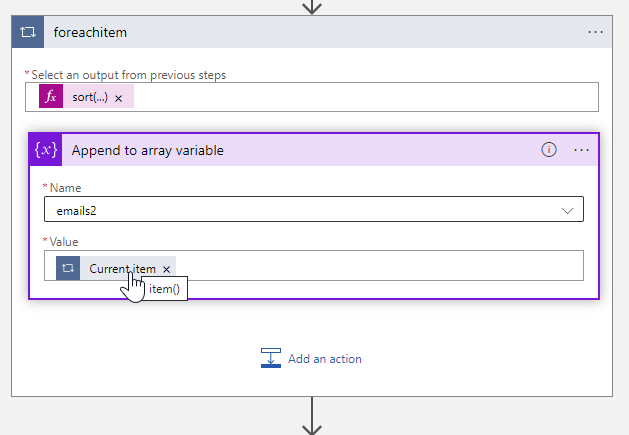
In Azure Logic Apps, looping through objects is a common requirement. When we have prior knowledge of an object’s properties, the process is straightforward. However, things get more challenging when attempting to access properties dynamically. See a method to access data in a JSON object dynamically here. JSON (JavaScript Object Notation) is a format for storing and transferring data. Here we want to dynamically access data from a JSON object in an Azure Logic App. To demonstrate this, consider this example. ...

June 1, 2024 · 8 min · Toni Pohl
Azure Logic Apps Toolbox 9-More useful Tips

Azure Logic Apps Toolbox 9-More useful Tips

By working with Azure Logic Apps, data can be processed very quickly and conveniently. Sometimes small details are a challenge, like function names or correct syntax. This is especially true if you don’t work with logic apps all the time. In addition to our existing tips here in the blog, we have some other useful functions from various scenarios that will make your work with Logic Apps easier. If you are interested, we have already collected a number of tips in our blog in category Logic Apps. So, here are some more general tips for your flows. ...

October 5, 2023 · 4 min · Toni Pohl
Why we need the Power Platform

Why we need the Power Platform

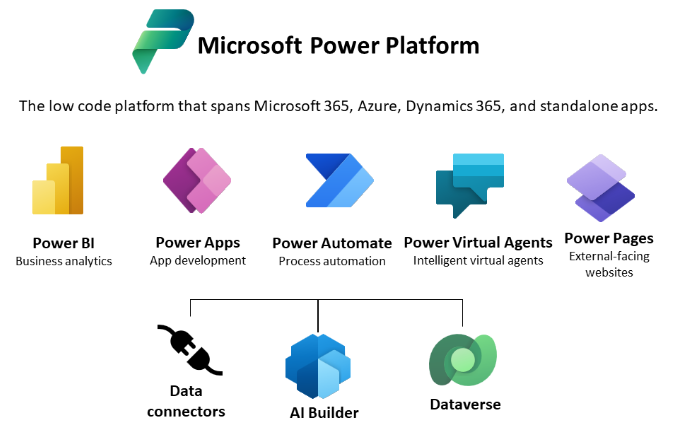
Today, a quick tip on an article about one of Microsoft’s fastest growing companies: Helping power users to build business apps with low-code and no-code apps. Helping regular folks build business apps The article on protocol.com is about Charles Lamanna, who is corporate vice president of Microsoft Business Applications. Charles Lamanna runs one of Microsoft’s fastest-growing businesses: Helping regular folks build business apps Microsoft’s Power Platform strategy is to allow non-technical people to build applications for their team’s needs with it´s Power Platform, which basically includes Power BI, Power Apps, Power Automate and other services out of Microsoft 365 and Dynamics 365, as the following graphics illustrates. ...

July 24, 2022 · 2 min · Toni Pohl
Azure Logic Apps Toolbox 8-Secure your secrets with Azure Key Vault and Managed Identity

Azure Logic Apps Toolbox 8-Secure your secrets with Azure Key Vault and Managed Identity

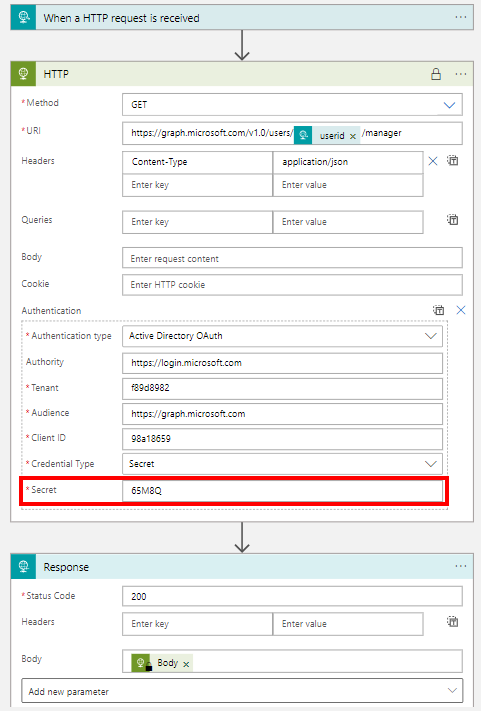
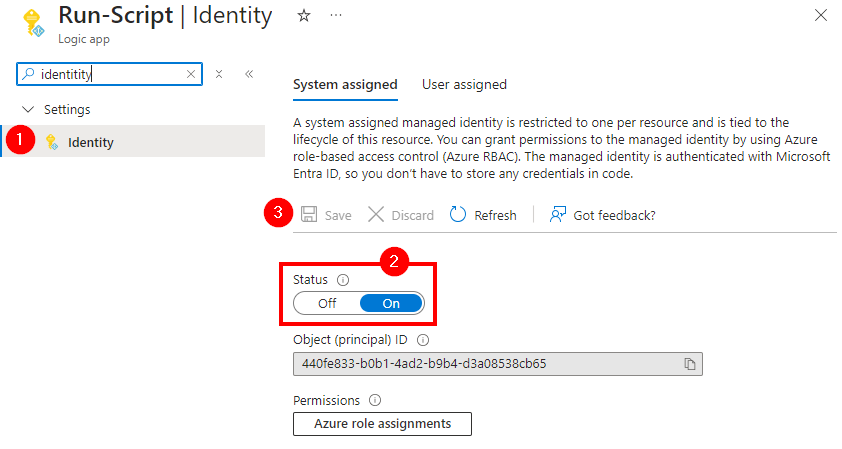
Credentials and secrets should be stored in a secure environment and not directly in an Azure Logic App or script. Azure provides the Key Vault service, which allows to store such secrets in a secure and controllable way. See how this works here. What is a secret? The Microsoft documentation of Azure Key Vault describes secrets follows: “A secret is anything that you want to tightly control access to, such as API keys, passwords, certificates, or cryptographic keys.” at Azure Key Vault basic concepts and at Azure Key Vault security. So you want to store ALL secrets in a safe location, in a Key Vault, and access them from other services. This can be done within Azure resources with a Managed Identity (see below). In this article we will focus on using an Azure Key Vault and storing such secrets and accessing them later in this step-by-step guide. ...

April 24, 2022 · 8 min · Toni Pohl
Azure Logic Apps Toolbox 7-Resolve issues with the SharePoint Connector

Azure Logic Apps Toolbox 7-Resolve issues with the SharePoint Connector

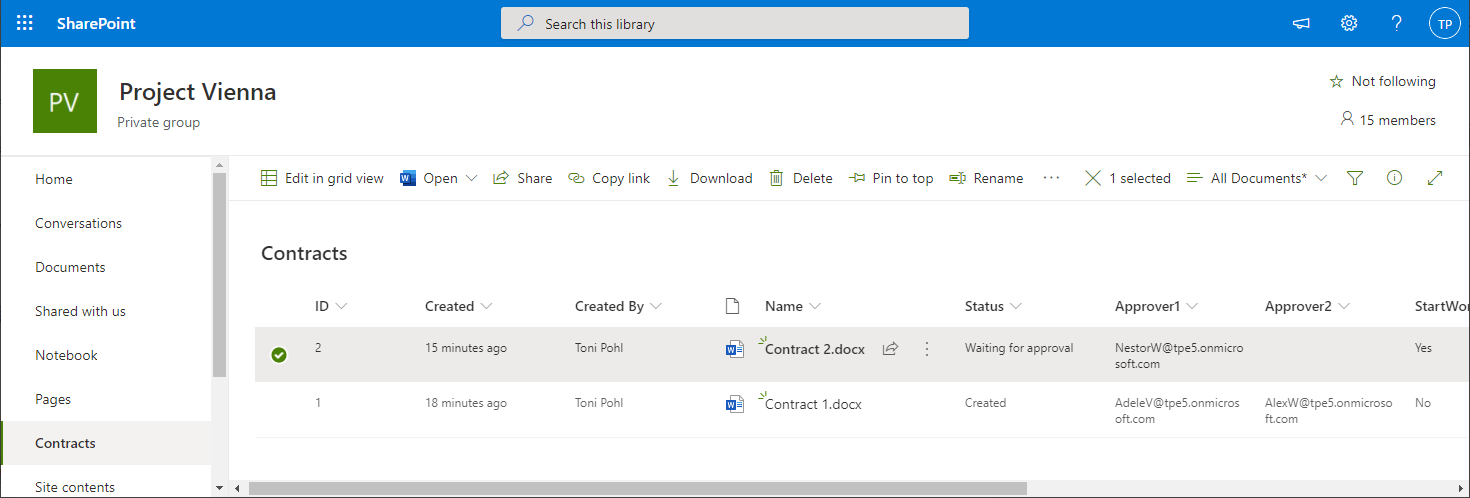
Using SharePoint Online (SPO) and Azure Logic Apps helps to automate processes. For a project, we have created some workflows with Azure Logic Apps that monitor changes to an SPO list or document library for approvals and other document workflows. We have found that the SPO connector does not always send all data in a reproducible manner: sometimes some fields were sent and sometimes not. We struggled with this behavior and found an unexpected workaround. ...

March 11, 2021 · 4 min · Toni Pohl
Azure Logic Apps Toolbox 6-Work with items in Apply to each

Azure Logic Apps Toolbox 6-Work with items in Apply to each

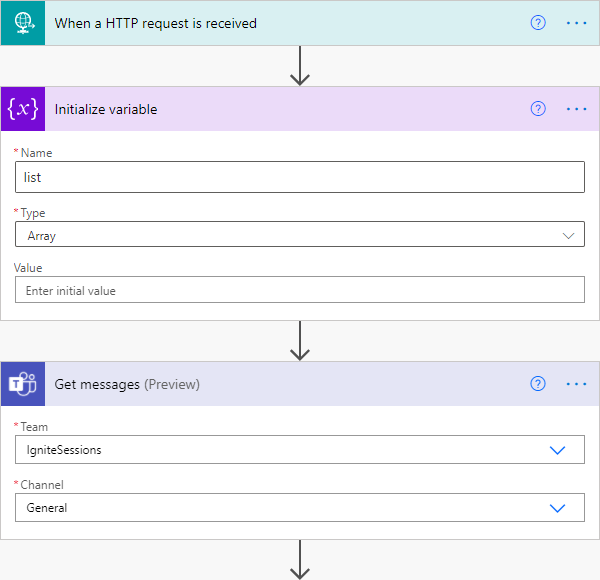
Automation of small tasks is helpful for many recurring processes. Unless you regularly use Power Automate (Flow) or Azure Logic Apps, it is often not that easy to remember the correct syntax for accessing items in a loop. Here is the quick help. This sample is using a flow in Power Automate to read messages from a Microsoft Teams team (I know, this sounds strange) and outputs any field to an email. The purpose is just to see how to access data in JSON format in a “Apply to each” loop. Here´s the screenshot of the complete flow with the description of the actions. ...

March 6, 2021 · 3 min · Toni Pohl
Azure Logic Apps Toolbox 5-Custom JSON payloads

Azure Logic Apps Toolbox 5-Custom JSON payloads

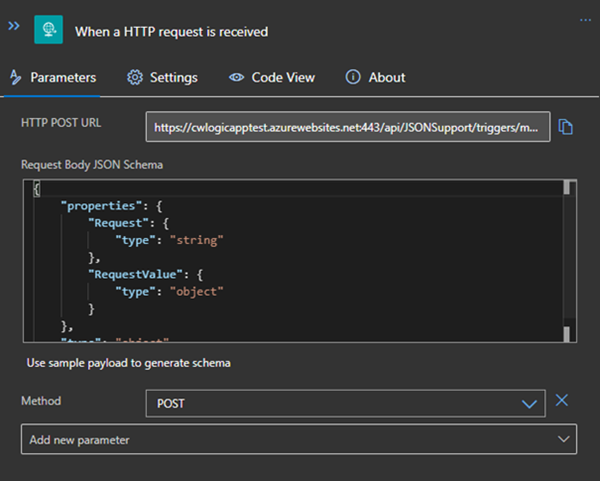
Did you ever have the problem of pushing different JSON payloads to a logic app and hitting errors due to JSON schema mismatches? The usual HTTP Request forces you to define the JSON Schema at the beginning. For every tiny difference in the later used properties you need to create your own Logic App even if the process is the same. I will show you an example of a single Logic App deciding at runtime which JSON schema to use for decoding the post body payload. Stay tuned! ...

January 14, 2021 · 3 min · Christoph Wilfing
Azure Logic Apps Toolbox 4-Working with SharePoint dropdown fields

Azure Logic Apps Toolbox 4-Working with SharePoint dropdown fields

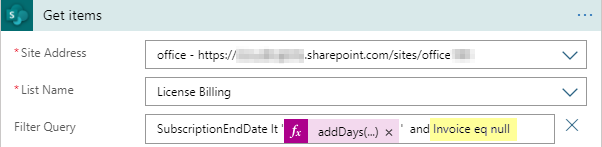
Yesterday I documented in “Get data from SharePoint as HTML table with Azure Logic Apps” how data is retrieved from SharePoint Online with an Azure Logic app. To dig a little deeper into working with SharePoint list data, here are a few more helpful tips. Query for empty fields (eq null) To find items in an SPO list that have NO value in an Azure Logic App SharePoint Get items action, we can use “<field> eq null” (and not eq ‘’ ). Simple as that, but good to remember. So in our sample, the ODATA filter query is as here: SubscriptionEndDate lt addDays(utcNow(),-30) and Invoice eq null ...

December 18, 2020 · 2 min · Toni Pohl
Azure Logic Apps Toolbox 3-Get data from SharePoint as HTML table

Azure Logic Apps Toolbox 3-Get data from SharePoint as HTML table

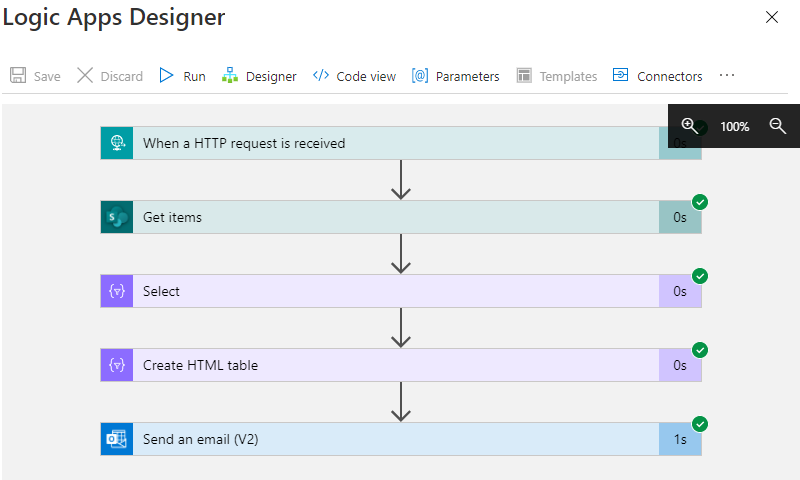
Sometimes it´s good to get data from a data source as a table and as quickly as possible in an automated way. While this can be done with multiple ways, here´s a quick solution if you want to get the items from a custom list in SharePoint Online sent as a HTML table in an email with Azure Logic Apps (or Power Automate). In this sample, we assume we have a custom list in a SharePoint Online site that includes some hundred lines of data with license requests and billing information. We want to get specific items that will expire in near future where there´s no invoice set. We will do this with a filtered query. The result shall be formatted as HTML table and sent to an email address. Azure Logic Apps and Power Automate (Flow) is perfect for such a quick task. ...

December 17, 2020 · 4 min · Toni Pohl