How to convert your legacy Yammer Groups into Group connected Yammer Groups

How to convert your legacy Yammer Groups into Group connected Yammer Groups

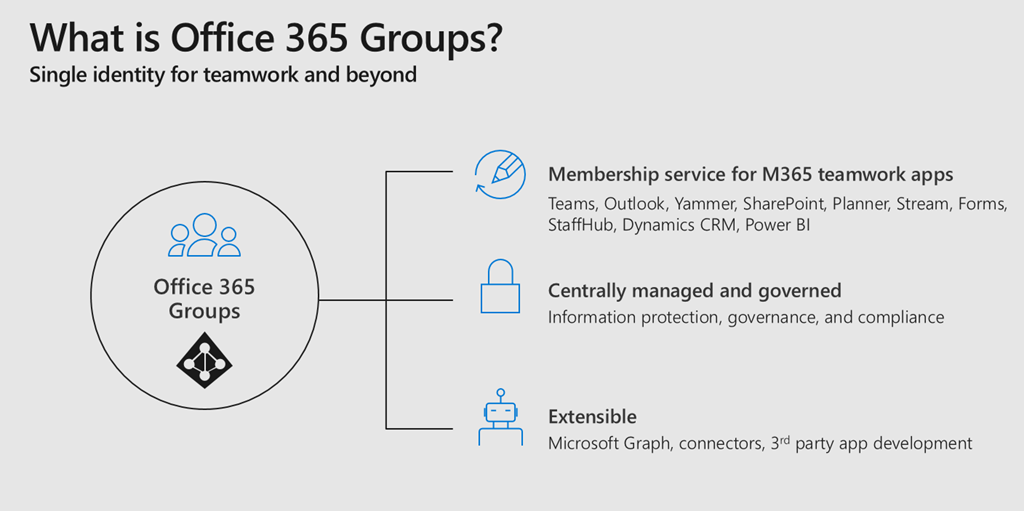
Office 365 Groups bring a lot of advantages to a connected workspace within Office 365. For me they are like the glue between all different Office 365 Services. If you provision an Office 365 Group you get an Outlook Mailbox, a SharePoint TeamSite, Planner and much more. When you create a Microsoft Team, you create an Office 365 Group. So it is really important for anyone who is working in the Microsoft 365 space to understand how Office 365 Groups work and what impact they have. Together with Microsoft Graph and Azure Active Directory those are the fundamentals of Office 365 to understand. ...

March 13, 2019 · 2 min · Martina Grom
Groups Governance Toolkit Part 4-Ownerless Groups

Groups Governance Toolkit Part 4-Ownerless Groups

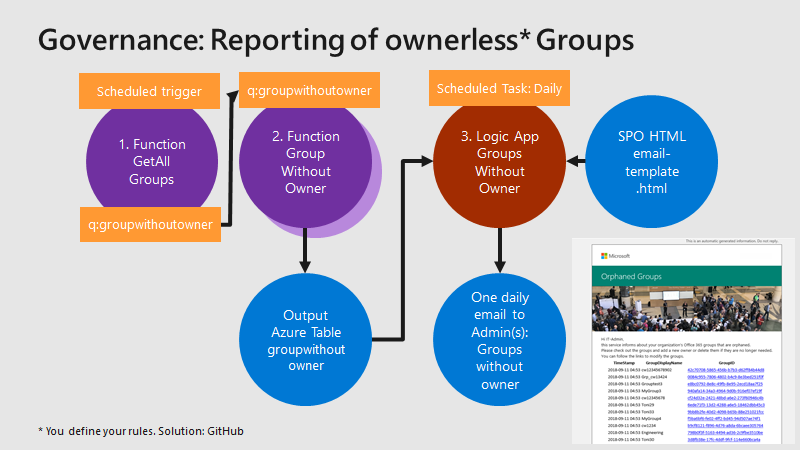
In this multi-part series we show you how to handle the Office 365 Groups and Microsoft Teams governance toolkit. The next article cover the governance part of our Groups Governance Toolkit.Imagine your company policy requires at least 2 owners per Office 365 Group or per Microsoft Team. In this part, we want to monitor all groups that are ownerless (orphaned), or do not comply with our organization’s policies. The IT department shall get the information of all groups and teams where there are no owners or not enough owners and the possibility to fix that. Read below how this can be accomplished. ...

February 13, 2019 · 5 min · Martina Grom
Groups Governance Toolkit Part 3-Develop Azure Functions

Groups Governance Toolkit Part 3-Develop Azure Functions

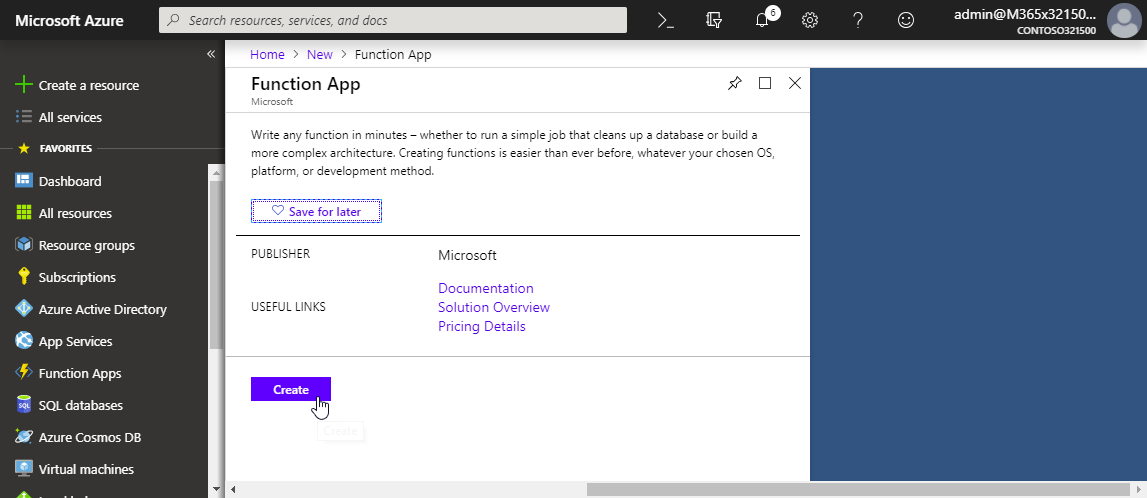
After the introduction of the Office 365 Groups and Microsoft Teams Governance Toolkit and with the necessary requirements we are now looking into Azure Functions. In our group and team provisioning scenario, we need a little code for provisioning of an Office 365 group and a Microsoft team. Serverless computing with an Azure Function provides the optimal solution for that. Follow these steps to create the function we need for our workflow. ...

January 16, 2019 · 6 min · Martina Grom
Groups Governance Toolkit Part 2-Provisioning requirements

Groups Governance Toolkit Part 2-Provisioning requirements

In part 1 of this series we described the scenario for our Office 365 groups governance toolkit. In this part we will setup a workflow for the Office 365 and Microsoft Teams provisioning. Workflows help to follow specific processes for a successful collaboration. Offering self-services for users is a key to reduce workloads on the IT department and to allow users to cover their requirements quickly while the organization’s policies are enforced during the process. A frequently asked request is how to provision a new Microsoft Team in Office 365 in a secure and monitored way. See how this can be implemented here. ...

January 11, 2019 · 5 min · Martina Grom
Groups Governance Toolkit Part 1-Overview

Groups Governance Toolkit Part 1-Overview

IT-Governance is an important topic, especially in large organizations. In an agile and evergreen world, as it can be found with Microsoft 365 services, Governance becomes an integral part which needs to be monitored and updated on a regular basis. At Microsoft Ignite conference, we showed the “Groups Governance Toolkit” with a bunch of useful tools to regulate and monitor for Office 365 Groups and Microsoft Teams. Everything we showed at Ignite is open source and built with out of the box tools within Microsoft 365 and Azure. ...

January 8, 2019 · 4 min · Martina Grom

Join us at SharePoint Conference 2019!

If you are working with Microsoft SharePoint, 2019 will be a great year! First of all, because SharePoint Server 2019 has been announced, and because SharePoint Conference North America 2019 will take place in May in Fabulous Las Vegas (again). We from atwork will be part of the conference and we are looking forward to it. The event registration is already open and there are reduced price packages available. Additionally, find a discount code here! ...

December 16, 2018 · 1 min · Martina Grom
Ignite MVP Live Blog  THR2041 How Microsoft does IT Best practices for your Champion program

Ignite MVP Live Blog THR2041 How Microsoft does IT Best practices for your Champion program

This session gives you insights from Microsoft IT about how they use their internal Teams Champion program to drive collaboration and communication using Microsoft Teams. The session was delivered by Sara Bush, Sr. Program Manager Microsoft Teams, Microsoft. Sara is a member of the Teams & Voice team in End User Services Engineering, Sara is driving Microsoft Teams adoption internally through the Art of Teamwork Tour training program, the Teamwork Champions program and the EUSE change management effort to bring all Microsoft users into a deep understanding of how Microsoft Teams supports day to day work, increasing collaboration and productivity. ...

October 1, 2018 · 3 min · Martina Grom

Microsoft commits to sustainability in their data centers

Good to see that Microsoft is committed to sustainability in their data centers as seen in the session “Inside Azure Datacenter Architecture with Mark Russinovich” from the last BUILD conference. There are a lot of interesting facts to learn about the Microsoft Azure data centers, as e.g. “Microsoft signed the largest corporate deal on solar panels for Virginia in the US in history, good for 257 Megawatts”. The goal is to reach the 100% energy use from renewable energy. ...

July 9, 2018 · 1 min · Martina Grom
Can you use nested Logic Apps in Azure?

Can you use nested Logic Apps in Azure?

Workflows really help to standardize and to solve business processes. This can be done with Microsoft Flow in Office 365 or with Logic Apps in Azure (which is the same engine). Often, I see questions, if it is possible to call an Azure Logic App from another Logic App. Does his work? Well, see this quick sample. In workflows, it’s usually a clever idea to simplify steps as much as possible. So, each step could be implemented as one independent Logic App. ...

June 25, 2018 · 2 min · Martina Grom

Check out the free eBook Developers Guide to Building AI Applications

Microsoft provides a bunch of cloud services, tools, and resources that provide tools for developing an intelligent Bot service. To get started, check out the free “Developer’s Guide to Building AI Applications” eBook and download it here! Azure Bot Service provides tools to build, test, deploy, and manage intelligent bots all in one place. The free eBook by Anand Raman and Wee Hyong Tok can be downloaded from Download the Developer’s Guide to Building AI Applications after providing your name and email address in the short form on the web page. Afterwards, you can download the Developer’s AI Guide. The book was published by O’Reilly and is available in PDF format. ...

June 10, 2018 · 2 min · Martina Grom