Azure information protection user experience with external users

Azure information protection user experience with external users

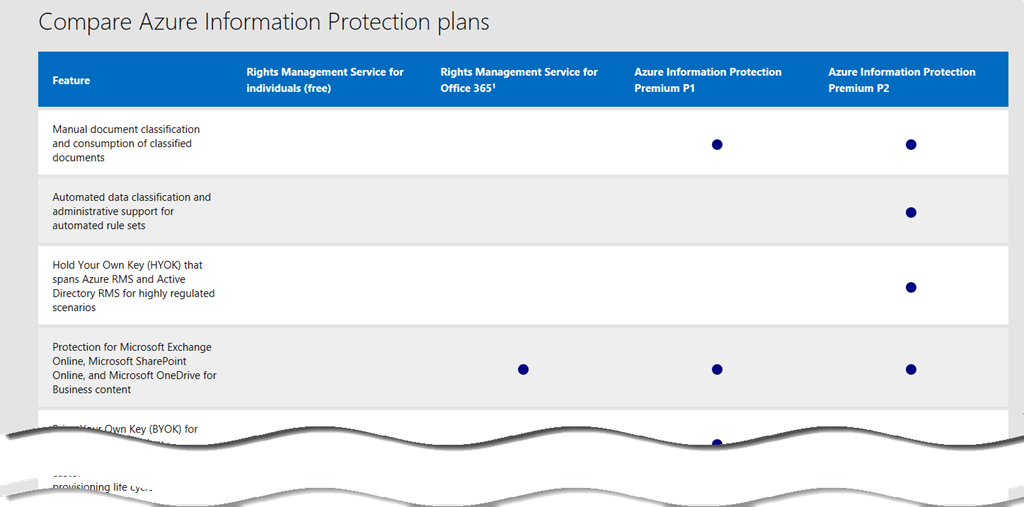
Due to the coming GDPR regulation in May 2018 many customers are working very actively towards this date and check their compliance and security environment. Many requests arise around Azure Information protection which gives customers the ability to classify and protect their data in an easy, reproducible way. Data classification helps users to differentiate between data that can be shared outside an organization and data that is classified or NDA information. Many statistics show that less than 5% of all data from an organization are in that high classification range. ...

February 18, 2018 · 9 min · Martina Grom

Joining the Microsoft Graph Community Calls

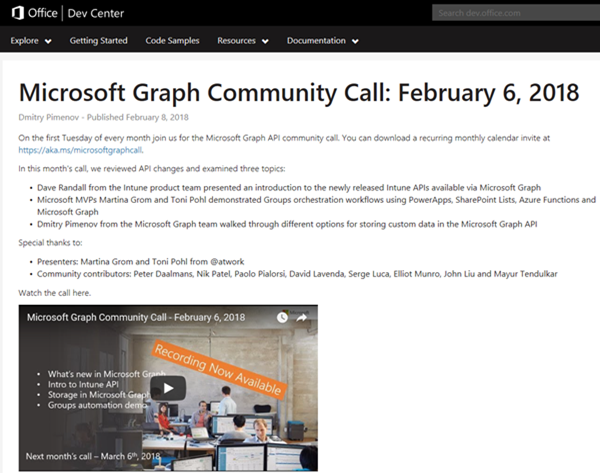
Microsoft Graph is the unified endpoint to programmatically access resources and services in Office 365 and Azure Active Directory. To inform the developer community with the latest news, the Microsoft Graph team organizes a monthly Microsoft Graph API community call. We, Toni and I, were happy to contribute a use case at the last call showing a scenario of an Office 365 Group orchestration workflow with PowerApps, SharePoint Lists, Azure Functions and Microsoft Graph. ...

February 10, 2018 · 2 min · Martina Grom
Multiple Users in Microsoft Teams and other Office 365 services with the same name

Multiple Users in Microsoft Teams and other Office 365 services with the same name

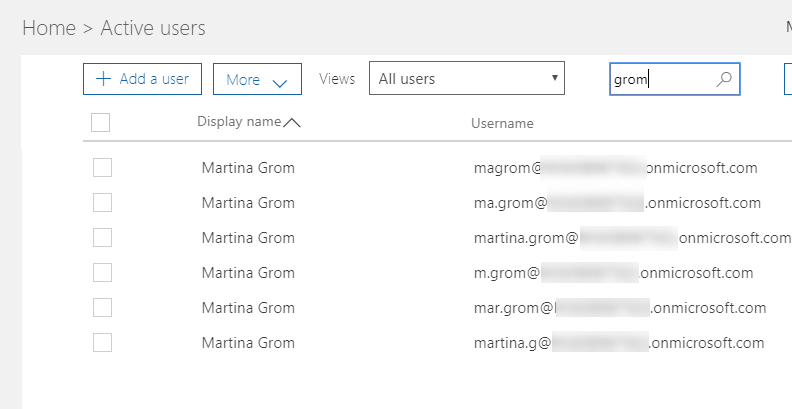
Recently a colleague asked me: “How can you deal with users in large Enterprise Tenants, who share the same name? How do you know who is who?” Indeed, this can happen, as soon as your Office 365 Tenant has a lot of users in it. There are some very common names in each language, so you should know who you add to your Microsoft Team. From an organizational perspective, this should be solved with a proper identity management: Users have a unique e-mail address, but it does not end here: there are some other fields that need to be filled, like Job Title, Department and a lot more. But in fact: which fields is the Microsoft Teams user dialog using here? ...

February 8, 2018 · 3 min · Martina Grom

Download the free Azure Serverless Computing Cookbook

Serverless Computing is popular. With Microsoft Azure, IT people can concentrate on their tasks and apps without taking care of managing any server infrastructure. One of the key Platform-as-a-Service (PaaS) components from Microsoft is the new, extensive Azure Functions service. Learn how to use Azure Functions with the cost-free Azure Serverless Computing Cookbook! The “Azure Serverless Computing Cookbook” book was written by Praveen Kumar Sreeram and reviewed by our colleague Florian Klaffenbach, published by Packt Publishing Ltd. last fall. You can download the free ebook in the Azure Resource Center at Azure Serverless Computing Cookbook. ...

February 3, 2018 · 1 min · Martina Grom
Provisioning an Office 365 group with an approval flow and Azure functions-part 2

Provisioning an Office 365 group with an approval flow and Azure functions-part 2

In part one, we saw how the Microsoft Graph API enables programmatic access to Office 365 groups. Now it’s time to let Azure Functions help us with the desired workflow. For the following steps, an Azure subscription and a Global Admin in the target Office 365 tenant is required. The plan We want our provision group function to be able to create a new Office 365 group without any user interaction. So, we need an app with the permission to accomplish the operations in our Office 365 tenant, in the same way as did for the administrator account in part 1. The key is, to create such an application first and to use that access data in our code. The workflow will execute our function, pass the parameters, and the function will do the work. So, these are the necessary steps. ...

October 1, 2017 · 6 min · Martina Grom
Provisioning an Office 365 group with an approval flow and Azure functions-part 1

Provisioning an Office 365 group with an approval flow and Azure functions-part 1

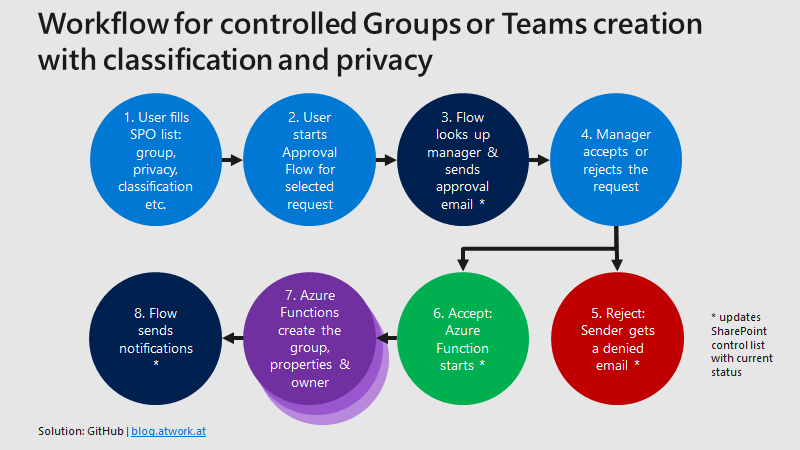
Office 365 groups span over various Office 365 services and provide a great way for collaborating. By default, every user can create an Office 365 group. While self-service is a good thing and many businesses adopted into that direction, some companies still prefer the controlled approach. In real world environments, organizations usually want to restrict the group provisioning so that IT can control the wild growth of groups. This article series shows how to create an Office 365 group with an attached approval process with SharePoint Online, Flow and Azure functions. See how this works here! ...

September 28, 2017 · 8 min · Martina Grom
Why we moved away from Exchange distribution groups to Office 365 groups

Why we moved away from Exchange distribution groups to Office 365 groups

A very simple use case let us give up our Distribution lists. This article discusses why and how we did it and delivers tips how to improve your experience with Office 365 groups. How can you replace “old” distribution groups from a synced environment with “new” Office 365 groups? And how to add, delete or modify email addresses to an Office 365 group? This article shows the steps. After we replaced all distribution lists with Office 365 groups, we got some questions, like ...

July 23, 2017 · 8 min · Martina Grom

Welcome to atwork365.com

In IT, Office 365 evolved to a standard for collaboration and Software-as-a-Service products within the Microsoft world. We at atwork are delivering highly qualified architecture, guidance and solutions based on Microsoft Office 365 and Microsoft Azure. So, we wanted to point out this fact and are marketing our brand with the domain name atwork365.com in future. Today, we started and added our new domain atwork365.com as address to our company website: https://www.atwork365.com ...

July 10, 2017 · 1 min · Martina Grom
How user profile synchronization works in Office 365 services

How user profile synchronization works in Office 365 services

Office 365 users often ask about user profiles in various Office 365 services and where to change what. Since the Office 365 products do have a history, there are different places where user profile data is stored and how specific properties are synchronized. So, we at atwork thought that it makes sense to inform about the current user profile status in Office 365 with this article. AAD Basics The basis of all Office 365 services is the central Azure Active Directory (AAD) that stores all users, groups, licenses and relations of an Office 365 tenant (*.onmicrosoft.com). Entities can be managed in the Office-Portal, with scripts (PowerShell, etc.) or custom code (accessing the Microsoft API’s), or in a hybrid scenario with AAD Connect or ADFS. Once a user is created in AAD, there are a bunch of user properties available, as the User Principal Name (UPN, which is the login name), the person’s name and address data, Office 365 licenses, and more. All Office 365 products require such a user identity for sign-in. Once logged in, users benefit from Single-Sign-On (SSO) experience with one single identity. ...

July 7, 2017 · 6 min · Martina Grom
Adding Send as permissions to an Office 365 Group with PowerShell

Adding Send as permissions to an Office 365 Group with PowerShell

Office 365 Groups provide a bunch of useful features for collaboration. In some cases, users want to send emails from an Office 365 group as sender. Here’s the “HowTo” to accomplish “SendAs” permissions to an Office 365 group for users. By default, users do not have any permissions to send from an Office 365 Group. So, if you try to send an email with such a sender address, you will get a reply similar as here. ...

June 14, 2017 · 2 min · Martina Grom