Provisioning an Office 365 group with an approval flow and Azure functions-part 2

Provisioning an Office 365 group with an approval flow and Azure functions-part 2

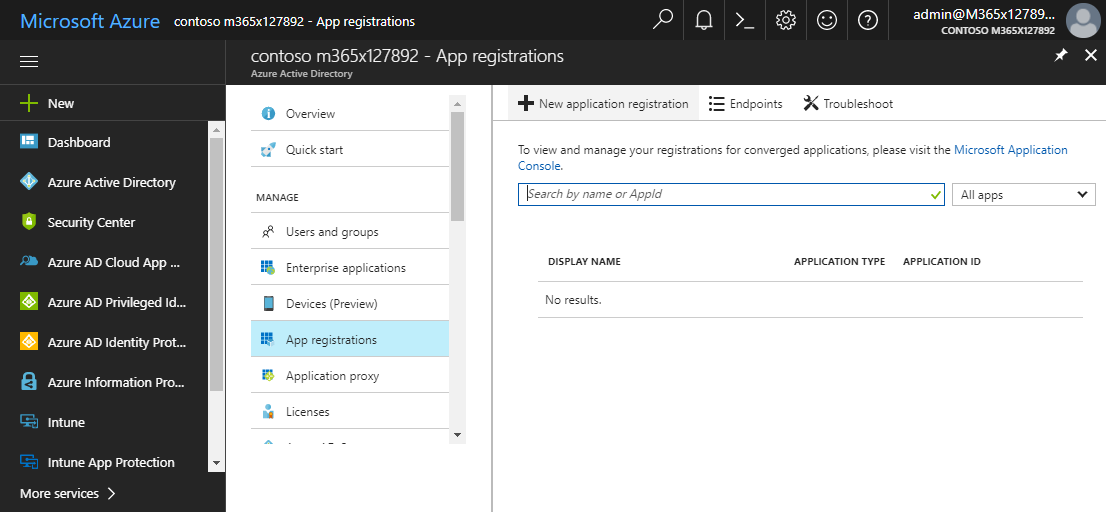
In part one, we saw how the Microsoft Graph API enables programmatic access to Office 365 groups. Now it’s time to let Azure Functions help us with the desired workflow. For the following steps, an Azure subscription and a Global Admin in the target Office 365 tenant is required. The plan We want our provision group function to be able to create a new Office 365 group without any user interaction. So, we need an app with the permission to accomplish the operations in our Office 365 tenant, in the same way as did for the administrator account in part 1. The key is, to create such an application first and to use that access data in our code. The workflow will execute our function, pass the parameters, and the function will do the work. So, these are the necessary steps. ...

October 1, 2017 · 6 min · Martina Grom
Provisioning an Office 365 group with an approval flow and Azure functions-part 1

Provisioning an Office 365 group with an approval flow and Azure functions-part 1

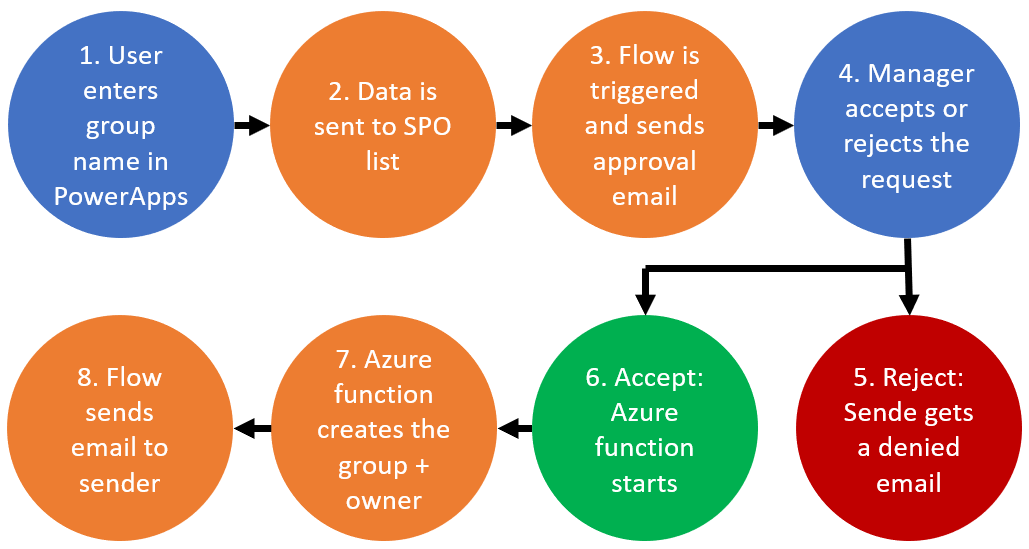
Office 365 groups span over various Office 365 services and provide a great way for collaborating. By default, every user can create an Office 365 group. While self-service is a good thing and many businesses adopted into that direction, some companies still prefer the controlled approach. In real world environments, organizations usually want to restrict the group provisioning so that IT can control the wild growth of groups. This article series shows how to create an Office 365 group with an attached approval process with SharePoint Online, Flow and Azure functions. See how this works here! ...

September 28, 2017 · 8 min · Martina Grom
Why we moved away from Exchange distribution groups to Office 365 groups

Why we moved away from Exchange distribution groups to Office 365 groups

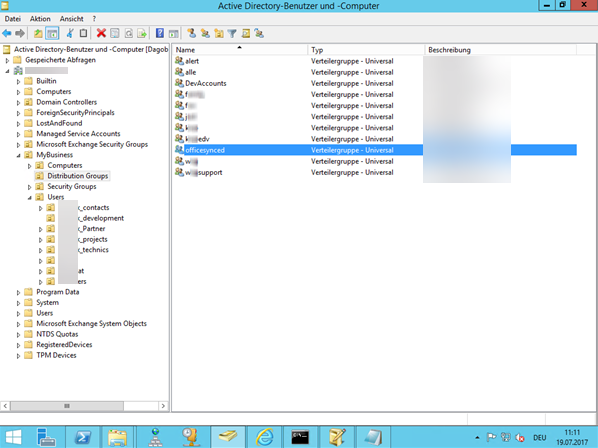
A very simple use case let us give up our Distribution lists. This article discusses why and how we did it and delivers tips how to improve your experience with Office 365 groups. How can you replace “old” distribution groups from a synced environment with “new” Office 365 groups? And how to add, delete or modify email addresses to an Office 365 group? This article shows the steps. After we replaced all distribution lists with Office 365 groups, we got some questions, like ...

July 23, 2017 · 8 min · Martina Grom
Welcome to atwork365.com

Welcome to atwork365.com

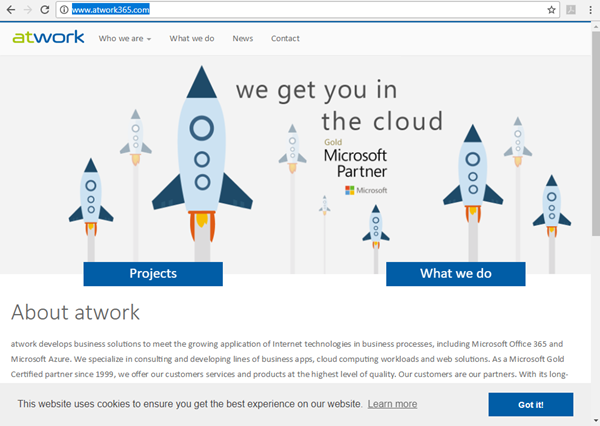
In IT, Office 365 evolved to a standard for collaboration and Software-as-a-Service products within the Microsoft world. We at atwork are delivering highly qualified architecture, guidance and solutions based on Microsoft Office 365 and Microsoft Azure. So, we wanted to point out this fact and are marketing our brand with the domain name atwork365.com in future. Today, we started and added our new domain atwork365.com as address to our company website: https://www.atwork365.com ...

July 10, 2017 · 1 min · Martina Grom
How user profile synchronization works in Office 365 services

How user profile synchronization works in Office 365 services

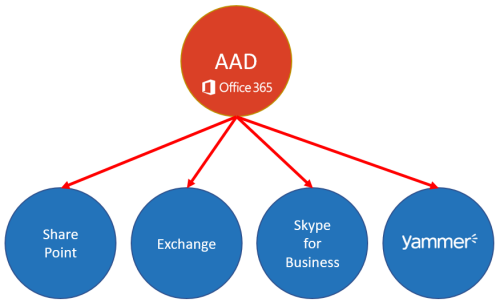
Office 365 users often ask about user profiles in various Office 365 services and where to change what. Since the Office 365 products do have a history, there are different places where user profile data is stored and how specific properties are synchronized. So, we at atwork thought that it makes sense to inform about the current user profile status in Office 365 with this article. AAD Basics The basis of all Office 365 services is the central Azure Active Directory (AAD) that stores all users, groups, licenses and relations of an Office 365 tenant (*.onmicrosoft.com). Entities can be managed in the Office-Portal, with scripts (PowerShell, etc.) or custom code (accessing the Microsoft API’s), or in a hybrid scenario with AAD Connect or ADFS. Once a user is created in AAD, there are a bunch of user properties available, as the User Principal Name (UPN, which is the login name), the person’s name and address data, Office 365 licenses, and more. All Office 365 products require such a user identity for sign-in. Once logged in, users benefit from Single-Sign-On (SSO) experience with one single identity. ...

July 7, 2017 · 6 min · Martina Grom
Adding Send as permissions to an Office 365 Group with PowerShell

Adding Send as permissions to an Office 365 Group with PowerShell

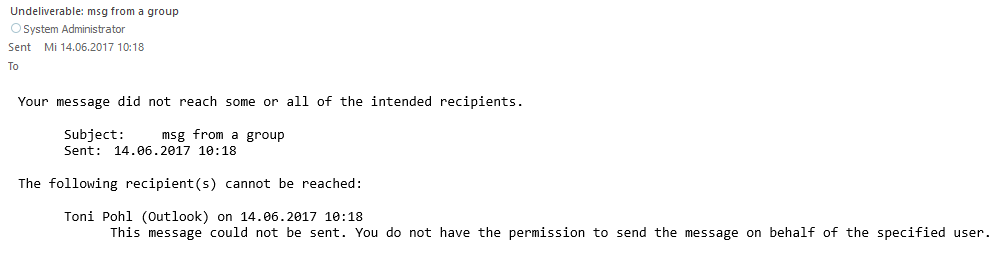
Office 365 Groups provide a bunch of useful features for collaboration. In some cases, users want to send emails from an Office 365 group as sender. Here’s the “HowTo” to accomplish “SendAs” permissions to an Office 365 group for users. By default, users do not have any permissions to send from an Office 365 Group. So, if you try to send an email with such a sender address, you will get a reply similar as here. ...

June 14, 2017 · 2 min · Martina Grom
Restrict Office 365 Groups and Microsoft Teams creation in organizations

Restrict Office 365 Groups and Microsoft Teams creation in organizations

In many of my Office 365 projects customer want to limit the self-service of Office 365 groups creation. Gladly, this is possible in Office 365, with the definition that just specific users are able to create Office 365 groups. Since the launch of Microsoft Teams in March 2017 customers asked me several times if this policy also affect the creation of Microsoft teams? Well, let’s take a look. In a previous blog post, we described how to setup Office 365 Groups policies, check out Management capabilities for Office 365 Groups. Since Microsoft Teams depend on Office 365 groups, we document this scenario step-by-step. ...

March 19, 2017 · 6 min · Martina Grom
Office 365 Sicherheit Advanced Threat Protection

Office 365 Sicherheit Advanced Threat Protection

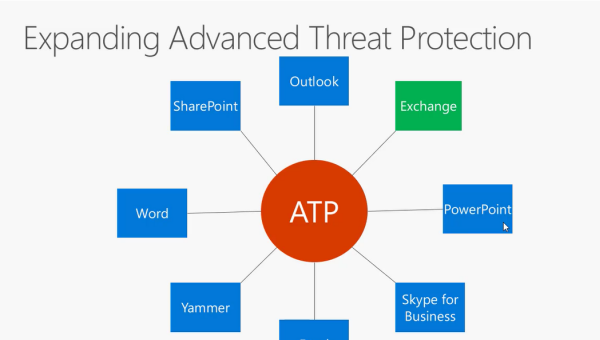
Office 365 bietet eine Reihe an Sicherheitsfunktionen, mit der Ihre Kommunikation sicherer wird. Heute stelle ich Ihnen Office 365 Advanced Threat Protection vor, dazu gibt es auch ein Webinar auf Channel9. Office 365 Advanced Threat Protection hilft, Phishing Mails zu erkennen und sogenannte Zero Day Exploits in E-Mail’s erfolgreich abzuwehren. Es handelt sich dabei um sehr erfolgreiche Methoden von Hackern, mittels definierter Angriffe Unternehemnsdaten auszuspähen und Schaden zuzufügen. Mit Advanced Threat Protection haben Sie einerseits die Möglichkeit Links auf deren Ungefährlichkeit zu testen, andererseits finden Sie mit Sicheren Attachments eine Methode, Zero Days exploits zu erkennen - Angriffe, bei denen herkömmlicher Virenschutz versagt, da es sich bei Zero Day Exploits immer um unbekannte Signaturen handelt. Advanced Threat Protection ist derzeit für Exchange Online verfügbar, wird aber in Zukunft auf die anderen Office 365 erweitert werden: ...

January 9, 2017 · 2 min · Martina Grom
Office 365 Sicherheit - Advanced Security Management

Office 365 Sicherheit - Advanced Security Management

Mit Office 365 sind Sie sicher unterwegs. Heute stelle ich Advanced Security Management vor, eine auf Office 365 reduzierte Variante von Cloud App Security. Advanced Security Management in office 365 hilft Ihnen dabei, proaktiv Änderungen in Ihrem office 365 Tenant zu monitoren, zu erkennen und darauf zu reagieren. Advanced Alerts Advanced Security Management in Office 365 zeigt verdächtige Aktivitäten in Office 365 an. Damit hilft es, potenzielle Gefahrenquellen zu erkennen und darauf zu reagieren. Mithilfe von Richtlinien können Sie Benachrichtigungen einrichten, die Sie über außergewöhnliche und verdächtige Aktivitäten informieren. Dazu können Sie vorgefertigte Templates verwenden. Interessant dabei sind policies, wo Sie Warnungen bekommen, wenn es mehrfache Anmeldeversuche von Benutzern gibt oder Benutzer sich von riskanten IP Adressen anmelden. ...

January 8, 2017 · 2 min · Martina Grom
Customer Lockbox einfach erklärt

Customer Lockbox einfach erklärt

Office 365 bietet eine Reihe an Sicherheitsfunktionen, die einem Unternehmen helfen, die Unternehmenskommunikation sicher zu gestalten. In einer neuen Videoreihe zu Office 365 security auf Channel 9 in den Office 365 News stelle ich dazu einige vor. In 20 Minuten zeige ich dabei die Funktionsweise von Customer Lockbox. Customer Lockbox fügt eine zusätzliche Kontrollmöglichkeit ein. Microsoft verwendet das Lockbox Verfahren bei Supportanfragen. Nehmen wir einmal an, Sie haben ein Problem mit einer Mailbox, welches Sie selbst nicht lösen können. Sie öffnen einen Servicerequest beim Microsoft Support. Der Support Mitarbeiter kontrolliert gemeinsam mit Ihnen den Fall und erkennt, dass er – um Ihr Problem lösen zu können, Zugriff auf diese Mailbox benötigt. Der interne Prozess sieht dann vor, dass der Microsoft Supportmitarbeiter diesen Request an das Lockbox System sendet. Lockbox ist ein automatisiertes System, welches Machine learning verwendet und diesen Request prüft. Es kann hier bereits sein, dass der Request abgelehnt wird. Ist die Anfrage jedoch valide, wird diese an den zuständigen Microsoft Support Manager weiter geleitet . Dieser prüft den request danach noch einmal und erlaubt oder verweigert ihn. ...

January 7, 2017 · 2 min · Martina Grom