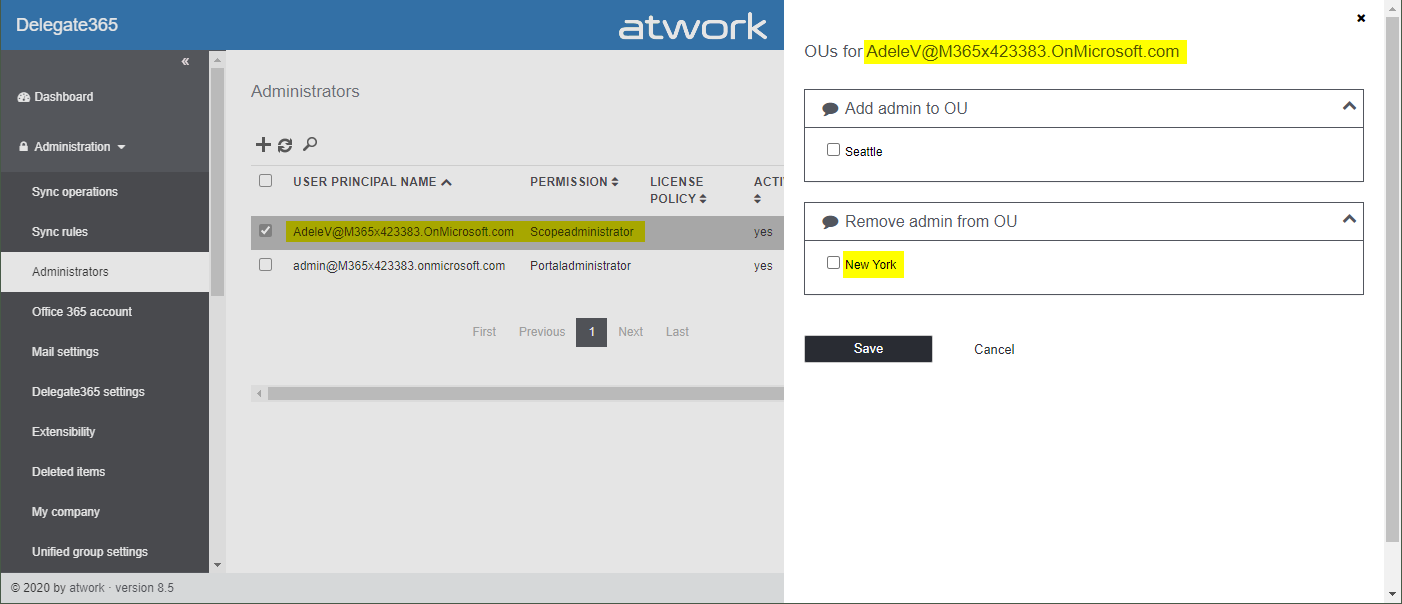
There are several ways to get the number of assigned Microsoft 365 licenses in Delegate365, depending on the administrator´s permissions policy and the OU assignments. See all methods listed here.
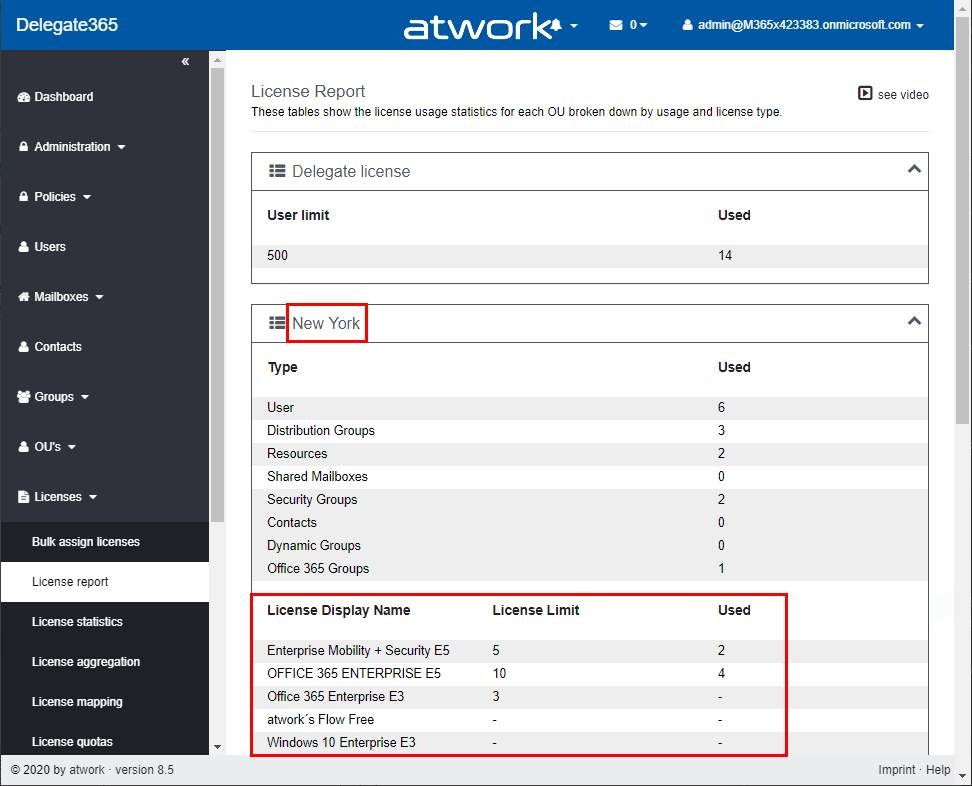
Licenses / License report: This module shows den current status of licenses per OU as shown here. First, the Delegate365 licenses are shown. Below, every OU is listed in a box with it´s numbers per object type (such as Users, Groups, Shared Mailboxes, etc.) and the numbers of Microsoft 365 licenses that are assigned to users in that OU. If there are license quotas set, the quota is shown as well.
This module is aimed at administrators, the Delegate365 licenses and number of managed objects are shown as well. Licenses / License statistics: This module is aimed for Scope Admins and shows the numbers of used Microsoft 365 licenses as follows.
Licenses / License aggregation: For customers, it is often important to know later, on which day in which unit how many licenses are assigned. To enabled such a reporting, Delegate365 stores the assigned Microsoft 365 licenses on a daily basis. In the License aggregation module, administrators can filter for their OU´s and a date range. In the result list, all assigned Microsoft 365 licenses are shown for the OU and per day. This list can be easily exported using the CSV and Excel symbols in the top right of the list as shown in the screenshot below.
This list shows a very detailed historical use of the licenses and quotas.
Note: In this chronicle you can go back to the beginning where you started working with Delegate365, not only 30 or 90 days as Microsoft 365 stores data! Reports / Delegate365: The report License statistics in the Delegate365 section at the end of the report´s list shows the numbers of assigned Microsoft 365 licenses as well.
License statistics: This reports is an exported list including the current numbers of assigned licenses and quotas per OU as shown in the Excel export here.
Note: If you are interested, what objects are assigned to an OU, check out the OU overview report. This export includes all objects in a line per OU: users, groups, etc.
The report Active user detail in the Office 365 section shows assigned licenses per service for a simple analysis:
Note: To see a list of available reports with samples, see Delegate365 on GitHub Reports / Delegate365 / notifications: Note that every admin can choose when to receive a report in the Schedule dropdown. Available options are* Run now, Run weekly (each Monday) *and Run monthly (each 1st). This allows to automate the report generation on a individual user basis.
Note: The Portal admins controls how the notification is sent to the users: Send notification with link to the Delegate365 reports page, Send notification with the report as attachment, and Send a notification with a direct download link to the report, which is valid for 24 hours. Our recommend method is to use the last option with the 24-hours link. See more at Delegate365 changelog version 8.4 - New Report notification settings. User properties / Notifications: Another option is to set the Daily Notifications to Yes in the user properties. Click on your user name in the top right corner and select Properties. Turn on the daily notifications and enter the email address to send the report to (usually that would be your work account address you use to manage Delegate365). Then, click Save.
The daily notification function generates a report every night that is sent to the provided mailbox. The admin gets an overview of the assigned users of his assigned OU´s. The email is sent with the subject “D365 daily notification” and looks similar as here.
This notification includes a section for every OU showing the current numbers of assigned Microsoft 365 licenses and managed objects on a daily basis automatically. Every admin can select this option if needed. So, Delegate365 provides several methods to get and to export license statistics, even historical data.
...