Use the PowerApps PowerShell modules to automate tasks with the Microsoft Power Platform

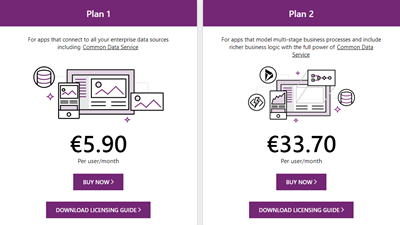
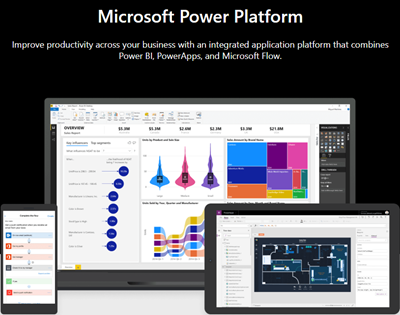
PowerShell helps automate processes, especially in the Microsoft 365 world. That´s true for the Microsoft Power Platform as well. See how to access PowerApps and Flow with PowerShell here. So, here´s a very quick introduction for using PowerShell with PowerApps and Flow. Find the full documentation at PowerApps cmdlets for administrators. Install the PowerShell modules Install the PowerApps (preview) module from the PowerShell Gallery once with the following PowerShell statements as Administrator on your machine: ...

September 22, 2019 · 2 min · Martina Grom
Project Formeln mit Datumsfeldern in mehrsprachiger Umgebung  Formulas with Date Fields in Multilanguage Environment

Project Formeln mit Datumsfeldern in mehrsprachiger Umgebung Formulas with Date Fields in Multilanguage Environment

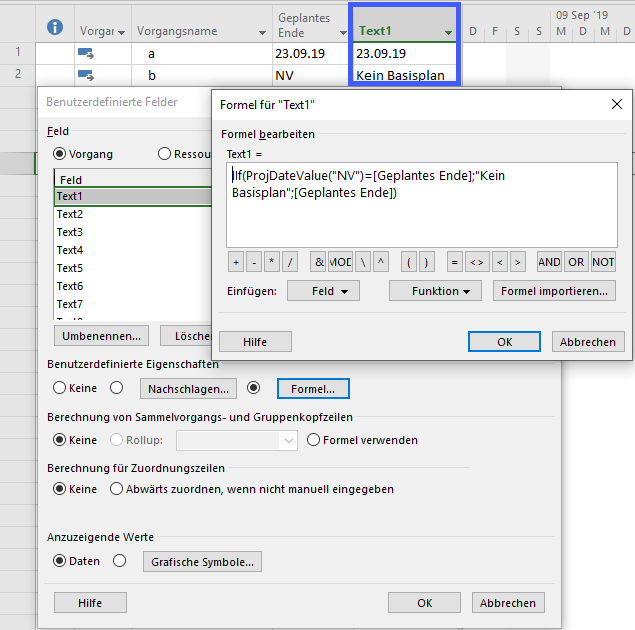
Deutsche Version Formeln mit einem Datumsfeld lassen sich in Project leicht erstellen. Wenn dabei ein Datumsfeld geprüft werden soll, das potentiell keinen Wert enthält, lässt sich das in der deutschen Version mit einer Prüfung auf „NV" (Nicht verfügbar) abprüfen. Das kann zum Beispiel bei einem Vergleich mit einem Basisplandatum wie Geplantes Ende der Fall sein. Folgende Formel zeigt im Feld Text1 „Kein Basisplan" an, wenn für den Vorgang noch kein Basisplan festgelegt wurde. Dabei wird „NV" mit „ProjDateValue(“NV”)=[Geplantes Ende]" in ein Project-Datumfeld konvertiert, um mit dem Wert in Geplantes Ende vergleichen zu können. ...

September 21, 2019 · 3 min · Barbara Henhapl
Azure Logic Apps Toolbox 1-Use the OData Filter for Azure SQL Databases

Azure Logic Apps Toolbox 1-Use the OData Filter for Azure SQL Databases

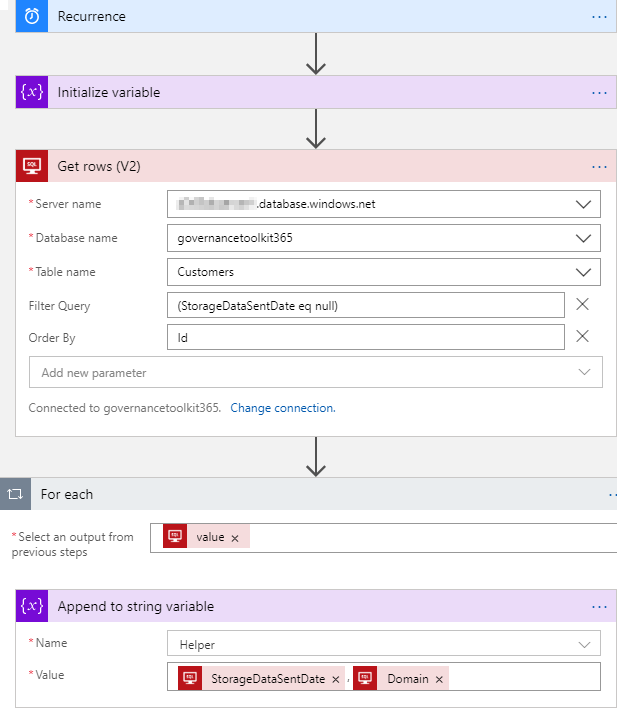
A very quick tip today: When using an Azure Logic App in combination with an Azure SQL Database, filtering rows can be done like here. As example: A T-SQL query as this one… SELECT - FROM [dbo].[Customers] WHERE [StorageDataSentDate] IS NULL ORDER BY [Id] …will be formulated as filter expression with an OData query as here. The definition for the Get_rows_(V2) action looks similar as here: … "Get_rows_(V2)": { "inputs": { "host": {"connection": {"name": "@parameters('$connections')['sql']['connectionId']"} }, "method": "get", "path": "/v2/datasets/@{encodeURIComponent(encodeURIComponent('[someserver].database.windows.net'))}, @{encodeURIComponent(encodeURIComponent('governancetoolkit365'))}/tables/ @{encodeURIComponent(encodeURIComponent('[dbo].[Customers]'))}/items", "queries": {"$filter": "(StorageDataSentDate eq null)", $orderby": "Id"} }, "runAfter": {"Initialize_variable": ["Succeeded"]}, "runtimeConfiguration": { "paginationPolicy": {"minimumItemCount": 5} }, "type": "ApiConnection" }, … Depending on the data size, remember to configure pagination. ...

September 19, 2019 · 1 min · Toni Pohl
How to copy table data between Azure SQL Databases

How to copy table data between Azure SQL Databases

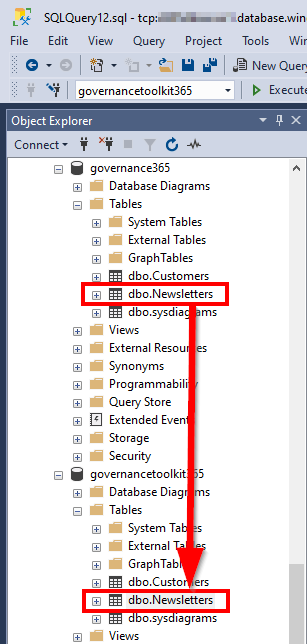
Working with Azure SQL Databases is handy. Just, how can I copy data from one Azure SQL database to another database? See the best practice here. I had such a use case. I needed to copy a table (all rows) from a source database to a destination database with SQL Management Studio. The table did not have much data, but extensive data with varchar(MAX) fields containing HTML and Base64 encoded images. So, a copy in the edit mode via clipboard did not work. ...

September 18, 2019 · 2 min · Toni Pohl
Delegate365 changelog version 8.4 update-Speeding up License assignments

Delegate365 changelog version 8.4 update-Speeding up License assignments

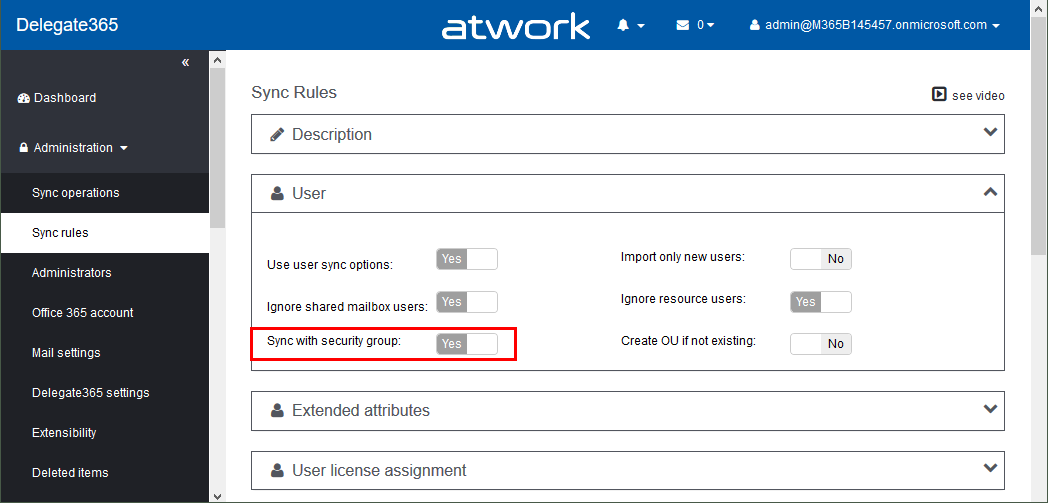
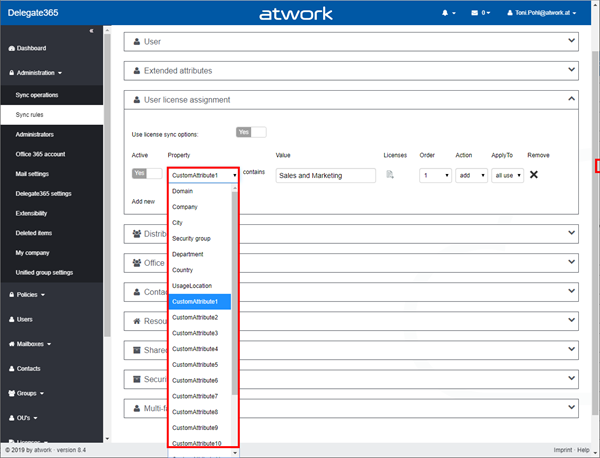
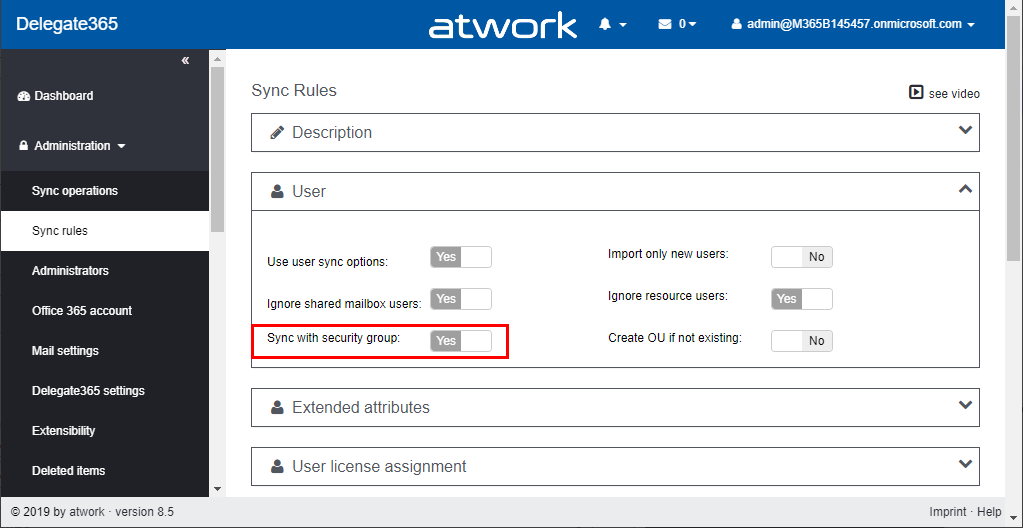
Delegate365 version 8.4 came up with a lot of improvements and updates. This version recently got another update to speed up the license assignment synchronization operation. See the details here. Delegate365 allows to add sync rules to the sync operation to automate specific operations. In large tenants, the sync can run for a long time since all objects must be queried for changes. To accelerate the sync operation when using license assignment sync rules, we optimized this process as follows: ...

September 13, 2019 · 2 min · Toni Pohl

Enjoy Microsoft the Musical

See the amazing musical made by interns spending the summer of 2019 at Microsoft: Microsoft the Musical. 150 interns and employees came to the Microsoft Redmond Campus outside of their day jobs to produce this 10 minutes video as a musical during the summer of 2019. The video was published to YouTube yesterday, on September 6th, and result is amazing. The full credits are at IMDb.com. Microsoft the Musical is a cool and professionally made video, with some self-mockery to Windows Vista, and Windows Phone and referrals to current technology. “All around the world our products are well known. Except for when we tried to make a phone…” ...

September 7, 2019 · 1 min · Toni Pohl

Office 365 Governance podcast with Martina Grom

In addition to all the great features in Office 365, governance plays an important role, especially for large organizations. Richard Campbell, runasradio.com, interviewed Martina Grom recently about governance and tools in Office 365. The interview is available as podcast here. In this podcast, Richard chats with Martina about the various aspects of Office 365 that affect the way users collaborate with each other and get work done. There are bunch of great tools inside and outside of Office 365 to enable Governance. Check out the latest Office 365 Governance podcast with Martina Grom at runasradio.com. ...

August 30, 2019 · 1 min · Toni Pohl

Project Kalenderausnahmen exportieren Export Calendar Exceptions

Deutsch Häufig wird in Foren die Frage gestellt, wie Ausnahmen (Abwesenheiten oder abweichende Arbeitszeiten) exportiert werden können. Hier ist ein Makro bereitgestellt, das alle Kalenderausnahemn in eine Datei exportiert. Dabei werden alle Ausnahmen aller Projektkalender und aller Ressourcenkalender während der Projektlaufzeit berücksichtigt. Mit dem Setzen einer Konstanten zu beginn, können Sie definieren, ob nur arbeitsfreie Tage oder alle Ausnahmen exportiert werden sollen. In Makros implementieren / Implement Macros wird beschrieben, wie ein Makro in Project übernommen werden kann. Mehr Beispielmakros sind unter VBA zu finden. ...

August 22, 2019 · 6 min · Barbara Henhapl
Delegate365 changelog version 8.4-Teamify with policy support, Room Lists, Mailbox licenses management, Report download  and more

Delegate365 changelog version 8.4-Teamify with policy support, Room Lists, Mailbox licenses management, Report download and more

Delegate365 v8.4 brings a bunch of new features and improvements. Office 365 Groups management allows to teamify existing groups and to control all Teams settings including policy settings. The Sync Job can send warnings if many objects are deleted, Shared Mailboxes and Resource Mailboxes licenses can be removed, Reports can be directly downloaded, Room Lists are available, License Orders can be exported and much more. See a description of the new features here. ...

July 29, 2019 · 13 min · Toni Pohl
Working with Microsoft Group Forms and Flow

Working with Microsoft Group Forms and Flow

Microsoft Forms is very popular because it is a very easy way to create web forms quickly. You can create surveys, quizzes and simple forms, and easily see results as they come in. This quick tutorial shows how you can use Microsoft Forms, convert a from into a group form, how to access the result file and how to add additional tasks with Microsoft Flow or Azure Logic Apps. So, here we go. ...

July 13, 2019 · 5 min · Martina Grom