Delegate365 changelog version 8.1-New License Policies

Delegate365 changelog version 8.1-New License Policies

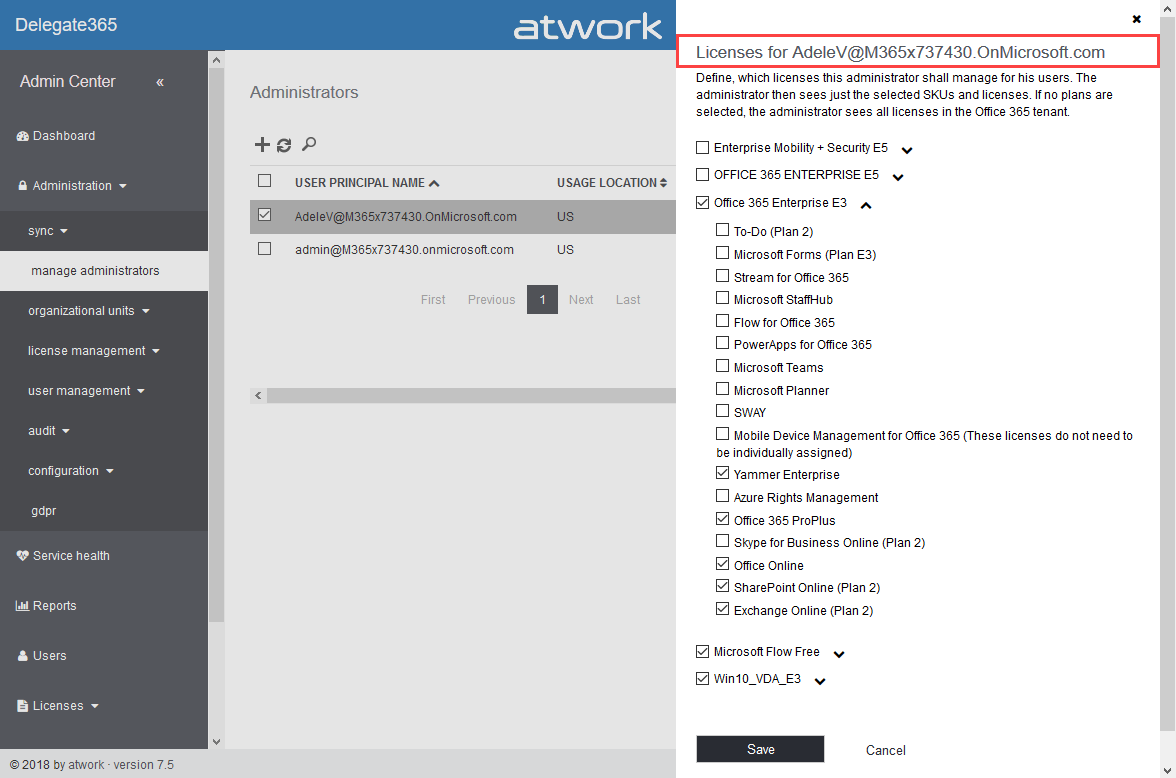
With Delegate365 version 8.1 and the new permission policies, there come the new license policies as well. In previous versions of Delegate365, Admins could restrict the Office 365 licenses and plans for each Scope Admin. Now, the license set is replaced by a license policy that can be assigned to multiple administrators. See here, how this works. Note: The license policies work analogously to the permission policies: Define once, use for multiple admins. To make it short and comprehensible, see the old and the new Delegate365 license policies at a glance here. ...

October 10, 2018 · 4 min · Toni Pohl
Delegate365 changelog version 8.1-New permission policies

Delegate365 changelog version 8.1-New permission policies

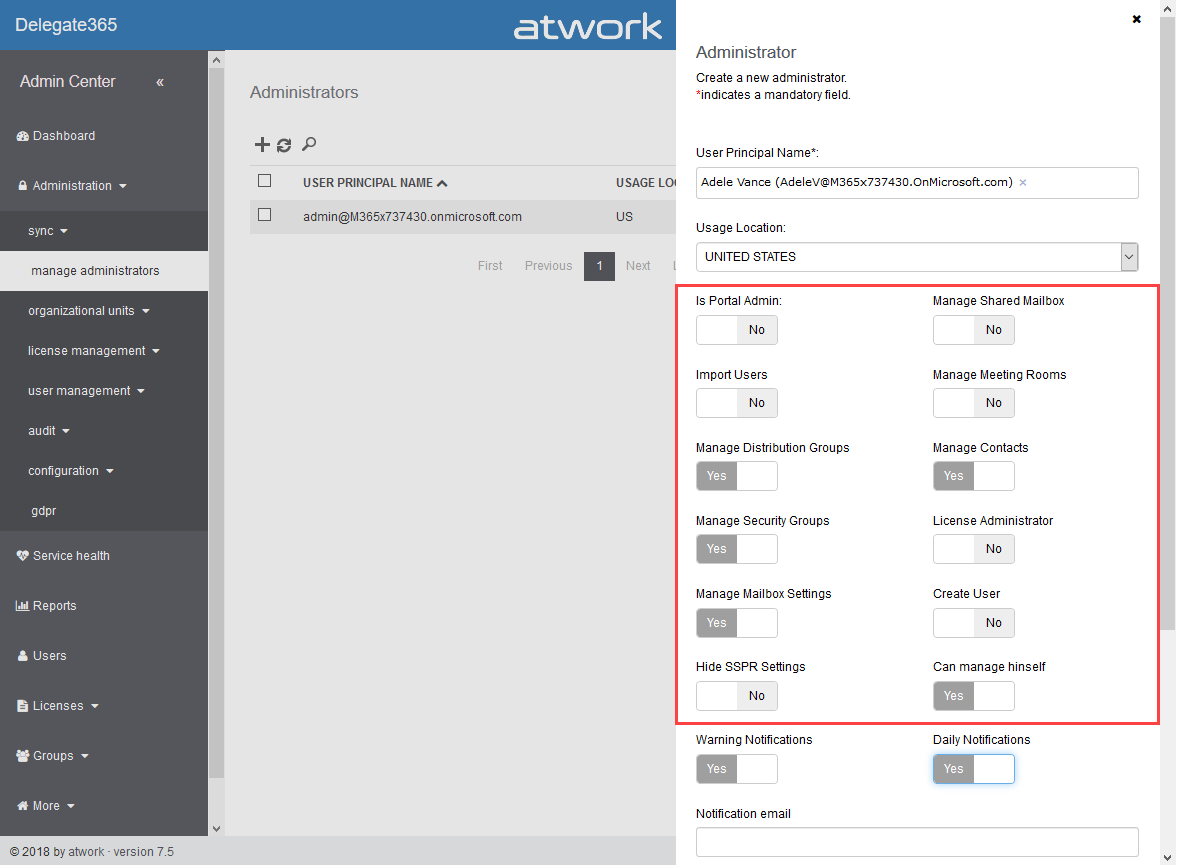
When we started with Delegate365 five years ago, basic permissions were sufficient to control what features can be used by Scope Admins. Since Delegate365 evolved with more functionality and we received requests from our customers, it was time to renew the permission control to a more granular level. So, the existing permissions have been replaced with permission policies. With Delegate365 version 8.1, each Administrator gets a permission policy assigned that controls on a very granular level, what modules and features can be managed. The new menu structuring is part of that functionality. See how the permission policies work and how existing permissions are converted here. ...

October 9, 2018 · 6 min · Toni Pohl
Delegate365 changelog version 8.1-Menu restructuring

Delegate365 changelog version 8.1-Menu restructuring

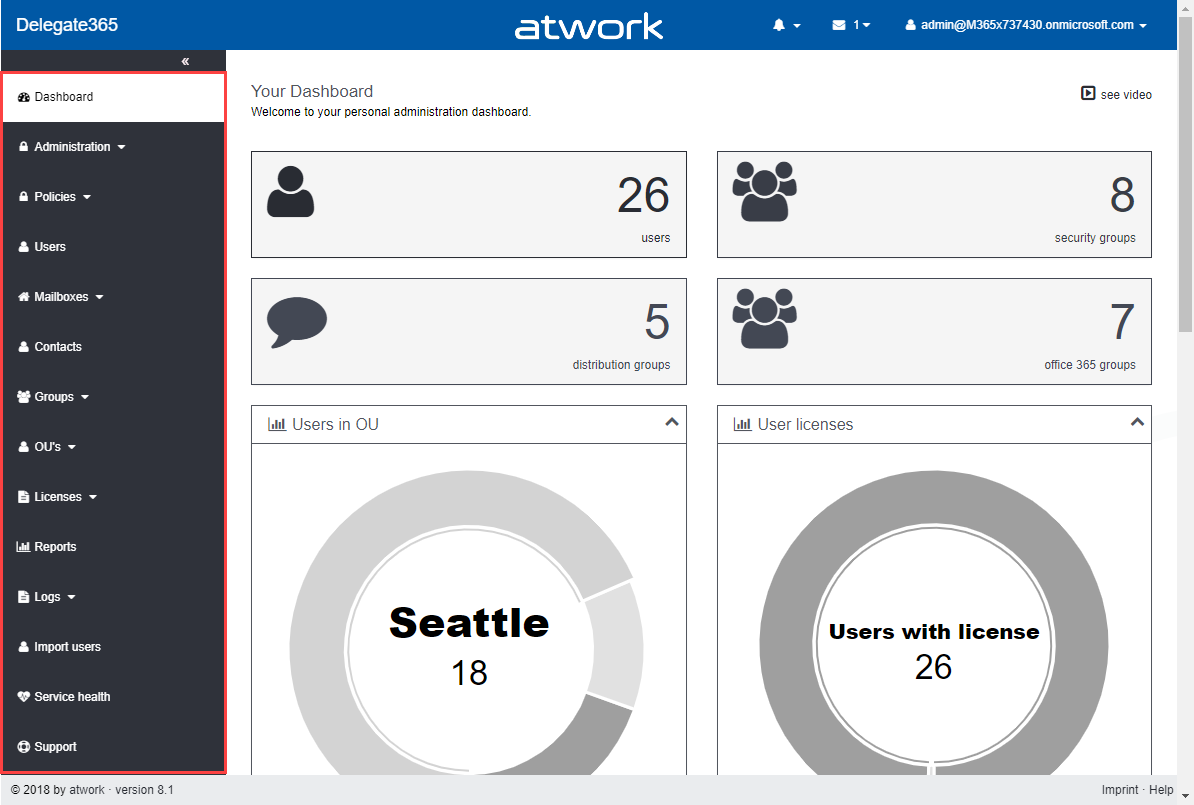
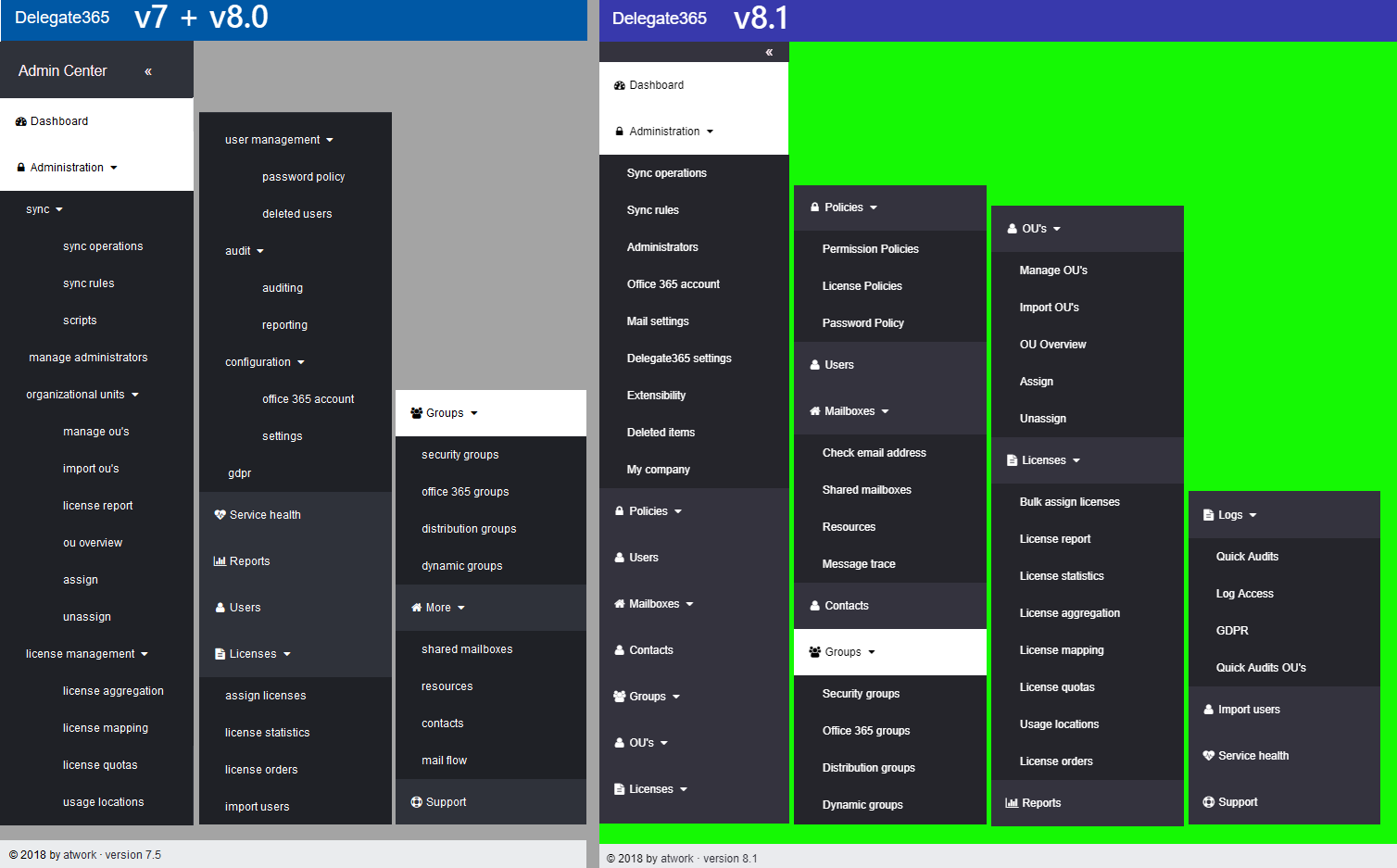
With Delegate365 version 8.1 there comes a new menu structure. The new menu groups the functions more logically and allows granular control with new permission policies. The new policies are are described in a separate article. See the menu differences before and after in this overview. Now, each topic is a group to make it easier for admins to find related features. There are only two instead of three menu levels. Enlarge the following graphics to see all menus and their new position. The left side (gray) shows the full menu of Delegate365 version 7.x and 8.0, the right side (green) shows the new menu Delegate365 version 8.1. ...

October 8, 2018 · 1 min · Toni Pohl
Impressions of Microsoft Ignite 2018

Impressions of Microsoft Ignite 2018

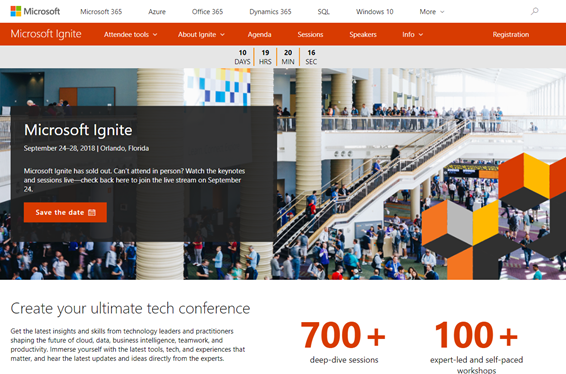
From 24th to 28th September, Microsoft’s largest and fourth Microsoft Ignite conference took place in Orlando, Florida. #MSIgnite is the largest and leading event for IT-Professionals, Developers and Decision-Makers in the Microsoft universe. With approximately 30,000 attendees and about 700 breakouts and a lot of theater-sessions , a large expo and a lot of networking, this event was huge. We were proud to be part of the conference and we have collected some of our impressions here. ...

October 5, 2018 · 3 min · Toni Pohl
Ignite MVP Live Blog  THR2041 How Microsoft does IT Best practices for your Champion program

Ignite MVP Live Blog THR2041 How Microsoft does IT Best practices for your Champion program

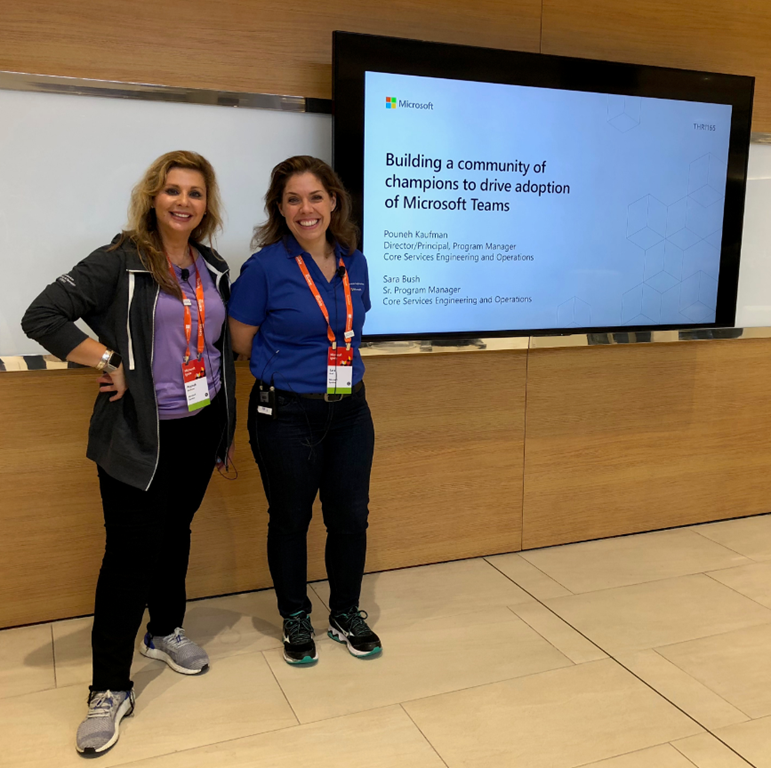
This session gives you insights from Microsoft IT about how they use their internal Teams Champion program to drive collaboration and communication using Microsoft Teams. The session was delivered by Sara Bush, Sr. Program Manager Microsoft Teams, Microsoft. Sara is a member of the Teams & Voice team in End User Services Engineering, Sara is driving Microsoft Teams adoption internally through the Art of Teamwork Tour training program, the Teamwork Champions program and the EUSE change management effort to bring all Microsoft users into a deep understanding of how Microsoft Teams supports day to day work, increasing collaboration and productivity. ...

October 1, 2018 · 3 min · Martina Grom
Project Project-DateiKorrektur mit Unterprojekt  Project File Correction with Subproject

Project Project-DateiKorrektur mit Unterprojekt Project File Correction with Subproject

Project-Datei–Korrektur mit Unterprojekt Wenn Sie nicht Project Online oder Project Server arbeiten oder die unten genannten Einschränkungen nicht erfüllt sind, können Sie die Reparatur eines potentiell korrupten Projektplans durch Einfügen als Unterprojekt versuchen. Bitte beachten Sie, dass dieses Vorgehen zu einer vollständigen Bereinigung des Projekts führt und alle projektspezifische Kalender, Ansichten, Tabellen, Filter, … ohne einige zusätzliche Schritte verloren gehen! Zuvor können Sie auch der Beschreibung Project-Datei-Korrektur mit XML folgen. Wichtig: Wenden Sie diese Methode keinesfalls an, wenn Sie mit Project Online oder Project Server arbeiten und eine der folgenden Bedingungen erfüllt ist (wenn Sie unsicher sind, fragen Sie Ihren Administrator): ...

September 23, 2018 · 4 min · Barbara Henhapl
Project Project-DateiKorrektur mit XML  Project File Correction with XML

Project Project-DateiKorrektur mit XML Project File Correction with XML

Sprachen / Languages: Deutsch English Project-Datei–Korrektur mit XML Wenn Sie nicht Project Online oder Project Server arbeiten oder die unten genannten Einschränkungen nicht erfüllt sind, können Sie die Reparatur eines potentiell korrupten Projektplans mit einem Speichern als XML versuchen. Wichtig: Wenden Sie diese Methode keinesfalls an, wenn Sie mit Project Online oder Project Server arbeiten und eine der folgenden Bedingungen erfüllt ist (wenn Sie unsicher sind, fragen Sie Ihren Administrator): ...

September 16, 2018 · 3 min · Barbara Henhapl
How to associate an Azure subscription owned by a MSA to your organizations AAD

How to associate an Azure subscription owned by a MSA to your organizations AAD

If you created new Azure subscriptions with a Microsoft Account (MSA), the subscription is managed with an own Azure Active Directory (AAD). This article shows how to integrate such an “external” Azure subscription into your organization’s AAD. Having Azure subscriptions owned by a MSA can have various reasons: Historically with older Azure subscriptions or if you are a member of the Microsoft Partner Network (MPN) which still works for MSDN subscriptions only for MSAs… (this is a different story and worth grey hair…). Anyway, if you have such a situation, see how this process works here. ...

September 14, 2018 · 3 min · Toni Pohl
Looking forward to Microsoft Ignite 2018

Looking forward to Microsoft Ignite 2018

In a good week, Microsoft Ignite 2018 will start! Ignite is Microsoft’s largest yearly IT conference that will take place from September 24 - 28, 2018 in Orlando, Florida. Ignite will offer about 700+ sessions, insights and roadmaps from industry leaders, and deep dives and live demos on the products you use every day. We are looking forward to a full week to meet customers, partners and friends from all over the world. And we have prepared a bunch of great content we will deliver in our sessions! ...

September 13, 2018 · 5 min · Toni Pohl
Project Online - Project Server Für die Freigabe speichern  Save for Sharing

Project Online - Project Server Für die Freigabe speichern Save for Sharing

Deutsch Wenn Sie mit Project Online oder Project Server arbeiten und den Eindruck haben, dass Ihr Projektplan nicht in Ordnung ist, können Sie versuchen, diesen mit der Methode Für die Freigabe speichern zu reparieren. Zudem können Sie diese Methode auch einsetzen, um das Projekt anderen zur Bearbeitung zur Verügung zu stellen, wenn diese keinen Zugriff auf Project Online oder Project Server haben. Das kann über das Speichern auf einem Netzlaufwerk oder auch durch Weitergabe ber E-Mail erfolgen. Wenn Sie die aktualisierte Version zurück erhalten, können Sie sie wie unten beschrieben wieder in Project Online oder auf dem Project Server speichern. ...

September 9, 2018 · 4 min · Barbara Henhapl