Can you use nested Logic Apps in Azure?
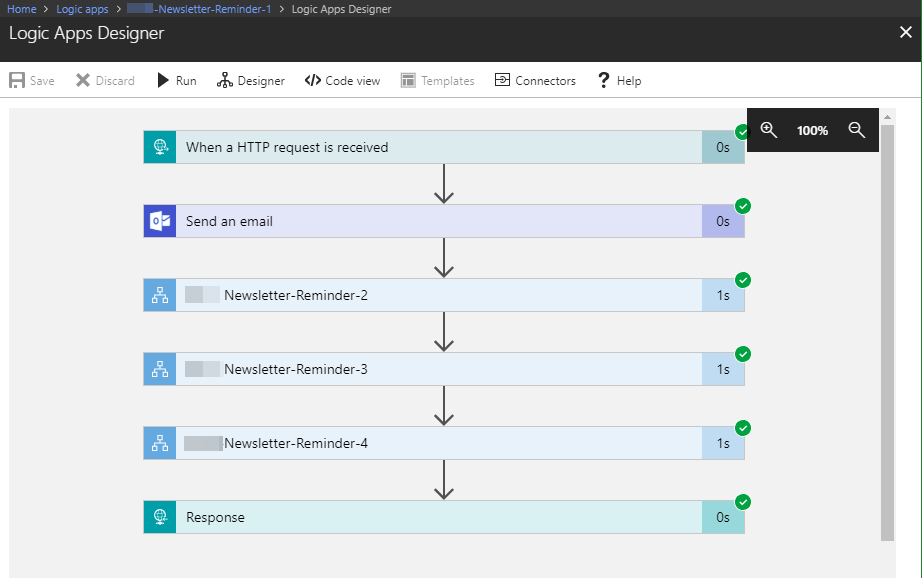
Workflows really help to standardize and to solve business processes. This can be done with Microsoft Flow in Office 365 or with Logic Apps in Azure (which is the same engine). Often, I see questions, if it is possible to call an Azure Logic App from another Logic App. Does his work? Well, see this quick sample. In workflows, it’s usually a clever idea to simplify steps as much as possible. So, each step could be implemented as one independent Logic App. ...