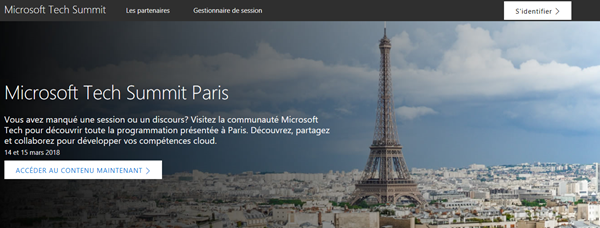
Impressions of Microsoft Tech Summit Paris 2018

After we returned from MVP Summit, we were proud to be part of Microsoft Tech Summit from March 14th to 15th in Paris. The cost-free roadshow took place in Paris Expo Porte de Versailles and delivered two days of news and How-To’s of the Microsoft cloud services. See some impressions here. Beside the breakout sessions, Tech Summit provided experts panels, workshops, and booths to directly get in contact with the Microsoft teams and third party vendors and to ask questions. See more details at the conference website at www.microsoft.com/techsummit/paris. ...

March 18, 2018 · 2 min · Toni Pohl

Impressions of Microsoft MVP Summit 2018

In the mid of March, Microsoft’s MVP Summit took place at Microsoft’s headquarter in Redmond and in Bellevue in Washington. For us, this was a great week for getting the latest news about Microsoft products and technologies and for networking and meeting friends. MVP summit is an exclusive event for all active MVPs and Regional Directors (RDs). Microsoft trusts their community-leaders and the content is strictly confidential. We used the week for learning, building relationships and giving feedback which is simply great to directly interact with the product groups. ...

March 17, 2018 · 2 min · Toni Pohl

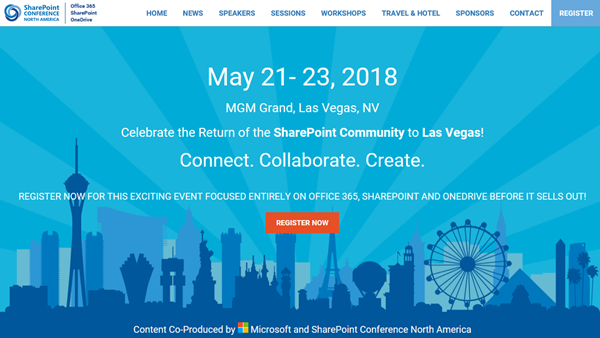
Join us at SharePoint Conference North America!

Celebrate the Return of the SharePoint Community to Las Vegas! After four years, SharePoint Conference North America is back from May 21st to 23rd 2018 at MGM Grand in fabulous Las Vegas. Meet the Microsoft SharePoint team, community members and peers from around the world there. We from atwork are happy to be there as well to meet and contribute to SPC 2018! SharePoint Conference North America provides over 150+ sessions and informs about the latest technologies of the Office 365 platform such as SharePoint, OneDrive, Yammer, and Microsoft Teams. See the details at www.sharepointna.com. ...

February 27, 2018 · 1 min · Toni Pohl

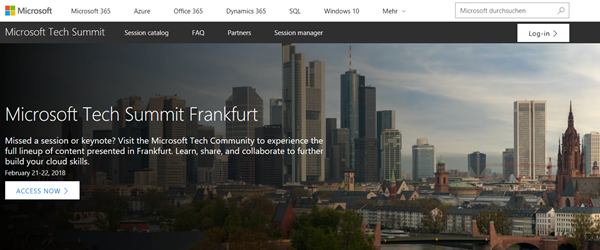
Impressions of Microsoft Tech Summit Frankfurt 2018

This week, the Microsoft Tech Summit roadshow took place in Frankfurt, Germany. On two days, from February 21-22, 2018, the cost-free roadshow informed about topics from Azure to Microsoft 365. We were happy to be part of the Tech Summit. See some impressions here. The keynote was delivered by Giovanni Mezgec, General Manager, Microsoft Office 365 Marketing and Corey Sanders, Director of Compute, Microsoft Azure. Then, there followed a variety of IT Pro Breakouts and Developer Breakouts. Beside the breakout sessions, Tech Summit provided experts panels, workshops and booths to directly get in contact with the Microsoft teams and third party vendors and to ask questions. See more details at the conference website at https://www.microsoft.com/de-de/techsummit/frankfurt. ...

February 25, 2018 · 3 min · Toni Pohl
Microsoft Project Menüband anpassen

Microsoft Project Menüband anpassen

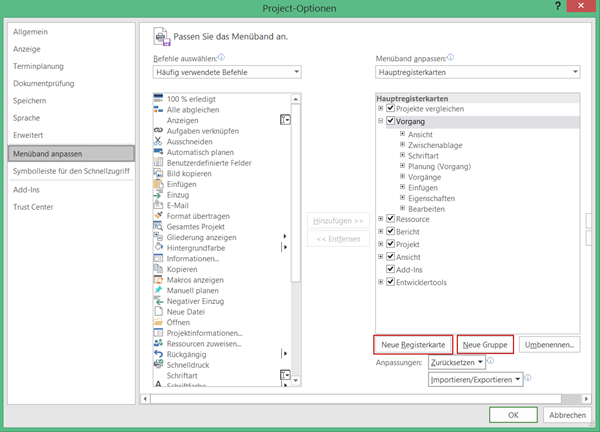
Analog zu allen Office Anwendungen ab Version 2007 können Sie in Project ab Version 2010 die das Menüband anpassen. Damit können Sie Funktionen, die Sie häufig benötigen, komfortabel zusammenstellen. Um Ihre Befehle zusammenzustellen, öffnen Sie das Dialogfenster Project-Optionen über Datei – Optionen. Wechseln Sie zur Ansicht Menüband anpassen. Tipp: Erstellen Sie eine eigene Registerkarte, um Ihre Befehle zusammenzustellen. Vermeiden Sie es, Befehle der Standardregisterkarten zu verändern, da das zu Kommunikationsproblemen mit anderen Project-Anwendern führen kann. ...

February 23, 2018 · 2 min · Barbara Henhapl
Microsoft Project Symbolleiste für den Schnellzugriff anpassen

Microsoft Project Symbolleiste für den Schnellzugriff anpassen

Analog zu allen Officeanwendungen ab Version 2007 können Sie in Project ab Version 2010 die Symbolleiste *für den Schnellzugriff *anpassen. Damit können Sie Befehle, die Sie häufig benötigen, sehr komfortabel für den einfachen Zugriff bereitstellen. Ohne Anpassung stehen die Befehle Speichern, Rückgängig und Wiederholen zur Verfügung. Oft werden aber Befehle vermisst, die nur durch mehrmalige Mausklicks zu erreichen sind, wie zum Beispiel Drucken oder bei Einsatz von Project Online oder Project Server Veröffentlichen. ...

February 20, 2018 · 2 min · Barbara Henhapl
Tips for PowerApps-Using SharePoint Customize forms with Bing Maps visualization

Tips for PowerApps-Using SharePoint Customize forms with Bing Maps visualization

PowerApps are very powerful and simple to use.Through the integration in SharePoint Online lists, we now can create our custom forms within a SharePoint site and add additional features as calculations, modifications and even visualizations. See here, how to integrate a map for showing a location instantly directly in SharePoint without any coding! In this sample, I created a custom list and added a column Location as a single text field. In the PowerApps menu, we see the (new) Customize forms option. As the name says, this allows to modify the display and edit form of that particular list with the PowerApps Online Studio. ...

February 19, 2018 · 3 min · Toni Pohl
Delegate365 changelog version 7.4-additional reports with risk events and Microsoft Teams, OneDrive shared with and groups as members

Delegate365 changelog version 7.4-additional reports with risk events and Microsoft Teams, OneDrive shared with and groups as members

With Delegate365 version 7.3 a new reporting engine was introduced. With this update, additional reports are available in Delegate365 version 7.4. The new reports deliver a new report category with risk events, as for example impossible travel risk events or suspicious IP risk events, new Microsoft Teams statistics reports and more. Also, OneDrive usage per user and Shared-With information is now available as a report. Mail Enabled Security Groups can now be assigned with permissions in Resources (rooms and equipment mailboxes) and Shared Mailboxes. See the details and descriptions of all reports here. ...

February 15, 2018 · 7 min · Toni Pohl
Delegate365 changelog version 7.3-new reports

Delegate365 changelog version 7.3-new reports

The newest version 7.3 of Delegate365 provides a complete new reports module that replaces the old reports section. See the benefits and the details of the new Delegate365 reporting engine and how to use it for all your Delegate365 admins with just their entitled data. Learn about the details here. New reports menu: The old reports menu was replaced by the new module. Now, there are four boxes with a description, the available reports, scheduled reports and finished reports. All Delegate365 Admins can now select from new reports (1 and 2), activate a notification when finished (3) and start a report job with the Submit button (4). This creates a task in the schedules reports list (5). A job picks that task and executes it after a couple of minutes. When the report has been created, a notification can be sent to the report owner and the report shows up in the finished reports list (6). Refresh updates the reports boxes (5 and 6) with the current status if needed. ...

February 12, 2018 · 6 min · Toni Pohl
Project Online Workflow error when reading flag field

Project Online Workflow error when reading flag field

In November 2017, a support article was published how to Troubleshoot Project Online workflows. One described error is “Custom field CUSTOM_FIELD_GUID does not have a value set for project PROJECT_GUID”. There is a special case when reading an Enterprise Custom Field of type Flag, as mentioned in a Note. Flag fields have one special behavior: You can’t set a default value for this type of fields. The value is blank, until you changed it manually at least one time – even if it is displayed as No on Project Detail Page or in Project client. Therefore, you can’t access this value from within a SharePoint Designer workflow until the first change. ...

February 11, 2018 · 6 min · Barbara Henhapl