Joining the Microsoft Graph Community Calls

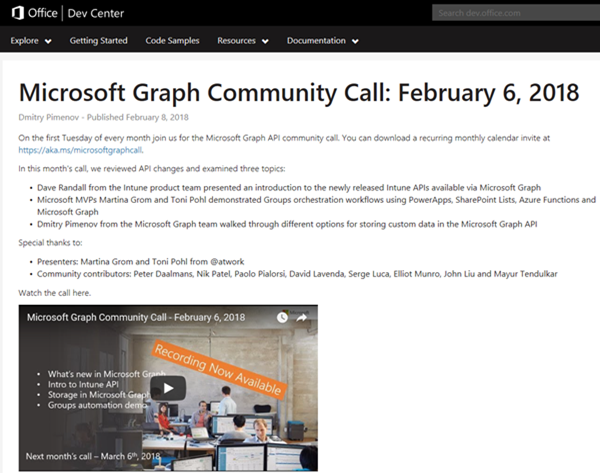
Microsoft Graph is the unified endpoint to programmatically access resources and services in Office 365 and Azure Active Directory. To inform the developer community with the latest news, the Microsoft Graph team organizes a monthly Microsoft Graph API community call. We, Toni and I, were happy to contribute a use case at the last call showing a scenario of an Office 365 Group orchestration workflow with PowerApps, SharePoint Lists, Azure Functions and Microsoft Graph. ...

February 10, 2018 · 2 min · Martina Grom
Microsoft Project Leistungssteuerung  Ändern von Ressourcenzuordnungen

Microsoft Project Leistungssteuerung Ändern von Ressourcenzuordnungen

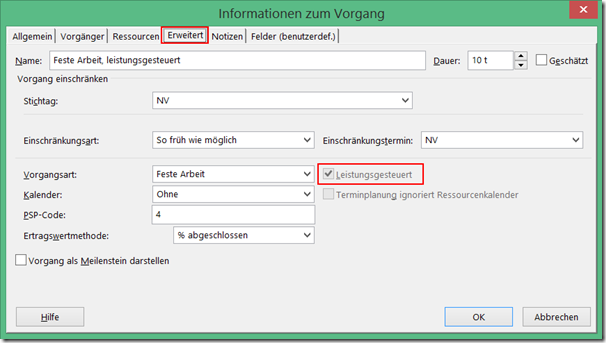
Neben den Vorgangsarten beeinflusst auch die Einstellung für Leistungsgesteuert das Verhalten von Project, wenn Sie die Anzahl der zugeordneten Ressourcen zu einem Vorgang ändern. Bei leistungsgesteuerten Vorgängen behält Project für die gesamte Arbeit für den Vorgang den aktuellen Wert bei, unabhängig davon, wie viele Ressourcen dem Vorgang zugeordnet sind. Leistungsgesteuert bedeutet, dass Project für den Vorgang den Wert für Arbeit nicht verändert. Der aktuelle Wert für Arbeit wird bei der der Änderung von zugeordneten Ressourcen zu einem Vorgang aufgeteilt. Wenn leistungsgesteuert deaktiviert ist, wird die vorhandene Arbeit nicht aufgeteilt, sondern die Arbeit gemäß der Zuordnungseinheiten der neu zugeordneten Ressource erhöht. In den aktuellen Versionen von Project ist diese Option im Standard deaktiviert. Sie finden die Einstellung zur Leistungssteuerung unter anderem im Dialogfenster Informationen zum Vorgang auf der Registerkarte Erweitert. Das Feld steht auch als Spalte zum Einfügen in Gantt-Ansichten zur Verfügung. ...

February 9, 2018 · 3 min · Barbara Henhapl
Microsoft Project Zuordnungseinheiten in Project ab Version 2010

Microsoft Project Zuordnungseinheiten in Project ab Version 2010

Heute äußere mich einmal zu einem Thema, bei dem ich nicht voll hinter den Entscheidungen der Project Product Group stehe . Mit der Version Project 2010 wurde die Anzeige der Zuordnungseinheiten bei Einheiten geändert. Bis Project 2007 Wer mit Project in den Versionen bis 2007 arbeitet oder gearbeitet hat, kennt folgendes Verhalten: Wir haben einen Vorgang mit der Dauer von 5 Tagen und einer Ressourcenzuordnung von 100%. Die Vorgangsart ist Feste Arbeit. ...

February 8, 2018 · 3 min · Barbara Henhapl
Microsoft Project Vorgangsarten  der Einfluss auf Ressourcenplanung

Microsoft Project Vorgangsarten der Einfluss auf Ressourcenplanung

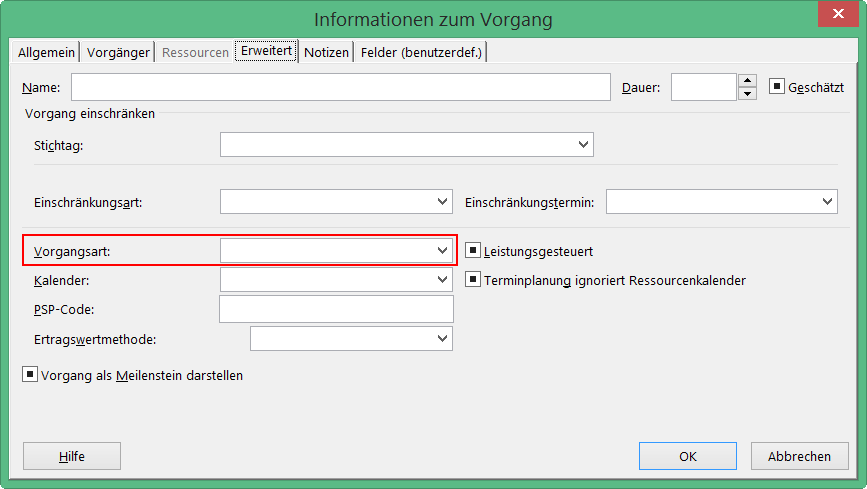
Ich komme oft in Situationen, in denen ich erläutern darf, wie Project im Hintergrund funktioniert. Wer kennt das nicht: man ändert etwas an einem Vorgang und es passiert etwas, was man so nicht erwartet. Und nein, Project macht selten etwas anderes, als man ihm “sagt”. Nur ist einem oft nicht bewusst, dass man eine Anweisung gegeben hat. Haben Sie diese Erfahrung auch schon gemacht? Sie haben einem Vorgang eine Ressource zu einem Prozentsatz zugeordnet, zum Beispiel 50%. Jetzt erhöhen Sie die Arbeit um wenige Stunden. Ist ja kein Problem, von 50% auf 100% ist ja noch viel Spiel, wird ja deswegen nicht gleich länger dauern – denkt man. Aber was tut Project? Es verlängert den Vorgang! Fazit: Project macht immer was es will und das ganz unlogisch. ...

February 6, 2018 · 5 min · Barbara Henhapl

Download the free Azure Serverless Computing Cookbook

Serverless Computing is popular. With Microsoft Azure, IT people can concentrate on their tasks and apps without taking care of managing any server infrastructure. One of the key Platform-as-a-Service (PaaS) components from Microsoft is the new, extensive Azure Functions service. Learn how to use Azure Functions with the cost-free Azure Serverless Computing Cookbook! The “Azure Serverless Computing Cookbook” book was written by Praveen Kumar Sreeram and reviewed by our colleague Florian Klaffenbach, published by Packt Publishing Ltd. last fall. You can download the free ebook in the Azure Resource Center at Azure Serverless Computing Cookbook. ...

February 3, 2018 · 1 min · Martina Grom
Working with Exchange Mailboxes and Groups as members

Working with Exchange Mailboxes and Groups as members

When working with Office 365 and Exchange services, it can be helpful to work with groups instead of users, for example, for allowing a group to have full access to a shared mailbox. In this case, there are some things to consider. See the working result in this documentation. The scenario First of all, I need to clarify, I’m not an Exchange guy. So, perhaps I’m describing a scenario that’s fully clear for Exchange Admins but I think, this could be helpful for other Office 365 Admins. This sample is my summary to show the solution for that specific request: How to set full access permissions to a shared mailbox, a resource or a distribution list for a group (and therefore to all members of that group). ...

February 2, 2018 · 3 min · Toni Pohl
Delegate365 changelog version 7.2-additional sync rules and more

Delegate365 changelog version 7.2-additional sync rules and more

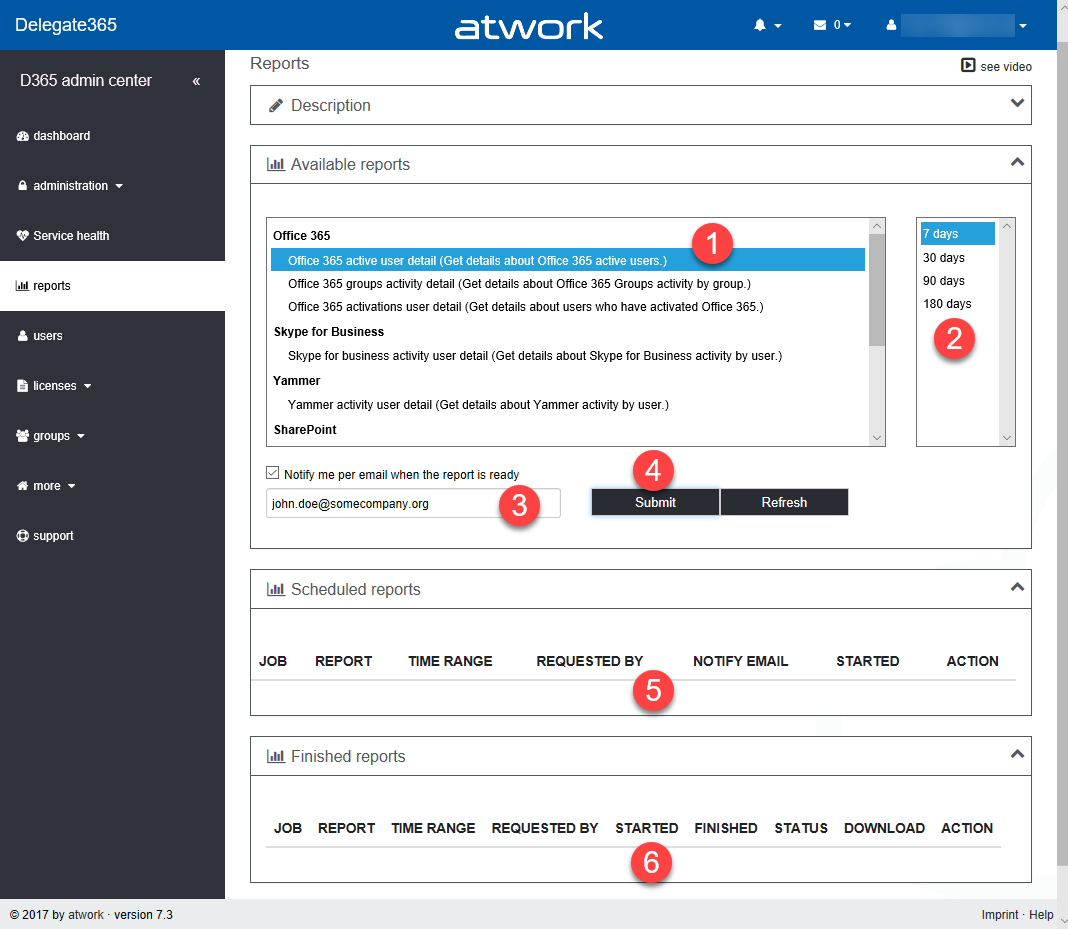
With Delegate version 7.2 there come some new and useful features especially in the sync rules. See the details described here. Sync Rules: Groups OU-assignment by new name rules: All group rules now offer additional options in the Property dropdown allowing to assign a group to an OU by its name. To get the OU name out of the group name, the OU name must be the prefix of a name and a predefined separator must be used. The options include the following separators: [space] , [underscore] , [hyphen] –, [point] ., and [slash] /. To clarify the mechanism, the options show a sample. So, if a group Display Name is set to “New York_Group”, the sync rule strips down by the separator “” and uses “New York” as OU name and “Group” as group name. So, group “Group” is automatically assigned to OU “New York”. Take care when using a normal space character as separator: Then, the OU name can only be one word, for example: “New York Group” would result in an OU “New” and the group name is “York Group”. As workaround, the OU-name could be named with a hyphen “New-York” or similar. That’s the purpose, to use a Display Name for automatic OU-assignment instead of object properties. Now, admins can use this feature additionally if needed for the following objects: Distribution Groups, Office 365 Groups, Contacts, Resources, Shared Mailboxes and Security Groups as marked red in the following screenshot. ...

January 31, 2018 · 6 min · Toni Pohl
How to restrict access and to connect to a single SQL Azure database only

How to restrict access and to connect to a single SQL Azure database only

As of today, many organizations use various Microsoft Azure services. SQL Azure databases are popular among them. Often, IT Administrators want to allow departments or vendors full access to just one specific SQL Azure database and to restrict their access to other resources. See here how this works. Use SQL Management Studio or SQL Operations Studio When working with SQL databases, installing the SQL Management Studio (SSMS) is very helpful. You can get the latest version from Download SQL Server Management Studio (SSMS) for free. Alternatively, you can use the new lightweight and cost free SQL Operations Studio. ...

January 27, 2018 · 4 min · Toni Pohl
Snapshots of SharePoint Saturday Bremen 2018

Snapshots of SharePoint Saturday Bremen 2018

This weekend, on the January 20th, the first SPS North Germany/Bremen took place with great sessions in a very cool location. See some snapshots here. For #SPSBRE, we had a very cool location in the Bremen Harbor at Schuppen Eins (“shed one”). When entering the former harbor storehouse building that was built in 1959, the automobile Oldtimer Boulevard hits you with more than 60 unique cars, embedded in a modernized glass structure with a cafe, shops and a garage specialized in repairing old-timers. So, we had a lot to watch – and to learn. ...

January 21, 2018 · 1 min · Toni Pohl

CU at SharePoint Saturday Bremen 2018

We are looking forward to see you at the SharePoint, Office 365 and Azure community event next week on January 20, at the first SharePoint Saturday North Germany 2018, in the city of Bremen. There will be a lot of interesting sessions and a great speaker’s lineup. CU there! SharePoint Saturday North Germany / Bremen 2018 Saturday, January 20, 2018 Schuppen Eins, Konsul-Smidt-Str. 22, 28215 Bremen SPS Bremen will deliver a bunch of hot topics, see speakers and sessions! We from atwork have three sessions and will inform about these topics: ...

January 14, 2018 · 1 min · Toni Pohl