Check out the new Surface Laptop

Check out the new Surface Laptop

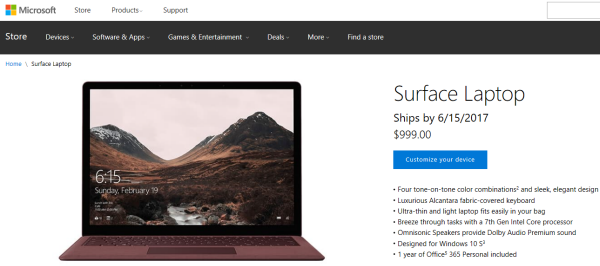
Being in Seattle during #MSBuild brings the advantage to have a first look at the brand new Surface Laptop that was announced on May 2nd by Microsoft in real life. You can preorder Surface Laptop in the Microsoft Online Store today. Delivery date starts at June 15th, [](https://www.microsoftstore.com/store/msusa/en_us/pdp/productid.5102691100?icid=en_us_homepage_hero1_surface laptop_5.2.17 “image”) We visited the Microsoft Store in Bellevue and had a look at the Surface family. See some snapshots here… Well, besides the technical specifications, the new Surface Laptop seems to be a very nice (but pricy) device. On the other hand, you get a beautiful designed notebook with a long battery life. I like it more than the Surface Book (which is too heavy), but as always, this is a matter of opinion. ...

May 9, 2017 · 1 min · Toni Pohl
Delegate365 changelog version 6.4-automate additional licenses assignments

Delegate365 changelog version 6.4-automate additional licenses assignments

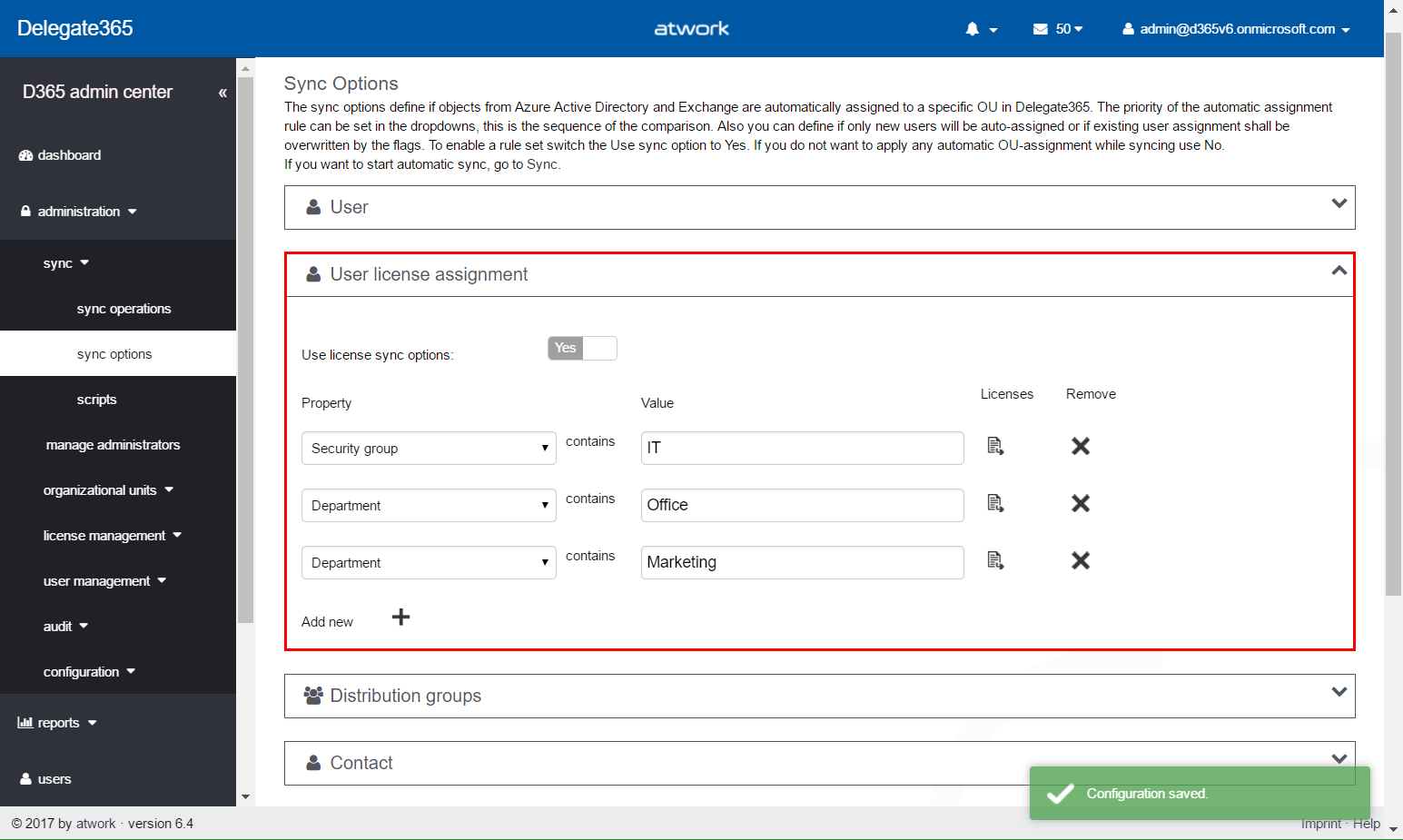
In Delegate365 version 6.2 update we added an important feature to save Delegate365 licenses. With this Delegate365 version, there comes a new, powerful feature for more Office 365 automation. The new version number is 6.4. No worries, you have not missed version 6.3, since this was an internal version for adding the new user license assignment feature, testing and fixes. Delegate365 version 6.4 will be rolled out in the next two weeks. So, what does this update do? ...

May 8, 2017 · 5 min · Toni Pohl
Add your local IP address to a SQL Azure Firewall easily

Add your local IP address to a SQL Azure Firewall easily

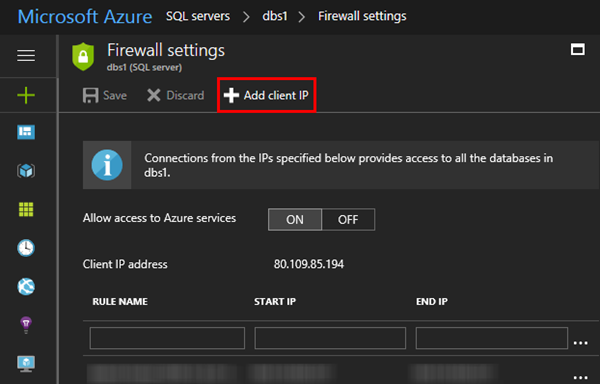
When working with SQL Azure you are aware that a connection is just established, if the client’s IP address is configured in the firewall of the SQL Azure database server. You needed to open the Azure Portal-SQL servers service and add your IP address manually. Well, the good story is, now the SQL Server 2016 Management Studio does this for you! At my home, the ISP renews IP addresses constantly. So, it’s always an effort to add my current IP address manually in the Azure Portal to be able to connect. Well, this can be done with Azure PowerShell as well, but I never automated that. ...

May 6, 2017 · 1 min · Toni Pohl
Check out this aka.msAzure hyperlinks collection

Check out this aka.msAzure hyperlinks collection

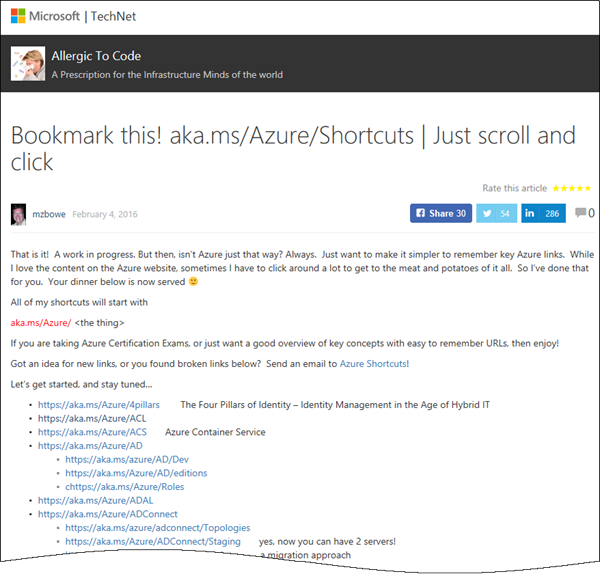
Sometimes, everybody needs a little helper. Find this helpful list of aka.ms/Azure shortcuts by mzbowe at Bookmark this! aka.ms/Azure/Shortcuts | Just scroll and click “Just want to make it simpler to remember key Azure links. All of my shortcuts will start with aka.ms/Azure/[the thing] …”. as for example https://aka.ms/Azure/VM, https://aka.ms/Azure/GraphAPI and a ton of more shortcuts. Nice list for Azure!

May 3, 2017 · 1 min · Toni Pohl
Martina Grom re-awarded as Microsoft Regional Director

Martina Grom re-awarded as Microsoft Regional Director

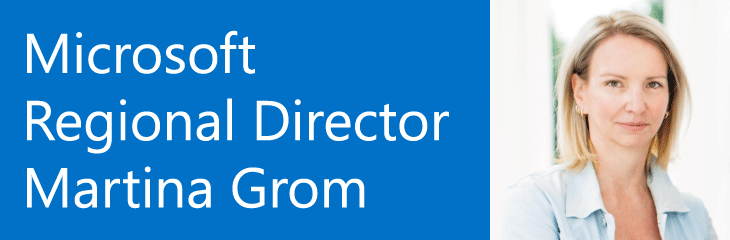
We are very happy and proud that our CEO, Martina Grom, has been re-awarded as Microsoft Regional Director (RD) this April! The Microsoft Regional Director Program consists of 150 of the world’s top technology visionaries chosen specifically for their proven cross-platform expertise. RD’s must be nominated by Microsoft and this is a very exclusive program. Find out more about that exceptional business and community leaders at the Microsoft RD website rd.microsoft.com. ...

May 1, 2017 · 1 min · Toni Pohl
Integrate Microsoft Flow with an onprem SQL Server

Integrate Microsoft Flow with an onprem SQL Server

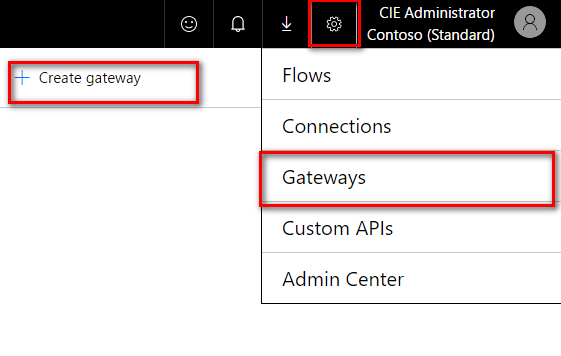
Microsoft Flow offers various connectors, also for integration with onprem systems. To be able to connect with an onprem SQL server, SharePoint server or file server, a gateway service must be installed at a machine in the LAN where the server is available. To setup the gateway navigate to the Microsoft Flow service in your Office 365 portal and click on the gear symbol and then on “Gateways” (see screenshot below). There you will find the option “+ Create Gateway” where you can download the Microsoft Gateway service. ...

April 25, 2017 · 3 min · Jörg Schoba
Global Azure Bootcamp 2017 Austria

Global Azure Bootcamp 2017 Austria

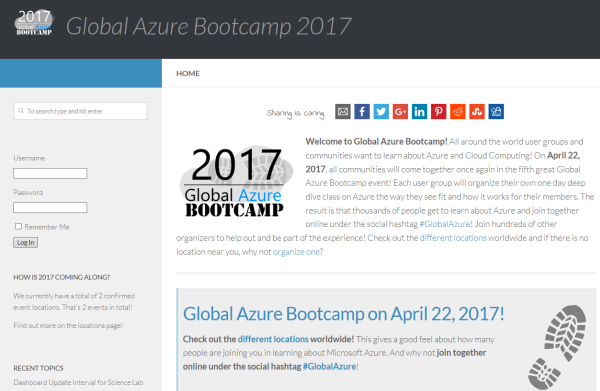
Yesterday, on the 22nd April 2017, the fifth Microsoft Global Azure Bootcamp happened worldwide where user groups and communities organized events to learn about Azure and Cloud Computing. In Austria, the #GAB happened in Linz. We had a great day with Azure and the community! See details at the website of global.azurebootcamp.net. The official twitter hashtag was #GlobalAzure (but many, as I, used #GAB2017, but that’s life ). As in the years before, Rainer Stropek (MVP, RD) with Karin and their team of Coding Club Linz organized the event in Austria, Linz in Wissensturm, see Global Azure Bootcamp 2017 in Austria. ...

April 23, 2017 · 2 min · Toni Pohl

Worldwide internet user map

Recently Microsoft published an article about “Giving CISOs assurance in the cloud” with nice visualized “internet user maps”. By 2015, the internet user map looks as here: Source: Microsoft Secure Blog That’s an interesting map showing the most heavy internet users in the dark green boxes. Summarized, these are North America, Northern Europe, South Korea and Japan. The dark green regions will include the south in the next years… So, if you are internet addicted (as we are…), you can choose your travel destinations by that map.

April 17, 2017 · 1 min · Toni Pohl
Tips for PowerApps-issues and status

Tips for PowerApps-issues and status

Recently I got an error in my PowerApp when trying to get an Office 365 User Profile, although this was working before: “The service returned an error: Office365Users!MyProfile: {“status”:402,“message”:Insufficient privileges to complete the operation.”,“source”:“127.0.0.1”}". See here how to deal with such scenarios. Well, first I tried to check my Office 365 User connection, removed the data source and added it again. But this didn’t change anything, the app still reported the same error. ...

April 16, 2017 · 2 min · Toni Pohl
atwork bei den Microsoft Osterhelden 2017

atwork bei den Microsoft Osterhelden 2017

Mit dem Motto “Wir digitalisieren Österreich #DigitaleHelden” startet Microsoft eine Digitalisierungs-Kampagne mit Gewinnspiel. Wir von atwork freuen uns, mit dabei zu sein und informieren über die neuesten Microsoft Cloud Technologien und zeigen eine PowerApp für den täglichen Gebrauch im Unternehmen. Schauen Sie rein und machen Sie mit! Hier gehts zum atwork Kurzvideo: microsoft.at/osterhelden/atwork. Das atwork Team stellt die Vorteile der Microsoft Cloud vor, beantwortet Fragen zur Sicherheit und erklärt welche Möglichkeiten es zur Automatisierung gibt. Mit einer Fahrtenbuch Applikation zeigen wir Ihnen, wie Microsoft PowerApps Alltagsprozesse erleichtert. Als kleines Ostergeschenk gibt es bis zum 10. Juni 2017 die Möglichkeit eine kostenfreie Beratung für eine Migration in die Microsoft Cloud zu gewinnen. Video ansehen und mitmachen! ...

April 11, 2017 · 1 min · Toni Pohl