SharePoint Usergroup Stuttgart Juli 2015 Slides

SharePoint Usergroup Stuttgart Juli 2015 Slides

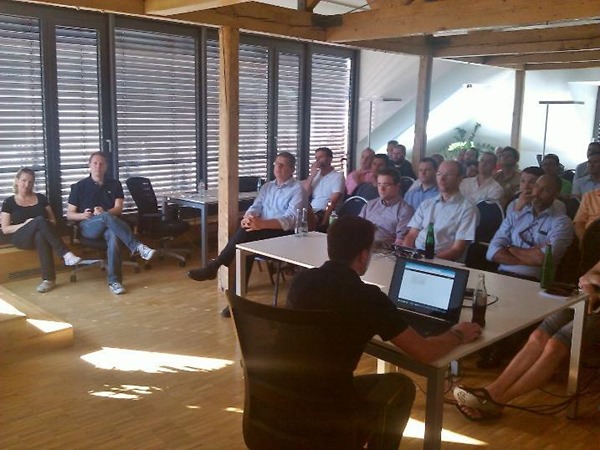
Martina, Nicki und ich haben uns sehr gefreut, bei der SharePoint Usergroup am 1. Juli in Stuttgart dabei zu sein! Wir bedanken uns ganz herzlich bei Thomas Tuttenuj für die Einladung, beim Sponsor BridgingIT und für das tolle Usergrouptreffen und für euer Interesse! Hier findet ihr unsere Präsentationen auf Sway und Slideshare: My Ignite (Neues von SharePoint 2016) (Nicki Borell) Was gibt es Neues in Office 365 (Martina Grom) Office (365) Development Overview (Toni Pohl) ...

July 25, 2015 · 1 min · Toni Pohl
Upgrade to Windows 10 for free

Upgrade to Windows 10 for free

Microsoft offers free upgrades from Windows 7 or Windows 8 to Windows 10. See how easy this works here: Upgrade to Windows 10 for free Once Windows Updates has installed the “Get Windows 10 app” you can reserve your Windows 10 version. Windows 10 upgrade will be available starting by July 29th!

July 22, 2015 · 1 min · Toni Pohl
Visual Studio 2015 RTM is available

Visual Studio 2015 RTM is available

As S. Somasegar, corporate vice president of the Developer Division at Microsoft, wrote in his MSDN blog, the final version of Visual Studio 2015 is available: Save the Date: Visual Studio 2015 RTM on July 20th The new Visual Studio version is targeting developers on new platforms: from cross-platform mobile development targeting iOS, Android to the classic Windows apps. Check out the Visual Studio 2015 Final Release Event site with over 60 on-demand content sessions! ...

July 21, 2015 · 1 min · Toni Pohl
How to activate Windows 10 Enterprise Build 10240

How to activate Windows 10 Enterprise Build 10240

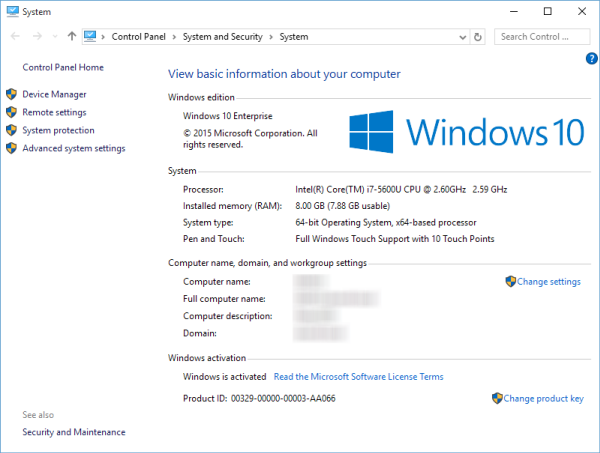
When updating to a new build of Windows 10 Technical Preview Windows Enterprise must be reactivated. There are some Microsoft product keys on the net for various versions of Win10 TP. With the latest build (10240) these keys no longer work, it seems Microsoft has disabled the online activation until the end of July 2015. Here’s a workaround how to activate Windows 10 Enterprise: winaero.com/blog: How to activate Windows 10 build 10240 ...

July 17, 2015 · 1 min · Toni Pohl

Our Microsoft Virtual Academy courses are online

In May Martina, I and our MVP colleague Sigi Jagott have been to Redmond and recorded some courses about Office 365 for Microsoft Virtual Academy. The recordings took two days for Martina and two days for Sigi. I had the pleasure to join Martina for the first day and two recordings. It’s quite an experience to come into the Microsoft Studio in Redmond Town Center and get a briefing about how it works, what to do (and what not to do). The recording was done and cutted by Danny who did a great job introducing us into the world of doing the webcasts. Many thanks for your patience and your support! ...

July 3, 2015 · 3 min · Toni Pohl
Next, next, Windows 10

Next, next, Windows 10

Wow, Microsoft is fast in delivering new versions of it’s Technical Preview of Windows 10. Today, Gabe Aul announced the availability of the next build of Win10 TP in “Welcome to the faster Fast ring”. “We have one more surprise for you this week – Build 10162, releasing to the Fast ring.” Microsoft did publish Build 10159 with the new wallpaper and logon UI on Tuesday, so Build 10162 was published right after… ...

July 2, 2015 · 1 min · Toni Pohl
Kostenkontrolle mit Azure Billing API Preview

Kostenkontrolle mit Azure Billing API Preview

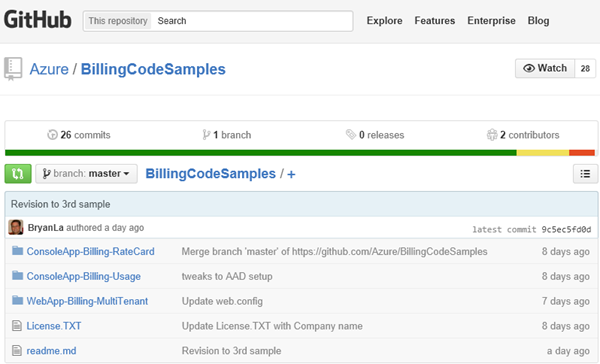
Ganz neu und frisch gibt es seit wenigen Tagen eine Azure Billing API. Enterprise Agreement Kunden haben ja eine eigene Verwaltung ihrer Subscriptions im Microsoft Azure - EA Portal und eine eigne Schnittstelle. Alle anderen Azure Subscriptions und deren Verwendung und die angefallenen Kosten können nun seit kurzem mit der neuen Azure Billing API (Preview) abgefragt werden. Wozu? Das ist besonders für kleine Unternehmen sinnvoll, die kein Azure EA besitzen, aber dennoch mehrere Azure Subscriptions verwenden. So werden etwa oft mehrere eigene Unternehmens-MSDN Abos von unterschiedlichen Mitarbeitern verwendet, da macht es Sinn die “usage” und das “billing” automatisiert (oder in weiterer Folge gesammelt) abzufragen. ...

July 1, 2015 · 5 min · Toni Pohl
The next steps on Windows 10

The next steps on Windows 10

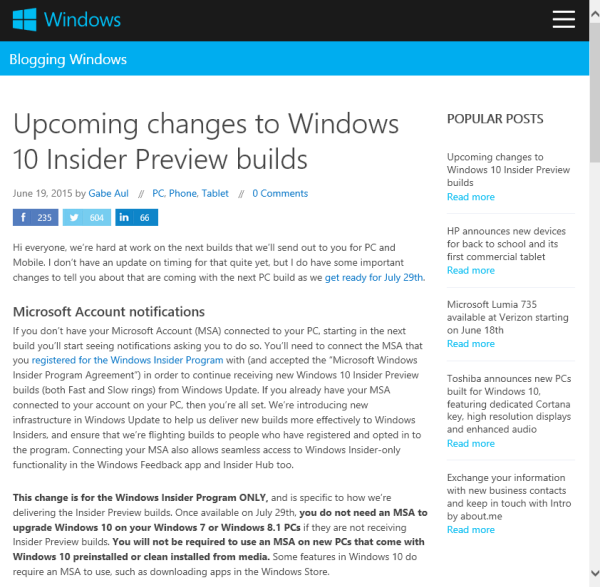
See the very interesting article “Upcoming changes to Windows 10 Insider Preview builds” by Gabe Aul in Blogging Windows for the latest details about Windows 10 and it’s official release in about one month. You can download the last version of Windows 10 technical preview – which is April Update (build 10130) - here for free: Download Windows 10 Insider Preview ISO June Update. The latest updates will automatically come via Windows Update. ...

June 21, 2015 · 2 min · Toni Pohl
Visual Studio Online Szenarien

Visual Studio Online Szenarien

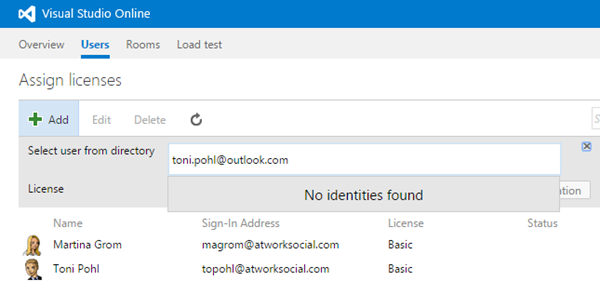
In Teil 1 habe ich beschrieben, wie man Organisationskonten mit Visual Studio Online nutzen kann. Hierzu möchte ich noch einige weitere Infos anfügen, die für die Verwendung von VS Online im Unternehmen hilfreich sind. Konten mischen? Zunächst einmal wird oft die Frage gestellt, ob man in bestehende VS Online Services Benutzer mit Microsoft Konto UND Organisations-ID hinzufügen kann. Die kurze Antwort darauf lautet: Nein. Damit es simpel bleibt, nehme ich das Ergebnis hier gleich vorweg. Ob Organisations-IDs verwendet werden können hängt davon ab ob Visual Studio Online mit einer Org-ID erstellt wurde (denn nur dann können Org-ID’s verwendet werden). Zur Übersicht habe ich die folgende Tabelle mit dem aktuellen Status angelegt. ...

June 17, 2015 · 6 min · Toni Pohl
Delegate365 changelog version 3.9.5-Updates

Delegate365 changelog version 3.9.5-Updates

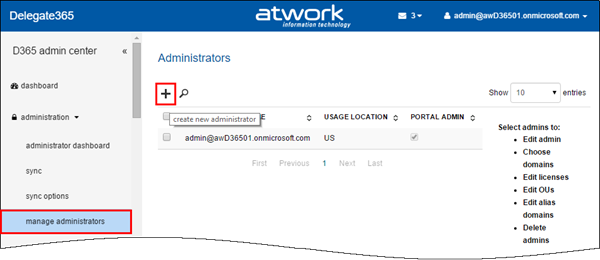
Delegate365 version 3.9.5 is out. We made some minor changes since the last version 3.9 (see here). See the changes here: Bulk create admins: When using D365 with many admins it can be some effort to create them. In former versions it was necessary to type (or copy) the UPNs of each admin in the create admin field. The creation of new admins works – as before – on the administration / manage administrators list. Now there follows a new form. Global Admins can type a username and an Auto-Complete function shows all corresponding starting with that name (starts with). Also there can be multiple admins picked and created in one step! To remove a selected admin, delete the user with Backspace key or by clicking the x-icon. The Auto-Complete works very quick even for many users (like in the screenshot above). Further improvements are that now all settings can be defined directly below in one step – for all selected admins like shown here. Below there are two more new sections: “Add admin to domain” and “Add admin to OU”. In here Global Admins can define which domains the admins can manage and in which D365 OU’s the admins will be members. This one-step-creation of admins simplifies the process of defining admins. The result can be checked anytime, like in this sample see the OU-assignment of user2. F.e. checking the OU… So best practise is to create multiple admins with common properties and assignments and then change specific permissions or assignments for special admins. ...

June 15, 2015 · 2 min · Toni Pohl