Unsere Microsoft 365 Success Story Adoption in Zeiten von Distance Learning mit Diakonie - Eine Welt

Unsere Microsoft 365 Success Story Adoption in Zeiten von Distance Learning mit Diakonie - Eine Welt

“In einer herausfordernden Zeit konnten wir mit atwork schnell und professionell eine funktionierende Lösung für Home-Schooling und Home-Office in Betrieb nehmen. Die Kompetenzen auf technischer und organisatorischer Ebene haben einen unkomplizierten und raschen Start in Microsoft Teams ermöglicht. Auch bei weiteren Projekten konnten wir uns voll auf das Knowhow von atwork verlassen. Wir freuen uns einen langfristigen Partner für Microsoft Cloud Services zu haben.” Benjamin Böhm (Head of IT, Diakonie – Eine Welt) ...

July 5, 2021 · 3 min · Mercedes Orasch
PowerPoint Live in Microsoft Teams mit Laserpointer und Textmarker nutzen

PowerPoint Live in Microsoft Teams mit Laserpointer und Textmarker nutzen

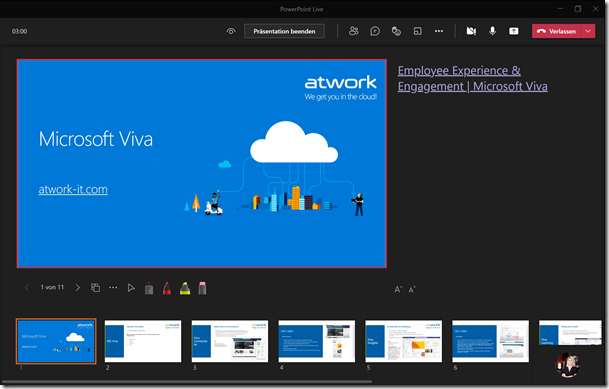
Microsoft Teams hat wieder eine neue Funktion veröffentlicht, die wir gleich getestet haben: Laserpointer und Textmarker-Funktion in PowerPoint Live für Microsoft Teams. Um es kurz zu machen, bedeutet es, dass man mit dem Laserpointer auf PowerPoint Folien zeigen kann, sowie diese mit Tinte und Textmarker (in verschiedenen Farben & Stärken) beschriften kann, um wichtige Inhalte hervorzuheben. Daneben kann man auch den Radierer verwenden, um den Textmarker oder Stift wieder zu entfernen. ...

July 2, 2021 · 3 min · Mercedes Orasch
Delegate365 changelog 9.2.2-Manage group owners

Delegate365 changelog 9.2.2-Manage group owners

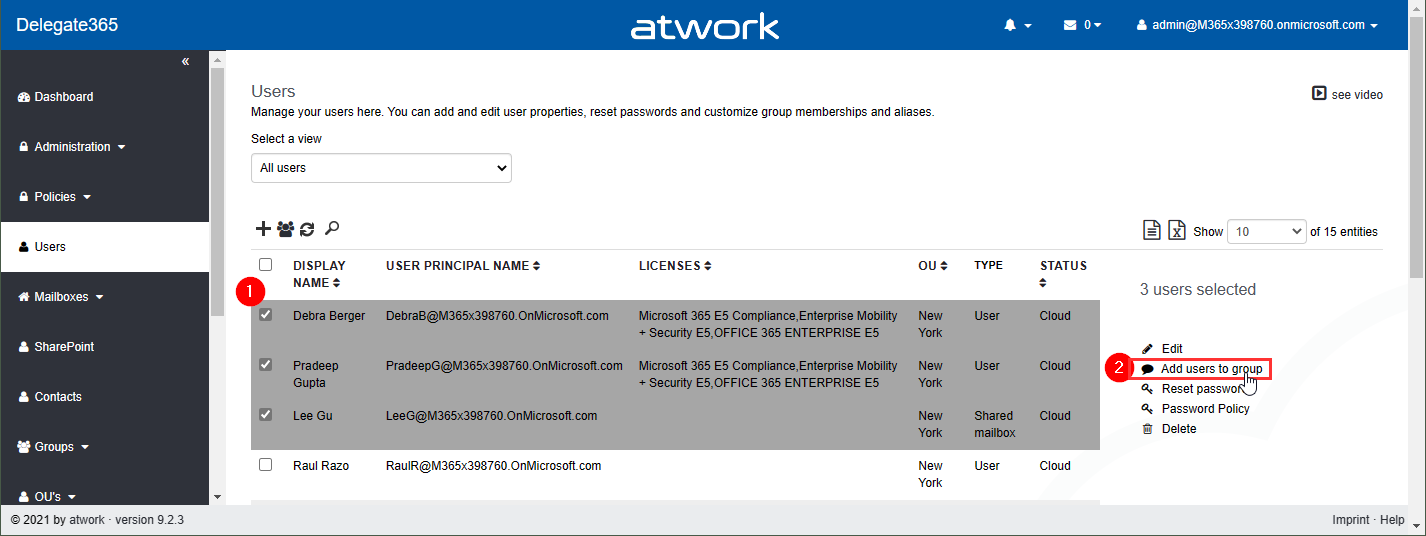
Delegate365 v9.2.2 allows to manage group owners. The permission policies have been extended and the current admin can add him- or herself or additional group owners for Security Groups and Microsoft 365 Groups. See a description of the latest features here. Enable (or disable) the manage owner feature: To enable the “manage owner” feature, you have to set the corresponding permission policies in the Groups - Security Groups - Manage owner from No to Yes, as here. Then, click on the Save button at the page end of the permission panel. By default, this new setting is disabled. So, don´t forget to switch it on, if your admins shall be able to set the group owner for security groups (in the same way as for Microsoft 365 Groups). Once the setting is set, it will be effective for all admins that have that permission policy assigned. To learn more about setting permission policies, see here. ...

June 16, 2021 · 4 min · Toni Pohl
Delegate365 changelog 9.2-PowerShell module update

Delegate365 changelog 9.2-PowerShell module update

The Delegate365 PowerShell module got a small update to expand a user´s assigned licenses, license plans and proxy addresses. See the following description. See the description at https://github.com/delegate365/PowerShell how to use the Delegate365 PowerShell module- Check the Delegate365 PowerShell module version First, ensure you have the latest version of the Delegate365 PowerShell module installed. Check with Get-Module as here. The version must be 1.0.0.10 (or in future a higher version). ...

June 11, 2021 · 2 min · Toni Pohl
Standout Presentation Mode is available in PublicDeveloper Preview in Microsoft Teams

Standout Presentation Mode is available in PublicDeveloper Preview in Microsoft Teams

The standout mode is now available in Public and Developer Preview in Microsoft Teams and will soon be allocated within all Microsoft Teams versions, and we love it! Benefits Your video feed is next/overlaid to your content Customize your video feed and content Bring your presentations to the next level For the standout mode in Public or Developer preview, you need the following Use the Microsoft Teams Desktop application as a presenter but also as an attendee to experience the standout mode option ...

June 2, 2021 · 2 min · Mercedes Orasch
Microsoft Lernpfade App in Microsoft Teams-Client einbinden

Microsoft Lernpfade App in Microsoft Teams-Client einbinden

Die Einführung von Microsoft 365 im Unternehmen mit den jeweiligen Produktwerkzeugen kann optimal durch die Microsoft Lernpfade, oder auch Microsoft Learning Pathways genannt, unterstützt werden. Microsoft Lernpfade ist ein auf SharePoint Online basiertes Lernportal mit vorgefertigten Inhalten und kann ganz einfach in deinem Microsoft Teams-Client eingebunden werden. Das Portal basiert auf einer modernen Kommunikationswebsite und steht in verschiedenen Sprachen zur Verfügung. Innerhalb dieses Lernportals können die vorgefertigten Inhalte angepasst oder mit eigenen Inhalten erweitert werden. ...

May 27, 2021 · 4 min · Mercedes Orasch
Work with the Delegate365 PowerShell in the Azure Cloud Shell

Work with the Delegate365 PowerShell in the Azure Cloud Shell

Delegate365 provides a PowerShell module to access data in Delegate365 in scripts. You can import the Delegate365 module locally, or use it in the Azure Cloud Shell as well. See here, how to use the module in Azure Cloud Shell. Here, you can find a description of the Delegate365 PowerShell module. It is hosted in the PowerShell Gallery and can be easily installed. So, here´s a step-by-step guide how to use the Delegate365 PS module. ...

May 21, 2021 · 2 min · Martina Grom
How to create Webinars with Microsoft Teams

How to create Webinars with Microsoft Teams

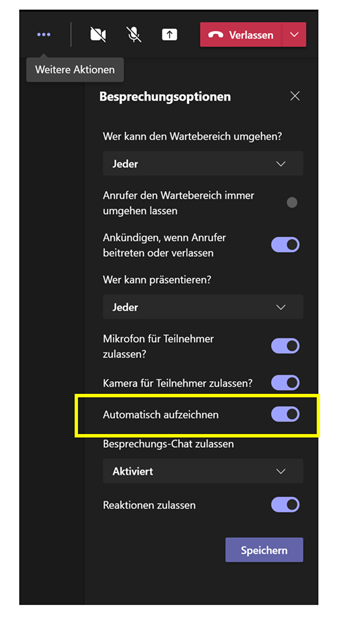
We are beyond excited since Microsoft enrolled the new meeting option “Webinar” in Microsoft Teams, besides the well-known options “Scheduled meeting” and “Live event”. In this article, we will show you step-by-step how to use the new feature. Preparations When you are choosing to create a new meeting in Microsoft Teams, you choose “Webinar”. A new meeting form pops up. This allows you to add a registration page to your webinar. As the next step, you set the scope for your webinar (require registration). In our example, we will choose the registration-option “For everyone”, meaning that anyone can register, attendees are muted by default, and only presenters can share content. All in all, you have the following options: ...

May 20, 2021 · 3 min · Mercedes Orasch

European Union Data Boundary for the Microsoft Cloud

Starting in 2022, Microsoft will enable EU-based public sector and corporate customers to process and store all of their data within the EU. Read the article at EU Data Boundary for the Microsoft Cloud! Photo by Christian Lue on Unsplash Important Notes: This commitment will apply across all of Microsoft’s main cloud services Azure, Microsoft 365, and Dynamics 365. Microsoft’s cloud services already meet EU regulations. Microsoft Online Services already enable customers to comply with the GDPR even without this additional commitment to store and process data within the EU boundary. ...

May 6, 2021 · 1 min · Martina Grom
Tips for PowerApps-Add required user permissions for PowerApps using Dataverse

Tips for PowerApps-Add required user permissions for PowerApps using Dataverse

When users shall have access to a PowerApp that is using Dataverse (formerly Common Data Service - CDS), they also need to have the permissions to access the data entity (nowadays called table). So, if your users get an ugly “unknown error occurred” when accessing the PowerApp, here´s the solution to assign the required security role and permissions. The data table To demonstrate how to set permissions, I switched to the environment (in my sample, it´s the “Dev environment”) and created a new table in the https://make.powerapps.com/environments/[environment-id]/entities / Data / Table menu. The table name here is atworktest with some text columns. ...

April 1, 2021 · 4 min · Toni Pohl