Having fun with IoT Flic buttons and Microsoft Flow

Having fun with IoT Flic buttons and Microsoft Flow

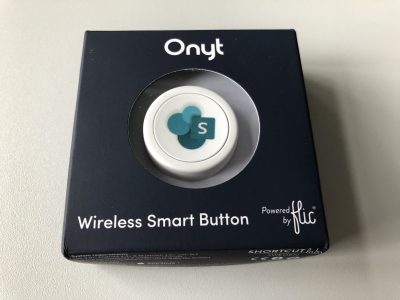
I just got a cute Flic button to play around with. It takes only some minutes to connect that IoT button to a connector and execute customs tasks. Well, as first step, I simply created a message in a Microsoft Teams channel. See the step-by-step instructions here. My colleague Christoph has started to play with the Flic button and another IoT button, so I was interested as well. Another article with that IoT button will follow shortly. ...

March 27, 2019 · 3 min · Toni Pohl
Groups Governance Toolkit Part 6-Groups statistics

Groups Governance Toolkit Part 6-Groups statistics

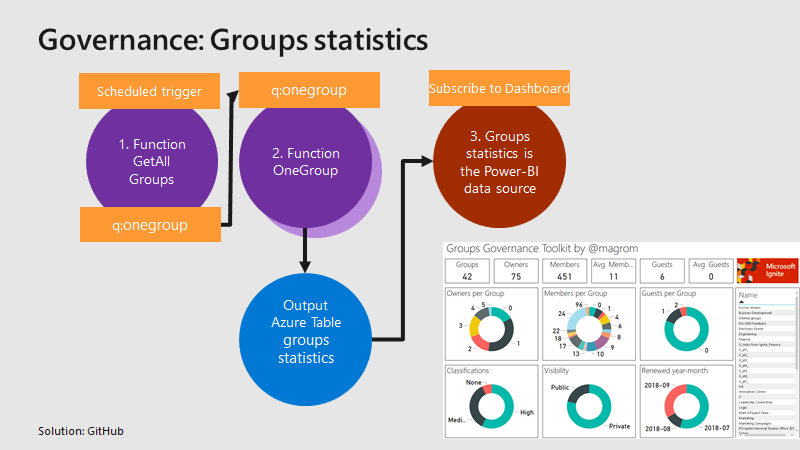
To apply governance in an organization, the responsible persons require data. See here, how we can get group data of an Office 365 tenant for further use, for example for a visualization with Microsoft Power BI and all the benefits of such an attractive and interactive tool. Get all groups and their properties Again, we use the same mechanism as before, for getting orphaned groups and external users. For example, a function runs every day in the night and reads all existing groups in the Office 365 tenant. Every group is written to a queue for further processing, in the same way as the other functions did before. A second function is triggered by that queue and reads all the required group data for one group and writes the data into an Azure table. The following graphics shows that process from a technical standpoint. ...

March 18, 2019 · 3 min · Toni Pohl
Groups Governance Toolkit Part 5-External Guests

Groups Governance Toolkit Part 5-External Guests

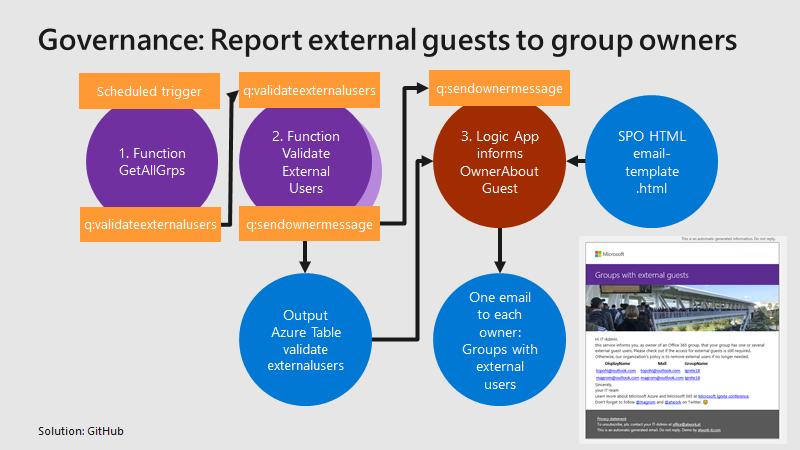
Governance specifies the rules for an organization. The Office 365 collaboration platform allows to invite external users for contributing in groups. In this part, we want to monitor all groups that have external guests and inform the group owners, who has access to a group or a team. See how this works here. Get all groups with external guests We use the same mechanism as before, see the article about Orphaned Groups. A function runs e.g. every day, reads all existing groups in the Office 365 tenant, and writes each group in a queue. A second function is triggered by that queue and reads all the external group members for one group. The following graphics shows that process from a technical standpoint. ...

March 15, 2019 · 4 min · Toni Pohl
How to convert your legacy Yammer Groups into Group connected Yammer Groups

How to convert your legacy Yammer Groups into Group connected Yammer Groups

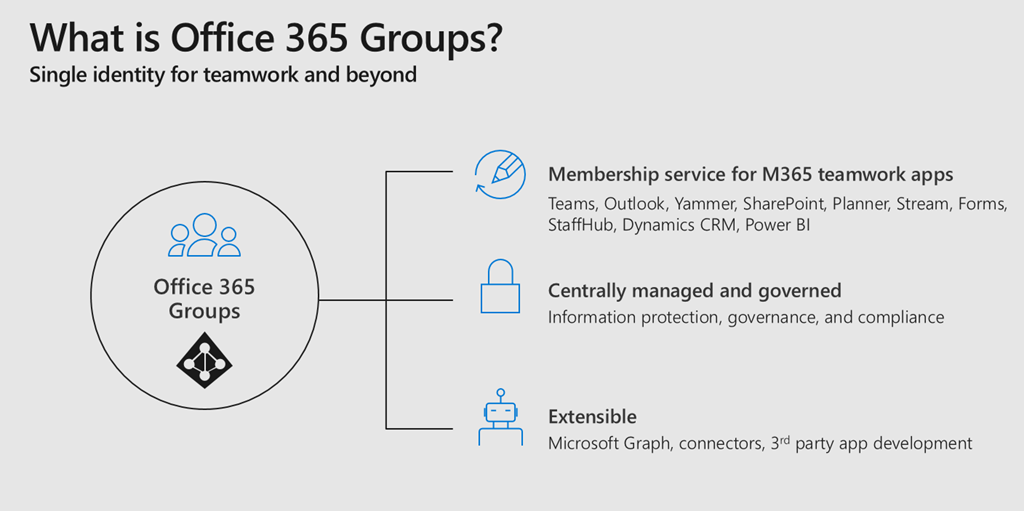
Office 365 Groups bring a lot of advantages to a connected workspace within Office 365. For me they are like the glue between all different Office 365 Services. If you provision an Office 365 Group you get an Outlook Mailbox, a SharePoint TeamSite, Planner and much more. When you create a Microsoft Team, you create an Office 365 Group. So it is really important for anyone who is working in the Microsoft 365 space to understand how Office 365 Groups work and what impact they have. Together with Microsoft Graph and Azure Active Directory those are the fundamentals of Office 365 to understand. ...

March 13, 2019 · 2 min · Martina Grom
Delegate365 changelog version 8.2

Delegate365 changelog version 8.2

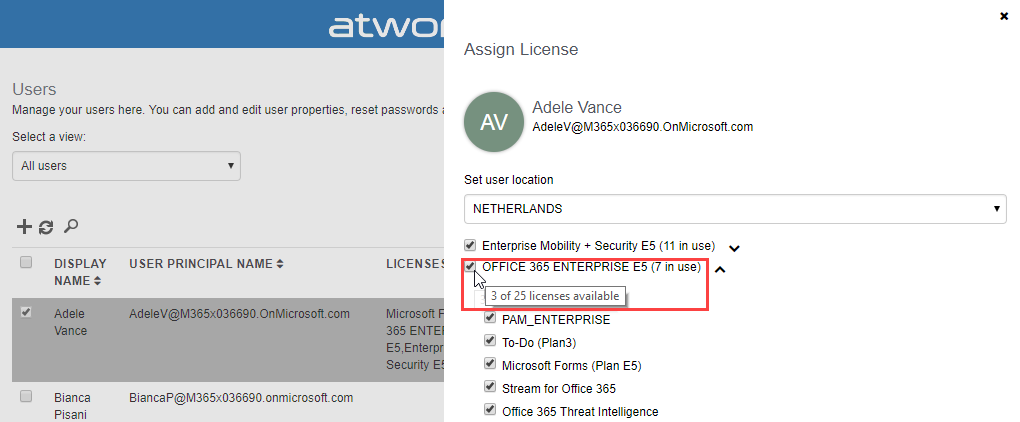
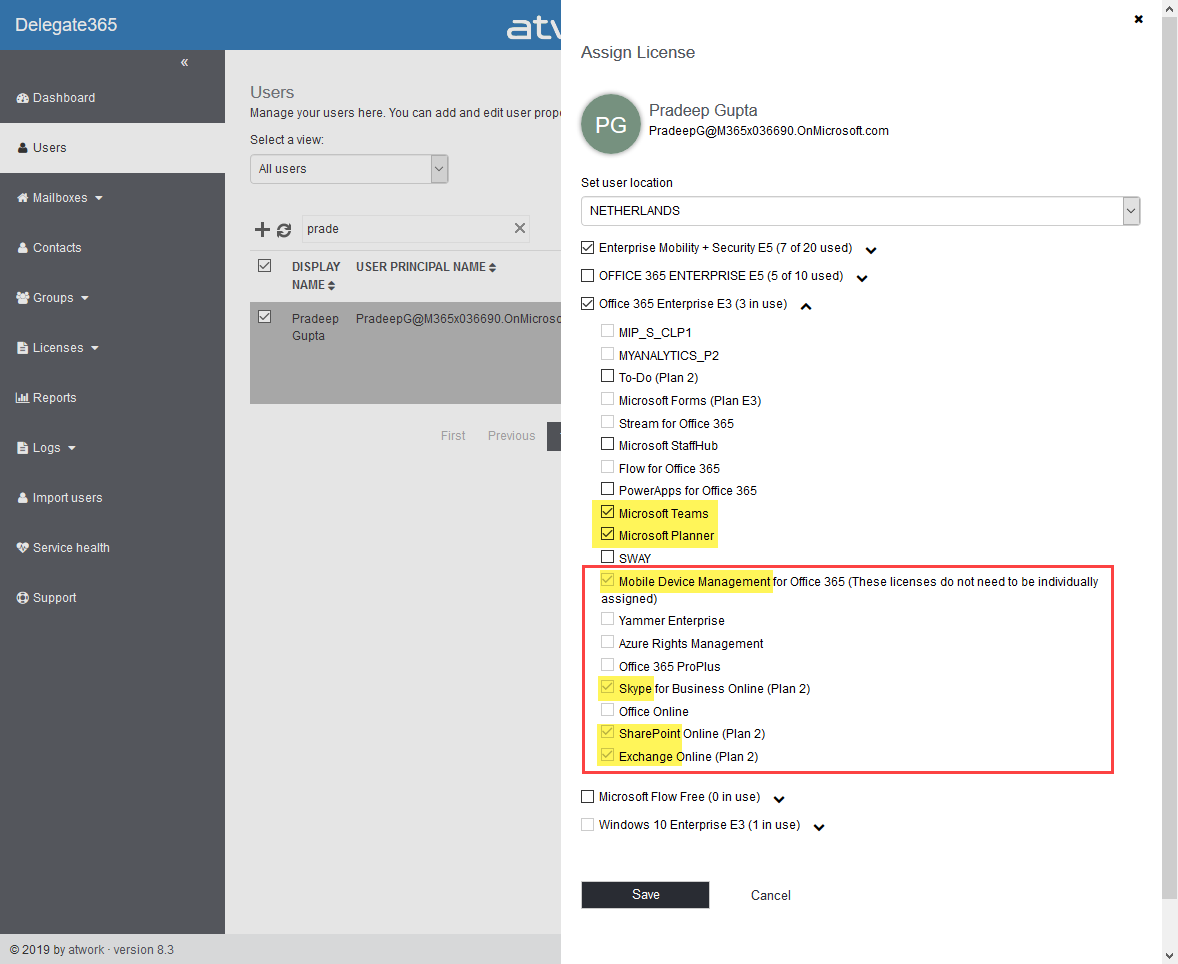
After the major update that came with Delegate365 v8.1, v8.2 brings various improvements and fixes to optimize daily tasks in Delegate365. See the details here. Run a setup: Admins need to run the Delegate365 setup after the upgrade process from v8.1 to v8.2. See the How-To at (Re)run the setup. User license quick info: When hovering over a license checkbox in the user license panel, a new quick info informs about the license numbers that are available in the Office 365 tenant. This brings more transparency for admins to see if a license might be inactive because all licenses are assigned. In this sample above, there are 25 E5 licenses available, and only 3 licenses are left (which means that 22 licenses are already assigned to users). In that OU, there are 7 E5 licenses used, and there is no quota defined. ...

March 10, 2019 · 4 min · Toni Pohl
Troubleshooting Delegate365-Login

Troubleshooting Delegate365-Login

Sometimes support cases are opened because users cannot login to Delegate365 with their Office 365 account. In most cases, the browser cache automatically signs-in a user with wrong credentials. Please follow these simple steps to see how to achieve a successful login to the Delegate365 portal in such scenarios. 1. Use a browser in Private mode The most common stumbling block is that web browser log in users automatically. Also, often users are working with multiple accounts. Thus, there is a high probability that an incorrect sign-in will occur when opening the Delegate365 portal. ...

February 21, 2019 · 4 min · Toni Pohl
How to invite external users to your Azure subscription

How to invite external users to your Azure subscription

Modern collaboration allows to use shared resources and to give access to external users from other organizations. See how this works for shared Microsoft Azure subscriptions here! So, see this step-by-step process here with the following sample of an Admin giving access to an external guest and some troubleshooting tips. Check your source AAD and subscription Signing-in with admin@M365x321500.onmicrosoft.com to the Azure portal. Our source subscription 18e* and it’s bound to AAD M365x321500.onmicrosoft.com. ...

February 18, 2019 · 4 min · Toni Pohl
Groups Governance Toolkit Part 4-Ownerless Groups

Groups Governance Toolkit Part 4-Ownerless Groups

In this multi-part series we show you how to handle the Office 365 Groups and Microsoft Teams governance toolkit. The next article cover the governance part of our Groups Governance Toolkit.Imagine your company policy requires at least 2 owners per Office 365 Group or per Microsoft Team. In this part, we want to monitor all groups that are ownerless (orphaned), or do not comply with our organization’s policies. The IT department shall get the information of all groups and teams where there are no owners or not enough owners and the possibility to fix that. Read below how this can be accomplished. ...

February 13, 2019 · 5 min · Martina Grom
Troubleshooting Delegate365

Troubleshooting Delegate365

Delegate365 is a user-friendly tool to enable delegated management of users, licenses, and groups. This means that only objects assigned to a scope administrator are displayed in Delegate365. So, sometimes, we get questions as “I can’t see my users/shared mailbox or similar”. Here’s why and how to solve such issues. Why does Delegate365 not show users? Well, that’s the idea of the tool. Delegate365 shows only objects to which I am entitled to see and to manage. ...

February 13, 2019 · 7 min · Toni Pohl
Ready for European Collaboration Summit 2019!

Ready for European Collaboration Summit 2019!

Join us at the legendary European Collaboration Summit from May 27 to May 29, 2019 in Wiesbaden, Germany! #collabsummit is Europe’s largest community-driven conference with a focus on modern workplace technologies and digital transformation, with topics such as Microsoft 365, Azure, SharePoint, AWS, and Business Apps. The conference is organized for the community by the community. We from atwork are honored to be part of CollabSummit.eu as in the past years (see 2018 and 2017). Check out the first announced sessions at Collabsummit 2019 program is here!! ...

January 25, 2019 · 1 min · Toni Pohl