Delegate365 changelog version 7.3-new reports

Delegate365 changelog version 7.3-new reports

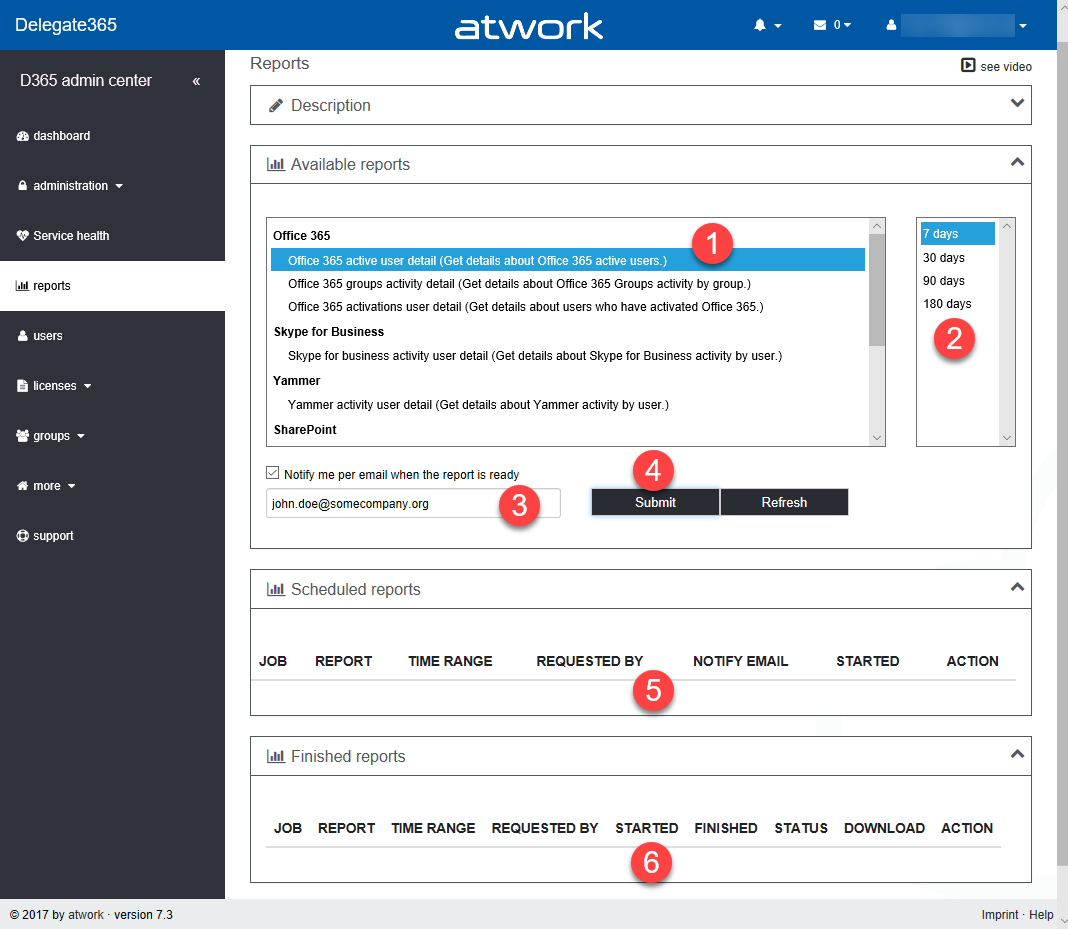
The newest version 7.3 of Delegate365 provides a complete new reports module that replaces the old reports section. See the benefits and the details of the new Delegate365 reporting engine and how to use it for all your Delegate365 admins with just their entitled data. Learn about the details here. New reports menu: The old reports menu was replaced by the new module. Now, there are four boxes with a description, the available reports, scheduled reports and finished reports. All Delegate365 Admins can now select from new reports (1 and 2), activate a notification when finished (3) and start a report job with the Submit button (4). This creates a task in the schedules reports list (5). A job picks that task and executes it after a couple of minutes. When the report has been created, a notification can be sent to the report owner and the report shows up in the finished reports list (6). Refresh updates the reports boxes (5 and 6) with the current status if needed. ...

February 12, 2018 · 6 min · Toni Pohl

Joining the Microsoft Graph Community Calls

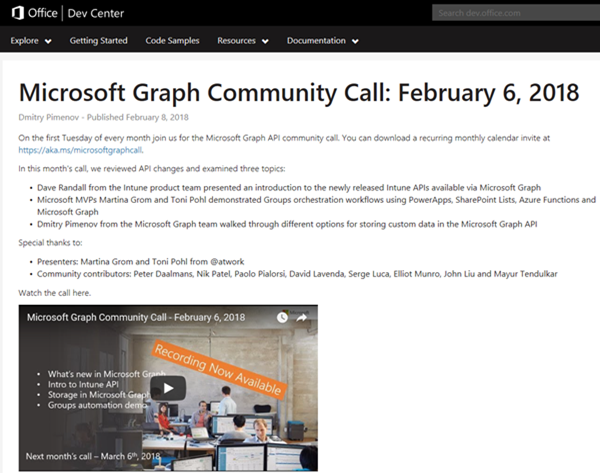
Microsoft Graph is the unified endpoint to programmatically access resources and services in Office 365 and Azure Active Directory. To inform the developer community with the latest news, the Microsoft Graph team organizes a monthly Microsoft Graph API community call. We, Toni and I, were happy to contribute a use case at the last call showing a scenario of an Office 365 Group orchestration workflow with PowerApps, SharePoint Lists, Azure Functions and Microsoft Graph. ...

February 10, 2018 · 2 min · Martina Grom
Multiple Users in Microsoft Teams and other Office 365 services with the same name

Multiple Users in Microsoft Teams and other Office 365 services with the same name

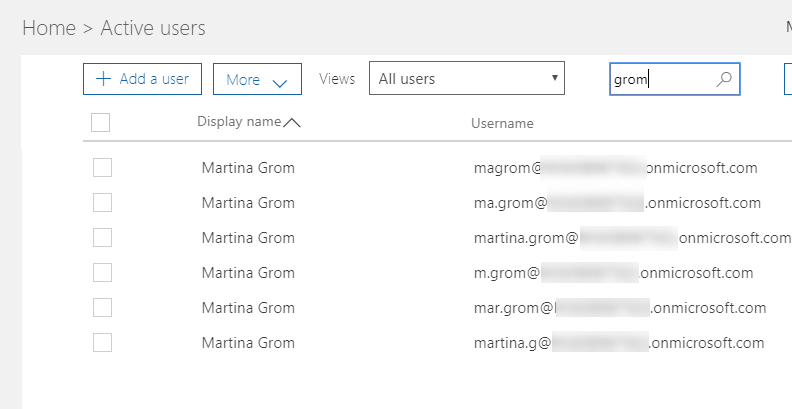
Recently a colleague asked me: “How can you deal with users in large Enterprise Tenants, who share the same name? How do you know who is who?” Indeed, this can happen, as soon as your Office 365 Tenant has a lot of users in it. There are some very common names in each language, so you should know who you add to your Microsoft Team. From an organizational perspective, this should be solved with a proper identity management: Users have a unique e-mail address, but it does not end here: there are some other fields that need to be filled, like Job Title, Department and a lot more. But in fact: which fields is the Microsoft Teams user dialog using here? ...

February 8, 2018 · 3 min · Martina Grom
Working with Exchange Mailboxes and Groups as members

Working with Exchange Mailboxes and Groups as members

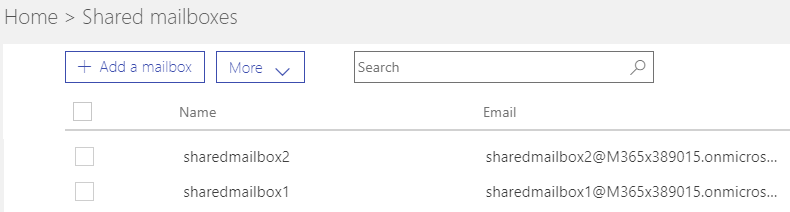
When working with Office 365 and Exchange services, it can be helpful to work with groups instead of users, for example, for allowing a group to have full access to a shared mailbox. In this case, there are some things to consider. See the working result in this documentation. The scenario First of all, I need to clarify, I’m not an Exchange guy. So, perhaps I’m describing a scenario that’s fully clear for Exchange Admins but I think, this could be helpful for other Office 365 Admins. This sample is my summary to show the solution for that specific request: How to set full access permissions to a shared mailbox, a resource or a distribution list for a group (and therefore to all members of that group). ...

February 2, 2018 · 3 min · Toni Pohl
Delegate365 changelog version 7.2-additional sync rules and more

Delegate365 changelog version 7.2-additional sync rules and more

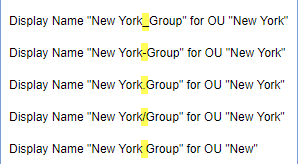
With Delegate version 7.2 there come some new and useful features especially in the sync rules. See the details described here. Sync Rules: Groups OU-assignment by new name rules: All group rules now offer additional options in the Property dropdown allowing to assign a group to an OU by its name. To get the OU name out of the group name, the OU name must be the prefix of a name and a predefined separator must be used. The options include the following separators: [space] , [underscore] , [hyphen] –, [point] ., and [slash] /. To clarify the mechanism, the options show a sample. So, if a group Display Name is set to “New York_Group”, the sync rule strips down by the separator “” and uses “New York” as OU name and “Group” as group name. So, group “Group” is automatically assigned to OU “New York”. Take care when using a normal space character as separator: Then, the OU name can only be one word, for example: “New York Group” would result in an OU “New” and the group name is “York Group”. As workaround, the OU-name could be named with a hyphen “New-York” or similar. That’s the purpose, to use a Display Name for automatic OU-assignment instead of object properties. Now, admins can use this feature additionally if needed for the following objects: Distribution Groups, Office 365 Groups, Contacts, Resources, Shared Mailboxes and Security Groups as marked red in the following screenshot. ...

January 31, 2018 · 6 min · Toni Pohl
Snapshots of SharePoint Saturday Bremen 2018

Snapshots of SharePoint Saturday Bremen 2018

This weekend, on the January 20th, the first SPS North Germany/Bremen took place with great sessions in a very cool location. See some snapshots here. For #SPSBRE, we had a very cool location in the Bremen Harbor at Schuppen Eins (“shed one”). When entering the former harbor storehouse building that was built in 1959, the automobile Oldtimer Boulevard hits you with more than 60 unique cars, embedded in a modernized glass structure with a cafe, shops and a garage specialized in repairing old-timers. So, we had a lot to watch – and to learn. ...

January 21, 2018 · 1 min · Toni Pohl

CU at SharePoint Saturday Bremen 2018

We are looking forward to see you at the SharePoint, Office 365 and Azure community event next week on January 20, at the first SharePoint Saturday North Germany 2018, in the city of Bremen. There will be a lot of interesting sessions and a great speaker’s lineup. CU there! SharePoint Saturday North Germany / Bremen 2018 Saturday, January 20, 2018 Schuppen Eins, Konsul-Smidt-Str. 22, 28215 Bremen SPS Bremen will deliver a bunch of hot topics, see speakers and sessions! We from atwork have three sessions and will inform about these topics: ...

January 14, 2018 · 1 min · Toni Pohl
Delegated Administration in Exchange Online

Delegated Administration in Exchange Online

My colleagues and I are working on a (pilot) multi-forest Exchange hybrid environment with a single Office 365 tenant. In this early stage of the project we will have two companies, each with their own on-premises environment. One of the requirement is a delegated administrative concept for Exchange Online, which means administrators and helpdesk workers should only manage and configure settings for their specific domains. This blog post will show you how to handle this with Role Based Access Control (RBAC). ...

January 10, 2018 · 6 min · Dominik Höfling
Troubleshooting Active Directory Federation Services

Troubleshooting Active Directory Federation Services

Enabling single sign-on for your users must not be a big deal. There are multiple hybrid identity authentication scenarios available to obtain single sign-on capabilities to your users: Active Directory Federation Services (AD FS): single sign-on, based on one identity in your on-premises Active Directory and publishes on-premises and cloud web applications. This is the most complex scenario and often used by organizations with 250+ seats. They are not only using Office 365 applications for single sign-on, but also for other Intranet and Internet applications to achieve SSO user experience. Password Hash Sync (PHS): same sign-on, which means you must authenticate again with your on-premises credentials accessing Office 365 services. Pass-through authentication (PTA): single sign-on, allows your users to sign in to Azure Active Directory directly validating the users’ passwords against your on-premises Active Directory. Seamless single sign-on: single sign-on, automatically signs your users in when they are on their corporate devices connected to your corporate network. Can be combined with either PHS or PTA. When should I use AD FS instead of other hybrid authentication methods? ...

January 4, 2018 · 4 min · Dominik Höfling
1st MVP Award for Dominik Hoefling

1st MVP Award for Dominik Hoefling

We are very happy to announce that Dominik Hoefling was awarded for the 1st Microsoft MVP Award for Office Servers and Services! Dominik has expertise in Microsoft Office 365 and is a recognized expert, MSL (Microsoft Learning) author, blogger, and conference speaker. See Dominik’s MVP profile. Dominik (@DominikHoefling) is a Senior Consultant for atwork deutschland GmbH. He currently works in Microsoft technologies, especially in Microsoft Exchange, Exchange Online and Office 365. He holds several Microsoft certifications including MCSA for Office 365, MCSE Messaging and MCITP Enterprise Administrator for Windows Server. Dominik also write technical blog posts for international companies and various topics about Exchange Hybrid deployments and Office 365. ...

January 2, 2018 · 1 min · Dominik Höfling