Components of Delegate365

Components of Delegate365

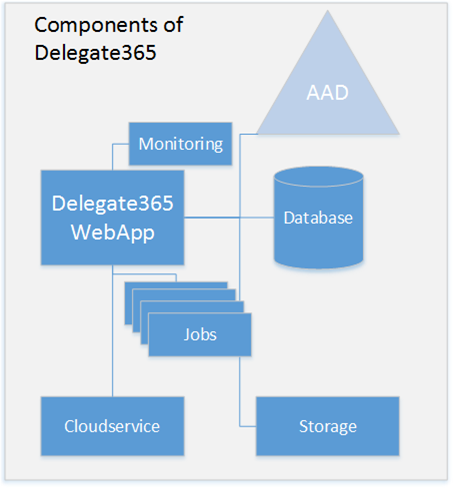
Since the beginning, Delegate365 developed to an extensive cloud solution for Microsoft Office 365. This article delivers a short overview about the components of Delegate365 in the Microsoft Cloud. The following graphics shows the involved Azure services that are used in D365. Delegate365 is using Platform-as-a-Service components that are maintenance-free. In detail, Delegate365 consists of the following Azure services. Web App – this hosts the Delegeate365 portal website. Jobs – these are tasks that run automatically in the background, currently these are the Synchronization Job, the License Aggregator Job, the Log Sink Job and the Sync Notifications. ...

February 27, 2017 · 2 min · Toni Pohl
Delegate365 changelog version 6.1-at a glance

Delegate365 changelog version 6.1-at a glance

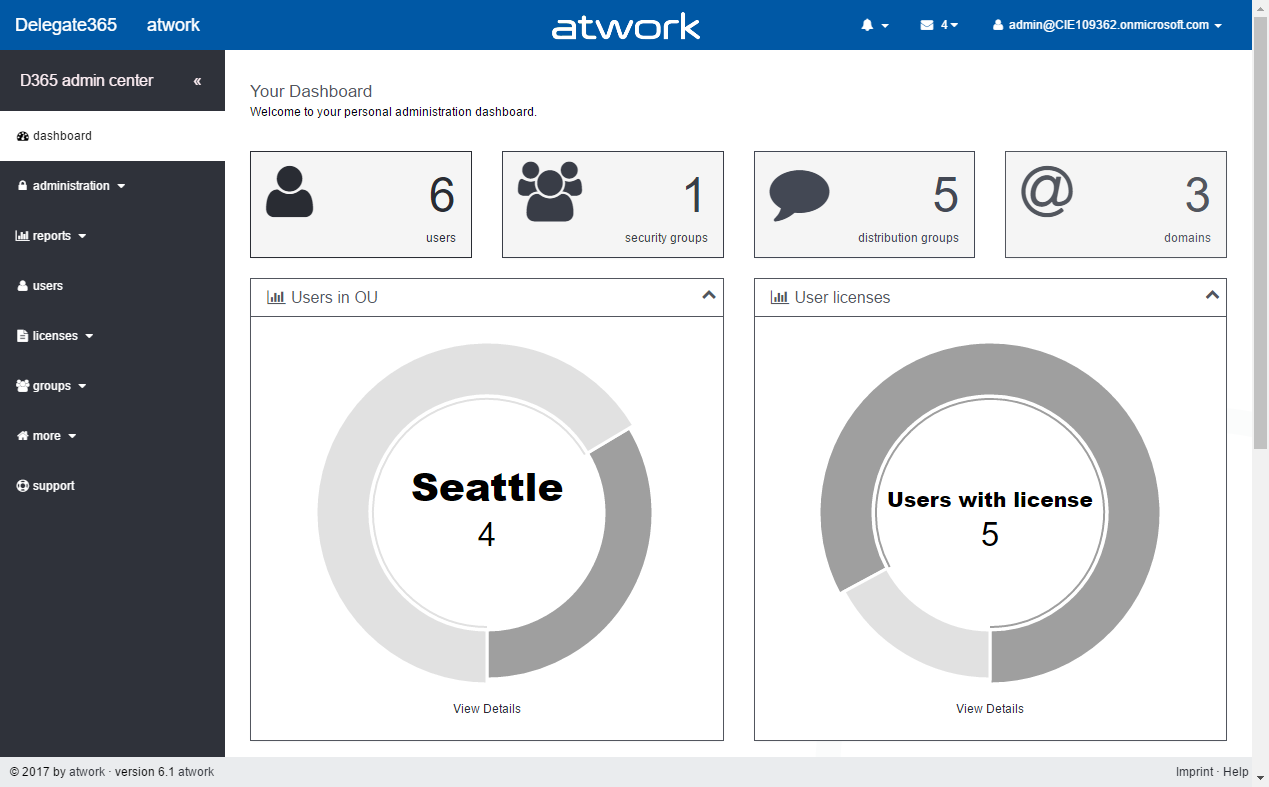
At the end of last year, Delegate365 version 6 was announced. We added a bunch of features and before updating all tenants, we wanted to improve some functionality. So it took some time to develop and test new features. Now it’s time to update all existing Delegate365 tenants to the latest version 6.1. See the most relevant news at a glance here! Important: Some customers are already using Delegate365 version 6. All D365 tenants will be upgraded to version 6.1 in the next days. All customers will also receive an email notification about the exact upgrade time. If you have any reservation against the D365 tenant upgrade time please contact us at support@atwork.at. ...

February 22, 2017 · 8 min · Toni Pohl

Impressions of Microsoft Tech Summit Johannesburg

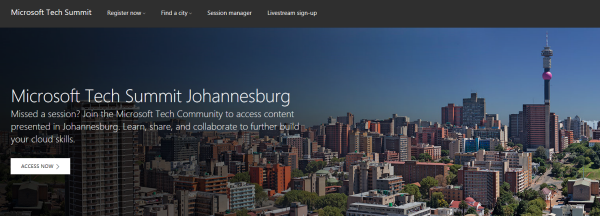
This week, we have been at Microsoft Tech Summit Johannesburg, South Africa. The event took place in Sandton Convention Center from 6th to 7th February 2017 and hosted over 50 technical sessions with a range of topics as Microsoft Azure, hybrid platforms, DevOps, app platform, productivity, collaboration and more. Microsoft Tech Summit is a cost free, two-day technical event touring through a bunch of cities worldwide, delivering a free technical training on the latest Microsoft technologies. See an overview and the stations here. ...

February 12, 2017 · 2 min · Toni Pohl

Arbeitswelt im Wandel - für kleine und mittelständische Unternehmen Event

Wir freuen uns, am 22. Februar 2017 Teil der Microsoft Veranstaltung “Arbeitswelt im Wandel - für kleine und mittelständische Unternehmen” zu sein! Erfahren Sie an diesem Business-Tag, wie die voranschreitende Digitalisierung das Arbeiten in kleinen und mittelständischen Unternehmen erheblich verändern wird und wie Sie als Kleinunternehmer oder mittelständischer Entscheidungsträger auf die neuen Anforderungen reagieren können. Das kostenfreie Event findet am Mittwoch, den 22. Februar, von 9:00 bis 13:00 Uhr bei Microsoft in München statt. ...

February 5, 2017 · 2 min · Toni Pohl

Arbeitswelt im Wandel für mittelständische und große Unternehmen Event

Wir freuen uns, am 21. Februar 2017 Teil der Microsoft Veranstaltung “Arbeitswelt im Wandel für mittelständische und große Unternehmen” zu sein! Die digitale Transformation beeinflusst die tägliche Arbeit im Unternehmen immer stärker. Die Veranstaltung informiert über den Wandel und die Herausforderungen am modernen Arbeitsplatz und wie Sie als Entscheidungsträger mit modernen Plattformen auf die neuen Anforderungen wie Datensicherheit, Compliance und gesteigerte Produktivität reagieren können. Das kostenfreie Event findet am Dienstag, den 21. Februar, von 9:00 bis 12:00 Uhr bei Microsoft in München statt. ...

February 4, 2017 · 2 min · Toni Pohl
MS Cloud Summit Paris at MVP Award Blog

MS Cloud Summit Paris at MVP Award Blog

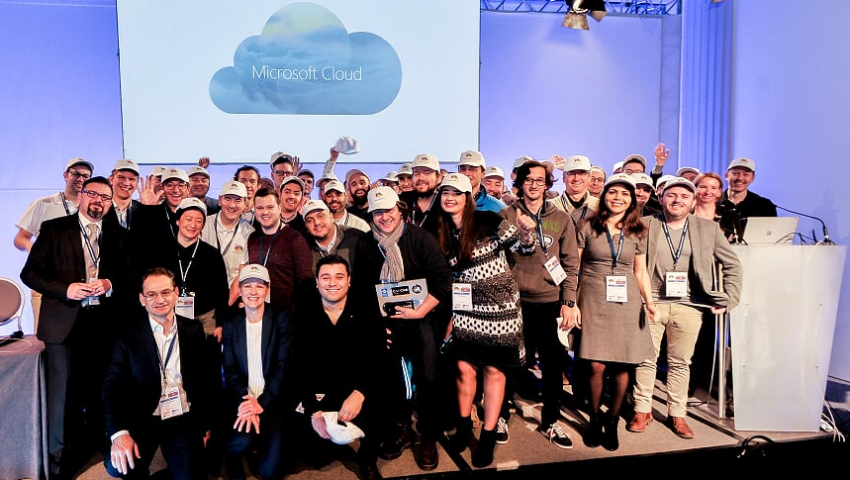
Last week Martina and I participated in Microsoft Cloud Summit Paris. This was the biggest event ever put on by Microsoft communities in France with about 800 technology enthusiasts. We had CVP Julia White and GM for Database Systems Rohan Kumar as keynote speakers and had two great event days there, right in the center besides the Eiffel tower. And Cloud Summit Paris has been featured by the Microsoft MVP Award Program Blog! ...

February 3, 2017 · 1 min · Toni Pohl

Working With Office 365 Groups And Connectors article series at MVP Award Blog

Recently, the Microsoft MVP Award Program Blog published my three-part series about “Working With Office 365 Groups And Connectors”. Read the articles online in the MVP blog here: Part 1 - Working with Office 365 Groups and Connectors Part 2 - Working with Office 365 Groups and Connectors Part 3 - Working with Office 365 Groups and Connectors Also, thanks to Richard Hay for posting the summary at windowsitpro.com: Learn more about Office 365 Groups and Connectors. ...

February 2, 2017 · 1 min · Toni Pohl
Use PowerPoint for Mockups

Use PowerPoint for Mockups

Before developing, it’s useful to create a mockup for an application. PowerPoint can help! As prerequisites, you need to have PowerPoint and Visual Studio 2013 or later installed. If this is the case, you find additional shapes in the Storyboarding / Storyboard Shapes menu. This opens a task pane with elements sorted by category (Common, Windows Apps, Desktop, Phone, etc) you need to draw an app. See more information at Storyboard your ideas using PowerPoint. ...

January 27, 2017 · 1 min · Toni Pohl
Join us at Microsoft Cloud Summit 2017 in Paris

Join us at Microsoft Cloud Summit 2017 in Paris

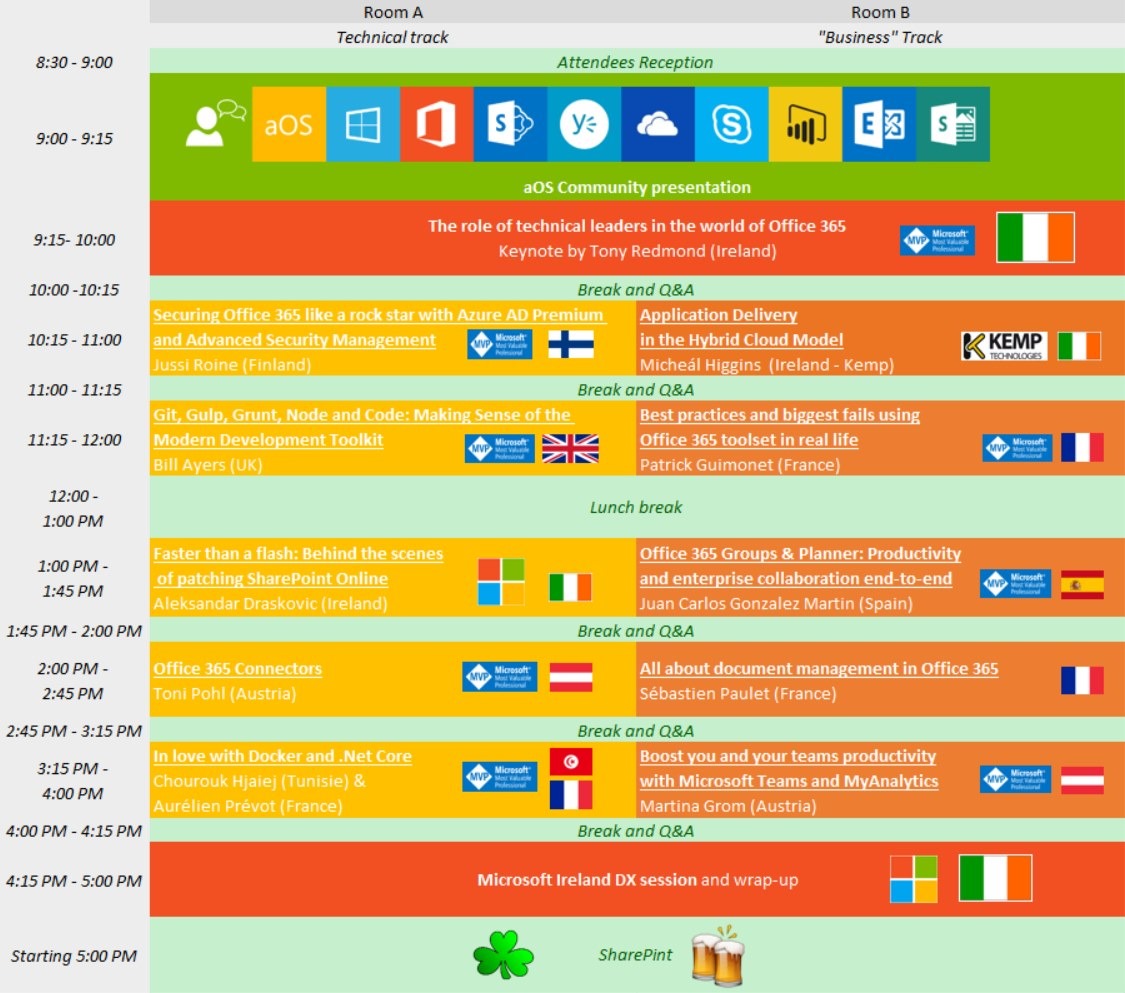
We are delighted to be part of Microsoft Cloud Summit 2017 in Paris from January 23th to 25th 2017 at the New Cap Event Center! Microsoft Cloud Summit 2017 Paris is a conference organized by AGILE.NET - aOS - AZUG FR - CMD – GUSS and offers: 1 day pre-conference workshops (Jan. 23th) 2 days of conference (Jan 24th-25th) space for about 900 attendees (the conference is sold out) 7 tracks and 72 sessions, see the agenda ...

January 22, 2017 · 1 min · Toni Pohl
Tips for PowerApps-camera access

Tips for PowerApps-camera access

PowerApps allow to access a web or photo camera of a device. When using the camera, sometimes I got a message “To access the camera, check your device settings”. Irritating. See my workaround here. So, when I got this message in the camera control … I got mad, because I didn’t find out where to allow that access on my computer (especially because it worked before). I checked device settings, the camera control settings, PowerApps settings, googled… ...

January 20, 2017 · 2 min · Toni Pohl