Delegate365 Roles and Notifications

Delegate365 Roles and Notifications

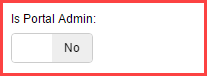
Delegate365 can send notifications for specific operations. Here’s a short overview of roles and in which situations notifications are sent. Who can get notifications? In Delegate365 we have these roles a user can have for using the portal. Portal Admins: They have full access to all features and can configure D365. Scope Admins: They have administrative management features for “their” users, licenses and groups. The difference between Portal and Scope Admins is simply the switch “Is Portal Admin” in the administration / manage administrators and Edit admin feature (see the full screenshot below). License Admins: This can be Portal Admins or Scope Admins. They are defined in the administration / manage administrators and Edit admin feature with the switch “License Administrator” (see the full screenshot below). They can manage license requests. Users: Standard users who can use the D365 Self service password reset feature (SSPR). All user types can receive emails (or SMS) from D365, but their email notification must be configured. ...

September 10, 2016 · 3 min · Toni Pohl
Delegate365 changelog version 5.3.2-Fixes

Delegate365 changelog version 5.3.2-Fixes

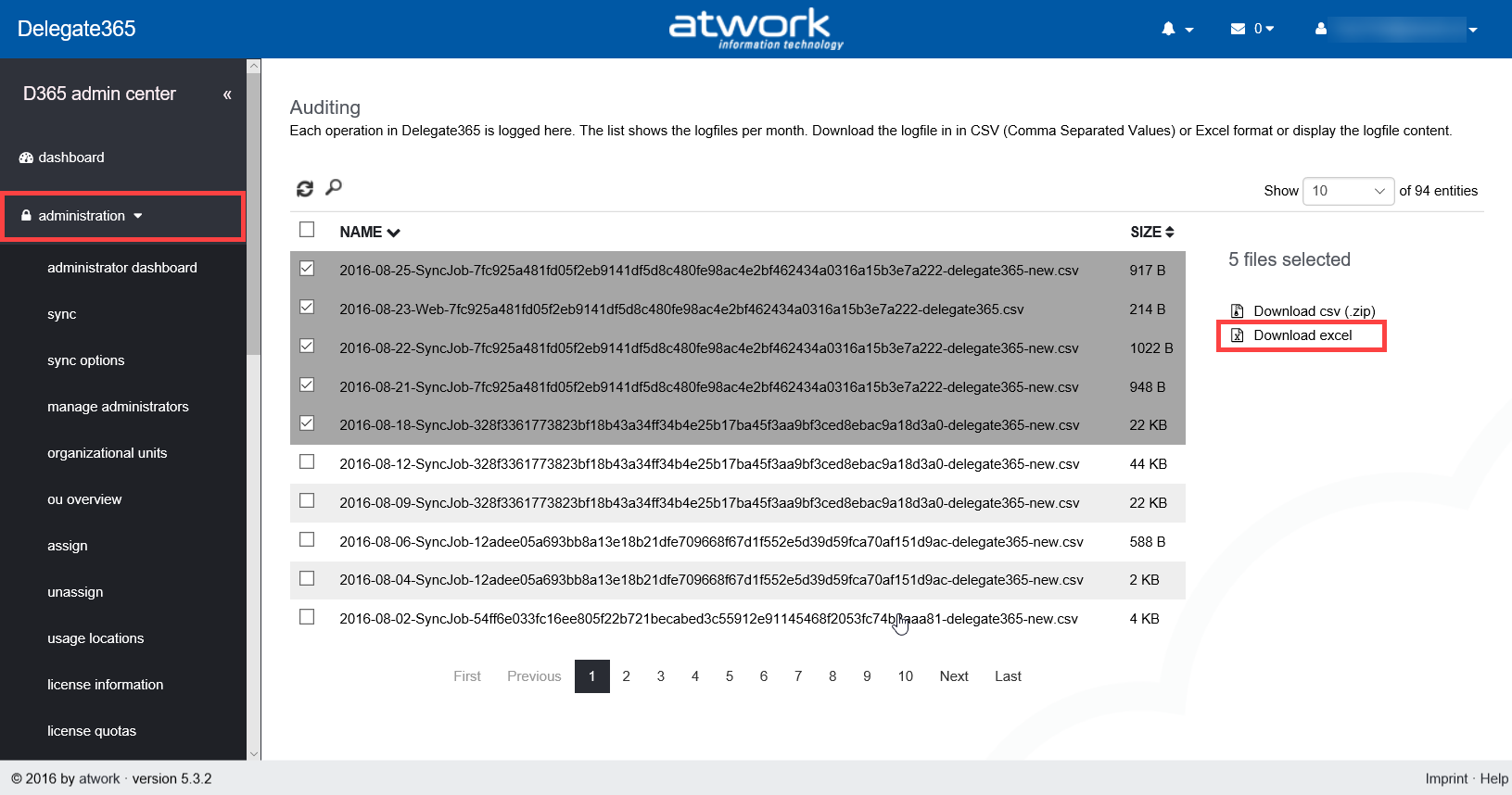
Summertime (and holiday season) is almost over and we were busy to advance Delegate365. In the last weeks we concentrated on smaller fixes which resulted in Delegate365 version 5.3.2. Major updates will follow in fall time. So here’s a list of the current fixes: Auditing: When selecting and downloading multiple log files in the administration / auditing menu, there was an issue if the Excel format was created. Then the name of the sheets in the Excel file were too long (since the created filenames were extended with the instance name in previous versions). Therefore the creation of the download package did not work. We fixed that with version 5.3.1 and later versions. Pls. remember that the logfiles can be extensive and the creation of the ZIP or XLSX files can take a while. We recommend not to select too many files in one step but to select only a handful of files to download. We are working on an automation of logfile downloads which will be available in future. ...

August 27, 2016 · 2 min · Toni Pohl

Ask us anything about Microsoft Office 365 Groups

Check out this upcoming session with our CEO, Martina Grom, at Microsoft’s Ignite Conference 2016 in Atlanta: Ask us anything about Microsoft Office 365 Groups! https://myignite.microsoft.com/sessions/4098 CU there!

August 25, 2016 · 1 min · Toni Pohl

atworks new Office365 login page

Finally, we updated our new team photo on our Azure Active Directory (Office 365) login page… The latest and colorful atwork team picture. Here it is… Unfortunately, not all our coworkers are on that picture, but it’s a nice snapshot. For information about our company, pls. check out our website https://www.atwork-it.com/.

August 24, 2016 · 1 min · Toni Pohl
Yammer and the picture quality

Yammer and the picture quality

When using Yammer, it’s obvious, that uploaded pictures are shown with a reduced quality. Yammer does automatically scale and reduce pictures to make them more web compatible. But Yammer still has the source picture stored! To illustrate this behavior with a sample, see (and enlarge) this picture. It’s a screenshot taken from a Windows machine and the Registry Editor. The items do have poor quality and are not good readable and pixilated. ...

August 22, 2016 · 2 min · Toni Pohl
SharePoint Framework Developer Preview Release is here

SharePoint Framework Developer Preview Release is here

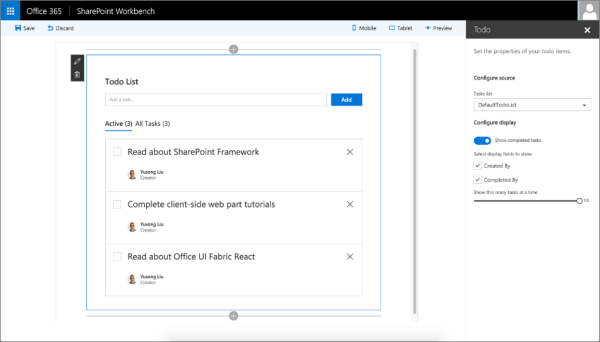
After the announcement on May 4th at the Future of SharePoint event, now the first public developer preview of the SharePoint Framework is available. The SharePoint Framework enables developers to build client-side web parts using “modern script development tools” – this means Javascript and related web components and tools. The new SharePoint Workbench allows developers to test and deploy client-side web even offline! Read the details in the Office Dev Center in SharePoint Framework Developer Preview Release! ...

August 18, 2016 · 1 min · Toni Pohl
Monitoring and Reporting of Office 365 with OMS-Part 1

Monitoring and Reporting of Office 365 with OMS-Part 1

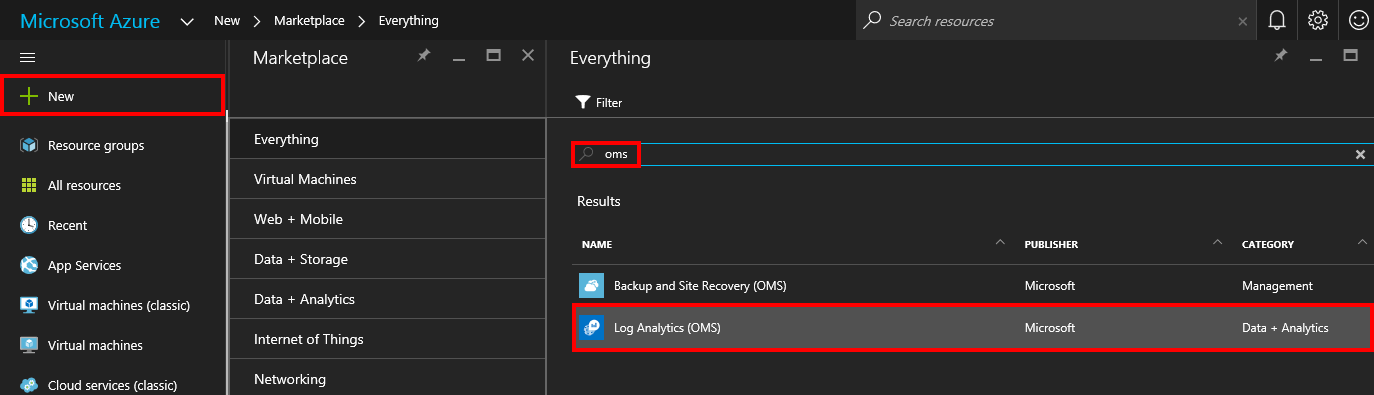
The Microsoft Operations Management Suite (OMS) delivers a great way to collect, analyze and monitor computer systems and services in your cloud and on-premises environments. Data is collected through agents and is saved to the OMS repository for further analysis. See here how this works for monitoring and reporting for Microsoft Office 365! If OMS is new to you, check out the description of OMS in What is Log Analytics?. If you want to learn more details and proceed step by step, check out this article Get started with Log Analytics ...

August 14, 2016 · 3 min · Martina Grom
MailTips in Exchange Online nutzen um sicherer zu kommunizieren

MailTips in Exchange Online nutzen um sicherer zu kommunizieren

MailTips in Exchange Online können für unterschiedliche Dinge verwendet werden: gibt es eine DLP Policy, die den Benutzer warnt, bevor er sicherheitsrelevante Nachrichten versendet oder dies sogar verhindert oder auch einfache MailTips, die vor allem dazu dienen sollen, den Nachrichtenverlauf zu verbessern. Beispielsweise könnte ein MailTip dazu dienen den Absender zu informieren, dass er gerade an eine Verteilerliste mit mehr as 25 Empfängern sendet. Heute möchte ich einen MailTip vorstellen, den es schon eine ganze Weile in Exchange Online gibt und er dabei helfen soll, Mailbenutzer daran zu erinnern, dass Sie externe Empfänger in Ihrer Adressatenliste haben. ...

August 1, 2016 · 1 min · Martina Grom

Skype for Business Policies im Griff haben-Teil 3

Nachdem ich in Teil 1 gezeigt habe, wie man Skype for Business Online PowerShells aufruft und in Teil 2 ein Script zur Verfügung gestellt habe, mit dem alle Skype for Business Online policies abgerufen werden können werden wir im letzten Schritt noch die gewünschten Skype for Business Online Policies für die betreffenden Benutzer setzen. Zunächst sehen wir uns die Cmdlets zum Auslesen und Setzen einer Policy für einen bestimmten User an, bevor wir die User durchlaufen. ...

July 29, 2016 · 2 min · Martina Grom
Einführung in das neue SharePoint Framework

Einführung in das neue SharePoint Framework

Passend zu meinem letzten Blogpost mit dem Hinweis zum Office 365 Developer Podcast möchte ich Software-Entwicklern das neue SharePoint Framework vorstellen. Doch schön der Reihe nach… Mit der Vorstellung von SharePoint 2016 Anfang Mai (siehe Future of SharePoint) hat Microsoft ein neues Entwicklungsmodell für SharePoint vorgestellt: Das SharePoint Framework. Anstelle von Server-seitigem Development (so, wie es von der ersten SharePoint Version mit ASP und ab 2003 ASP.NET – mit Ausnahme des neuen App Modells - bis heute der Fall war…) tritt nun Client-seitiges Development. Für Entwickler bedeutet das in einem Wort gesagt: Javascript! ...

July 28, 2016 · 4 min · Toni Pohl