Delegate365 changelog version 3.3-licenses improvements

Delegate365 changelog version 3.3-licenses improvements

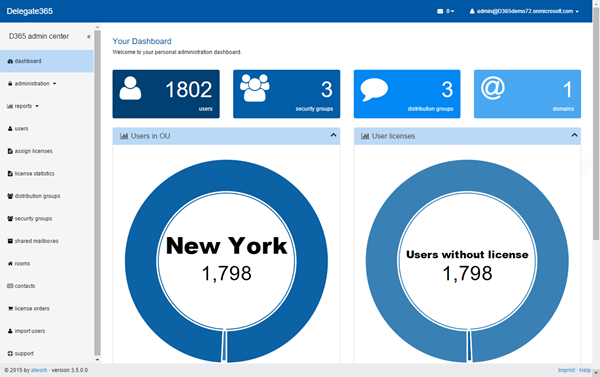
As announced in our version 3.3 article we added another feature in the new module “assign licenses”. Now this list also shows all already assigned plans for each user. There´s a new column “AssignedPlans” showing the plans of the displayed users. So this list can be used for setting and also for reporting multiple user licenses of OU´s. For doing that we had to implement an additional caching layer which is now filled by the automatic sync process. ...

March 13, 2015 · 1 min · Toni Pohl
Delegate365 changelog version 3.3-fixes, licenses and mailbox-settings

Delegate365 changelog version 3.3-fixes, licenses and mailbox-settings

The current version of Delegate365 is version 3.3. In that version we have some new features available as well as some minor bugfixes. Let´s start with these: Bugfixes Sync licenses: It seems that there was a change in delivering the licenses information of users by Microsoft. If the Office 365 licenses of an user were changed, the license and the active plans stay unchanged. In D365 the synchronization could not update the license data correctly because it relied on that data. We found that now only the disabled plans information delivered by the interface is correct. The sync and getting and setting the licenses function has been updated to use the disabled plans data. So this version fixes all license information updates. Since the Sync functions automatically runs periodically (usually all 4 hours), there´s no need to do anything manually. Anyway, admins can click the Sync button anytime to ensure that all data in the D365 tenant are updated. ...

March 12, 2015 · 5 min · Toni Pohl
Unsere Sessions auf der SharePoint Konferenz 2015 in Erding

Unsere Sessions auf der SharePoint Konferenz 2015 in Erding

Von 9. bis 11. März fand in Erding bei München die SharePoint Konferenz für Developer von ppEDV statt. Wir von atwork waren mit zwei Sessions dabei (siehe Agenda). Die Präsentationen sind auf SlideShare.net verfügbar. Update 15.03.: Die Samples können direkt hier heruntergeladen werden. Es ist ein Rebuild erforderlich, damit alle NuGet Packages geladen werden und das Anpassen der .config-Dateien. BI-System mit OData und SharePoint Online (Martina Grom & Toni Pohl) Samples: SPKonf-ODataSample.zip SPKonf-SharePointAppEventDemoSample.zip ...

March 11, 2015 · 1 min · Toni Pohl
20 MVPs Share Their Thoughts on Office 365

20 MVPs Share Their Thoughts on Office 365

SharePoint MVP Benjamin Niaulin (sharegate.com/blog) asked some of his colleagues about their opinions and thoughts of Microsoft Office 365. Our Office 365 expert Martina Grom was among them. Here´s the result: 20 MVPs Share Their Thoughts on Office 365 …a lot of well known experts in the IT industry! Here´s Martina´s statement: Martina Grom from atwork Martina is head of consulting and project development. @magrom Which feature(s) of Office 365 you think will have the biggest impact in 2015? And why? Office 365 has so many features, that’s really hard to decide. Let’s name some of them which I think are important: ...

March 9, 2015 · 2 min · Toni Pohl
IT-Expertinnen im Interview

IT-Expertinnen im Interview

Heute, am 8. März, ist weltweiter “Tag der Frau” (siehe WIkipedia). Eine gute Gelegenheit, das Interview “IT-Expertinnen im Interview – Was Frauen in der Technik heute beschäftigt” mit unserer Geschäftsführerin Martina Grom (atwork.at) und Österreichs Digital Champion Meral Akin-Hecke (werdedigital.at) zu veröffentlichen. Das Interview führte Johanna Kriks von textlust.at. IT-Expertinnen im Interview Was Frauen in der Technik heute beschäftigt: Martina Grom und Meral Akin-Hecke zeigen, wie unterschiedlich Karrierepfade in der IT für Frauen aussehen können. Was sie sich für die Zukunft wünschen, haben wir in einem Interview erfragt. ...

March 8, 2015 · 4 min · Toni Pohl
Wrap-up So sicher ist die Cloud Event bei Microsoft Österreich

Wrap-up So sicher ist die Cloud Event bei Microsoft Österreich

Gestern fand bei Microsoft Österreich die Veranstaltung “So sicher ist die Cloud – Datenschutz und Datensicherheit in der Microsoft Cloud” statt. Hochkarätige Dozenten informierten über Datensicherheit und gesetzliche Rahmenbedingungen in der Cloud. Vortragende waren unter anderem Rechtsanwalt Stephan Winklbauer, Microsoft-Österreich-CTO Harald Leitenmüller, Software-Architect Rainer Stropek und Office 365 Expertin Martina Grom von atwork. Das Auditorium war knallvoll. Nach der Vormittagspause lichteten sich die Reihen ein wenig. Auf jeden Fall ist Datensicherheit in der Cloud für Kunden und Partner ein sehr relevantes Thema. ...

February 27, 2015 · 2 min · Toni Pohl
Delegate365 changelog version 3.2-mail enabled security groups

Delegate365 changelog version 3.2-mail enabled security groups

As announced here D365 version 3.2 has support of security groups. This also includes management of “mail enabled security groups”. The differences between “mail enabled security group” and “distribution group” are explained in TechNet, here´s a quick definition: Mail-enabled security group: A mail-enabled security group is an Active Directory universal security group object that can be used to assign access permissions to resources in Active Directory and can also be used to distribute messages. ...

February 23, 2015 · 2 min · Toni Pohl
How to brand a SharePoint Online Site with CSS

How to brand a SharePoint Online Site with CSS

Do you want to change the design of your SharePoint site easily? This is just a quick introduction how to customize a SharePoint 2013 Site (SP on premises or Office 365) with custom CSS. With custom branding you can completely change the design of a SharePoint site, like in this sample of a Contoso SPO site. The steps to accomplish custom branding with CSS are: You need to be a site administrator (to activate the features and have full access to the site) The default site settings show not many options for *Look and Feel. *My demo site starts with the URL https://[tenant].sharepoint.com/sites/design1 so the URL for the Site Settings is similar like here: https://[tenant].sharepoint.com/sites/design1/_layouts/15/start.aspx#/_layouts/15/settings.aspx So first open Site Collection Administration / Site collection features. The page Site Settings : Site Collection Features follows, the URL goes like here: https://[tenant]sharepoint.com/sites/design1/_layouts/15/start.aspx#/_layouts/15/ManageFeatures.aspx?Scope=Site Active the SharePoint Server Publishing Infrastructure feature: This usually can take some minutes… When this is done the feature looks like here: No go back to Site Settings and open *Site Actions / Manage site features. (Alternatively you can simply delete the ?Scope=Site parameter from the Site Collection feature URL) 6. Now active the SharePoint Server Publishing feature in the Site: After the activation the feature looks like here: 7. When going back to the Site Settings the result is that the Look and Feel group includes more options. 8. We are almost done. Now it´s possible to open the *Master page *settings. https://[tenant].sharepoint.com/sites/design1/_layouts/15/ChangeSiteMasterPage.aspx In here the Master Page for this site can be selected. The important part is the *Alternate CSS URL *below. 9. When opening the Alternate CSS URL group you can specify your own customized CSS file. 10. When clicking Browse you can upload your own CSS file and then select it (as shown above). In this sample the path to the CSS file goes like /sites/design1/Style Library/mystyle.css ...

February 18, 2015 · 2 min · Toni Pohl
Why the new App Model in SharePoint 2013 outdates the old coding solutions

Why the new App Model in SharePoint 2013 outdates the old coding solutions

SharePoint 2013 is in the market since more than two years by now. And SharePoint 2016 is about to come soon. Beside all the standard features the SharePoint framework can be extended with custom solutions to automate processes within the system. In 2013 we have a new App Model which solves a lot of issues we had with custom solutions in the previous versions of SharePoint. In this article I want to point out why using the App Model is a good idea and why I recommend using it. But let´s have a look into that step by step. We start with the types of solutions developers can build on top of SharePoint. ...

February 17, 2015 · 4 min · Toni Pohl
office365summit on Twitter

office365summit on Twitter

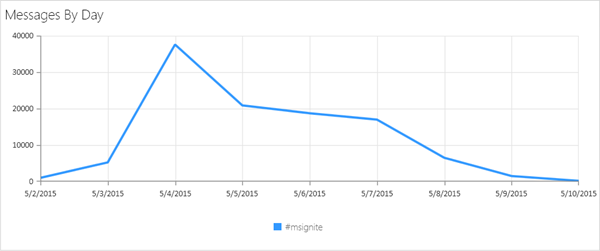
The Office 365 summit toured through a lot of worldwide locations. Last week the roadshow stopped by in Amsterdam – the European event. We have been there and enjoyed the summit (for some impressions and Martina´s session see here). In Amsterdam there have been almost 1.300 participants, about 650 IT-Pros and 150 developers. The rest of the audience have been in the sales, education and adaption tracks and from Microsoft. We created a small statistics about the event on Twitter. See the details here: ...

February 14, 2015 · 2 min · Toni Pohl