Tips for PowerApps-Using SharePoint Customize forms with Bing Maps visualization

Tips for PowerApps-Using SharePoint Customize forms with Bing Maps visualization

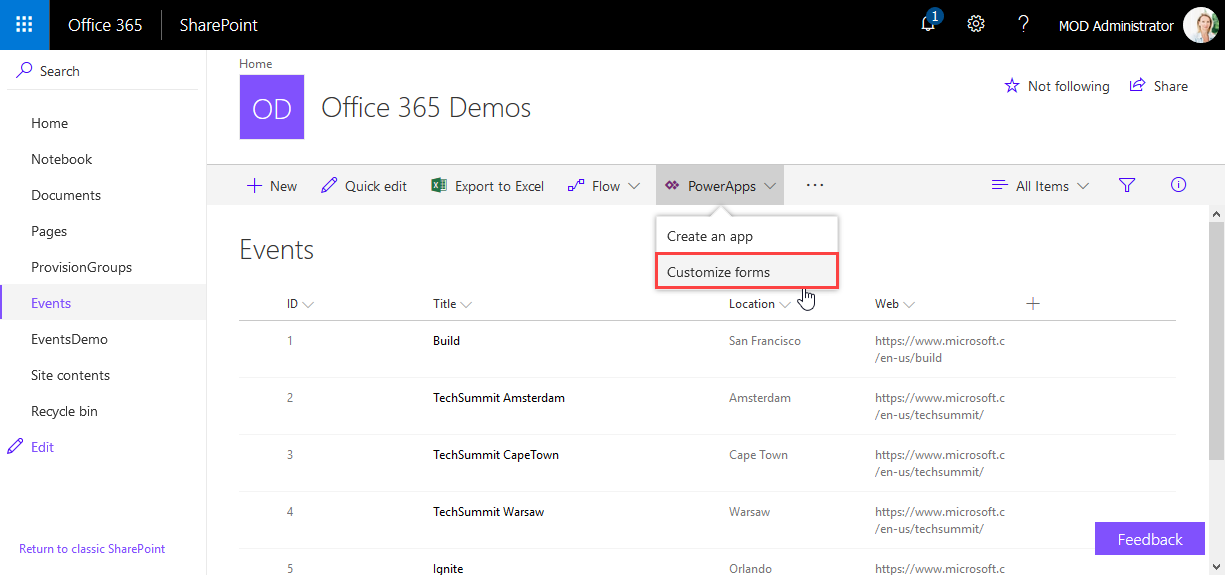
PowerApps are very powerful and simple to use.Through the integration in SharePoint Online lists, we now can create our custom forms within a SharePoint site and add additional features as calculations, modifications and even visualizations. See here, how to integrate a map for showing a location instantly directly in SharePoint without any coding! In this sample, I created a custom list and added a column Location as a single text field. In the PowerApps menu, we see the (new) Customize forms option. As the name says, this allows to modify the display and edit form of that particular list with the PowerApps Online Studio. ...

February 19, 2018 · 3 min · Toni Pohl
Joining the Microsoft Graph Community Calls

Joining the Microsoft Graph Community Calls

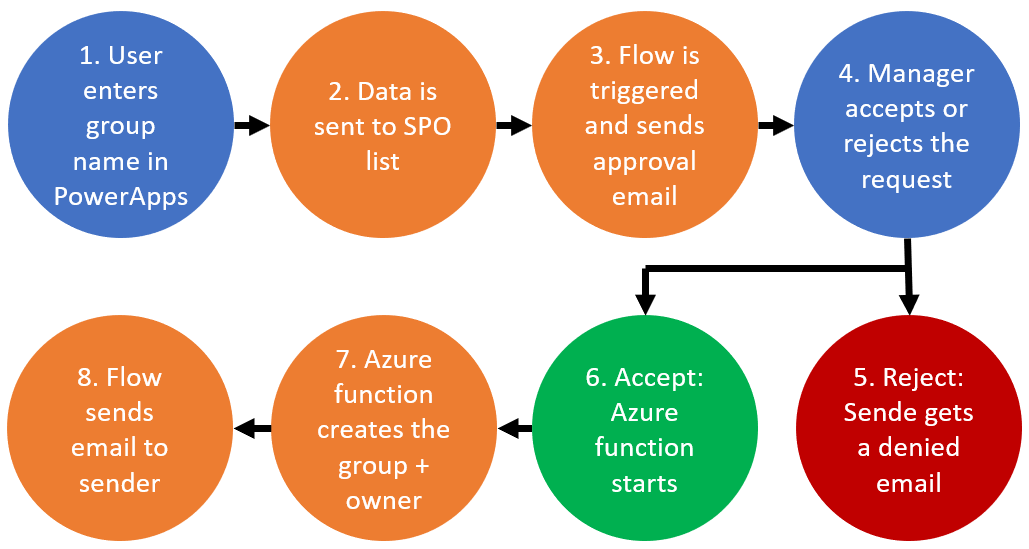
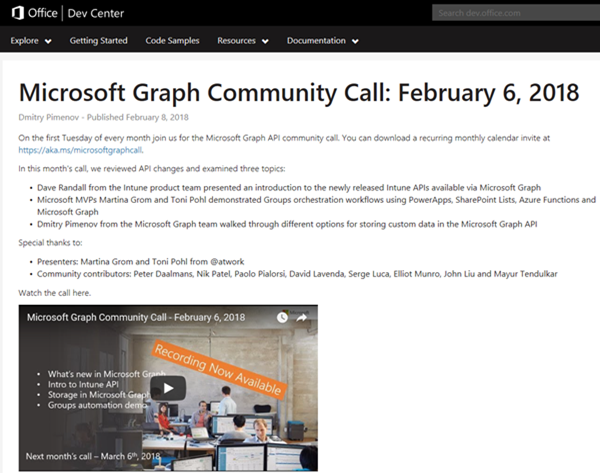
Microsoft Graph is the unified endpoint to programmatically access resources and services in Office 365 and Azure Active Directory. To inform the developer community with the latest news, the Microsoft Graph team organizes a monthly Microsoft Graph API community call. We, Toni and I, were happy to contribute a use case at the last call showing a scenario of an Office 365 Group orchestration workflow with PowerApps, SharePoint Lists, Azure Functions and Microsoft Graph. ...

February 10, 2018 · 2 min · Martina Grom
1st MVP Award for Dominik Höfling

1st MVP Award for Dominik Höfling

We are very happy to announce that Dominik Hoefling was awarded for the 1st Microsoft MVP Award for Office Servers and Services! Dominik has expertise in Microsoft Office 365 and is a recognized expert, MSL (Microsoft Learning) author, blogger, and conference speaker. See Dominik’s MVP profile. Dominik (@DominikHoefling) is a Senior Consultant for atwork deutschland GmbH. He currently works in Microsoft technologies, especially in Microsoft Exchange, Exchange Online and Office 365. He holds several Microsoft certifications including MCSA for Office 365, MCSE Messaging and MCITP Enterprise Administrator for Windows Server. Dominik also write technical blog posts for international companies and various topics about Exchange Hybrid deployments and Office 365. ...

January 2, 2018 · 1 min · Toni Pohl
How to access files stored in OneDrive or in a SharePoint site with Microsoft Graph and the Excel API

How to access files stored in OneDrive or in a SharePoint site with Microsoft Graph and the Excel API

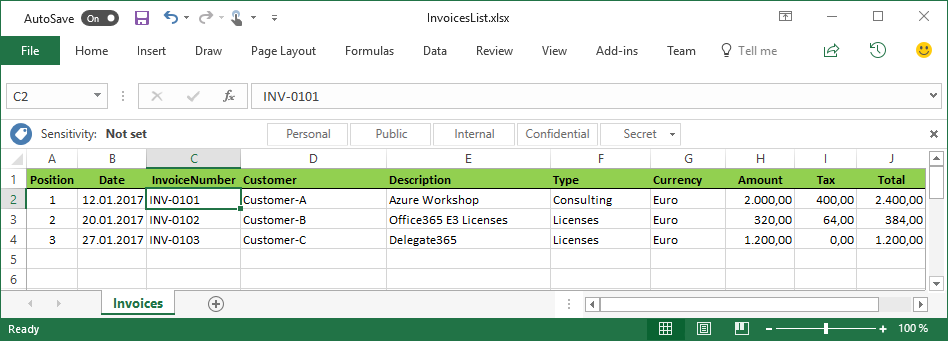
The Microsoft Graph API is the new unified endpoint for developers accessing data from an Office 365 tenant. Amongst many other features, you can work with OneDrive and SharePoint files with the Graph REST API. Additionally, you can directly work with Excel files through the Graph Excel API. Since all samples I found just use the personal OneDrive for Business (OFB) file storage, I wanted to document how to access files that are stored in a SharePoint Online site (SPO) as well. So, here we go! ...

December 29, 2017 · 6 min · Toni Pohl

atwork participates at The Art of Data Management event

The new GDPR (General Data Protection Regulation) comes in force in 6 months. From then on, every business processing personal data has to fulfil the statutory European data privacy laws. A violation can result in high fines and penalties. Within the cost free seminar series “The Art of Data Management”, taking place in Germany and Austria, atwork prepares you for the statutory changes. Our experts pass on a first general insight into the security concept of Office 365 and Azure and tell you how to fulfil the conditions of the new regulation with the help of Microsoft Cloud Services. ...

November 20, 2017 · 1 min · Toni Pohl
Forward emails from a Microsoft Account to a Work Account

Forward emails from a Microsoft Account to a Work Account

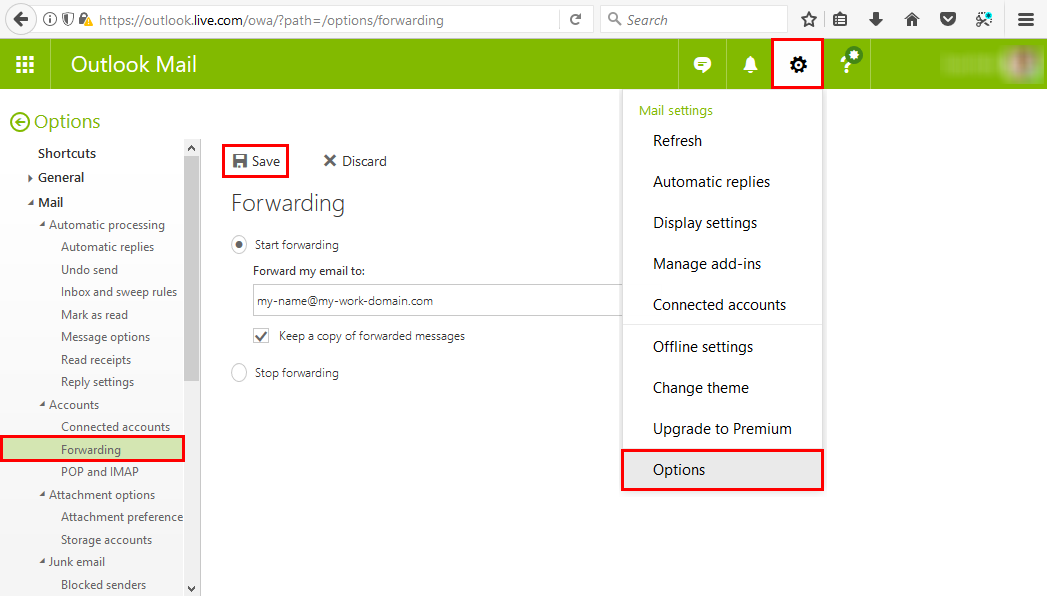
Many of us have a Microsoft Account (MSA) that we use for Microsoft Azure or similar Microsoft services. But in reality, with Office 365, we’re used to work with our Work-or-School Account (AAD). So, often it is helpful to forward all mails from one MSA to the work account primarily used. This can be accomplished easily! Login to https://outlook.com with your MSA. In Outlook for the web, open the settings icon and click Options. ...

October 9, 2017 · 1 min · Toni Pohl
Provisioning an Office 365 group with an approval flow and Azure functions-part 2

Provisioning an Office 365 group with an approval flow and Azure functions-part 2

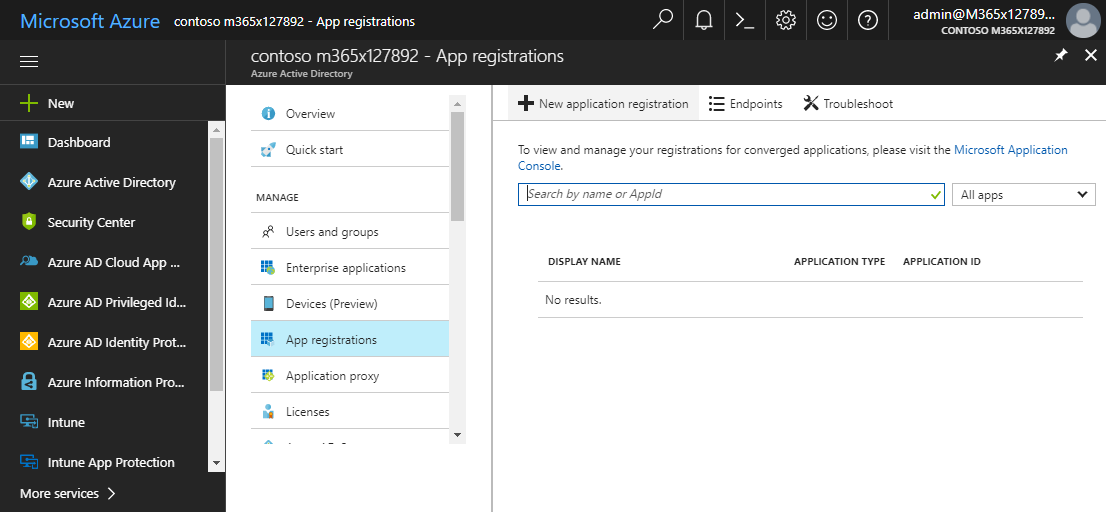
In part one, we saw how the Microsoft Graph API enables programmatic access to Office 365 groups. Now it’s time to let Azure Functions help us with the desired workflow. For the following steps, an Azure subscription and a Global Admin in the target Office 365 tenant is required. The plan We want our provision group function to be able to create a new Office 365 group without any user interaction. So, we need an app with the permission to accomplish the operations in our Office 365 tenant, in the same way as did for the administrator account in part 1. The key is, to create such an application first and to use that access data in our code. The workflow will execute our function, pass the parameters, and the function will do the work. So, these are the necessary steps. ...

October 1, 2017 · 6 min · Martina Grom
Provisioning an Office 365 group with an approval flow and Azure functions-part 1

Provisioning an Office 365 group with an approval flow and Azure functions-part 1

Office 365 groups span over various Office 365 services and provide a great way for collaborating. By default, every user can create an Office 365 group. While self-service is a good thing and many businesses adopted into that direction, some companies still prefer the controlled approach. In real world environments, organizations usually want to restrict the group provisioning so that IT can control the wild growth of groups. This article series shows how to create an Office 365 group with an attached approval process with SharePoint Online, Flow and Azure functions. See how this works here! ...

September 28, 2017 · 8 min · Martina Grom
How to move your OneNote notebook to a better place

How to move your OneNote notebook to a better place

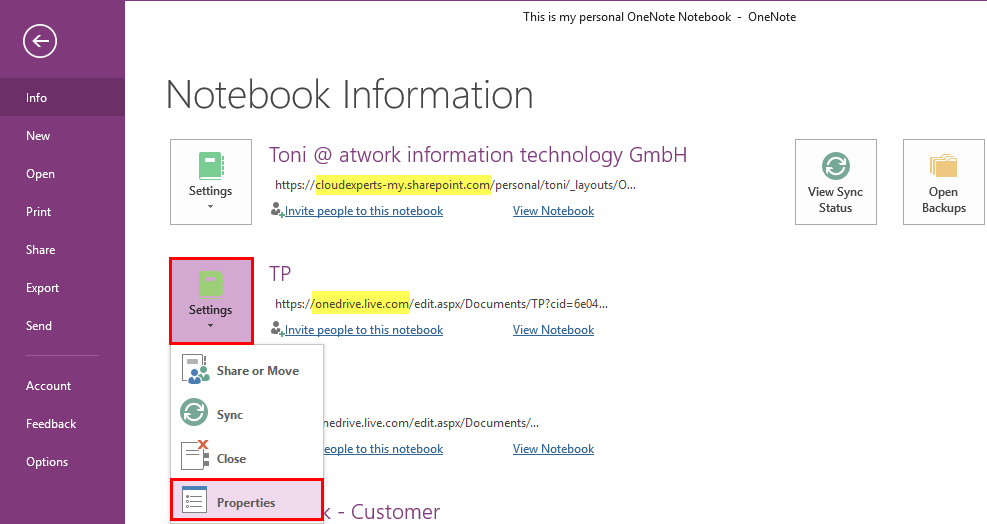
Many users including myself love OneNote. It’s quick and allows to store valuable but unstructured data very well. I wanted to change the storage location of my OneNote notebook from my personal OneDrive to OneDrive For Business. See the How-To here! You get Microsoft OneNote for free at https://www.onenote.com/download. By default OneNote is persisting notebooks in the personal OneDrive cloud storage and syncs changes between the local client (if installed) and the cloud. That’s ok for most scenarios and very convenient. ...

September 17, 2017 · 3 min · Toni Pohl
How user profile synchronization works in Office 365 services

How user profile synchronization works in Office 365 services

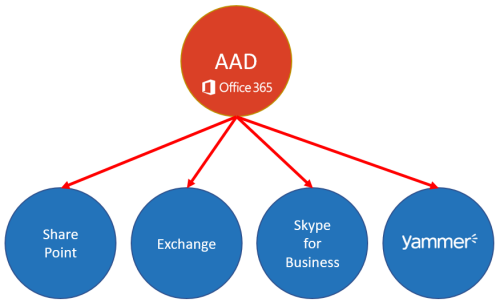
Office 365 users often ask about user profiles in various Office 365 services and where to change what. Since the Office 365 products do have a history, there are different places where user profile data is stored and how specific properties are synchronized. So, we at atwork thought that it makes sense to inform about the current user profile status in Office 365 with this article. AAD Basics The basis of all Office 365 services is the central Azure Active Directory (AAD) that stores all users, groups, licenses and relations of an Office 365 tenant (*.onmicrosoft.com). Entities can be managed in the Office-Portal, with scripts (PowerShell, etc.) or custom code (accessing the Microsoft API’s), or in a hybrid scenario with AAD Connect or ADFS. Once a user is created in AAD, there are a bunch of user properties available, as the User Principal Name (UPN, which is the login name), the person’s name and address data, Office 365 licenses, and more. All Office 365 products require such a user identity for sign-in. Once logged in, users benefit from Single-Sign-On (SSO) experience with one single identity. ...

July 7, 2017 · 6 min · Martina Grom