Why we need the Power Platform

Why we need the Power Platform

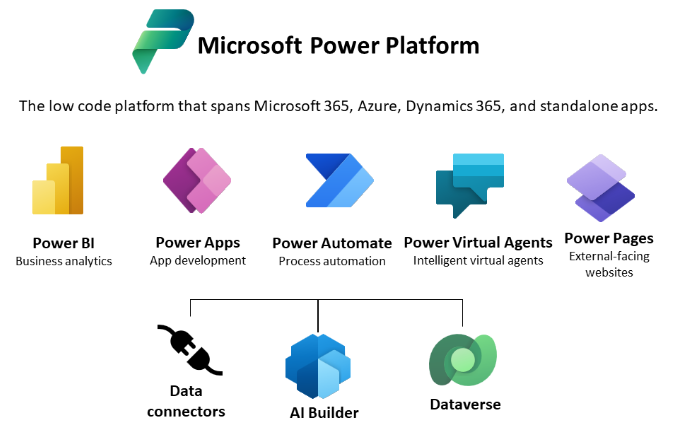
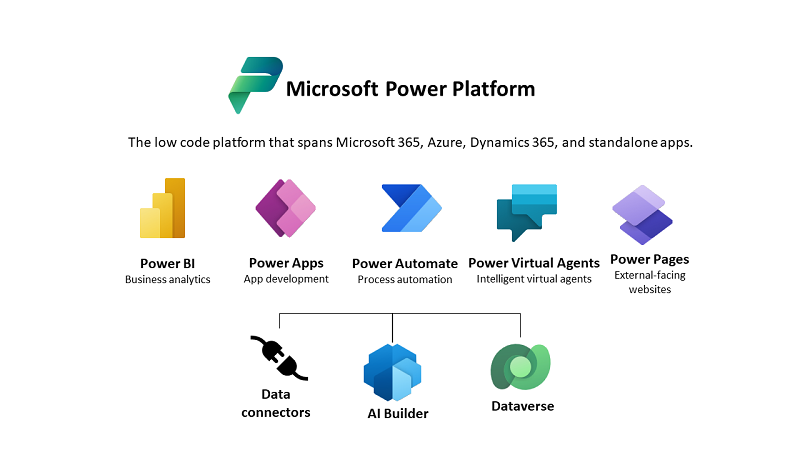
Today, a quick tip on an article about one of Microsoft’s fastest growing companies: Helping power users to build business apps with low-code and no-code apps. Helping regular folks build business apps The article on protocol.com is about Charles Lamanna, who is corporate vice president of Microsoft Business Applications. Charles Lamanna runs one of Microsoft’s fastest-growing businesses: Helping regular folks build business apps Microsoft’s Power Platform strategy is to allow non-technical people to build applications for their team’s needs with it´s Power Platform, which basically includes Power BI, Power Apps, Power Automate and other services out of Microsoft 365 and Dynamics 365, as the following graphics illustrates. ...

July 24, 2022 · 2 min · Toni Pohl
Tips for PowerApps-9 set data row limit for SharePoint Online lists

Tips for PowerApps-9 set data row limit for SharePoint Online lists

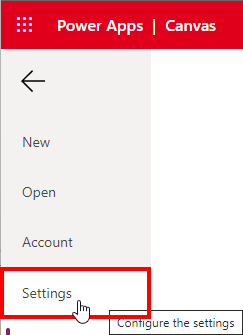
If you’re using a SharePoint list in a Power App and some data is missing, you can change the data row limit to a higher number in the Power App settings. See how this works here. In the Power Apps editor, open menu File and Settings. In the General section, scroll down to the “Data row limit” and modify the number how many items shall be retrieved from the data source. ...

June 26, 2022 · 1 min · Toni Pohl
Tips for PowerApps-8 Group and chart

Tips for PowerApps-8 Group and chart

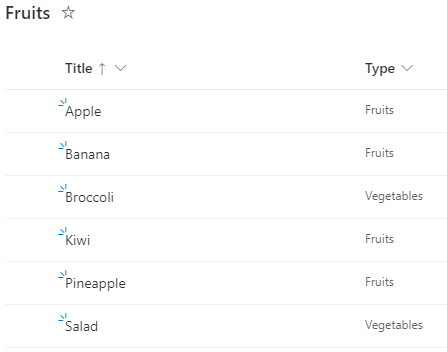
Grouping in Power Apps can be a little tricky. Here´s how to create a new collection from a data table and visualizing the grouped result in a chart control. In this small sample, I will show how you can use a data table with the group by function to visualize a summary with a chart in a Power App. The data source is minimal: It´s a SharePoint list named Fruits, containing some items. The Type column is what we want to see grouped by the number of items. ...

June 6, 2022 · 3 min · Toni Pohl
Tips for PowerApps-7 Update fields with a button

Tips for PowerApps-7 Update fields with a button

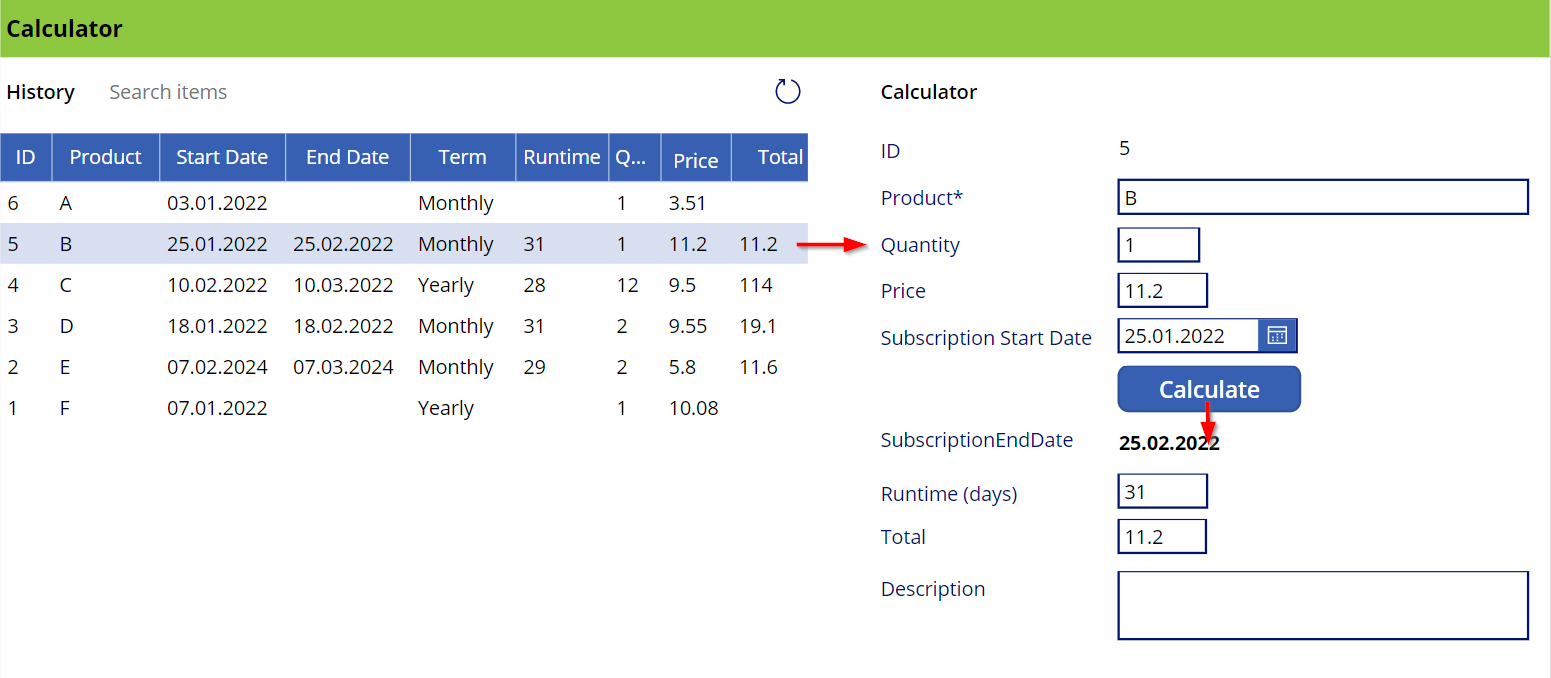
This is a quick guide on how to use a button to update a bound field on a form in a Power App. Since this is a little tricky, here are the instructions. The sample The Power App here is a simple calculator (and not pretty, but functional). Product subscriptions are coming from a SharePoint Online list and populate the Data List control on the left. When the user clicks on a row, the item corresponding is shown in the detail fields on the right in an Edit Form. When the Calculate button is pressed, the OnSelect event calculates the fields below the button. It calculates the SubscriptionEndDate, which corresponds to the SubscriptionStartDate plus one month, the runtime, which is the number of days of the *SubscriptionStartDate *month, and the Total, which is the price - quantity. Also, the button updates the item in the data source. ...

January 8, 2022 · 3 min · Toni Pohl
Power Platform Environments and Governance Tips

Power Platform Environments and Governance Tips

The Microsoft Power Platform enables individual solutions to be developed and business processes to be easily automated. When it comes to controlling the solutions, it is important to establish an IT governance in the organization. There are many areas and details about it. For this reason, I’ve put together a summary here with some news and helpful tips. The Microsoft Power Platform includes Power BI, Power Apps, Power Automate, and Power Virtual agents, leveraging the common infrastructure of the Microsoft Dataverse (the former Common Data Service) and Data Connectors. Dynamics 365 and the Power Platform are both deeply coupled with Dataverse and are held in containers called environments. A governance strategy usually starts with organizing the environments accordingly. Environments allow to separate Production, Test and Development. See more at Environments overview and at Microsoft Power Platform guidance documentation. ...

July 5, 2021 · 5 min · Toni Pohl
Tips for PowerApps-Add required user permissions for PowerApps using Dataverse

Tips for PowerApps-Add required user permissions for PowerApps using Dataverse

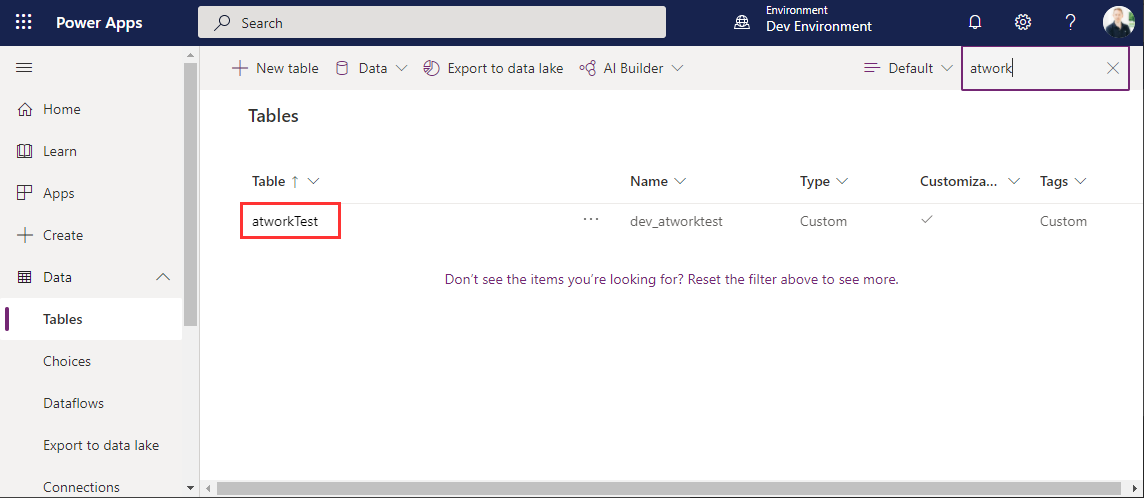
When users shall have access to a PowerApp that is using Dataverse (formerly Common Data Service - CDS), they also need to have the permissions to access the data entity (nowadays called table). So, if your users get an ugly “unknown error occurred” when accessing the PowerApp, here´s the solution to assign the required security role and permissions. The data table To demonstrate how to set permissions, I switched to the environment (in my sample, it´s the “Dev environment”) and created a new table in the https://make.powerapps.com/environments/[environment-id]/entities / Data / Table menu. The table name here is atworktest with some text columns. ...

April 1, 2021 · 4 min · Toni Pohl
Dataverse for TeamsGovernance Aspects

Dataverse for TeamsGovernance Aspects

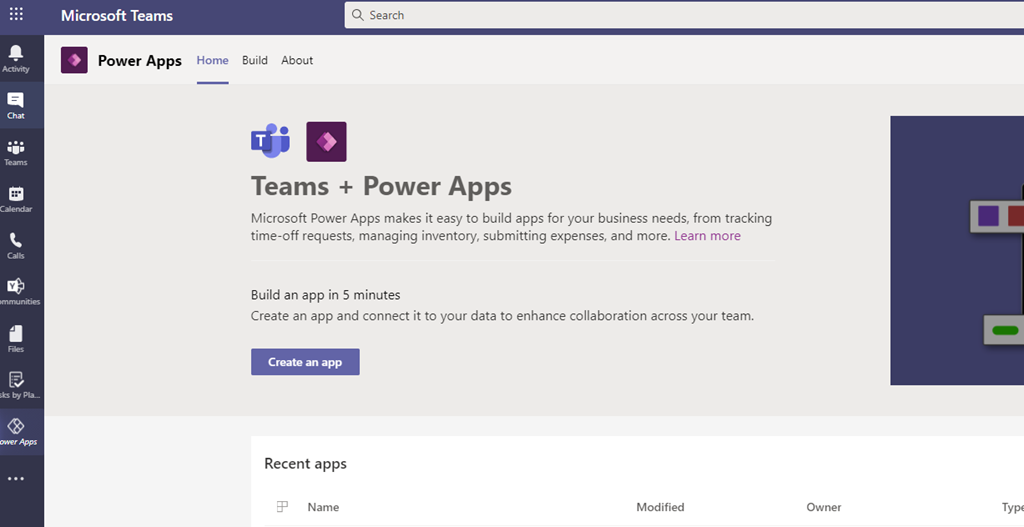
Microsoft enabled a new feature for Microsoft Teams: Dataverse (former Common Data Services –CDS) for Teams. It empowers Teams Owner to create PowerApps directly in Teams without any additional storage space for its data (e.g. a SharePoint List) To achieve that every “Power App enabled Team” gets its own Power App Environment. But there are some things to consider: Power Platform Admins can NOT control the creation of Teams (Dataverse) Environments – the only way is to disable the Teams App “Power Apps” via Teams App Policies ...

December 14, 2020 · 2 min · Peter Hödl
Join us at the Global Microsoft 365 Developer Bootcamp - Austria

Join us at the Global Microsoft 365 Developer Bootcamp - Austria

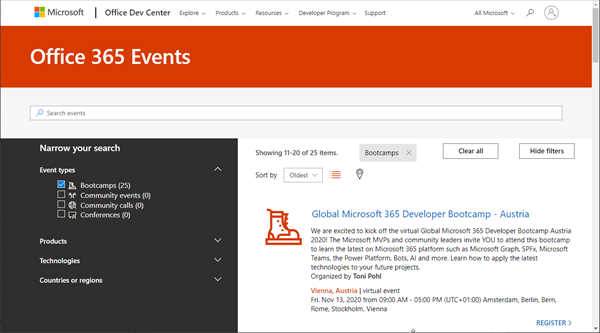
Global Microsoft 365 Developer Bootcamp is back! This year the event will take place virtually from more than 100 cities worldwide. Join us at our Microsoft 365 Developer Bootcamp - Austria on November, 13th, 2020! The Global Microsoft 365 Developer Bootcamp is here for the 4th year straight. Check out Microsoft 365 Events Bootcamps and join us at our bootcamp in Austria using Microsoft Teams. Register now! We are excited to kick off the virtual Global Microsoft 365 Developer Bootcamp Austria 2020! The Microsoft MVPs and community leaders invite YOU to attend this bootcamp to learn the latest on Microsoft 365 platform such as Microsoft Graph, SPFx, Microsoft Teams, the Power Platform, Bots, AI and more. Learn how to apply the latest technologies to your future projects. ...

August 18, 2020 · 1 min · Toni Pohl
CU at SharePoint Conference 2020 in May!

CU at SharePoint Conference 2020 in May!

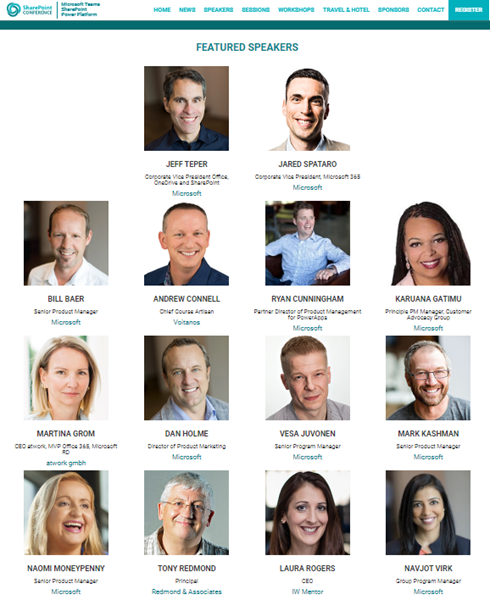
We are looking forward to this year´s SharePoint Conference (SPC) in Las Vegas in May! Sharepoint Conference 2020 offers over 200 sessions, panels and workshops covering all topics around SharePoint, Teams, and the Power Platform. This is an event for everyone working in the Microsoft 365 workspace. We from atwork look forward to being there again. Plus, get a discount for SPC 2020 here! There will be an amazing line-up with more than 150 top-speakers delivering lots of news and insights into the SharePoint ecosystem. In addition to Microsoft speakers, there are also a lot of speakers from the community. We from atwork are honored to speak there with colleagues like Andrew Connell, Laura Rogers, Tony Redmond, Benjamin Niaulin, Daniel Glenn, David Warner, Dux Raymond Sy, Heather Newman, Laura Kokkarinen, and many more! ...

March 3, 2020 · 1 min · Martina Grom
Global Office Developer Bootcamp Vienna 2019

Global Office Developer Bootcamp Vienna 2019

As announced, this Wednesday, on November 27th, 2019, the Global Office Developer Bootcamp took place at the Microsoft office in Vienna, Austria. See some event reflections here. The world wide Global Office Developer Bootcamps 2019 (aka.ms/M365DevBootcamp) are following the success of the Developer Bootcamps 2018 held in 41 countries with over 3,400 attendees and it is now back for its 3rd year. The Bootcamps happen between October 1 to December 15, 2019. The idea is to share the latest and greatest technologies and products (Microsoft Graph, SharePoint Framework, Microsoft Teams, Office Add-ins, Connectors and Actionable Messages, Adaptive Card, Windows, Identity and more) on the Microsoft 365 platform. It was the first time we had the event in Austria. ...

November 28, 2019 · 2 min · Toni Pohl