Impressions of Microsoft Tech Summit Paris 2018

Impressions of Microsoft Tech Summit Paris 2018

After we returned from MVP Summit, we were proud to be part of Microsoft Tech Summit from March 14th to 15th in Paris. The cost-free roadshow took place in Paris Expo Porte de Versailles and delivered two days of news and How-To’s of the Microsoft cloud services. See some impressions here. Beside the breakout sessions, Tech Summit provided experts panels, workshops, and booths to directly get in contact with the Microsoft teams and third party vendors and to ask questions. See more details at the conference website at www.microsoft.com/techsummit/paris. ...

March 18, 2018 · 2 min · Toni Pohl
Tips for PowerApps-Using SharePoint Customize forms with Bing Maps visualization

Tips for PowerApps-Using SharePoint Customize forms with Bing Maps visualization

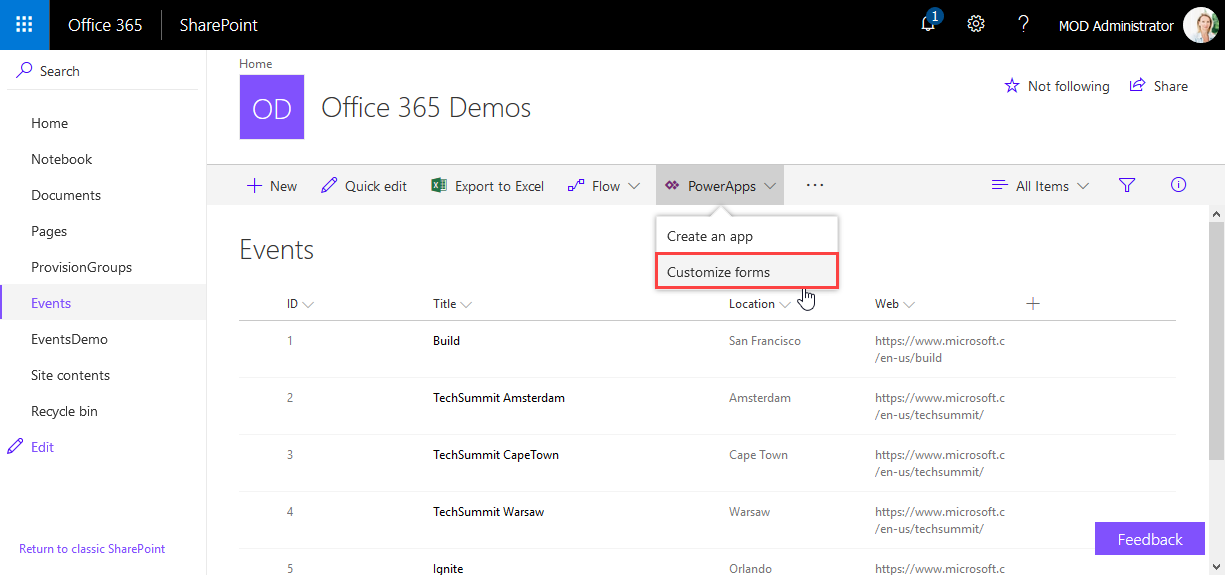
PowerApps are very powerful and simple to use.Through the integration in SharePoint Online lists, we now can create our custom forms within a SharePoint site and add additional features as calculations, modifications and even visualizations. See here, how to integrate a map for showing a location instantly directly in SharePoint without any coding! In this sample, I created a custom list and added a column Location as a single text field. In the PowerApps menu, we see the (new) Customize forms option. As the name says, this allows to modify the display and edit form of that particular list with the PowerApps Online Studio. ...

February 19, 2018 · 3 min · Toni Pohl
How to access files stored in OneDrive or in a SharePoint site with Microsoft Graph and the Excel API

How to access files stored in OneDrive or in a SharePoint site with Microsoft Graph and the Excel API

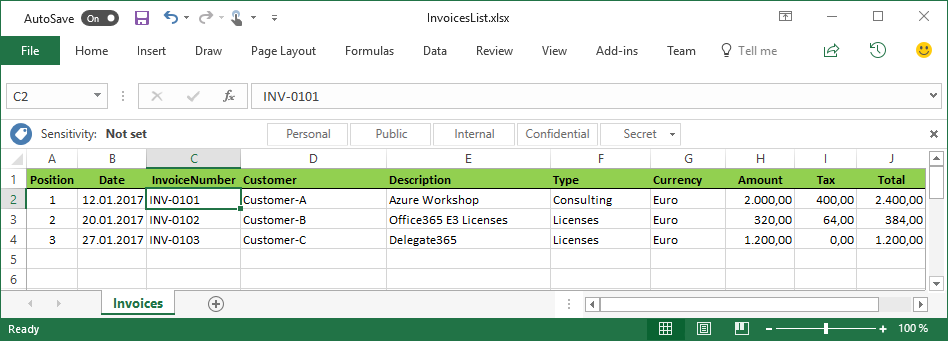
The Microsoft Graph API is the new unified endpoint for developers accessing data from an Office 365 tenant. Amongst many other features, you can work with OneDrive and SharePoint files with the Graph REST API. Additionally, you can directly work with Excel files through the Graph Excel API. Since all samples I found just use the personal OneDrive for Business (OFB) file storage, I wanted to document how to access files that are stored in a SharePoint Online site (SPO) as well. So, here we go! ...

December 29, 2017 · 6 min · Toni Pohl
Provisioning an Office 365 group with an approval flow and Azure functions-part 1

Provisioning an Office 365 group with an approval flow and Azure functions-part 1

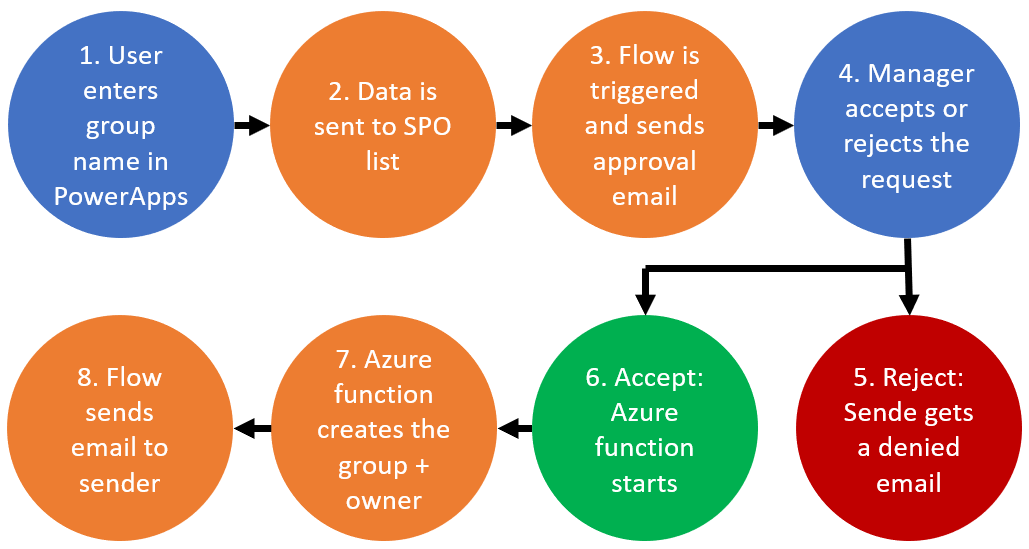
Office 365 groups span over various Office 365 services and provide a great way for collaborating. By default, every user can create an Office 365 group. While self-service is a good thing and many businesses adopted into that direction, some companies still prefer the controlled approach. In real world environments, organizations usually want to restrict the group provisioning so that IT can control the wild growth of groups. This article series shows how to create an Office 365 group with an attached approval process with SharePoint Online, Flow and Azure functions. See how this works here! ...

September 28, 2017 · 8 min · Martina Grom
Many new useful features coming in PowerApps

Many new useful features coming in PowerApps

Two days ago, a new version of the PowerApps Studio has arrived with a bunch of useful features. See the details at PowerApps Newest Feature Releases Address Top User Requests! There’s a new Explorer Tree View to access a list of controls of each screen, as shown here in this animated graphics taken from the blog post: See more about control handling here. The new Multi-Column Form Control makes sense for Tablet mode apps… ...

June 2, 2017 · 1 min · Toni Pohl
Tips for PowerApps-issues and status

Tips for PowerApps-issues and status

Recently I got an error in my PowerApp when trying to get an Office 365 User Profile, although this was working before: “The service returned an error: Office365Users!MyProfile: {“status”:402,“message”:Insufficient privileges to complete the operation.”,“source”:“127.0.0.1”}". See here how to deal with such scenarios. Well, first I tried to check my Office 365 User connection, removed the data source and added it again. But this didn’t change anything, the app still reported the same error. ...

April 16, 2017 · 2 min · Toni Pohl
MS Cloud Summit Paris at MVP Award Blog

MS Cloud Summit Paris at MVP Award Blog

Last week Martina and I participated in Microsoft Cloud Summit Paris. This was the biggest event ever put on by Microsoft communities in France with about 800 technology enthusiasts. We had CVP Julia White and GM for Database Systems Rohan Kumar as keynote speakers and had two great event days there, right in the center besides the Eiffel tower. And Cloud Summit Paris has been featured by the Microsoft MVP Award Program Blog! ...

February 3, 2017 · 1 min · Toni Pohl
Join us at Microsoft Cloud Summit 2017 in Paris

Join us at Microsoft Cloud Summit 2017 in Paris

We are delighted to be part of Microsoft Cloud Summit 2017 in Paris from January 23th to 25th 2017 at the New Cap Event Center! Microsoft Cloud Summit 2017 Paris is a conference organized by AGILE.NET - aOS - AZUG FR - CMD – GUSS and offers: 1 day pre-conference workshops (Jan. 23th) 2 days of conference (Jan 24th-25th) space for about 900 attendees (the conference is sold out) 7 tracks and 72 sessions, see the agenda ...

January 22, 2017 · 1 min · Toni Pohl
Tips for PowerApps-camera access

Tips for PowerApps-camera access

PowerApps allow to access a web or photo camera of a device. When using the camera, sometimes I got a message “To access the camera, check your device settings”. Irritating. See my workaround here. So, when I got this message in the camera control … I got mad, because I didn’t find out where to allow that access on my computer (especially because it worked before). I checked device settings, the camera control settings, PowerApps settings, googled… ...

January 20, 2017 · 2 min · Toni Pohl
Tips for PowerApps-When does a user need a license?

Tips for PowerApps-When does a user need a license?

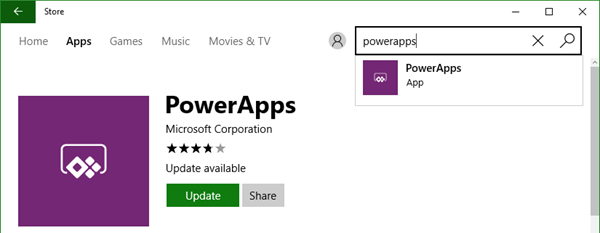
PowerApps is licensed in the Office 365 environment and offers three license plans: PowerApps for Office 365 and Dynamics 365, PowerApps Plan 1 and PowerApps Plan 2. Since it often is not clear, if end users who want to use (and not create) a PowerApps app need a license or how licensing works with data sources, I want to inform about licenses, show some samples and clarify that topic here. ...

January 5, 2017 · 6 min · Toni Pohl