Governance Toolkit 365-Improvements July 2022

Governance Toolkit 365-Improvements July 2022

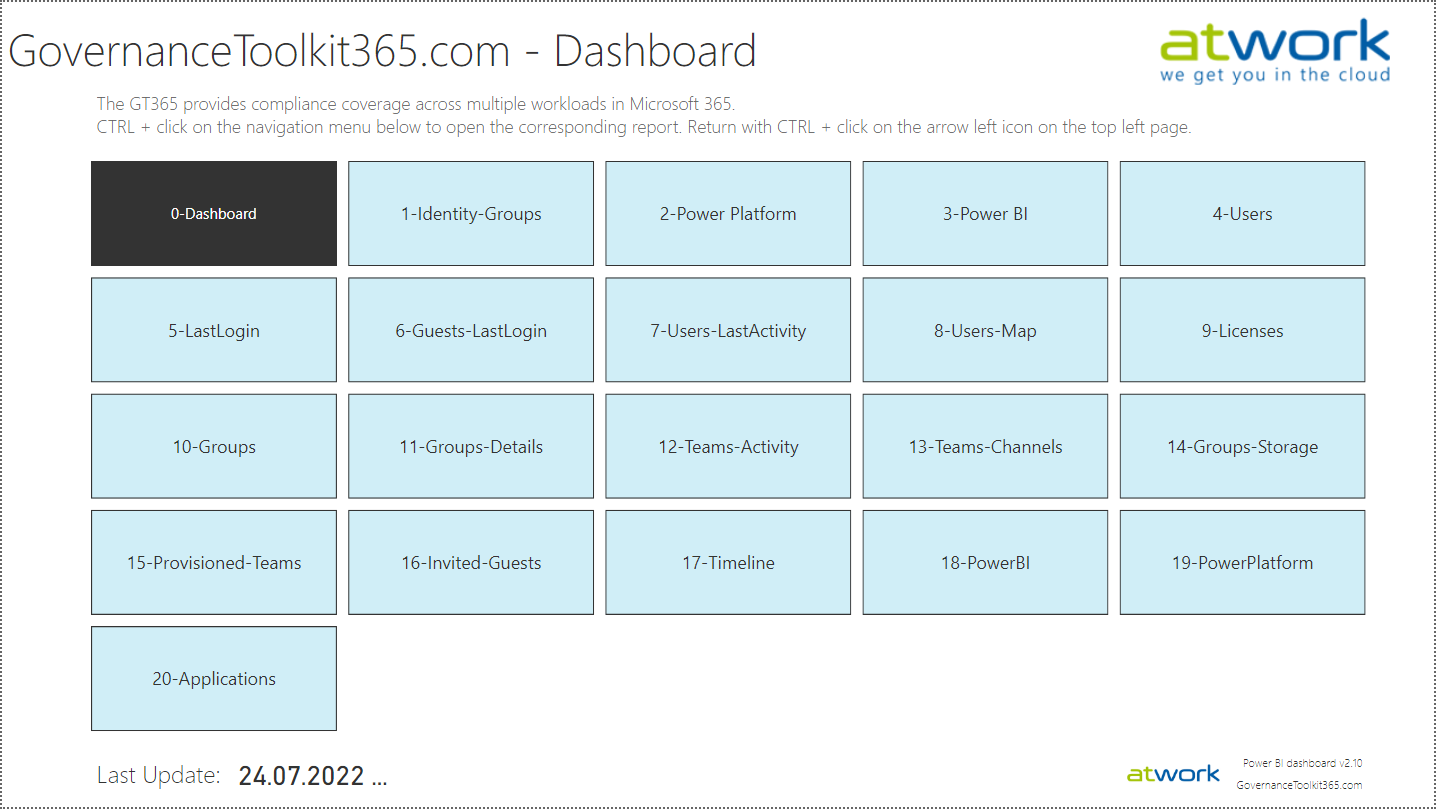
The Governance Toolkit SaaS solution provides compliance coverage across multiple workloads and offers self-services for users. We have added many new improvements and services over the past few months. We started the Governance Toolkit 365 (GT365) journey at the Microsoft Ignite conference in 2018, when my colleague Martina Grom showed a first version how to develop a Power BI governance board for Microsoft 365 and an endpoint to provision a new Microsoft 365 Group with an approval workflow. We saw that there was a great need for governance in the market and from there we developed our solution as Software-as-a-Service offering. One of the great advantages of the GT365 is that it runs completely with the on-board tools of Microsoft 365 and can be completely flexibly customized. You can find more information and test GT365 anytime at governancetoolkit365.com . ...

July 31, 2022 · 8 min · Toni Pohl
Why we need the Power Platform

Why we need the Power Platform

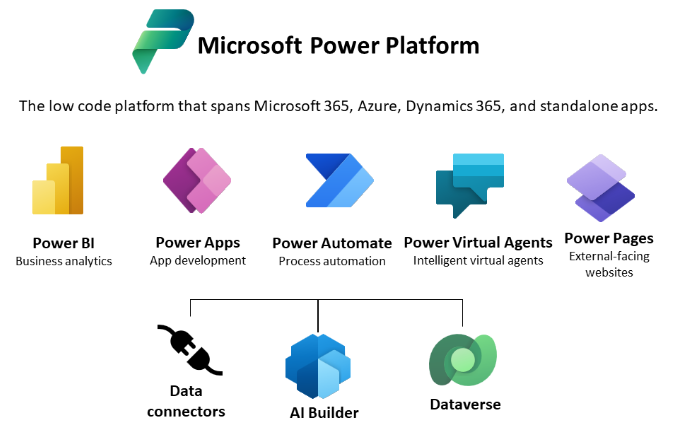
Today, a quick tip on an article about one of Microsoft’s fastest growing companies: Helping power users to build business apps with low-code and no-code apps. Helping regular folks build business apps The article on protocol.com is about Charles Lamanna, who is corporate vice president of Microsoft Business Applications. Charles Lamanna runs one of Microsoft’s fastest-growing businesses: Helping regular folks build business apps Microsoft’s Power Platform strategy is to allow non-technical people to build applications for their team’s needs with it´s Power Platform, which basically includes Power BI, Power Apps, Power Automate and other services out of Microsoft 365 and Dynamics 365, as the following graphics illustrates. ...

July 24, 2022 · 2 min · Toni Pohl
Tips for PowerApps-9 set data row limit for SharePoint Online lists

Tips for PowerApps-9 set data row limit for SharePoint Online lists

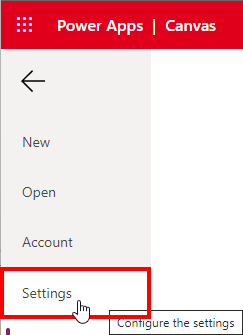
If you’re using a SharePoint list in a Power App and some data is missing, you can change the data row limit to a higher number in the Power App settings. See how this works here. In the Power Apps editor, open menu File and Settings. In the General section, scroll down to the “Data row limit” and modify the number how many items shall be retrieved from the data source. ...

June 26, 2022 · 1 min · Toni Pohl
Tips for PowerApps-8 Group and chart

Tips for PowerApps-8 Group and chart

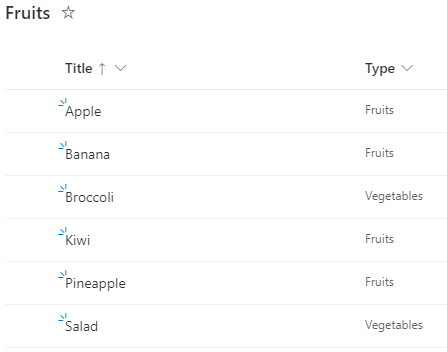
Grouping in Power Apps can be a little tricky. Here´s how to create a new collection from a data table and visualizing the grouped result in a chart control. In this small sample, I will show how you can use a data table with the group by function to visualize a summary with a chart in a Power App. The data source is minimal: It´s a SharePoint list named Fruits, containing some items. The Type column is what we want to see grouped by the number of items. ...

June 6, 2022 · 3 min · Toni Pohl
Tips for PowerApps-7 Update fields with a button

Tips for PowerApps-7 Update fields with a button

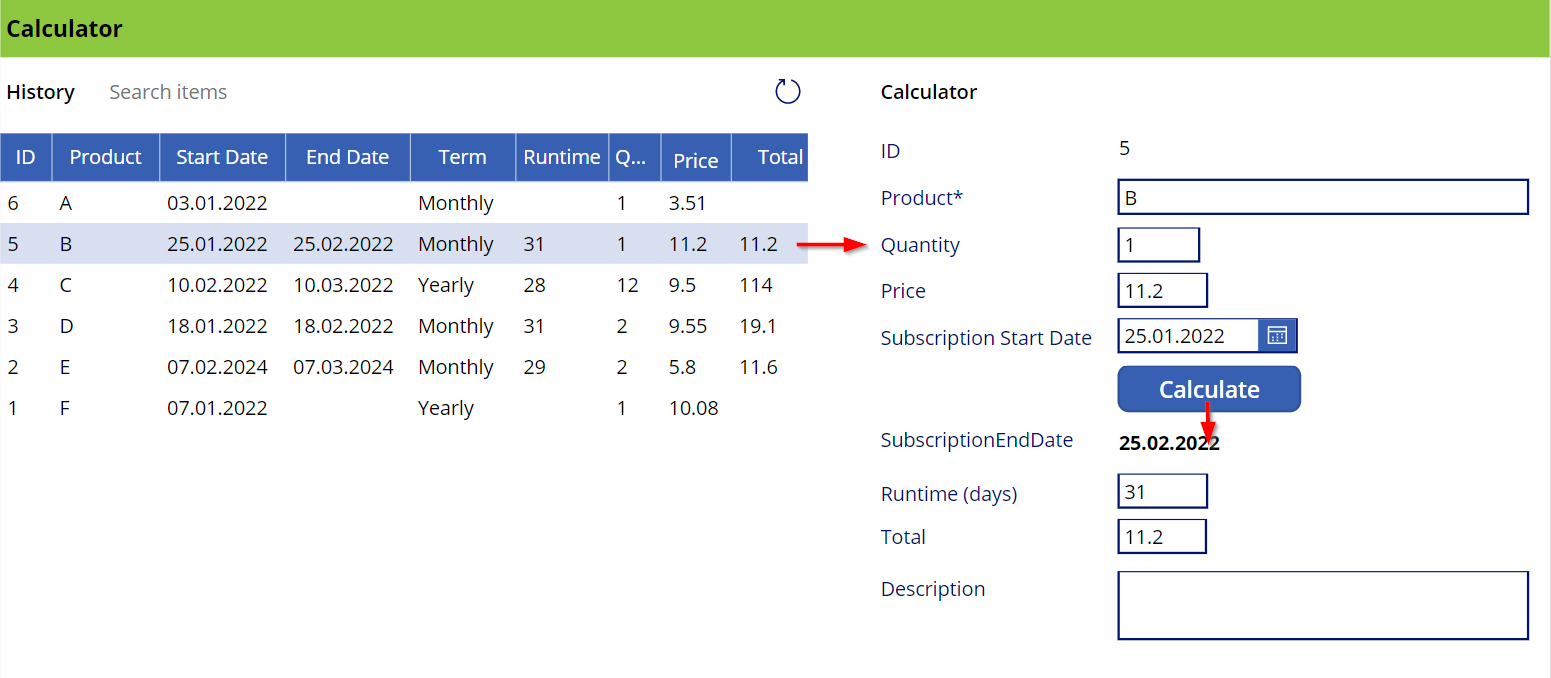
This is a quick guide on how to use a button to update a bound field on a form in a Power App. Since this is a little tricky, here are the instructions. The sample The Power App here is a simple calculator (and not pretty, but functional). Product subscriptions are coming from a SharePoint Online list and populate the Data List control on the left. When the user clicks on a row, the item corresponding is shown in the detail fields on the right in an Edit Form. When the Calculate button is pressed, the OnSelect event calculates the fields below the button. It calculates the SubscriptionEndDate, which corresponds to the SubscriptionStartDate plus one month, the runtime, which is the number of days of the *SubscriptionStartDate *month, and the Total, which is the price - quantity. Also, the button updates the item in the data source. ...

January 8, 2022 · 3 min · Toni Pohl
The quick way to work with SharePoint Lists and permissions

The quick way to work with SharePoint Lists and permissions

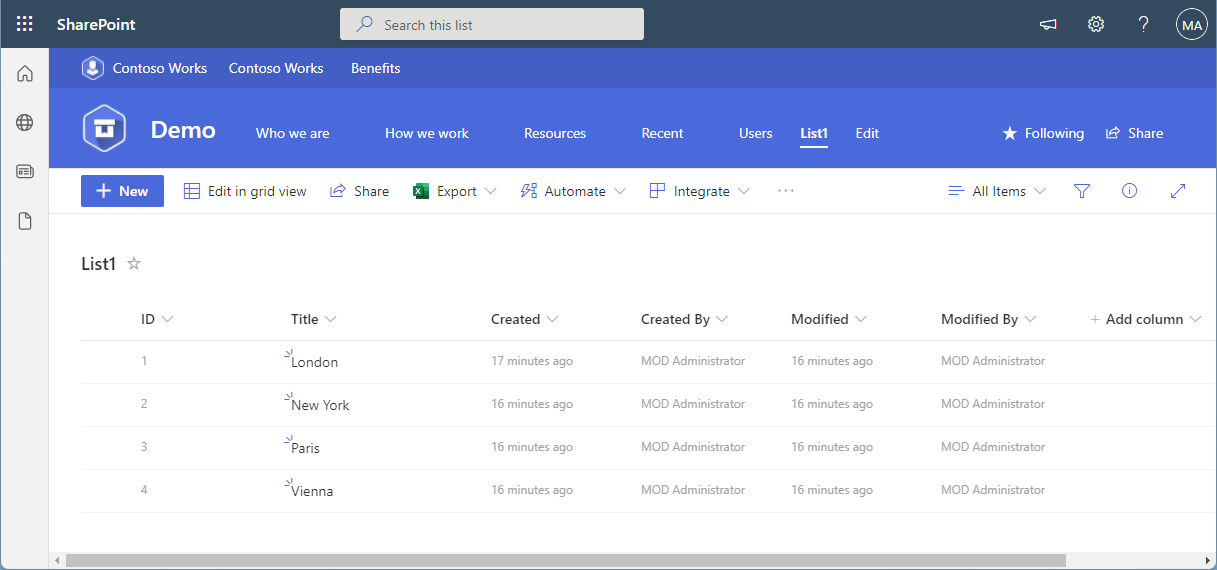
SharePoint (or Microsoft) lists provide a good storage for not too extensive structured data. Sometimes administrators want to restrict access to certain items or lines. This approach shows how you, as an administrator, can do this without using item permissions, but with simpler and easier-to-manage views and permissions. The goal Administrators often want users to see only certain records or only their own records from a larger list. Technically, it is possible to set permissions for specific users per item (see below). On the other hand, setting item permissions is not a good solution in every use case. If a SharePoint list is filled by a given user or by a task, and specific people shall see only their data in a list, depending on their department, or similar organizational information, setting item permissions can be elaborate in terms of effort. ...

December 31, 2021 · 9 min · Toni Pohl
This was European Collaboration Summit 2021

This was European Collaboration Summit 2021

It’s a wrap! The European Collab Summit and Cloud Summit (www.collabsummit.eu) are sister conferences and are the major community-driven technology conferences focusing on digital transformation, the Cloud, and modern workplace. This year, after being remote for almost two years, the atwork-team attended the conference as speakers and attendees (of course in compliance with the COVID-19 safety concept), and we had a blast! The conference took place from 11/29 – 12/2 at Messe Düsseldorf, Germany, with excellent experts who informed about topics, such as Microsoft 365, Azure, Artificial Intelligence, SharePoint, Microsoft Viva, Teams, Yammer, and Business Apps & Power Platform. This focus is further strengthened by the partnership with Microsoft Teams as a Premium Technology Partner. ### ESC 2021 in a nutshell ...

December 7, 2021 · 3 min · Mercedes Orasch
Ways to work with Power BI licenses

Ways to work with Power BI licenses

I recently wanted to share a Microsoft Power BI report with other users who only have the “Power BI (Free)” license. Well, with a “Power BI Pro” license, a report can be shared with other users. But I noticed that there are stumbling blocks when it comes to licensing. Here are my findings. First of all, I’m not a licensing expert (and don’t want to be one). However, I would like to ensure that as many users as possible can consume Power BI reports. With this goal in mind, I would like to share my experiences here. ...

September 27, 2021 · 6 min · Toni Pohl

Power Platform Environments and Governance Tips

The Microsoft Power Platform enables individual solutions to be developed and business processes to be easily automated. When it comes to controlling the solutions, it is important to establish an IT governance in the organization. There are many areas and details about it. For this reason, I’ve put together a summary here with some news and helpful tips. The Microsoft Power Platform includes Power BI, Power Apps, Power Automate, and Power Virtual agents, leveraging the common infrastructure of the Microsoft Dataverse (the former Common Data Service) and Data Connectors. Dynamics 365 and the Power Platform are both deeply coupled with Dataverse and are held in containers called environments. A governance strategy usually starts with organizing the environments accordingly. Environments allow to separate Production, Test and Development. See more at Environments overview and at Microsoft Power Platform guidance documentation. ...

July 5, 2021 · 5 min · Toni Pohl
Tips for PowerApps-Add required user permissions for PowerApps using Dataverse

Tips for PowerApps-Add required user permissions for PowerApps using Dataverse

When users shall have access to a PowerApp that is using Dataverse (formerly Common Data Service - CDS), they also need to have the permissions to access the data entity (nowadays called table). So, if your users get an ugly “unknown error occurred” when accessing the PowerApp, here´s the solution to assign the required security role and permissions. The data table To demonstrate how to set permissions, I switched to the environment (in my sample, it´s the “Dev environment”) and created a new table in the https://make.powerapps.com/environments/[environment-id]/entities / Data / Table menu. The table name here is atworktest with some text columns. ...

April 1, 2021 · 4 min · Toni Pohl